- 27Reviews
- -
- Trustscore 5
Premium Member

Cmsmart Ecommerce
91 Nguyen Chi Thanh, Dong Da
PREMIUMProjects Statistics
Last Updated
September 23, 2025
Version
Download
42
OS
OS UnavailableA visual overview showing what the service includes and how it works.
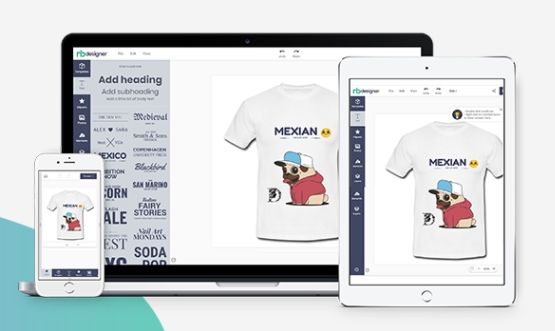
Overview of Cmsmart Product Designer for WooCommerce
Get to know Cmsmart Product Designer for WooCommerce through its key features and benefits.
About Up Cmsmart Product Designer for WooCommerce
Learn what Cmsmart Product Designer for WooCommerce is all about, including its core features and purpose.
Cmsmart Product Designer – Full Features Overview
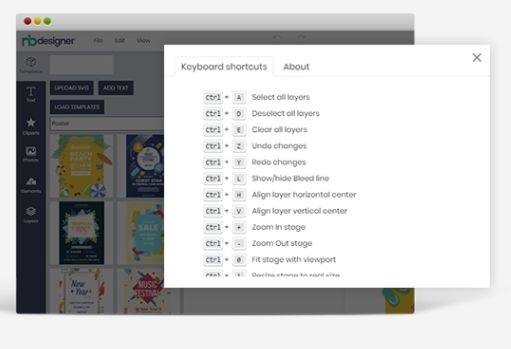
The Cmsmart Product Designer for WooCommerce (formerly NBDesigner) is one of the most comprehensive online product customization tools on the market. It enables customers to design, personalize, and preview products in real time while giving store owners full control over pricing, templates, file handling, and workflow automation.
Product Customization & Design Tools
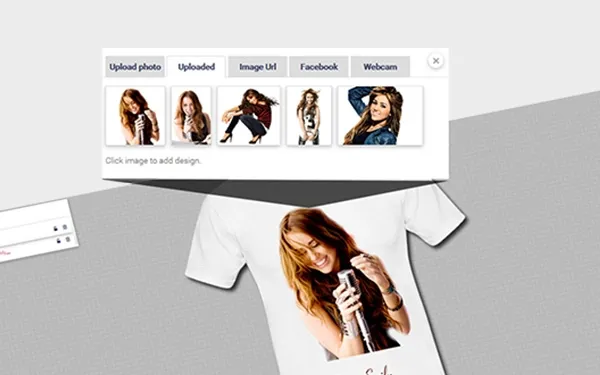
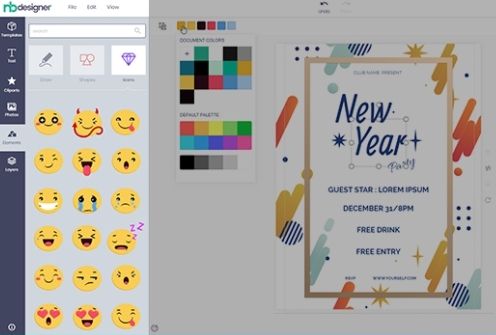
- Live Design Editor: Customers design directly on your product page.
- Multiple Layouts: Modern, Classic, and Visual layouts to match different UX needs.
- Front/Back & Multi-Side Support: Customize t-shirts, mugs, brochures, business cards, etc. on multiple sides.
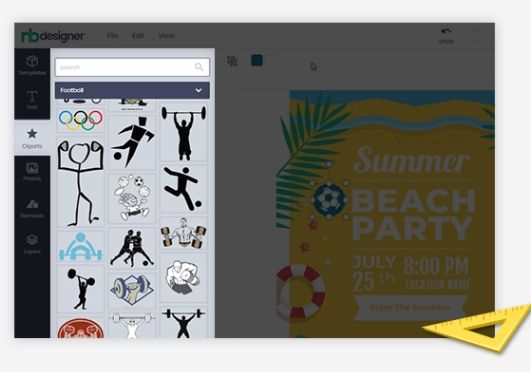
- Clipart & Icon Library: Upload custom cliparts or use integrated sources like Flaticon.
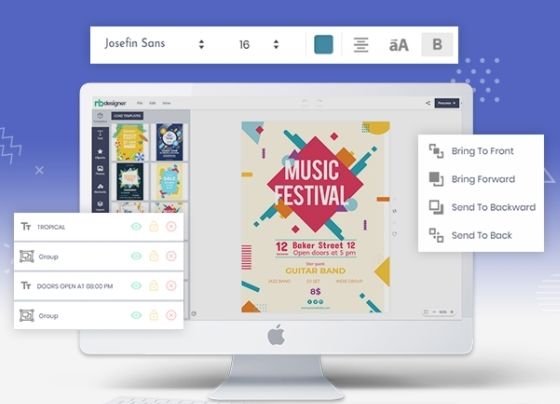
- Text Editing Tools:
- Curved, outline, shadow, rotation, and spacing options.
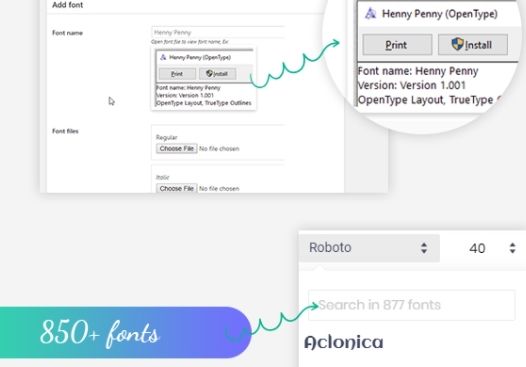
- Font library management with Google Fonts integration.
- Upload custom TTF fonts for brand consistency.
- Image Editing Tools:
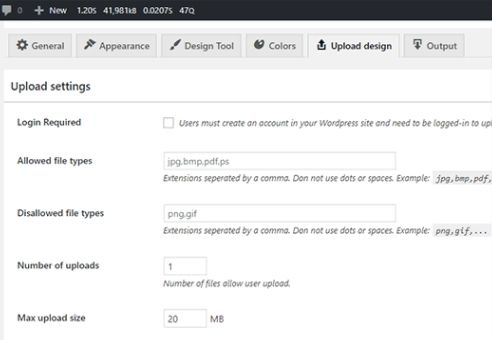
- Upload images (PNG, JPG, SVG, PSD, AI, PDF).
- Apply filters (grayscale, sepia, brightness).
- Crop, mask, resize, and rotate.
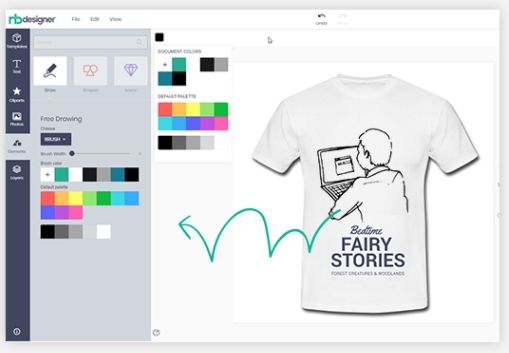
- Drawing Tools: Freehand drawing with brushes, pencil, spray, geometric shapes, and patterns.
- QR Code Generator: Add scannable codes to products like business cards or packaging.
- 3D Preview: Real-time interactive 3D visualization of the design.
- Safe Zone / Bleed Lines / DPI Warnings: Ensures print-ready designs by alerting customers to low-resolution images or unsafe margins.
Template Management
- Pre-Made Templates: Store admins can provide ready-to-use designs for faster customer adoption.
- Template Categories & Filtering: Organize templates by product type (flyer, t-shirt, wedding card, etc.).
- Template Mapping: Automatically assign templates to specific WooCommerce products.
- Global Template Library Integration: Access a shared library with 680+ templates.
- PSD-to-Template Conversion: Import Photoshop files and convert them into online editable templates.
- Guideline Overlays: Upload design guidelines like bleeds, margins, or color instructions.
Printing & Pricing Options
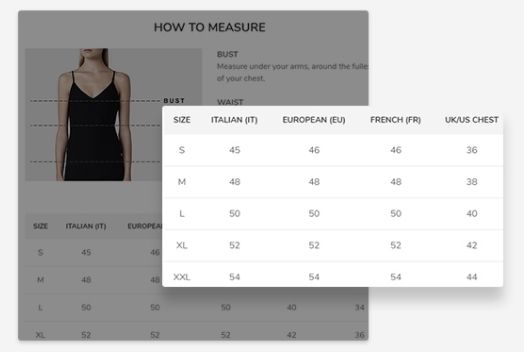
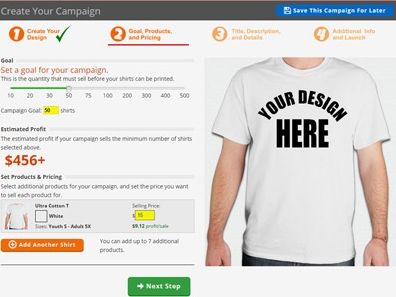
- Dynamic Pricing Matrix: Price based on size, dimensions, or area coverage.
- Measurement-Based Pricing: Perfect for banners, stickers, and custom-sized products.
- Bulk Variation Pricing: Configure pricing for large orders with multiple variations.
- Color & Side-Based Pricing: Adjust costs depending on the number of sides or colors used in the design.
- Design Complexity Pricing: Price according to design area size, element count, or print options.
- Conditional Logic: Show or hide pricing options based on user selections (e.g., lamination only if premium paper selected).
- Custom Discounts & Promotions: Enable flexible pricing rules for B2B or wholesale.
Upload & File Handling
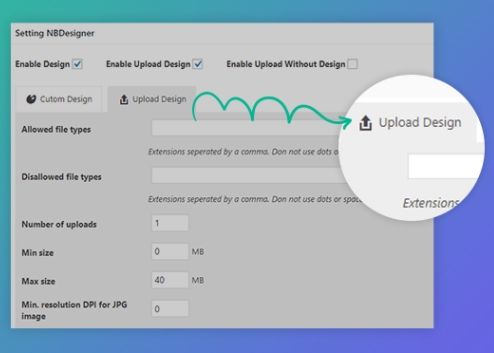
- File Upload Support: Customers can upload logos or artwork in PDF, SVG, AI, PSD, PNG, JPG.
- Advanced Upload Mode: Drag-and-drop into pre-designed frames (e.g., photobooks, posters).
- Social & Cloud Integrations: Import images from Facebook, Instagram, Google Drive, Dropbox, Unsplash, Pixabay, Pexels.
- Resolution Checks: Automatic DPI validation to ensure print quality.
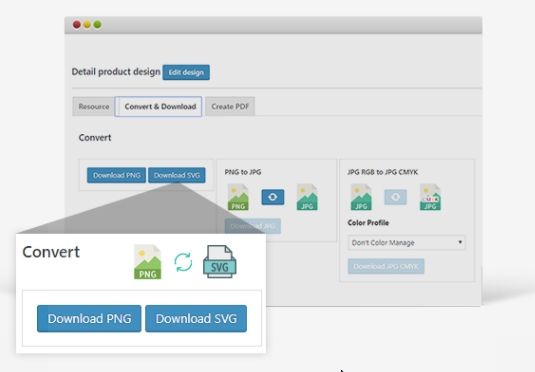
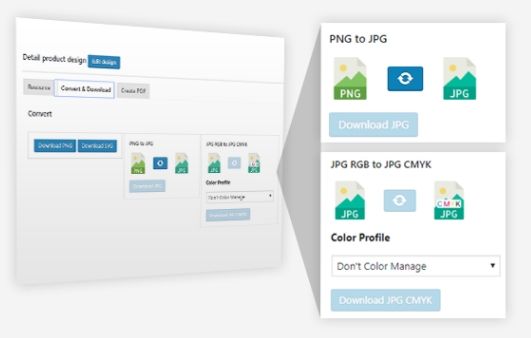
- Preview Downloads: Customers can download design previews before purchase (JPG, PNG, PDF, SVG).
- Watermarking: Protect design previews with branded text or logos.
- Auto File Cleanup: Automatically delete old uploaded files to save server space.
- Secure File Sync: Send print-ready files to external storage (Amazon S3, Dropbox, FTP/SFTP, Google Cloud).
Order & Workflow Management
- Design Previews in Cart/Checkout: Customers see a thumbnail of their design before purchase.
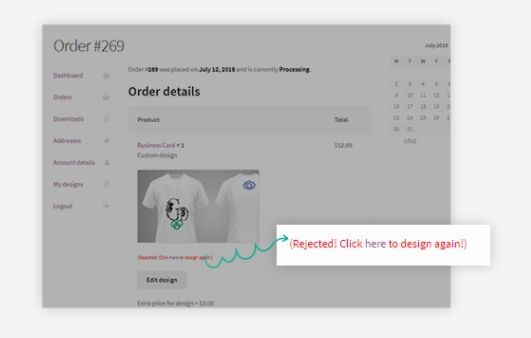
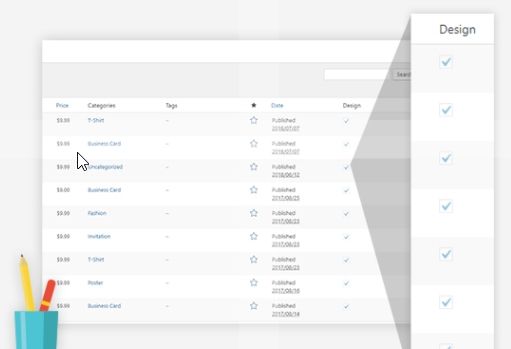
- Admin Design Dashboard: Store owners can view, approve, or reject designs directly in WooCommerce orders.
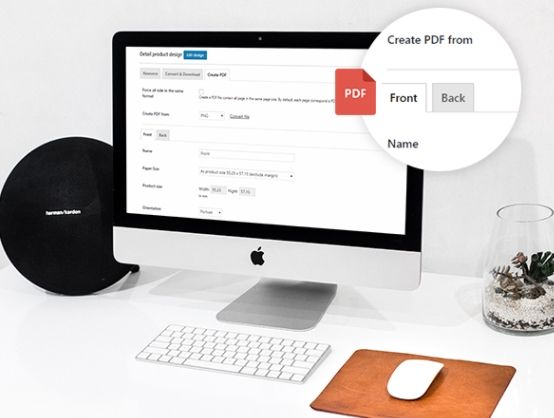
- Automatic PDF Export: Convert final designs into layered or flattened PDFs.
- Multi-Layer Support: Preserve layers in exported files for editing in Illustrator or Photoshop.
- Customer Redesign Option: Allow customers to edit or re-upload files after ordering.
- Design Approval Workflow: Enable “Let us design for you” services where admins/designers assist customers.
- Bulk Order Processing: Handle large B2B orders with automated file exports.
Marketplace & Designer Features
- Designer Role Support: Allow external designers to upload and sell their designs.
- Designer Profile Pages: Showcase each designer with a profile, gallery, and banner.
- Commission Management: Set percentage- or fixed-fee commissions for designer sales.
- Withdraw Thresholds: Manage when designers can request payouts.
- Crowdsourced Design Marketplace: Turn your store into a Canva-like platform with user-submitted designs.
Marketing & Sales Tools
- Abandoned Cart Recovery: Send reminders for unfinished designs.
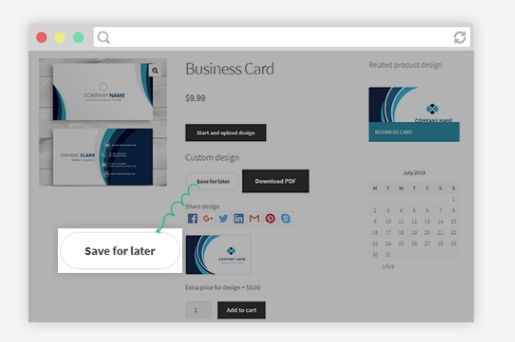
- Save for Later: Customers can store unfinished projects and return later.
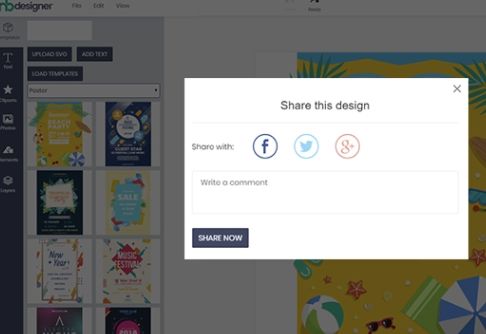
- Design Sharing: Customers can share designs via email or social media.
- Coupons & Discounts Integration: Reward users for creating and purchasing custom designs.
- SEO-Friendly URLs: Optimized product and design pages for Google indexing.
- Analytics Integration: Track design usage, conversion rates, and abandoned sessions.
User Experience & UI Enhancements
- Elementor Integration: Drag-and-drop editor for storefront customization.
- Responsive Design: Works seamlessly on desktop, tablet, and mobile.
- Custom Branding: Upload logos, apply brand colors, and set custom fonts in the editor.
- UI Simplification Controls: Hide/show tabs (Layers, Typography, Templates) to reduce complexity for beginners.
- Multi-Language Support: Compatible with WPML and Polylang for global stores.
- Accessibility Ready: Supports keyboard navigation and visual indicators.
Integrations & Extensibility
- WooCommerce Native Integration: Works seamlessly with product, cart, and checkout flows.
- Shipping Integrations: Sync with UPS, FedEx, USPS, and other carriers.
- CRM & ERP Systems: Compatible with HubSpot, Zoho CRM, QuickBooks, and Xero.
- Marketing Tools: Google Analytics, Mailchimp, Facebook Ads integration.
- API Access: Extend or connect Cmsmart Designer with custom applications.
Security & Performance
- Two-Factor Authentication Support (via WooCommerce security plugins).
- Sanitized SVGs: Prevent malicious code in uploaded vector files.
- Automatic Image Resizing: Prevent server overload from large uploads.
- Caching & CDN Ready: Optimized for high-traffic stores.
- Logging Mode: Record system activity for debugging and performance audits.
Explore full details and demos at Cmsmart Product Designer Plugin.
Cmsmart Product Designer turns a standard WooCommerce shop into a Web-to-Print powerhouse—equipping your store with design tools, real-time previews, advanced pricing, automated workflows, and marketplace-ready features.
download
Cmsmart Product Designer plugin (Nb Designer) for WooCommerce Wordpress version 2.8.6 which is compatiple with latest Wordpress and WooCommerce.
Also we fix some minor reported bugs.
Verification of Cmsmart Stores
This profile has already been claimed
Cloodo is open for all useful and constructive reviews which is almost automatically published, but we fight fake reviews
Community Review Cmsmart Stores
Cloodo is open for all usefull and constructive reviews which is almost automatically published, but we fight fake reviews.
Project Owner are welcome to reply each of user review.
Services of Cmsmart Product Designer for WooCommerce
View the list of support services available for Cmsmart Product Designer for WooCommerce users.
Support of Cmsmart Product Designer for WooCommerce
Cmsmart Store: Comprehensive Support for New eCommerce Projects
Cmsmart Store is a leading solution designed specifically for new eCommerce projects. It provides not just optimized, ready-to-use setup packages but also comprehensive services such as consultancy, development, maintenance, custom development, and migration. Whether you're launching a new store or enhancing an existing one, Cmsmart aims to be the technical partner that every eCommerce business needs.
1. Introduction to Cmsmart Store
Cmsmart Store is built on the WooCommerce platform, optimized for eCommerce success, and tailored for businesses launching new projects. We understand the needs of eCommerce entrepreneurs and developed Cmsmart Store to provide a scalable foundation with extensive support for project growth and management.
2. Core Offerings of Cmsmart Store
Cmsmart Store offers more than just prebuilt eCommerce packages. As a full-service provider, Cmsmart provides:
- Optimized Setup Packages: Ready-to-go eCommerce solutions that get you up and running quickly.
- Comprehensive Consultancy: Expert advice on how to grow, manage, and optimize your eCommerce business.
- Custom Development: Bespoke development tailored to your specific business needs.
- Ongoing Maintenance: Ensure your store operates smoothly with regular updates, performance optimizations, and bug fixes.
- Migration Services: Seamless transitions from other platforms to WooCommerce with minimal downtime.
- Technical Partner: Cmsmart acts as a technical partner, guiding you through the complexities of scaling and managing your eCommerce business.
3. Starting Support: Project Profiles & Freemium License ID
The support process begins with the creation of a Project Profile on the Cmsmart Dashboard. Upon registration, each new eCommerce project will be issued a Freemium License ID, which links the project to the Cmsmart Project Management System. From here, all aspects of the project—setup, support tickets, custom development requests, maintenance, and migration—are handled through this management system.
4. Types of Project Support
Users can select the support ticket that best suits their project needs. Below are the ticket types available:
- Project Maintenance: For ongoing upkeep and improvements related to an eCommerce project with a signed maintenance services contract.
- Project Analysis: Detailed evaluation and analysis of business processes, technical requirements, and growth goals.
- Business Meetings: Scheduled meetings with clients and team members, followed by comprehensive meeting memos to ensure clear project direction.
- Setup Assistance: Support for the initial setup and configuration of new projects, ensuring a smooth start.
- Custom Development: Tailored development to meet unique project needs, whether it's new features, integrations, or design customization.
- Billing and Payment: Assistance with payment plans, invoicing, and subscription management.
- Client Testimonials: Support for collecting and sharing client feedback or testimonials on project success.
- Onboarding and Training: Help with onboarding new clients and providing training on how to best use Cmsmart's eCommerce tools and solutions.
- Feature Requests: Requests for new features or enhancements to be added to the core product version.
- Bug Resolution: Addressing and resolving bugs related to paid products.
- Renewal & Upsell: Engagements related to renewing services, subscriptions, or upselling additional products.
- Consultation: Expert advice and consulting services for addressing specific business or technical challenges.
- Project Updates: Keeping clients informed with updates about project progress, timelines, and new developments.
5. Support Process & Project Management
Once the Freemium License ID is issued, the Project Management Dashboard is activated, offering clients direct access to Cmsmart’s full suite of services. Clients can manage and track every aspect of their project through the dashboard, including:
- Submit and track support tickets for technical issues or feature requests.
- Engage with dedicated project managers for guidance on setup, consultancy, and custom development.
- Monitor progress through detailed project updates, timelines, and key deliverables.
- Access to detailed documentation, invoices, and support records.
6. Custom Development & Additional Services
Cmsmart is equipped to handle a wide range of custom development needs, from integrating third-party APIs to creating new features specifically for your eCommerce project. Our custom development services are offered in two tiers:
- Freemium Support: Covers basic support services such as installation guidance, minor updates, and bug fixes.
- Premium Support: For projects requiring more extensive development or consultation, premium clients have access to dedicated project managers, custom development, and project planning services.
7. Project Milestones & Completion
Each project is broken down into milestones, which define key deliverables and timelines. This ensures that both clients and project managers have a clear view of project progression, deadlines, and any additional services that may be required.
- Milestones: Major phases of the project, such as setup, development, testing, and launch.
- Client Feedback: Regular feedback from clients at milestone completions to ensure satisfaction.
- Task Documentation: Comprehensive documentation for all tasks, provided by the project manager.
8. Custom Development & Licensing Terms
Custom development work and additional features are not guaranteed to be retained after system updates unless guided by Cmsmart. Clients are encouraged to consult with Cmsmart before making major updates to ensure continuity of custom features. Additional fees may apply for retaining customizations.
- Freemium License ID: This ID is tied to the specific project and is used to manage all aspects of support and development.
- Ownership: Cmsmart retains the rights to any tools, plugins, and resources provided under the Premium License.
9. Consultation & Expert Advice
Cmsmart offers consultation services to help businesses navigate the complexities of eCommerce management, from selecting the right features for your store to optimizing performance and handling growth challenges. Our consultants are available for:
- Business process analysis.
- Technical strategy planning.
- Growth and scalability advice.
10. Disclaimer & Limitation of Liability
All services provided are on an “as is” basis. Cmsmart does not guarantee specific outcomes from its support or development services. Liability for damages is limited to the amount paid for the current subscription period.
11. Right to Amend
Cmsmart reserves the right to amend these terms as needed. Clients will be informed of any changes to the terms, and continued use of Cmsmart services constitutes acceptance of the revised terms.
12. Get Started with Cmsmart Store
The combination of optimized eCommerce packages, project management, consultancy, and custom development ensures that your business can grow and succeed with Cmsmart as your technical partner. Create your project profile, get your Freemium License ID, and start receiving expert support tailored to your business.
1. Subscription-Based Payments
- Freemium License: Cmsmart Store is available as a freemium package for new eCommerce projects. Basic support and services are included under the freemium license. For advanced features and premium support, clients will need to upgrade to a paid subscription.
- Premium Subscription: Clients who opt for premium services, including enhanced support, custom development, and consultancy, must subscribe to one of Cmsmart’s premium plans. These subscriptions are typically billed on a monthly or annual basis.
2. Billing Cycle
- Monthly Subscription: Payments are due on the same date each month based on the initial subscription date.
- Annual Subscription: Payments are due on the anniversary of the initial subscription date, and an invoice will be issued at least 30 days prior to renewal.
3. Payment Methods
- Cmsmart accepts the following payment methods:
- Credit/Debit Card: Payments processed securely through our payment gateway.
- Bank Transfer: Available for larger corporate clients by request.
- PayPal: For clients who prefer using PayPal for secure payments.
All payments must be made in the agreed-upon currency as indicated in the invoice.
4. Late Payments
- Grace Period: Clients are given a 10-day grace period to resolve any payment issues without penalty.
- Suspension of Services: If payments are not received within the grace period, Cmsmart reserves the right to suspend access to premium services, support, and project management tools until payment is made.
- Reactivation: Suspended accounts can be reactivated once the outstanding balance is paid in full.
5. Refund Policy
- Full Refund: Cmsmart will issue a full refund if the agreed-upon services or custom development tasks are not completed as per the confirmed task list.
- Partial Refund: If only part of the agreed-upon services is delivered, a partial refund will be issued based on the remaining incomplete tasks.
- No Refund: Cmsmart does not offer refunds for premium subscription payments if services have been delivered as described. Refunds will also not be provided for unused time in the event of an early cancellation by the client.
6. Service Upgrades and Downgrades
- Upgrades: Clients can upgrade their subscription at any time. The upgrade will be prorated based on the remaining time in the current billing cycle.
- Downgrades: Downgrading to a lower-tier subscription will take effect at the start of the next billing cycle. No partial refunds or credits will be issued for downgrades during the current billing period.
7. Additional Services
- Custom Development Fees: Any custom development, outside of predefined support services, will incur additional fees. These fees will be agreed upon in writing before work begins, with payments due upon completion of specific project milestones.
- Emergency Support: Emergency support requests outside of standard business hours may incur additional charges, which will be billed separately.
8. Cancellation and Termination
- Freemium License: Freemium accounts can be canceled at any time without penalty.
- Premium Subscription: Premium subscriptions can be canceled with 30 days’ notice. Clients will continue to have access to premium services until the end of the current billing cycle. No refunds will be issued for early termination.
9. Dispute Resolution
- If there are any billing discrepancies or disputes, clients must notify Cmsmart within 15 days of the invoice date. Cmsmart will review the dispute and work towards an amicable resolution. Unresolved disputes may result in the suspension of services if payments are withheld beyond the grace period.
10. Tax
- Clients are responsible for any taxes, including VAT or sales tax, that may apply to their subscription based on their location. These taxes will be itemized in the invoice and are in addition to the subscription fees.
1. Version Compatibility
- No Natural Upgrade to Cmsmart Store 5.0: Clients who are currently using older versions of Cmsmart or any other prior Cmsmart Store versions must understand that natural upgrades to Cmsmart Store 5.0 are not supported. Migration to the latest version can only be done through a detailed migration plan. Clients must contact a project manager to discuss the migration strategy, including potential custom development, to ensure a smooth transition without data loss or system failures.
2. Standalone Versions
- Cmsmart Version Independence: Each version of Cmsmart is developed as a standalone, optimized solution for specific eCommerce business models or needs. As such, Cmsmart versions are not inherently connected on a unified development or upgrade roadmap. Projects running on different versions may not be able to integrate or upgrade without custom solutions or migration planning.
3. Custom Development and Upgrade Limitations
- No Guarantees on Retaining Customizations: Custom developments or specific features added to previous Cmsmart versions may not be compatible with Cmsmart Store 5.0 or other newer versions. Clients should consult with the Cmsmart team to determine the feasibility of retaining customizations during migration or upgrade processes.
4. No Retroactive Support for Previous Versions
- Limited Support for Older Versions: Cmsmart provides limited support for older versions of its platform. While basic troubleshooting and maintenance may be available, extensive development, optimization, or updates to older versions may not be provided. Clients are encouraged to upgrade to the latest version where they can benefit from current features, performance optimizations, and security updates.
5. Version-Specific Features
- Feature Variability Between Versions: Features, optimizations, and integrations available in Cmsmart Store 5.0 may not exist in older versions, and vice versa. Each version of Cmsmart is designed to meet the specific needs of different types of eCommerce businesses. Clients should choose the version that best aligns with their current business objectives, understanding that certain functionalities may differ across versions.
6. Consultation for Upgrades and Migration
- Consulting is Required for Upgrades: Any project considering a migration from a previous version of Cmsmart to Cmsmart Store 5.0 (or future versions) must engage in consultation with Cmsmart project managers to assess the feasibility, potential data migration needs, and scope of the work required. This includes reviewing potential risks and planning for new integrations, custom developments, or functionality upgrades.
7. Third-Party Compatibility
- Plugin and Extension Compatibility: Cmsmart Store 5.0 may not support all third-party plugins, themes, or extensions used in older versions. Clients must ensure that their chosen plugins and integrations are compatible with the new version, and, if necessary, discuss alternative solutions or customizations with Cmsmart’s development team.
8. Limitations on Liability
- Cmsmart Not Liable for Data Loss or Downtime: Cmsmart will not be held liable for any data loss, downtime, or functionality issues that occur during migration or upgrade processes unless a detailed migration plan is followed and supervised by Cmsmart's project managers. Clients are responsible for performing necessary backups before starting the migration process.
9. Right to Modify Disclaimer
- Cmsmart Reserves the Right to Amend: Cmsmart reserves the right to amend this disclaimer at any time. Clients will be notified of significant changes, and continued use of Cmsmart’s services or platforms after such changes will constitute acceptance of the updated terms.
Tutorial of Cmsmart Stores
Follow step-by-step guides and videos to help you get started with Cmsmart Stores .
More resources
Access the download link for Cmsmart Product Designer for WooCommerce files or software.
Cmsmart Product Designer plugin (Nb Designer) for WooCommerce Wordpress version 2.8.6 which is compatiple with latest Wordpress and WooCommerce.
Also we fix some minor reported bugs.
The Cmsmart Designer AI Version is the next evolution of product customization tools, seamlessly integrating with the latest versions of WooCommerce, WordPress, and Cmsmart Store. This groundbreaking update introduces advanced AI-powered design capabilities, transforming how customers create personalized products.
Key Features of Cmsmart Designer AI Version:
- AI-Assisted Design: Empower customers to generate stunning designs effortlessly with AI, offering suggestions, templates, and real-time enhancements tailored to their preferences.
- Seamless Integration: Fully compatible with the latest WooCommerce and WordPress updates, ensuring smooth performance and expanded functionality.
- Automated Design Optimization: AI algorithms refine user inputs to create print-ready, professional-quality outputs.
- Smart Customization Recommendations: Based on user behavior and trends, the tool suggests colors, layouts, and fonts for optimal designs.
- Enhanced Workflow: AI simplifies the design process by automating repetitive tasks and streamlining complex operations for both users and admins.
With Cmsmart Designer AI Version, your eCommerce store becomes a hub for innovation and creativity, offering customers an intuitive, cutting-edge design experience that sets your business apart.
Highlight feature of Cmsmart Stores
Key features of Cmsmart Stores that make it stand out from the competition.
Product Customization Tool
September 27, 2025
Advanced SEO Optimization to Boost Your Store's Visibility
September 27, 2025
Smart Product Filtering for an Effortless Shopping Journey
September 27, 2025
Fully Responsive Design for a Seamless Shopping Experience
September 27, 2025
Quick Product View for Faster Customer Decisions
September 27, 2025
Powerful Multi-Vendor Marketplace Capabilities
September 27, 2025
Integrated Product Reviews and Ratings to Build Customer Trust
September 27, 2025
Dynamic Product Display for Flexible and Attractive Layouts
September 27, 2025
Optimized Checkout and Cart for Increased Conversions
September 27, 2025
Real-Time Search with AJAX for Instant Results
September 27, 2025
Marketing Reports
September 27, 2025
Customizable Templates
September 27, 2025
Comprehensive Admin Dashboard for Easy Store Management
September 27, 2025
Powerful WooCommerce Integration for Robust eCommerce Management
September 27, 2025
Flexible Theme Customization with Elementor for a Unique Look
September 27, 2025
Advanced Inventory Management to Streamline Stock Control
September 27, 2025
Seamless API Integration for Extended Functionality
September 27, 2025
Efficient Multi-Vendor Management with Dokan for Marketplace Success
September 27, 2025
Built-in Security Features for Safe Transactions and Data Protection
September 27, 2025
In-Depth Reporting and Analytics for Data-Driven Decisions
September 27, 2025
Scalable Infrastructure and Performance Optimization for Growing Businesses
September 27, 2025
Features of Cmsmart Stores
Additional functionalities offered by Cmsmart Stores that enhance user experience.
Cmsmart Stores FAQ
Frequently asked questions about Cmsmart Stores to help you understand it better.
What are the front-end features of Cmsmart Store?
The frontend demo of Cmsmart Ecommerce showcases several key user-facing features:
- Homepage Overview: Highlights the design, layout, and key sections of the homepage.
- Product Listings and Pages: Displays how products are listed and explored in detail on product pages.
- Shopping Cart and Checkout: Demonstrates the shopping cart functionality and smooth checkout process.
- User Account and Registration: Walks through the account creation process and its benefits.
- Search Functionality: Shows the effectiveness of the search bar for finding products easily.
- Mobile Responsiveness: Highlights the website's responsive design across various devices.
- Customer Reviews and Testimonials: Emphasizes customer reviews and social proof.
- Special Offers and Discounts: Demonstrates how the website promotes special offers and discounts.
- Contact Information and Support: Shows how users can access contact information and customer support.
- Social Media Integration: Displays any social media integration features.
- Live Chat Support: Demonstrates how users can access live chat support, if available.
What are the back-end features of Cmsmart Store?
What is the key features of Cmsmart Ecommerce
What is Cmsmart Store, and who is it best suited for?
How do I download and install Cmsmart Store?
Why should I choose Cmsmart Store over other eCommerce options?
Who can benefit from Cmsmart Store?
How does Cmsmart support the setup and maintenance of my eCommerce project?
What is the Freemium License ID, and how does it work?
What services does Cmsmart Store offer beyond the basic package?
What makes Cmsmart Store the best option for my new eCommerce project?
Can I use Cmsmart Store for existing projects or previous versions?
How does Cmsmart handle customizations and feature requests?
Benefit of Cmsmart Stores
Discover the advantages and value users gain from using Cmsmart Stores .
Startups and Entrepreneurs
Small and Medium-Sized Enterprises (SMEs)
End-to-End Customization: SMEs often need a tailored solution that matches their specific business requirements. Cmsmart Store offers flexible customization options, including custom themes, plugins, and the Elementor page builder, allowing businesses to create a unique store that reflects their brand identity. Built-In Marketing Tools: With integrated SEO optimization, email marketing support, and social media sharing, SMEs benefit from enhanced online visibility and targeted customer acquisition, helping them compete with larger players in the market.
Multi-Vendor Marketplaces
Seamless Marketplace Capabilities: Cmsmart Store 5.0 includes the Dokan Multivendor extension, allowing businesses to run a marketplace where multiple vendors can sell their products. This model benefits businesses looking to create platforms like Amazon, Etsy, or eBay, where third-party vendors contribute to the overall product offering. Commission and Vendor Management: Marketplace businesses can track vendor performance, manage commissions, and process payouts seamlessly through the Cmsmart platform, giving them full control over their marketplace operations.
Print-On-Demand and Custom Products Businesses
Retailers Expanding Online
Digital Agencies and Freelancers
Fashion and Apparel Stores
Food and Beverage eCommerce
Health and Wellness Stores
Download Project Files
Cmsmart Stores
By downloading, you agree to our terms of service and privacy policy.
Company Review
25 company reviews out of 5
5
20 reviews
4
4 reviews
3
0 reviews
2
0 reviews
1
1 reviews
Write a review
Gamal Goodwin
September 27, 2025
Ravikanth Ks
September 27, 2025
Brahimi Manal
September 27, 2025
Ray Barlow
September 27, 2025
Peter Barlow
September 27, 2025
FAQ for Support and Premium Services
Can we create design areas with other shapes, e.g. circles, triangles, etc?
Currently the default area is square or rectangle. You can combine with overlay image to create other shapes.
What is Cmsmart Designer, and how is it included in the Cmsmart Store Package?
Cmsmart Designer is a powerful product customization tool integrated with the Cmsmart Store Package. It comes with all sample data and is ready to use immediately after installation. This means you don’t need to set it up from scratch—simply install the Cmsmart Store Package, and Cmsmart Designer will be fully functional on your website.
Additionally, Cmsmart Designer is powered by cutting-edge AI Design, utilizing its own user API to provide smart design suggestions, automate workflows, and enhance the customization experience for your customers.
For installation support or questions about the package, contact Cmsmart’s support team via a ticket.
What pricing options are available for Cmsmart Designer and Cmsmart Store Package?
Cmsmart Designer is included in the Cmsmart Store Package, which follows a freemium model:
- Freemium Plan: Includes the basic Cmsmart Store Package with Cmsmart Designer. Perfect for testing and starting your online store.
- Premium Plans: Unlock advanced features like AI Design, premium support, and custom development. Pricing varies depending on the plan and services required.
For a detailed pricing breakdown or a custom quote, visit the Cmsmart website or contact sales support via a ticket.
Can Cmsmart Designer be customized for unique business needs?
Yes, Cmsmart Designer is highly customizable:
- You can modify templates, design elements, and workflows to suit your brand.
- Custom development services are available for advanced requirements, such as integrating third-party tools or tailoring the AI Design API to your specifications.
For customizations, contact Cmsmart’s project managers through the support portal.
What type of support is included, and how do I access it?
Cmsmart provides comprehensive support based on your plan:
- Freemium Support: Basic troubleshooting and access to documentation.
- Premium Support: Includes priority ticket resolution, setup assistance, and consultation with dedicated project managers.
- Custom Development Support: Tailored solutions for unique requirements, handled by a professional team.
To access support, log in to your Cmsmart account and submit a ticket. Premium users receive priority responses.
How does Cmsmart Designer handle updates and compatibility?
Cmsmart Designer is updated regularly to ensure compatibility with:
- The latest versions of WordPress and WooCommerce.
- Emerging AI technologies to enhance the AI Design feature.
- Security standards and performance improvements.
All updates are included in the Cmsmart Store Package. Ensure you have an active license to receive updates. Contact support for upgrade assistance.
What are the hosting and integration requirements for Cmsmart Designer?v
To run Cmsmart Designer smoothly:
- Ensure your hosting meets WordPress and WooCommerce requirements (PHP 7.4+ recommended).
- Cmsmart Designer supports integration with third-party APIs, CRMs, and ERPs for enhanced functionality.
For integration guidance or hosting recommendations, contact the Cmsmart team via a ticket.
How do I transition from the free version to a premium plan, and can I migrate from another platform?
Upgrading from the freemium plan to a premium plan is simple:
- Log in to your Cmsmart account.
- Select your preferred premium plan and complete the purchase.
- Activate the premium license to unlock additional features.
For platform migration, Cmsmart offers professional migration services to ensure data integrity and minimize downtime. Submit a ticket to discuss your migration requirements.
Can Cmsmart Designer handle multilingual stores and international customers?
Yes, Cmsmart Designer supports multilingual functionality to cater to a global audience:
- Translate the front-end design interface into multiple languages.
- Offer AI Design features tailored to customer preferences in different regions.
Cmsmart also helps configure WordPress multilingual plugins for seamless integration. Reach out to the support team for multilingual setup assistance.
How does AI Design work in Cmsmart Designer, and what can it do?
The AI Design feature in Cmsmart Designer allows users to create images and design elements based on their prompts using advanced artificial intelligence. With this feature, customers can:
- Input a specific design prompt, and the AI generates a custom image or layout tailored to their needs.
- Use AI to enhance designs with smart suggestions for layouts, colors, fonts, and visual elements, making the process intuitive and efficient.
- Create high-quality, unique graphics suitable for printing and digital applications, eliminating the need for external design software.
Cmsmart is continuously developing new AI features to expand this capability, including tools for automated design enhancements, personalized design recommendations, and interactive 3D or AR design previews.
Custom AI Development
For businesses with advanced requirements, Cmsmart offers custom AI development services. Whether you need specific AI-driven design tools or enhanced API integration for your store, Cmsmart is open to tailoring the solution to meet your needs.
Contact Cmsmart’s support team via a ticket to discuss your advanced AI requirements and custom development projects.
How do I install Cmsmart Designer?
Installing Cmsmart Designer is simple as it functions as a WooCommerce plugin. Here’s how to get started:
- Download the Plugin: Obtain the Cmsmart Design Download Package from the official Cmsmart website.
- Log in to WordPress: Access your WordPress admin dashboard.
- Upload the Plugin: Go to “Plugins > Add New” and click the “Upload Plugin” button. Choose the .zip file you downloaded.
- Install and Activate: Click “Install Now,” and once the installation is complete, activate the plugin.
- Configuration: Cmsmart Designer comes preloaded with sample data, so you can start using it immediately. Configure your store settings to align with your business requirements.
For users who need additional help, Cmsmart offers professional installation and setup services to ensure a seamless experience.
If you encounter issues or need assistance with installation, submit a ticket to Cmsmart’s support team for personalized guidance.
FAQ for Project Review in Cloodo Workplace
Why is reviewing a Cmsmart Stores important?
How do I submit or edit a review for a Cmsmart Stores ?
Who can view my review of the Cmsmart Stores , and can I submit it anonymously?
How do I see other reviews for a Cmsmart Stores ?
What key elements should I focus on when reviewing a Cmsmart Stores ?
Elevate your store with Cmsmart
Enhance your eCommerce with our powerful plugins and explore fully built demo stores to see them in action.
Recently, we discovered how client loving working with us by their 5 star recommedation

- Mugs & Tumbler Ecommerce
- Bike Builder Ecommerce Store
- Poster & Canvas Personalize Store Ecommerce Development
- Personalized Ecommerce Furniture Store
- Customize Jewelry Ecommerce Store
- Personalized Event Merch Ecommerce Store
- Photobook Ecommerce Website Solutions
- Phone Case Ecommerce Development Store
- T-Shirt POD Ecommerce Store Development
Since 2012 we aim to become the leader in providing completed ecommerce solutions to SMB business around the world. Today we have been supporting over 50,000+ clients and work for 2,300+ projects on different aspect of development services for your ecommerce business. Become trusted partner and grow up with your business is our sole priority.
91 Nguyen Chi Thanh Str, Dong Da Dist, Hanoi, Vietnam
Email: [email protected] | WhatsApp: +84 978 847 058 | +84 963 296 509
Netbase Company (JSC). Copyright © 2012-2025 Cmsmart.net. All Rights
Reserved.