
Cmsmart Ecommerce
91 Nguyen Chi Thanh, Dong Da
PREMIUM
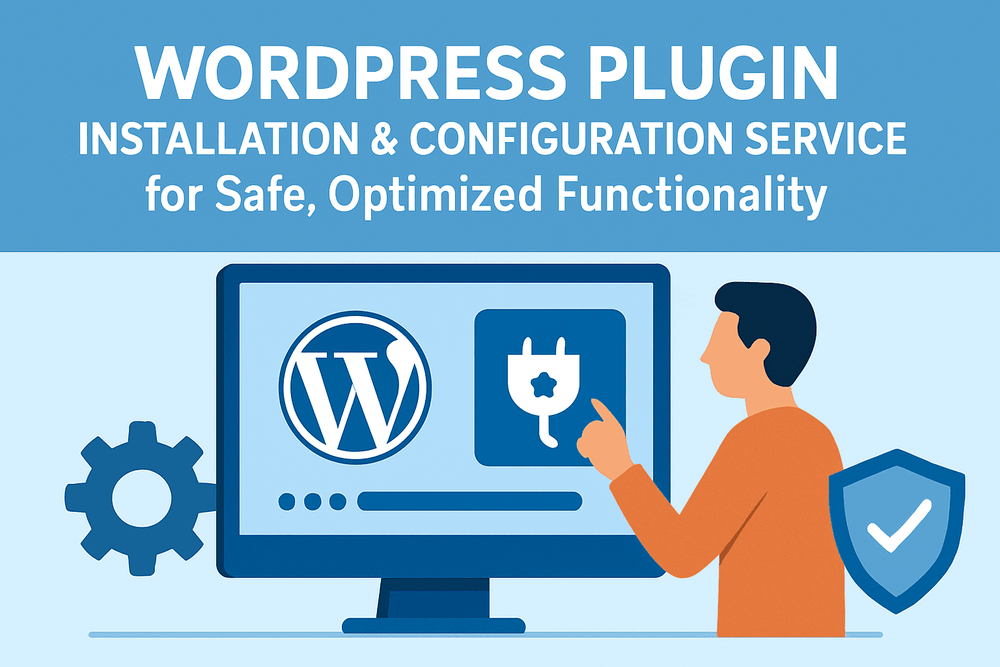
WordPress Plugin Installation & Configuration Service for Safe, Optimized Functionality
Benefits
Description
Why Proper Plugin Installation Matters for WordPress Sites
Plugins extend the power of WordPress and WooCommerce. But when installed incorrectly, they can cause site crashes, plugin conflicts, and even security risks. For SMEs, one broken checkout plugin could mean losing hundreds of dollars in sales within days.
According to WP White Security, over 52% of WordPress vulnerabilities come from poorly managed plugins.
Real Stories: What Goes Wrong Without Expert Setup
- Fashion Startup (US) – Installed a payment gateway plugin without testing. Customers couldn’t complete orders for two days, resulting in refund requests. Cmsmart reinstalled, tested, and stabilized the plugin.
- ChillTee (Hong Kong) – Their WooCommerce store used outdated shipping plugins. After proper installation and configuration, order errors dropped by 25%.
- Boutique Fitness Studio (UK) – A booking plugin was installed but misconfigured, causing double bookings. Cmsmart corrected the setup and optimized notifications, restoring client trust.
For more success cases, explore Cmsmart’s community stories where clients share how professional plugin services saved their projects.
What Clients Are Really Looking For
- Smooth installation – No crashes, no white screens.
- Compatibility – Ensures plugins work with WordPress core, theme, and WooCommerce.
- Proper configuration – Plugins set up for security and performance.
- Efficiency – Fast delivery so your store doesn’t miss sales.
Cmsmart Plugin Installation Service
Our team offers a structured installation and setup process:
- Install and configure WordPress or WooCommerce plugins
- Check plugin–theme–WordPress version compatibility
- Secure setup to prevent vulnerabilities
- Test functionality (checkout, login, or feature workflow)
- Provide a short usage guide or report for your team
Benefits for Your Business
- Avoid downtime caused by DIY plugin errors
- Improve site performance with optimized configuration
- Ensure security patches and safe plugin settings
- Save time and focus on business, not troubleshooting
- Enjoy peace of mind with Cmsmart’s expert support
Take the Next Step
Don’t risk plugin errors breaking your store. Let Cmsmart’s expert team handle your WordPress plugin installation safely and effectively.
Explore more at Cmsmart.net or email [email protected] to schedule your plugin installation today.
Terms of Service
Terms of Service for Plugin Installation
Scope of Work
- Included: Plugin installation, configuration, compatibility checks, rollback if errors occur.
- Not Included: Custom development, plugin coding, or third-party license purchases.
Delivery Timeline and Milestones
- Basic: within 1–2 business days.
- Growth: within 3 business days.
- Pro: ongoing or per schedule.
Communication and Support
- Channel: Cmsmart Project Dashboard & Ticket System.
- Support: Basic (3 days), Growth (7 days), Pro (14 days priority).
Ecommerce Payment Terms
- Methods: Credit/Debit Card, PayPal, Bank Transfer.
- Billing: One-time fee, or monthly subscription for agencies.
Warranty and Bug Fixes
- Guarantee: Free rollback and bug fix for update-related issues during support period.
- Exclusions: Errors caused by outdated or incompatible third-party plugins.
Custom Development and Updates
- Excluded: Coding or custom features.
- Optional: Quoted separately under Cmsmart development service.
Refund and Cancellation Policy
- 30-Day Guarantee: Full refund if service not delivered.
- Partial Refunds: For undelivered installations.
- No Refunds: After plugins are successfully installed and configured.
Client Responsibilities
- Provide admin and hosting access.
- Supply valid licenses for premium plugins.
Third-Party Licenses
- Clients must purchase and renew plugin licenses.
- Cmsmart assists with integration but does not cover fees.
Change Requests and Scope Adjustments
- Additional plugins beyond package require new agreement.
These terms ensure your plugin installation is delivered securely, quickly, and transparently.
Frequently Asked Questions (FAQ)
- Can you install both free and premium plugins?
- Yes. Client must provide valid license for premium plugins.
- What if a plugin breaks my site?
- We back up and rollback immediately if conflicts occur.
- Do you test plugin functionality?
- Yes, Growth and Pro packages include functionality testing.
- Do you offer ongoing plugin management?
- Yes, available under Pro or custom subscription.
- Can you configure plugin settings?
- Yes, we configure essential settings (API keys, payment, shipping, etc.).
- Do you guarantee compatibility with all plugins?
- We test and verify compatibility, but unsupported or outdated plugins may still cause issues.
Step by Step
BASIC
One-time payment
On Going Support $0 / month
What You Get:
- Secure checkout via PayPal
- Free consultation before you commit
- 1-on-1 support from the provider team
Categories & Tags
Categories
Tags
Service Pricing
Pricing That Scales with Your Business
Basic
-
For small businesses adding a single plugin.
One-time payment
What You Get:
Advanced
-
For growing ecommerce stores adding multiple plugins.
One-time payment
What You Get:
Pro
-
For high-traffic stores or agencies managing multiple sites.
One-time payment
What You Get:
Other Services


Recently, we discovered how client loving working with us by their 5 star recommedation







Cmsmart Ecommerce is an AI-enabled B2B custom eCommerce and WooCommerce development partner for web-to-print, product personalization, plugin support, API integration, and operational delivery. Since 2012, as a division of Netbase JSC, we have supported over 50,000+ clients across 2,300+ projects worldwide. Founded and led by David Nguyen, becoming a trusted partner and growing with your business is our sole priority.
91 Nguyen Chi Thanh Str, Dong Da Dist, Hanoi, Vietnam
Email: [email protected] | WhatsApp: +84 937 869 689
Netbase Company (JSC). Copyright © 2012-2026 Cmsmart.net. All Rights
Reserved.

Top