
Cmsmart Ecommerce
91 Nguyen Chi Thanh, Dong Da
PREMIUM
WordPress Theme Installation & Demo-Import Setup for a Launch-Ready Store














Benefits
Description
Why WordPress Theme Setup Matters for Your Business
Installing a WordPress theme is easy, but making it look exactly like the demo can be frustrating. Demo content often fails to import correctly, sliders don’t appear, and menus or widgets are misconfigured. For businesses launching online, this delay means lost time, missed opportunities, and frustration.
A survey by Kinsta found that 43% of WordPress beginners struggle with theme installation and demo setup, delaying project launch by days or even weeks.
Real Stories: What Goes Wrong Without Expert Setup
- Boutique Store (US) – Bought a premium WooCommerce theme but couldn’t get the demo layout working. Product pages looked broken, and launch was delayed. Cmsmart reinstalled, imported the demo, and configured settings — the store went live in 48 hours.
- Wedding Planner (EU) – Theme’s demo slider didn’t work because required plugins weren’t activated. After Cmsmart’s full demo setup, the site matched the original preview, boosting trust with their clients.
- Local Cafe (Asia) – Tried to DIY theme setup. Mobile view broke menus and cart icon. Cmsmart corrected configurations, making the site fully responsive.
For more examples, see Cmsmart community case studies where businesses share how expert setup made their launches faster and smoother.
What Clients Really Need from a Theme Setup Service
- Quick and clean installation — no white screens or errors.
- Exact demo look — site matches the theme preview.
- Plugin configuration — required add-ons installed and tested.
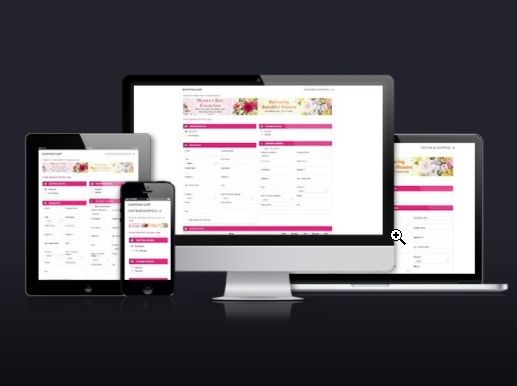
- Responsive layout — theme works seamlessly across devices.
- Confidence — site is stable, optimized, and launch-ready.
Cmsmart’s WordPress Theme Installation Solution
Our team ensures your theme setup matches the demo and is optimized for your store:
- Install WordPress theme (premium or free)
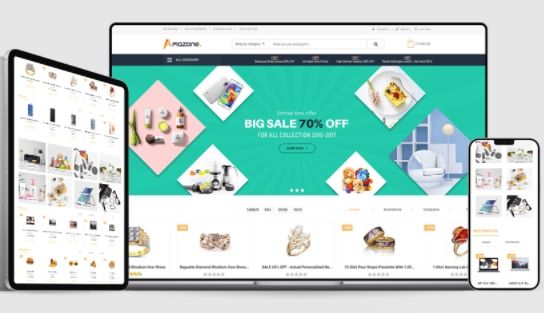
- Import demo content (pages, posts, widgets, sliders)
- Configure menus, logos, and branding settings
- Install and configure required plugins
- Test responsiveness across desktop, tablet, and mobile
- Provide a short guide to manage theme options
Tangible Benefits for Your Business
- Save hours of trial-and-error setup
- Get a professional-looking website from day one
- Launch your store or project faster
- Avoid errors caused by missing plugins or broken demo imports
- Build trust with customers with a polished, responsive design
Act Now and Launch Your Website Faster
Don’t let theme setup issues delay your business launch. Cmsmart’s team will install your WordPress theme, configure demo content, and ensure your site looks flawless.
Explore more about our WordPress services at Cmsmart.net or email [email protected] to get your theme setup today.
Terms of Service
Terms of Service for WordPress Theme Installation
Scope of Work
- Included: Theme installation, demo content import, plugin setup, basic configuration.
- Not Included: Custom design, theme modifications, or plugin development.
Delivery Timeline and Milestones
- Basic: 1–2 business days
- Growth: 2–3 business days
- Pro: 3–5 business days
- Each phase (install, demo import, testing) is logged and confirmed.
Communication and Support
- Channel: Cmsmart Project Dashboard & Ticket System
- Support Duration: Basic (3 days), Growth (7 days), Pro (14 days with priority)
- Reports: Setup confirmation & usage guide provided
Ecommerce Payment Terms
- Methods: Credit/Debit Card, PayPal, Bank Transfer
- Billing: One-time payment, or recurring if agency plan chosen
- Invoices: Available in Cmsmart Dashboard
Warranty and Bug Fixes
- Coverage: Rollback & fix for theme setup issues during support period
- Exclusions: Errors from nulled themes or outdated server configurations
Custom Development and Updates
- Excluded: Theme redesign, custom features, plugin coding
- Available Separately: Quoted as custom development service
Refund and Cancellation Policy
- 30-Day Guarantee: Full refund if service not delivered
- Partial Refunds: For incomplete setup or skipped milestones
- No Refunds: Once theme demo is installed and confirmed working
Client Responsibilities
- Provide valid theme files, licenses, and hosting access
- Ensure server meets minimum WordPress requirements
Third-Party Licenses
- Clients must supply valid premium theme/plugin licenses
- Cmsmart assists with integration but does not cover licensing fees
Change Requests and Scope Adjustments
- Requests beyond demo setup (custom layouts, feature builds) require new agreement
These terms ensure your theme setup is completed smoothly, securely, and transparently.
Frequently Asked Questions (FAQ)
- Do you install free and premium themes?
- Yes. Clients must provide license and files for premium themes.
- What if demo content fails to import?
- We resolve errors manually and ensure your site looks like the demo.
- Do you also configure WooCommerce?
- Yes, included in Growth and Pro packages.
- Can you make the site look exactly like the demo?
- Yes, layouts, menus, and widgets will match the preview.
- Do you provide custom design changes?
- Not in this service. Customizations can be quoted separately.
- What if my server doesn’t meet theme requirements?
- We’ll provide a report and recommendations before installation.
Step by Step
BASIC
One-time payment
On Going Support $0 / month
What You Get:
- Secure checkout via PayPal
- Free consultation before you commit
- 1-on-1 support from the provider team
Categories & Tags
Categories
Tags
Service Pricing
Pricing That Scales with Your Business
Basic
-
For startups and personal sites needing a quick launch.
One-time payment
What You Get:
Growth
-
For growing businesses needing WooCommerce-ready setup.
One-time payment
What You Get:
Pro
-
For agencies or high-traffic ecommerce sites needing premium care.
One-time payment
What You Get:
Other Services


Recently, we discovered how client loving working with us by their 5 star recommedation







Cmsmart Ecommerce is an AI-enabled B2B custom eCommerce and WooCommerce development partner for web-to-print, product personalization, plugin support, API integration, and operational delivery. Since 2012, as a division of Netbase JSC, we have supported over 50,000+ clients across 2,300+ projects worldwide. Founded and led by David Nguyen, becoming a trusted partner and growing with your business is our sole priority.
91 Nguyen Chi Thanh Str, Dong Da Dist, Hanoi, Vietnam
Email: [email protected] | WhatsApp: +84 937 869 689
Netbase Company (JSC). Copyright © 2012-2026 Cmsmart.net. All Rights
Reserved.

Top