

Case study · Web-to-print
Web-to-Label Printing: Sell Custom Product Labels Online
Set up web-to-label printing for product labels with Cmsmart Product Designer: upload, proofing and print-ready PDFs. Get a quote today.
Cmsmart's print-ready PDF plugin for WooCommerce — Product Designer (NBDesigner) 2.17 — turns a product page into a self-service print shop: a buyer designs online, an automatic PDF matches the exact order, and approved artwork is locked from further edits — so print shops and personalized-product stores see fewer manual proofs and fewer reprints.
Was this tutorial helpful?
See also: Cmsmart pricing and Cmsmart products.
← A Step-by-step Guide to Starting a Print-on-demand Business · WooCommerce 3D Product Preview Setup Guide →
Written by
Cmsmart Product Designer Plugin Engineer
Builds and supports the Cmsmart Product Designer (NBDesigner) for WooCommerce.
The team behind it
 Account Manager
 Project Manager
 Business Analyst
 Developers & QA
Case study · Web-to-print
Set up web-to-label printing for product labels with Cmsmart Product Designer: upload, proofing and print-ready PDFs. Get a quote today.
Guide · Web-to-print
See a sourced WooCommerce product designer plugin comparison: pricing, features and print-ready files, then request a free migration quote today.
Guide · Web-to-print
Translate WooCommerce product designer screens with Loco Translate or Frontend Translate: see every setting, its default, and how to set it up.

Cmsmart Ecommerce provides custom ecommerce and WooCommerce development services for web-to-print, product personalization, plugin support and API integration.
Cmsmart Product Designer Plugin Engineer
Builds and supports the Cmsmart Product Designer (NBDesigner) for WooCommerce.
Meet the team →
In short
What does manual print-order handling actually cost your store?
Cmsmart Product Designer removes the manual hand-off between a customer's order and a press-ready file, so your team stops rebuilding PDFs by hand, chasing approvals over email, and reprinting jobs that shipped with the wrong artwork.
Talk to any print shop or personalized-gift seller running a generic WooCommerce checkout and the same costs come up:
None of this is a single line on the P&L. It is staff hours, late shipments and reprints spread across every order — exactly why custom work is easy to under-price.
What would a same-day, no-reprint print queue look like for your store?
With Cmsmart Product Designer, a buyer finishes a design, the plugin renders the print-ready PDF in the background, and your production list only shows orders whose artwork is actually approved and actually ready — so the morning queue is real work, not a guessing game.
Example scenario. A buyer opens your door-hanger product at 10pm, drops in their own text and logo with the online designer, and checks out. The moment they pay, Cmsmart Cloud renders the print-ready PDF in the background — same page size, same bleed, same file the press will use. Production reviews the proof the next morning, clicks Accept once, and the design is locked: nobody, not even the buyer, can change it by accident. By the time it reaches the press, the file has already been checked once by the system and once by a person.
Talk to an ecommerce expert: plan your own print-ready workflow.
How does Cmsmart turn a buyer's design into a press-ready file?
Cmsmart Product Designer chains together five pieces — storefront, online designer, pricing, approval and print-ready output — so a WooCommerce order becomes a checked production file without anyone opening Illustrator, and Cmsmart extends any of the five with custom development when a store needs more.
NBDesigner is built specifically for WooCommerce, the platform behind 31% of the top one million ecommerce sites and more than 4 million online stores (WooCommerce, 2026), so this pipeline plugs into the stack most of your competitors already run. Six building blocks move a design from browser to press:
Cmsmart insight: the two support tickets we see most on a generic customizer setup are a print file that doesn't match the preview, and a customer who re-edited the design after it was already sent to the printer. Both trace back to the same cause: the storefront, the PDF export and the approval step read three different copies of the design instead of one. Fixing that is an architecture decision, not a bug fix.
What's the ROI of automating your print-ready pipeline?
Cmsmart Product Designer turns minutes of manual file prep per order into an automatic render, so the business value shows up as staff hours saved, fewer reprints and a shorter time between payment and a ready-to-print file — trackable KPIs, not vague promises.
ROI worksheet (use your own numbers):
Monthly orders with custom artwork × minutes of manual prepress saved per order × your loaded hourly rate ÷ 60 = monthly staff time saved.
Current reprint rate × average reprint cost (blank + ink + shipping) × monthly order volume = monthly reprint cost avoided.
Plug in your own order volume, prepress minutes and reprint rate; a store running even a modest volume of custom orders usually finds both lines add up to real staff hours and real avoided reprints every month.
Demand keeps growing: the global print-on-demand market was valued at $10.8 billion in 2025, projected to reach $57.5 billion by 2033, a 23.6% CAGR (Grand View Research, 2025).
How do you set up the print-ready PDF plugin for WooCommerce orders?
Setting up Cmsmart Product Designer for a reliable print-ready pipeline takes a handful of settings screens and one test order — every step below is a standard 2.17 feature, no custom code required.
Run through this once on a test order before relying on it for real customers:
What can Cmsmart build beyond the standard plugin?
Cmsmart builds the print and ecommerce logic that doesn't fit a generic settings screen — ERP/MIS sync, custom pricing rules, gang-sheet layouts and B2B approval chains — as custom development on top of Product Designer, scoped to how your store actually runs.
NBDesigner 2.17 already ships a strong standard feature set, including the AI tools below. Past that, these are the extensions we build most often for print shops and personalized-product stores:
Delivery follows the same path on every engagement: discovery, solution design, build sprints, QA against your real products, launch, then support — the model behind the work in our ecommerce project case studies. For web-to-print specifically, see the web-to-print solutions hub and the product designer customization service.
Plan my print-ready workflow
Why work with Cmsmart on your print-ready pipeline?
Cmsmart has built and supported Cmsmart Product Designer (NBDesigner) as a Netbase JSC division since 2012, with real client projects behind every feature in this guide, not a plugin read out of a changelog.
Some figures as published on our platform page: 6,300+ client projects and 4,600+ delivered since 2012, 1,800+ live stores across 80+ countries, and 500+ custom development projects. On Trustpilot, Cmsmart holds a 4.2 rating from 404 reviews.
From a shop that has run NBDesigner for three years: "It is wonderful to see their commitment to continuous development, with new features being added frequently to keep the software current and highly capable." — Web Developer, Trustpilot, September 2026.
See related work in our project case studies, or dig into the product on its Cmsmart Product Designer plugin page. Two related reads: how the automatic PDF export and print options work together, and the 2.10.0 release notes on the built-in CRM and AI print QA.
Frequently asked questions
Does NBDesigner 2.17 make the print-ready PDF automatically, or do I click a button?
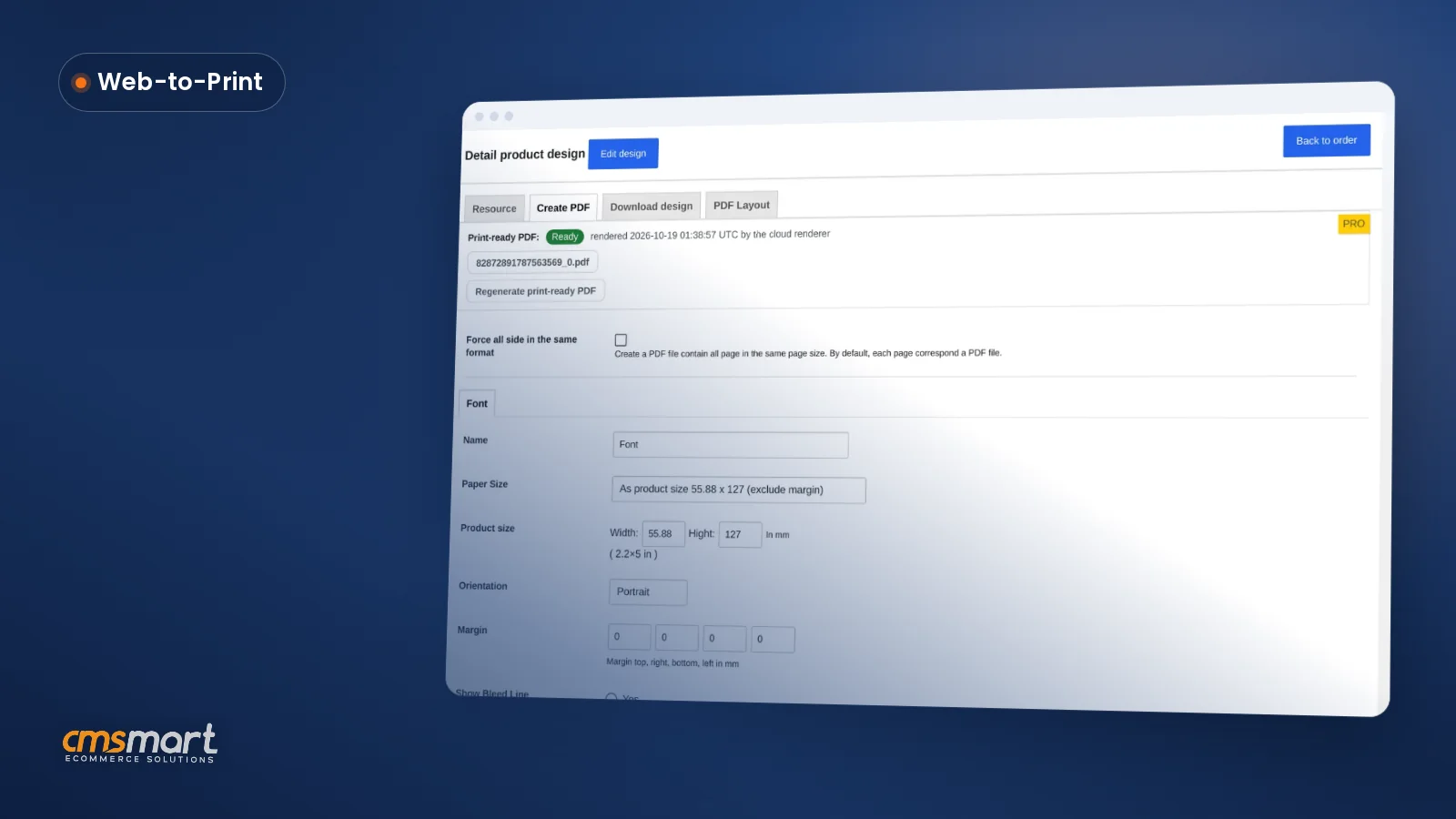
Both work. Turn on Auto export design to PDF in Output and the plugin renders the file in the background at the order status you choose. Staff can also click Create PDF or Regenerate print-ready PDF any time — both paths use the same renderer, so the files always match.
What happens if a customer tries to edit their design after we've approved it?
The save is refused on the server, with a clear message, no matter which link they use — this is the approved-artwork lock added in 2.17. Stores needing an exception can widen it with the
nbd_ordered_design_edit_lockedfilter.Can Cmsmart connect NBDesigner to our ERP or MIS system?
Not out of the box — that connector is custom development. Cmsmart builds the integration that pushes approved, print-ready orders into your ERP/MIS or production scheduler, scoped to your system, so nobody re-types an order.
Do we need a special color profile for the print-ready files?
The Download design panel can export a CMYK JPG with an embedded ICC profile alongside the SVG, PNG and PDF formats, and Output settings control bleed and watermark behavior for every export.
How long does a setup like this take?
Turning on auto-export, building your price matrix and testing one order is usually an afternoon. Custom work — ERP sync, gang-sheet layout, B2B approval chains — is scoped during discovery and delivered in sprints over a few weeks.
Does this work with WooCommerce's newer HPOS order storage?
Yes. The Customer Design approval box runs on the High-Performance Order Storage screen as well as the legacy one, so stores on HPOS keep the same approval workflow.
How do I pay securely?
Contracts and payments go to the company, Netbase JSC: plans are paid through PayPal; services are invoiced by Netbase JSC under a written proposal and paid by bank transfer to Netbase JSC's company account or by PayPal Business. Cmsmart (Cmsmart Ecommerce) is the ecommerce brand of Netbase JSC, a company based in Hanoi, Vietnam.
How do I contact Cmsmart or get a quote?
Message the Cmsmart team on WhatsApp at +84 937 869 689 or email project@cmsmart.net; the contact page at cmsmart.net/contact lists every channel, and Request a quote (cmsmart.net/project-proposal) sends a project brief. Customers with a licence open a ticket from the dashboard.
Further reading