

Guide · Web-to-print
WooCommerce Product Designer Plugin Comparison 2026
See a sourced WooCommerce product designer plugin comparison: pricing, features and print-ready files, then request a free migration quote today.
A car wrap ecommerce store lets your customers design a wrap and see the price before they call your shop. Most wrap studios still swap mock-ups by email for days, re-quote every size change by hand, and find out a logo is too small for the panel only once the vinyl is on the plotter.
Was this tutorial helpful?
See also: Cmsmart pricing and Cmsmart products.
Written by
Cmsmart Product Designer Plugin Engineer
Builds and supports the Cmsmart Product Designer (NBDesigner) for WooCommerce.
Reviewed by Huy Nguyen (David), Founder & CEO
More from this expert →The team behind it
 Account Manager
 Project Manager
 Business Analyst
 Developers & QA
Guide · Web-to-print
See a sourced WooCommerce product designer plugin comparison: pricing, features and print-ready files, then request a free migration quote today.
Guide · Web-to-print
Translate WooCommerce product designer screens with Loco Translate or Frontend Translate: see every setting, its default, and how to set it up.
Guide · WooCommerce
See what is new in Cmsmart this November: 15 ready-made Cmsmart Stores, Cmsmart B2B 2.2.0 and Product Designer fixes. Try the Store Setup wizard today...
Browse more guides, tutorials and case studies from the Cmsmart community.
Run a custom tote bag printing business with Cmsmart Product Designer: live pricing, real print specs and a print-ready PDF. See how to set it up.
Read MoreDiscover how the home décor industry is transforming with the rise of personalized products and the challenges retailers face. Learn how CMSmart's Product Builder offers a solution, improving customer engagement, reducing return rates, and increasing sales through real-time 3D previews and automated processes.
Read MoreHere's how to set up an online store for a phone case business with Cmsmart's Product Builder: live previews, automatic print files. Get a free quote.
Read More
Cmsmart Ecommerce provides custom ecommerce and WooCommerce development services for web-to-print, product personalization, plugin support and API integration.
Cmsmart Product Designer Plugin Engineer
Builds and supports the Cmsmart Product Designer (NBDesigner) for WooCommerce.
Meet the team →


In short
The opportunity is real money: the global automotive wrap films market is on track for US$12.26 billion in 2025, a 21.1% CAGR, as more fleets and brands bring wraps in-house (Straits Research, 2025). It changes the buyer conversation: the buyer designs on a real panel, watches the price move, and approves the exact artwork your team will print. This guide covers the business case, how the Cmsmart Product Designer (NBDesigner) sets it up on WooCommerce, and what Cmsmart builds as custom development for wrap shops.
Why do vehicle wrap shops lose margin to manual quotes and proofs?
Vehicle wrap shops lose margin in the steps around the print: a manual quote for every size change, proof rounds by email, and artwork that does not fit the panel. Cmsmart's online product designer moves those steps onto the storefront, with rules your production team sets.
Size it with your own numbers: quote requests per month × minutes per quote × hourly cost, plus proof rounds per job × design minutes per round, plus reprints per month × cost per reprint. Checkout friction adds to the bill: shoppers abandon an average 70.22% of online carts, and 17% leave because checkout feels too long (Baymard Institute, 2026) — one more reason to keep pricing and approval inside checkout, not a quote email.
What would a self-serve car wrap ecommerce store look like for your shop?
A working car wrap ecommerce store lets a buyer choose the vehicle and panels, design or upload artwork inside the safe zone, see the price update by area and material, and check out or request a quote. The Cmsmart Product Designer produces the print file and your team approves it before printing.
Example scenario
A fleet manager opens your store on a Sunday evening, picks a medium van, and uploads the company logo onto both doors. The price updates as they choose cast vinyl and a matte laminate, and a low-resolution warning asks for a sharper logo. On Monday your team opens one order sized to the panel, approves it in two clicks, and sends it to the printer.
That is the experience that makes wrap buyers trust a shop they have never visited in person. To map it to your vehicle range, talk to an ecommerce expert.
How does Cmsmart's product designer power a car wrap store?
Cmsmart builds a car wrap store in layers: WooCommerce for catalog and checkout, the Cmsmart Product Designer for panel-accurate design areas and area-based pricing, and an approval step that turns the finished design into a print file. Vehicle-specific pieces — panel templates and 3D preview — are custom development.
Cmsmart insight: a 3D preview sells the wrap, but the flat panel template is what prints. Build the flat templates first, at real size with bleed and safe zone, then add 3D. Shops that start from a pretty 3D model often find later that it does not match the printed panels.
Cmsmart also ships a Product Builder: components instead of one flat canvas. The Printing Options editor adds a field group — Component, Text, Image — behind Cmsmart's own Product Builder / Product Configurator demos, including a bike builder where a buyer swaps frame, color and accessory parts and watches a live total. Today's capture confirms the fields ship in 2.17.0; the Orders list for the same store shows a real "Bike - Builder" order in production. A vehicle version — body panels and trim on a car outline — is custom development on the same fields.
What value does a car wrap ecommerce store add to your shop?
A car wrap ecommerce store pays back through fewer manual quotes, fewer reprints from wrong-size or low-resolution artwork, and orders that arrive outside office hours. Cmsmart recommends tracking quote-to-order time, proof rounds per job and reprint rate before and after launch.
ROI worksheet. Monthly saving = (manual quotes avoided × minutes per quote + proof rounds avoided × minutes per round) ÷ 60 × hourly cost + reprints avoided × cost per reprint. Add the margin on extra orders you expect from 24/7 ordering, using your own conversion assumption.
How do I set up a car wrap product step by step?
Create one WooCommerce product per wrap type, enable design, size the area to the printed panel with bleed and safe zone, add size-based pricing, and test an order through approval. Each step uses real Cmsmart Product Designer 2.17.0 labels and today's demo-store screens.
Pricing details are in the price matrix guide, and resolution rules in the DPI and print quality guide.
What can Cmsmart build for a wrap business beyond the designer?
Cmsmart builds the parts that make a wrap store specific to your business: panel templates, 3D models, a wrap pricing engine, fleet ordering and print-floor hand-off. Each ships as a custom development project, with discovery, solution design, sprints, QA, launch and support.
See the ecommerce project delivery model and the 3D car wrap design solution.
Plan my car-wrap store
Why work with Cmsmart on a car wrap store?
Cmsmart develops the Cmsmart Product Designer and has built ecommerce and web-to-print stores since 2012 as a division of Netbase JSC, so the same team that knows the editor builds your panel templates, pricing and 3D preview.
Our records count 6,300+ client projects and 500+ custom development projects in 80+ countries (WorkSuite project records, Sep 2026), and Cmsmart is rated 4.2 on Trustpilot (404 reviews). Related work: signage ordering and customization and online product design and order management.
Frequently asked questions
Can customers preview the wrap on their exact vehicle?
Yes, with a 3D model: tick Enable 3D preview and set the model folder and mesh name. Without one, they design on a flat panel template — the templates themselves are custom development.
Can I charge by the size of the design?
Yes: add a Custom dimension field and enable measure price base on design area with Price per Unit or Area breaks.
How do I handle fleet orders?
Use Enable Upload Without Design for client-supplied artwork or Get a quote for custom pricing, then approve in Cmsmart › Orders. A full fleet portal with approval chains is custom development.
Do custom-size wraps render at the size the buyer chose?
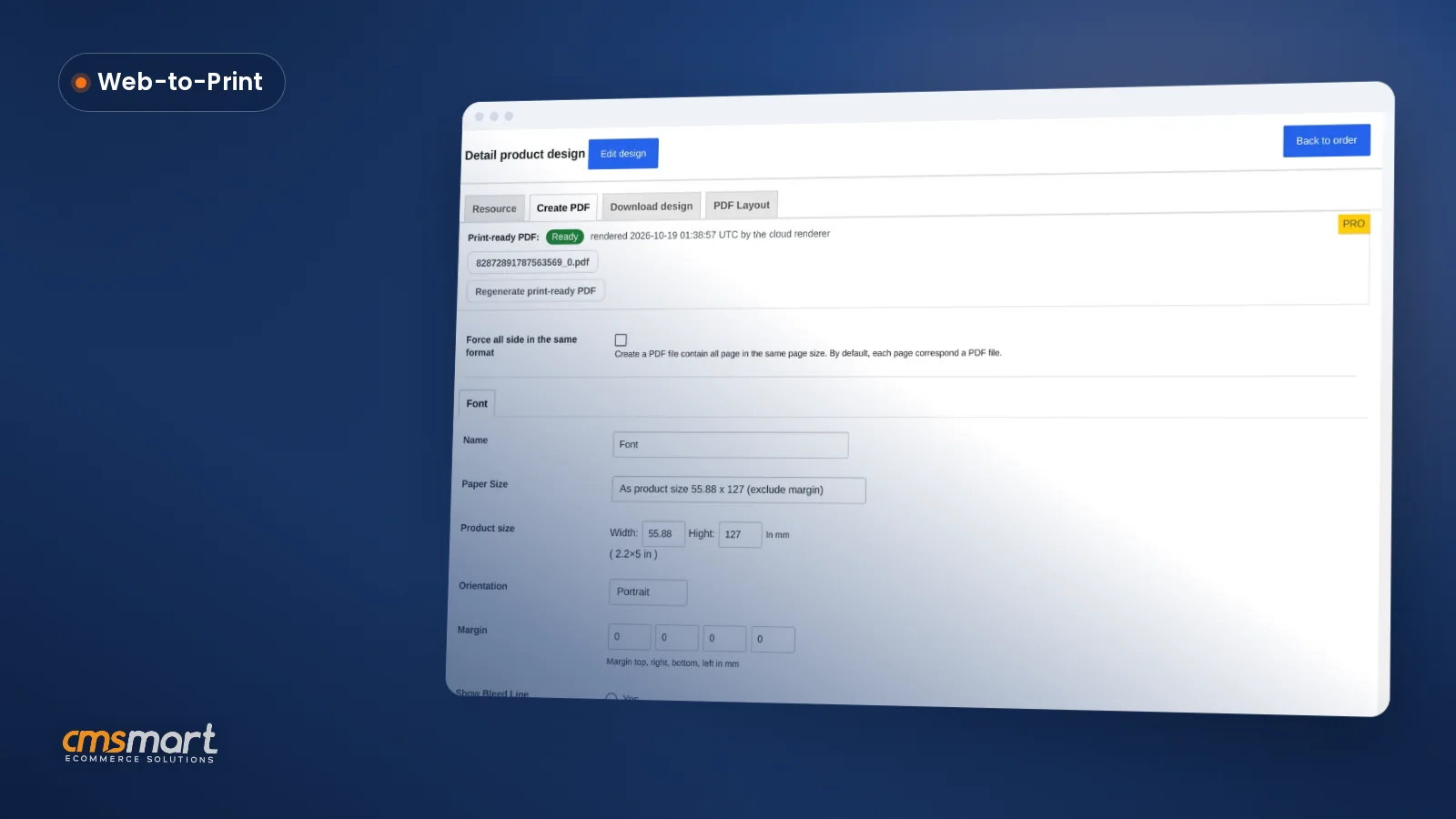
Yes, since 2.17.0: the automatic print PDF matches Create PDF at the buyer's own width and height — the print-ready PDF that matches the order.
Does the plugin have a bike-builder-style component picker for wrap panels?
Cmsmart's Product Builder ships Component, Text and Image fields (see the capture above) and powers demos like a bike builder, where buyers swap frame, color and accessory parts. A car-specific version is custom development on those same fields.
Does the plugin check artwork quality before it prints?
Yes. The AI Preflight Quality Checker in Cmsmart Cloud › AI Tools scans a saved design for resolution, color mode, bleed, fonts and transparency, with the DPI floor you set. Tying that result to your release status is custom development.
How long does a car wrap store project take?
It depends on your vehicle templates, 3D models and pricing rules; Cmsmart scopes a plan and timeline after a discovery call.
How do you start a car wrap business?
Start by deciding what you will sell, such as full wraps, partial wraps or fleet graphics, and whether you print and install in-house or work with a print partner. Then get installation training, insurance and a portfolio of finished vehicles, set prices by area and material, and give buyers a way to send artwork or design online before you quote.
How do you build a web store for a car wrap studio?
Build it on a platform you control, such as WordPress with WooCommerce, then add a product designer so buyers place artwork on each vehicle panel. Set price rules per area and material with a price calculator, connect payments and shipping or install booking, and test a full order, including the print file, before launch.