


Guide · Web-to-print
Cmsmart Stores Setup Wizard: What's New, October 2026
The Cmsmart Stores Setup wizard installs niche, B2B and Marketplace stores with sample data live in minutes. See what changed and try it free.
Custom invitation design software for WooCommerce lets a stationery shop's shoppers design, preview and approve their own invitation before they pay. A couple sees their names and date on the card in real time, checks out with the proof already attached to the order, and your team opens a finished design instead of chasing an email PDF.
Was this tutorial helpful?
Written by
Cmsmart Product Designer Plugin Engineer
Builds and supports the Cmsmart Product Designer (NBDesigner) for WooCommerce.
The team behind it
 Account Manager
 Project Manager
 Business Analyst
 Developers & QA
Guide · Web-to-print
The Cmsmart Stores Setup wizard installs niche, B2B and Marketplace stores with sample data live in minutes. See what changed and try it free.
Guide · Web-to-print
The NBDesigner plugin now gives stationery shoppers a curated background library so print-ready PDFs always match the preview. See how to set it up.
Guide · Web-to-print
See how t-shirt artwork approval and print-ready PDFs cut POD reprints on WooCommerce; get a free workflow review from Cmsmart today.
Browse more guides, tutorials and case studies from the Cmsmart community.
No matter what type of multi-vendor store or marketplace you are trying to build, Dokan multivendor marketplace is the most powerful solution that help you run online store with ease
Read More
Cmsmart Ecommerce provides custom ecommerce and WooCommerce development services for web-to-print, product personalization, plugin support and API integration.
Cmsmart Product Designer Plugin Engineer
Builds and supports the Cmsmart Product Designer (NBDesigner) for WooCommerce.
Meet the team →




In short
What's the real cost of manual, back-and-forth invitation proofs?
Cmsmart Product Designer removes the email-PDF loop: the shopper's layout, text and color choices are saved to the order the moment they check out, so your team opens a ready proof instead of chasing one by email.
If you still take invitation orders by email or a static order form, a handful of costs stack up on every job:
Cmsmart insight: In projects where a store moves from an email-us-your-details process to an on-page designer, the biggest time saving usually isn't the design step itself — it's removing the back-and-forth confirmation emails. Build the approval step into the order (see the setup section below) so the print approval is logged once, not argued over in an inbox.
What would custom invitation design software for WooCommerce look like for your shop?
Cmsmart Product Designer lets a shopper open your Invitation product, drop in a template, type their own names and date, and watch the card update live — so the moment of seeing exactly how it will look happens before checkout, not after a proof email.
Example scenario: A couple opens your store at 10pm, picks a floral save-the-date template, types their names and the ceremony details, and sees the finished card on screen in real color. They add it to the cart — the cart line already carries a thumbnail of their design — and pay at checkout. The order lands in your admin queue with the artwork attached; by the time your team opens it the next morning, the layout is already exactly what the couple approved. Talk to an ecommerce expert about what this would look like for your product range.
How does Cmsmart's product designer turn invitation orders into print-ready files?
Cmsmart Product Designer combines a template and clipart library, an in-browser editor, an approval step and automatic PDF rendering, so a WooCommerce order carries the shopper's exact design from checkout through to the press without anyone re-keying it.
For a stationery or invitation product, the building blocks are:
What's the ROI of a live invitation designer for your stationery shop?
Cmsmart Product Designer turns proofing minutes and reprint risk into numbers you can track: fewer staff-hours per order, fewer reprints from miscommunicated approvals, and a cart that shows a finished design instead of a blank product page.
Example ROI worksheet (use your own numbers):
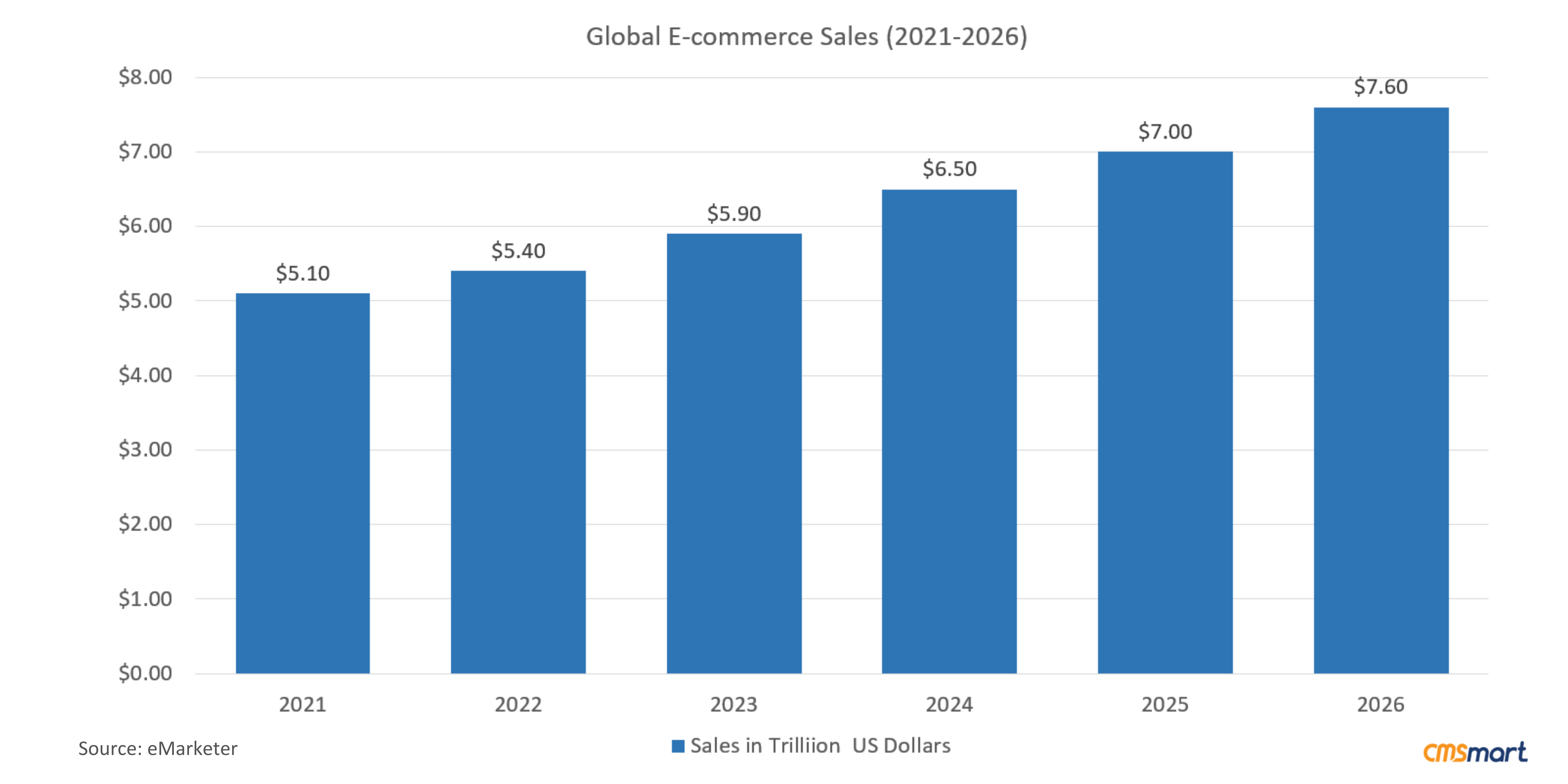
Couples alone spend an average of $530 on a wedding paper suite (Paperless Post, 2025, citing The Knot), and WooCommerce now runs roughly a third of tracked online stores (StoreLeads via Red Stag Fulfillment, Aug 2025) — a large, addressable pool of stationery and print shops already on the platform Cmsmart's plugin was built for.
How to set up and configure a custom invitation product in WooCommerce
Setting up a custom invitation product means confirming the plugin is active, building or importing a template, configuring the product's design area and print options, and deciding how orders get approved — all from Cmsmart Product Designer's wp-admin screens.
The three screens below come from a live order on the demo store for a different design-enabled product (a door hanger, not an invitation) — the test order the plugin happened to have in production when these were captured. The order detail, approval and print-ready screens work identically for an invitation order; only the product and artwork change.
For the PDF export options in more depth, see how to export an online design as a PDF, and for building out your clipart and icon library, see how to make your designs come alive with cliparts.
Going further: what custom development can Cmsmart build for your stationery store?
Cmsmart builds the pieces the standard designer doesn't cover out of the box — guest-list personalization at scale, a trade portal for planners, and ERP hand-off — as custom development on top of Cmsmart Product Designer.
The standard designer handles one shopper designing one card at a time. Several real stationery and print-shop needs go further than that, and Cmsmart builds them as custom development rather than implying they ship in the core plugin:
Cmsmart's delivery approach is the same for any of these: discovery, solution design, build sprints, QA, launch and ongoing support — see real examples in Cmsmart's ecommerce project work.
Plan my invitation storefront
Why work with Cmsmart on your stationery storefront?
Cmsmart has built WooCommerce product-designer stores since 2012 as a Netbase JSC division, with thousands of client projects delivered and a published Trustpilot track record — real proof points, not promises, for a stationery storefront build.
Cmsmart (a Netbase JSC division since 2012) has delivered 6,300+ client projects and 4,600+ completed builds across 80+ countries, with 1,800+ stores live today. The company's Trustpilot rating is 4.2 out of 5 from 404 reviews.
From a published five-star review: "The product designer is exactly what we needed. Lots of features and very well designed. The pricing is great. [...] Highly recommend." (the reviewer also noted the documentation could be better organized) — Franklin, Trustpilot review.
See Cmsmart's Product Designer plugin page, the wider web-to-print solutions hub, and real client work on the projects page.
Frequently asked questions about selling custom invitations on WooCommerce
Does Cmsmart's invitation designer work with any WooCommerce product, or only a specific theme?
It works with any WooCommerce product you mark as design-enabled in Product manager — invitations, greeting cards, menus or flyers — independent of your theme.
Can shoppers upload their own text and photos, or only use templates?
Both: a shopper can start from a template and edit the text, or upload their own artwork, subject to the file types, size and minimum DPI you set under Settings > Upload design.
How long does it take to launch a custom invitation storefront?
Turning on the designer for an existing WooCommerce product (steps above) is typically a same-day configuration task; a full custom build — guest-list personalization, a trade portal, or ERP hand-off — follows Cmsmart's discovery-to-launch project process.
What file do I actually get for production?
Once the artwork is approved, Cmsmart Cloud renders a print-ready PDF sized to the product's real dimensions, and you can also download SVG, high-resolution PNG or CMYK JPG with an ICC profile from the order.
Can this connect to our ERP, MIS or a trade ordering portal for planners?
Not out of the box — that hand-off and a dedicated trade portal are custom development Cmsmart builds on top of the standard product designer for stores that need it.