


Guide · Web-to-print
NBDesigner Plugin Backgrounds: Fewer Reprints for Shops
The NBDesigner plugin now gives stationery shoppers a curated background library so print-ready PDFs always match the preview. See how to set it up.
A door hanger order ships with artwork sized to the product template instead of the size the customer actually chose, and the reprint bill lands on your desk, not theirs. NBDesigner 2.17.0, Cmsmart's artwork approval plugin for WooCommerce, closes that gap: once a design is approved it is locked on the server, and the print-ready PDF a shop downloads is rendered from the same page geometry the order used, not the on-screen mockup.
Was this tutorial helpful?
Written by
Cmsmart Product Designer Plugin Engineer
Builds and supports the Cmsmart Product Designer (NBDesigner) for WooCommerce.
The team behind it
 Account Manager
 Project Manager
 Business Analyst
 Developers & QA
Guide · Web-to-print
The NBDesigner plugin now gives stationery shoppers a curated background library so print-ready PDFs always match the preview. See how to set it up.
Guide · Web-to-print
See how t-shirt artwork approval and print-ready PDFs cut POD reprints on WooCommerce; get a free workflow review from Cmsmart today.
Guide · Web-to-print
See how WooCommerce Online Product Designer turns a checkout into an approved, print-ready order on the screen you already use. Get started today.
Browse more guides, tutorials and case studies from the Cmsmart community.
Run a custom tote bag printing business with Cmsmart Product Designer: live pricing, real print specs and a print-ready PDF. See how to set it up.
Read MoreBuild a car wrap ecommerce store on WooCommerce: panel pricing, approval and print-ready PDFs before you print. Plan your wrap store today.
Read MoreDiscover how the home décor industry is transforming with the rise of personalized products and the challenges retailers face. Learn how CMSmart's Product Builder offers a solution, improving customer engagement, reducing return rates, and increasing sales through real-time 3D previews and automated processes.
Read More
Cmsmart Ecommerce provides custom ecommerce and WooCommerce development services for web-to-print, product personalization, plugin support and API integration.
Cmsmart Product Designer Plugin Engineer
Builds and supports the Cmsmart Product Designer (NBDesigner) for WooCommerce.
Meet the team →





In short
What does a mismatched or disputed print file cost your print shop?
Cmsmart Product Designer stops a shop from discovering a sizing or approval problem on the press instead of on screen. NBDesigner 2.17 renders the print-ready PDF from the exact page geometry an order used and refuses to let a design change once approved, so the file that reaches production is the file the customer signed off.
Any print shop owner recognizes the same expensive moments:
None of this shows up as a line item on an invoice. It shows up as a reprint, a refund, a one-star review, or a manager who stops trusting the "Ready" badge and opens every PDF by hand. Online shoppers already abandon close to 70% of carts industry-wide (Baymard Institute, 2025) — a design tool that breaks when a buyer rotates their phone gives them one more reason not to come back.
What would an order-accurate design pipeline look like for your store?
Cmsmart Product Designer turns "approved" into a hard guarantee: the moment a design is approved, NBDesigner 2.17 locks it on the server and queues a print-ready PDF built from the order's own dimensions, so your production team opens a file they can trust without re-checking it against the order.
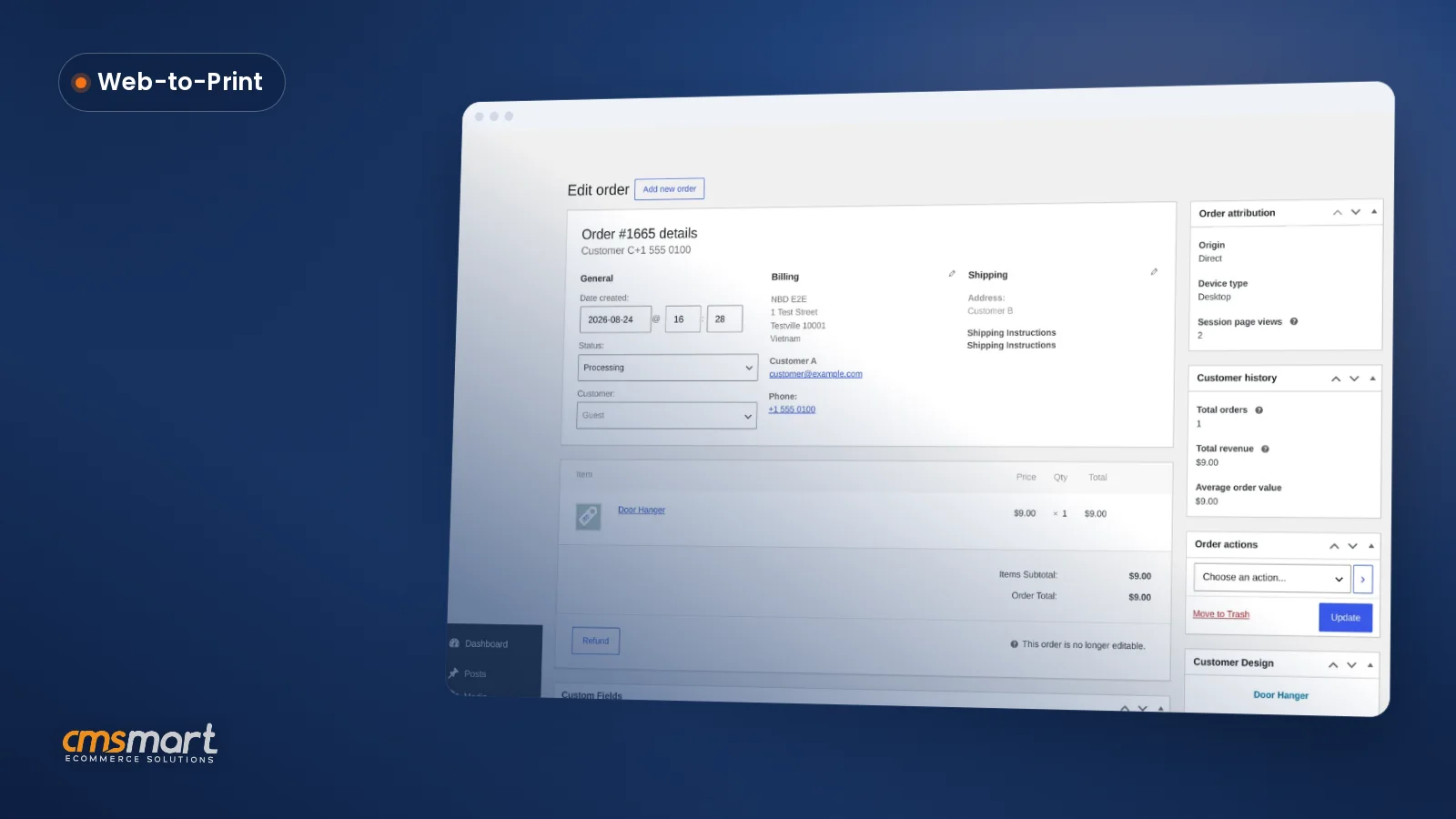
Example scenario. A buyer places a custom-size banner order at 11pm from their phone, rotating the tablet mid-design to check the layout — the artwork stays put instead of stretching. They approve the proof the next morning, and the design locks on the spot: no one, including a teammate with the edit link, can resave over it by accident. By the time the shop opens, the order screen already shows Print-ready PDF: Ready, rendered at the banner's real dimensions, with Regenerate on hand if needed. No one had to open the file to check it matched; the system already enforced that it did.
How does Cmsmart lock artwork and generate print-ready files automatically?
Cmsmart Product Designer combines the online designer, an approval lock, Cmsmart Cloud rendering and a per-order file index, keeping what a customer approved and what a press runs in lockstep. Everything here ships in the plugin; multi-step routing and ERP handoff are custom development.
The pipeline a Cmsmart store runs today:
Cmsmart insight: in our delivery work, most print-file disputes trace back to a design that changed after approval, not to a bad export or wrong color profile. Check whether your current designer tool can still be resaved after approval before you assume your print files are safe.
What's the measurable business value of locked approvals and automatic print files?
Cmsmart Product Designer turns file-mismatch reprints into a number you can track and drive down: every design has one approval event, one locked state and one print-ready PDF tied to the order, so "did this file match what was approved?" stops being a judgment call.
Reprint-cost worksheet — plug in your own numbers:
Reprints avoided/month = orders/month × your file-mismatch reprint rate × average cost per reprint (materials + press time + shipping).
Review time saved = minutes spent eyeballing a design against its file, per order × orders/month, converted to hours at your loaded labor cost.
How do you set up an artwork approval plugin for WooCommerce in NBDesigner 2.17?
Cmsmart Product Designer ships the approval lock and automatic print-ready rendering as part of the 2.17 update — there's no separate toggle to find, only the output and export settings below to confirm.
Work through these steps to go from a fresh update to every approved order having a trustworthy print-ready PDF (test on staging first if you customize the Customer Design box or order emails):
pdfs/folder, turn on Also save print-ready PDFs in the pdfs folder so that integration keeps working.wc-ordersscreen — see WooCommerce's HPOS documentation if you haven't enabled it.What can Cmsmart build on top of NBDesigner 2.17 for your shop?
Cmsmart builds production safeguards beyond a single approve/decline step: routed B2B sign-off, AI preflight run automatically before a job enters the queue, and a direct handoff of the approved print-ready PDF into your MIS or ERP — turning the 2.17 lock into a fully custom production workflow.
The approval lock and automatic rendering in 2.17 are the foundation. On top of that foundation, Cmsmart builds:
Every one of these follows Cmsmart's standard delivery approach — discovery, solution design, sprints, QA, launch and support — on the ecommerce project delivery page.
Get a custom approval-workflow quote
Why work with Cmsmart on your product designer rollout?
Cmsmart has run web-to-print projects as a Netbase JSC division since 2012, with 6,300+ client projects and 1,800+ live stores running today — the same team shipping NBDesigner's core fixes also scopes and builds the custom workflows described above.
Cmsmart has run web-to-print projects since 2012 across 80+ countries, with a 4.2/5 rating on Trustpilot (404 reviews). A UK web developer who's used the plugin for three years put it this way:
See how Cmsmart's automatic print-ready PDF generation works, via the web-to-print solutions hub, the NBDesigner plugin page, or the product designer customization service.
Frequently asked questions about artwork approval and print-ready PDFs in NBDesigner 2.17
What happens if a customer wants to change a design after I've approved it?
Approving a design locks it on the server, so no one — including a teammate with the edit link — can resave over it by accident. A genuine revision still works: editing the design flags the order as changed, returns it to pending review, and queues a fresh print-ready PDF.
Does the print-ready PDF update automatically when a customer reorders?
Yes. As of 2.17, a reorder no longer copies the previous order's PDF and certificate forward — it leaves the old output behind and queues a fresh render for the new design.
Does this work with WooCommerce's High-Performance Order Storage (HPOS)?
Yes — as of 2.17 the Customer Design approval box loads correctly on the HPOS
wc-ordersadmin screen, not only the legacy post-based order screen.What if my B2B or wholesale accounts need more than one approval step?
The plugin ships one approve/decline action per design. Routed, multi-step sign-off (designer → account manager → production) for wholesale accounts is custom development Cmsmart builds on top of the same lock.