

Guide · Web-to-print
WooCommerce Product Designer Plugin Settings Guide
Get your WooCommerce product designer plugin settings right: install it, set upload and output rules, and turn the designer off per product.
Explore Product Designer 2.12: AI tools use your Cmsmart licence and shared tokens, with customer Quotes, saved designs and print-ready PDF status.
Was this tutorial helpful?
Written by
Cmsmart Product Designer Plugin Engineer
Builds and supports the Cmsmart Product Designer (NBDesigner) for WooCommerce.
The team behind it
 Account Manager
 Project Manager
 Business Analyst
 Developers & QA
Guide · Web-to-print
Get your WooCommerce product designer plugin settings right: install it, set upload and output rules, and turn the designer off per product.
Guide · Web-to-print
See a sourced WooCommerce product designer plugin comparison: pricing, features and print-ready files, then request a free migration quote today.
Guide · Web-to-print
See how Cmsmart's T-shirt design tool adds custom text, fonts and curved text, cuts manual proofs, and start your custom quote today.

Cmsmart Ecommerce provides custom ecommerce and WooCommerce development services for web-to-print, product personalization, plugin support and API integration.
Cmsmart Product Designer Plugin Engineer
Builds and supports the Cmsmart Product Designer (NBDesigner) for WooCommerce.
Meet the team →

Hi everyone,
I'm David – CEO of Cmsmart Ecommerce, Netbase JSC.
It has been a while since my last release note here — the one for 2.10.0. Since then we shipped 2.11.0, 2.11.1, 2.11.2, 2.12.0, 2.12.1 and 2.12.2 of the Cmsmart WooCommerce product designer plugin, and I owe you a proper write-up of all of it in one place. This post covers everything from 2.10 up to today.
TL;DR — what changed in Cmsmart Product Designer since 2.10
Who is this release for?
If you run a print shop on WooCommerce with Cmsmart Product Designer, all of this is already waiting for you, and most of it lands the moment you update — there is nothing to configure. If you are still evaluating an online product designer plugin for web-to-print, the sections on Quotes and on print-file status are the ones worth reading first: they are what your customers actually touch.
Existing users: please read this first
Every release note I write starts here, because these are the questions you email us about.
Will updating break my store?
No. No schema is dropped or rewritten. The only database change in this whole range is one new nullable column on the saved-designs table, added through WordPress's own
dbDeltaand gated on the version number, so it runs once and is safe to run twice. Your products, orders, saved designs and uploaded artwork are untouched.Do I need to do anything about my licence?
No. Your existing Cmsmart licence key is exactly what the AI tools now use — that is the whole point of the change in 2.11.0. There is no second account to create and no key to paste anywhere new.
One thing that used to catch people out: the plugin caches your licence state for up to six hours, so if you had just renewed or upgraded, the License page could still show the old plan. Since 2.11.1 there is a Re-sync licence button that forces a fresh read from the server instead of making you wait it out. Activating or deactivating a key also clears that cache now.
How do I update, and who do I talk to if something looks wrong?
Update from Plugins → Updates in WordPress as usual, or download the latest package from your Cmsmart dashboard. If anything looks off after updating, open a ticket from the support workspace — that reaches my team directly, and it is the fastest route by a long way. Step-by-step setup lives in the Product Designer user guides.
AI now runs on your Cmsmart licence
This is the biggest change in the whole range, and if you only read one section, read this one.
Before 2.11.0, the AI tools — background remover, image upscale, preflight check, DPI score — talked to PrintCart. That meant a separate account, a Store SID, a secret, and a connection you had to keep alive. It was a second thing to manage, and when it broke, it broke in a place that had nothing to do with your store.
From 2.11.0 those tools call the Cmsmart AI API, authenticated by the licence and domain you already have. The old PrintCart connection card is gone. Tokens live in one shared Cmsmart wallet, and you top them up from the same dashboard you already use for licences and downloads.
We also added a local usage log, so the AI numbers you see in the admin are counted from your own store's real activity over the last 30 days rather than being decorative.
Quotes is a real part of the customer account
If you sell anything that needs a price conversation — large format, complex finishing, bulk — this is the section that will save your team the most email.
Quotes used to appear only as a short table dropped onto the account dashboard. There was no page for them, no filter, no pagination. Worse, on block and full-site-editing themes the View quote link simply did nothing, because the old code wrote the quote into the post content and block themes never render it that way. That was a genuine bug and one customer chased us about it for a long time; it is fixed.
Quotes is now a first-class My Account section, sitting directly below Orders, with its own list: status, quote number, date, total and the actions that make sense for that status.
And opening one works everywhere now — block themes included — with a Back to Quotes link so the customer is not stranded on a detail page.
The account dashboard now keeps just the five most recent quotes and links out to the full history, so it stops competing with the page that does the job properly.
My designs, rebuilt
The old saved-designs screen was a table that showed every thumbnail of every frame inline, had no names, no search, and deleted without asking. For a customer with three designs it was fine. For a repeat B2B buyer with thirty, it was unusable.
What is new, in short: designs can be renamed in place, so a customer can call something "Spring menu – A5" instead of recognising it by date. There is a search box and a newest/oldest sort, and both survive pagination. Order again puts a previous design straight back into the cart — the single most requested thing from repeat buyers. Deleting now asks first. And a customer with no designs yet gets a "Browse products" call to action instead of an empty box.
On a phone the same grid drops to two columns with tap-sized actions, which matters more than it sounds: a lot of approvals happen on a phone.
Can customers see whether their artwork was approved?
Yes — that is new in 2.12.0. Previously, after a customer placed an order, everything that happened to their artwork happened where they could not see it. Was the proof approved? Was the print file ready? The only way to find out was to ask you.
Two things worth being precise about, because they are deliberate. The download link only appears when you have already allowed customer downloads and the person asking actually owns that design — we reused the existing permission-checked route rather than opening a new one. And both statuses are filterable, so if your workflow words things differently you can change what is shown without touching core files.
Why did my automatic print-ready PDF never appear?
Because the job that generates it never ran on your host — and 2.11.2 fixes exactly that.
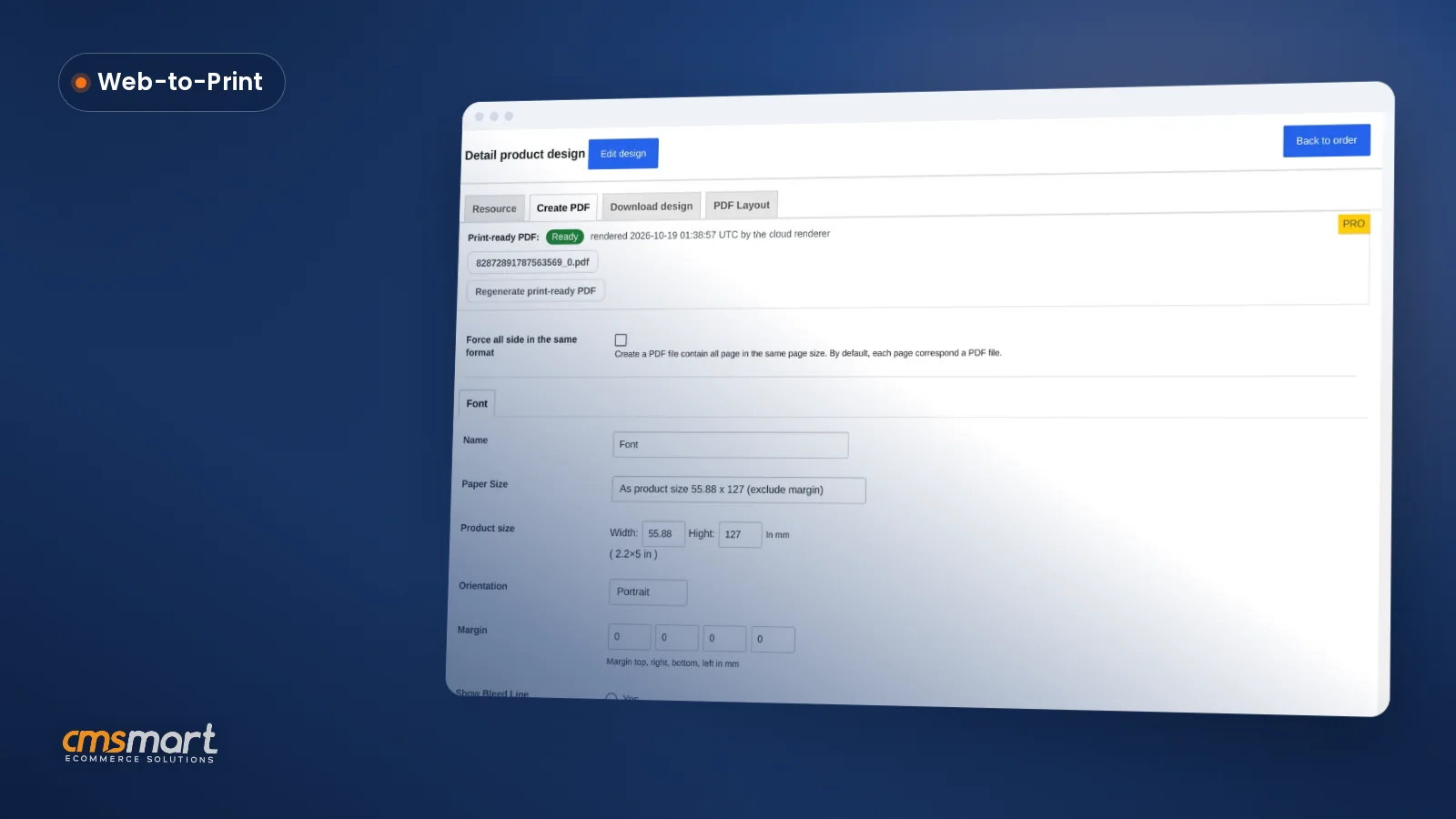
That export was queued through a background process whose self-dispatch depends on a working loopback HTTP request or wp-cron. On hosts where those are blocked or disabled — and there are many — the job simply never ran. No print-ready PDF, no download icon in the order panel, nothing attached to the order email. The confusing part was that the manual "Create PDF" button worked fine, because that one is a direct request, so it looked like an intermittent glitch rather than a broken path.
Auto-export now goes through WooCommerce's own Action Scheduler, which has several ways to run and retries on failure. Failures are logged per order item instead of being swallowed, and one bad design no longer aborts the rest of the order.
The rounded-corner mask export bug
I want to call this one out by name, because a customer reported it more than once over roughly three years and we did not get to the bottom of it until now.
The symptom: put an image in the designer, apply a rounded-corner mask, and the preview looks exactly right — but the downloaded JPG or PDF comes out distorted or smeared. It only happened with a mask dropped on straight without resizing or rotating it, which is why it looked random and was so hard to pin down.
The cause was a single variable declared in the wrong place in our SVG transform parser. When a clip path carried no transform at all — precisely the un-resized case — the function handed back nothing, and the export maths then divided by it. On PHP 8 that killed PDF generation outright; on PHP 7 it produced infinity, which flowed into the artwork's scaling and smeared it across the page. Fixed in 2.12.1, with the normal cases verified to produce byte-identical output so nothing else moved.
Translations that actually work
If you run your store in a language other than English, 2.12.2 matters to you.
Our translation template had drifted three versions behind, which meant every string added in 2.11 and 2.12 was invisible to translators. Worse, 18 strings pointed at a text domain that does not exist — a typo, essentially — so they could never be translated no matter how complete your language files were, and they never showed up in the template for anyone to notice. Fourteen of them were in the emails your store sends. All fixed, and the template is now regenerated at 4,107 strings.
Full changelog
2.12.2
2.12.1
2.12.0
2.11.2
2.11.1
2.11.0
Frequently asked questions
Do I need a PrintCart account to use the AI tools?
No. Since 2.11.0 the AI tools authenticate with your Cmsmart licence and your store domain. There is no PrintCart signup, no Store SID and no API key to manage, and AI tokens live in the same Cmsmart wallet you already use.
Will updating from 2.10 to 2.12 break my store?
No. The only database change is one new nullable column on the saved-designs table, added via WordPress's
dbDelta. Nothing is dropped or rewritten. Take a backup first anyway, as you should before any plugin update.Why does the plugin still show my old licence plan after I renewed?
The plugin caches licence state for up to six hours. Click Re-sync licence on the License page to force a fresh read from the server — added in 2.11.1.
Does the customer see their proof and print file status?
Yes, since 2.12.0. The order detail page shows the proof as Approved, Needs fix or Pending review, and the print file as Ready or Preparing. A download link appears only if you already allow customer downloads and the requester owns that design.
Which versions does this release note cover?
All six releases between 2.10.0 and today: 2.11.0, 2.11.1, 2.11.2, 2.12.0, 2.12.1 and 2.12.2. Earlier notes: 2.10.0 and 2.9.0.
How to get it
Update from Plugins → Updates in your WordPress admin, or grab the package from your Cmsmart dashboard, where every released version stays available if you ever need a specific one. New here? Start at the Cmsmart Product Designer product page.
If something in this release does not behave the way I have described it, I would genuinely like to know — open a ticket in the support workspace, or leave a comment below and tell me what you are seeing. The mask export bug in this release exists because a customer kept insisting it was real. He was right.
— David, CEO of Cmsmart Ecommerce
NBDesigner is now the Cmsmart Ecommerce plugin. Already licensed? Update from Your Licenses in your Cmsmart dashboard. New to the plugin? Start the free trial (30 days) or read the plugin page.