

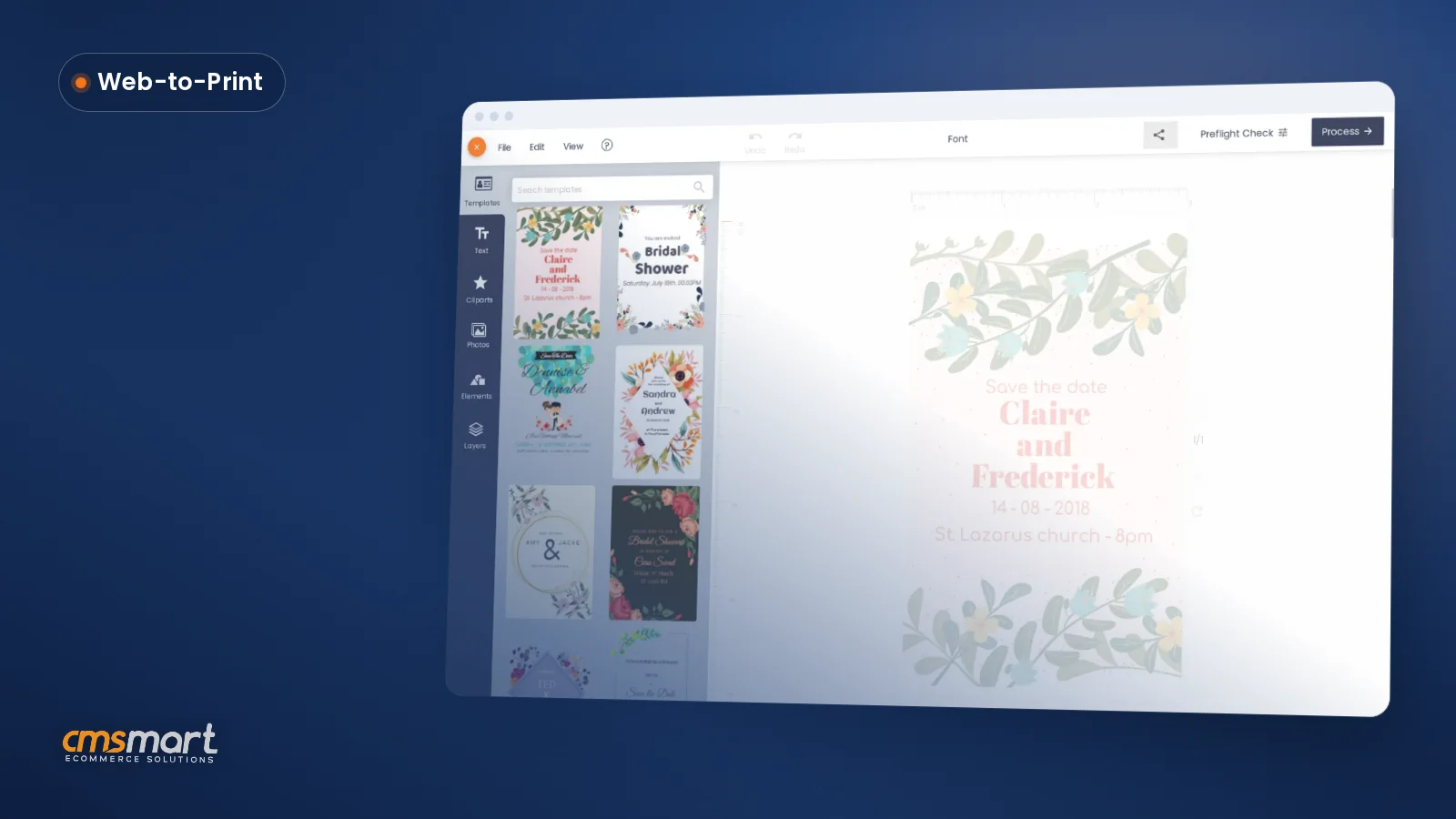
Guide · Web-to-print
WooCommerce Product Designer Plugin: Import Customer Artwork
WooCommerce product designer plugin: let customers upload artwork or design online, cut proof emails, and ship print-ready files. See how to set it up...
A customer approves their artwork, you print it the next morning, and the file on the press matches what they signed off on - no resend-the-design email, no reprint. That is the baseline Cmsmart Product Designer 2.17 is built to guarantee for any WooCommerce store selling customizable products.
Was this tutorial helpful?
Written by
Cmsmart Product Designer Plugin Engineer
Builds and supports the Cmsmart Product Designer (NBDesigner) for WooCommerce.
The team behind it
 Account Manager
 Project Manager
 Business Analyst
 Developers & QA
Guide · Web-to-print
WooCommerce product designer plugin: let customers upload artwork or design online, cut proof emails, and ship print-ready files. See how to set it up...
Case study · Web-to-print
See how Cmsmart's product customization software for WooCommerce gives buyers real design control, plus pricing and print automation for your team.
Guide · Web-to-print
Set up automatic print-ready PDF export for WooCommerce, sync files to FTP, Dropbox, or Amazon S3, and manage print options the right way. See how.

Cmsmart Ecommerce provides custom ecommerce and WooCommerce development services for web-to-print, product personalization, plugin support and API integration.
Cmsmart Product Designer Plugin Engineer
Builds and supports the Cmsmart Product Designer (NBDesigner) for WooCommerce.
Meet the team →
In short
What does an outdated WooCommerce product designer cost your store?
An old build of Cmsmart Product Designer run against current WordPress, WooCommerce HPOS and PHP 8.x risks mismatched print files, lost design data on orders and slow admin screens. Cmsmart's 2.17 update closes those gaps so staff stop auditing every order by hand before it goes to press.
None of this shows up as one dramatic outage. It shows up as small, recurring manual work that print shops and POD sellers tell us eats their production day:
Each of these is a few minutes of staff time per order on its own. Multiply that by a few hundred orders a month, and it's the difference between a production team that trusts the queue and one that double-checks it all day.
What would error-free order handling look like for your store?
Picture every order arriving with a print-ready PDF that already matches the design a buyer approved, a clear status next to it, and no one on your team needing to open the file to be sure. That is what Cmsmart Product Designer 2.17 does for a WooCommerce store once it is current.
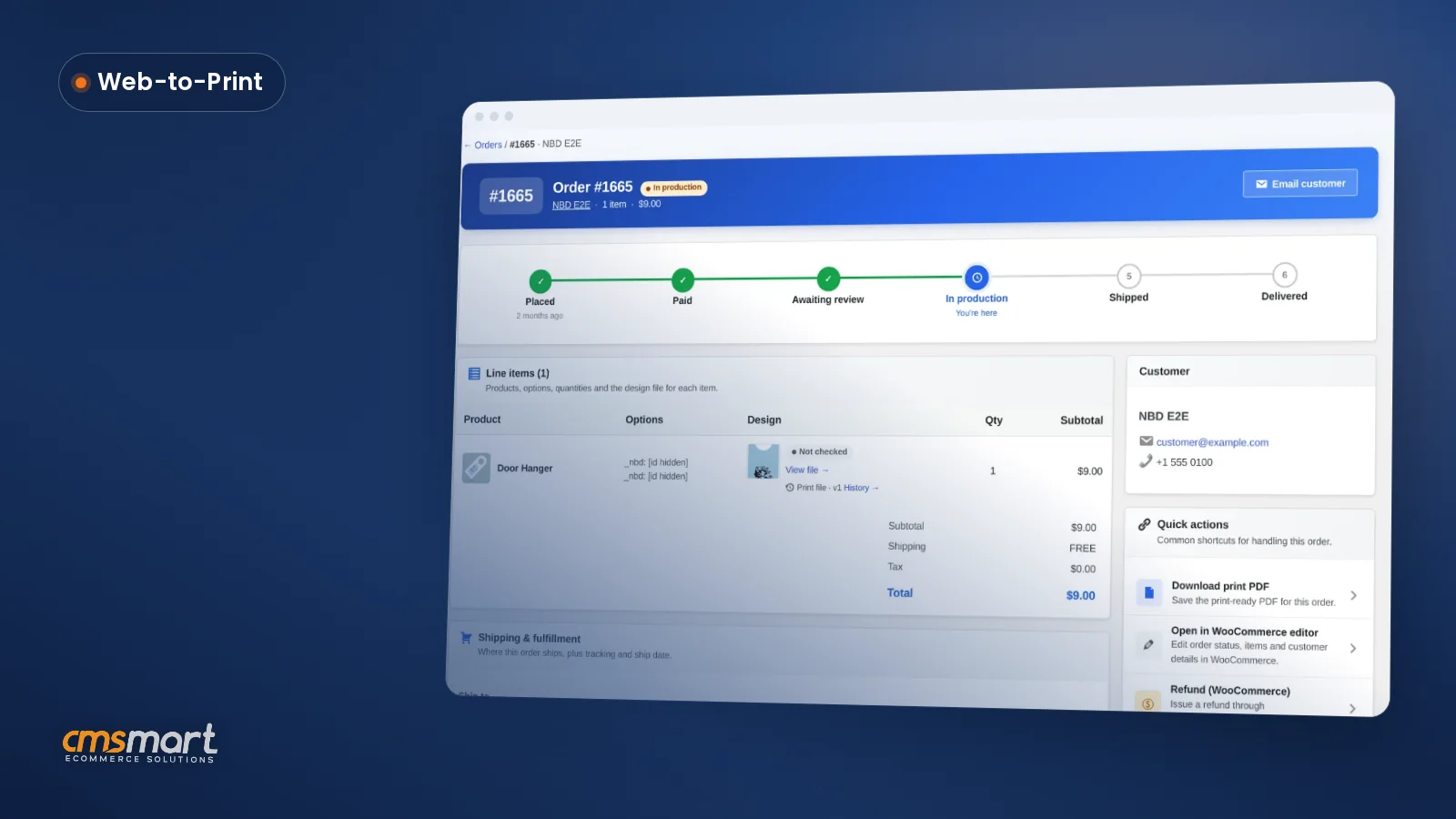
Example scenario. A buyer opens a gift-shop product page at 10pm, designs a personalized card in the browser, adds it to the cart and checks out. By morning, the order already shows In production, the line item carries the design the buyer saved, and the order screen reports the print-ready PDF as Ready, rendered overnight by the cloud renderer. The manager approves the artwork once; from that point the file is locked against accidental edits, and a reorder of the same card starts a fresh render rather than reusing the old one.
That gap between "the buyer designed this" and "the press has the right file" is exactly what the 2.17 line was built to close, and it is worth defining the two terms we will keep using: a print-ready PDF is the file Cmsmart renders for production, matching page size, bleed and color mode; an approved-artwork lock is the server-side rule that refuses any save over a design once its order item has been approved.
How does Cmsmart's print-ready pipeline solve it?
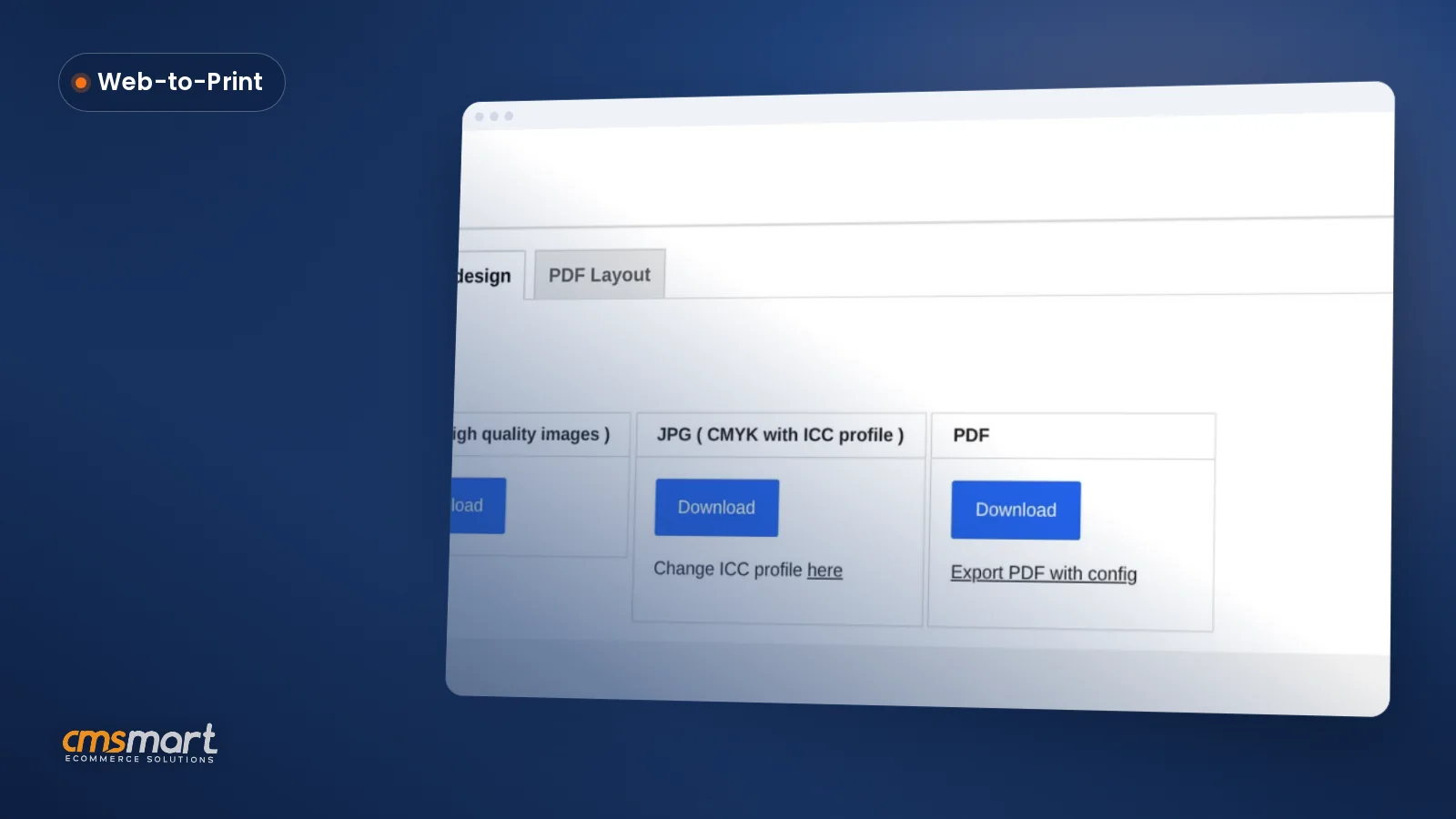
Cmsmart Product Designer routes every design through the same pipeline from browser to press: the online designer, a price and option engine, an approval step, and a print-ready PDF renderer that the order screen, the automatic export and the Create PDF button all read from the same place. Custom pieces plug in around that core.
Four building blocks carry a design from the product page to a file that's ready to print:
Cmsmart insight: in our delivery work, most "wrong file printed" tickets trace back to someone editing a design after it was approved, not to the designer producing a bad file in the first place. The approved-artwork lock is aimed squarely at that failure mode - check who on your team has the edit link before you assume it can't happen to you.
WooCommerce itself has been moving every new store onto HPOS since version 8.2 in October 2023, with legacy post-based storage kept only for stores that opted out at the time (WooCommerce developer docs, HPOS). A product designer plugin that only half-supports that order storage model is a compatibility problem waiting for your next WooCommerce update, not a hypothetical one.
What's the business value of staying current?
Running a current Cmsmart Product Designer turns print-file accuracy and order visibility into something you can measure - fewer reprints, fewer "where's the design?" tickets, and a shorter gap between payment and production - instead of something your team quietly compensates for by hand.
Rough ROI worksheet. Use your own numbers: (orders/month) x (minutes a staff member spends double-checking a file or chasing a missing design) x (loaded hourly cost ÷ 60) = monthly hours recovered. Separately, (reprint rate) x (average cost per reprint) shows what mismatched files cost before you count customer trust. Checkout abandonment averages 70.22% across 50 studies (Baymard Institute, 2026); a slow or dated design tool at checkout is one more reason a buyer doesn't finish.
How do you update and configure Cmsmart Product Designer 2.17?
Updating to the current Cmsmart Product Designer release on a standard WooCommerce store is a normal plugin update: back up, update on staging, confirm the version and settings, then push one real order through the designer, approval and print-ready steps before going live.
pdfsfolder if your own code reads it.If your store runs custom plugins, a heavily modified checkout, or a complex pricing setup on top of Cmsmart Product Designer, treat the update as a staging exercise first - a custom storefront can interact with the designer in ways a generic checklist won't catch. Starting from scratch instead? See our guides to downloading and activating the free trial and configuring the designer from the WooCommerce admin.
Going further: what custom development can Cmsmart build on top?
Beyond the core designer, Cmsmart builds the integrations and workflows that make a web-to-print storefront fit a specific business - AI preflight tuned to your spec, ERP/MIS and print-API connections, and custom approval or pricing rules - as custom development, scoped to your store.
The 2.17 pipeline is the foundation; these are the pieces stores typically ask Cmsmart to add on top of it:
Our delivery model is the same for all of these: discovery, solution design, build in sprints, QA against your real catalogue, launch, then ongoing support - the model behind our product designer customization service and the case studies on our ecommerce projects page.
Get a custom product designer quote
Why work with Cmsmart on this?
Cmsmart has built and supported WooCommerce product customization since 2012 as part of Netbase JSC, with over 6,300 client projects delivered and 1,800+ live stores running today - the same team that ships the Product Designer plugin also builds the custom work around it.
A few reference points, not a sales pitch: Cmsmart has delivered 6,300+ client projects and 4,600+ completed deliveries since 2012, with 1,800+ stores live today across 80+ countries, including 500+ custom development projects and 120+ engagements running five years or more. On Trustpilot, Cmsmart holds a 4.2 rating from 404 reviews.
From that Trustpilot history: "We have had the NB Designer plugin installed for three years and have experienced absolutely no problems during that time. It is wonderful to see their commitment to continuous development, with new features being added frequently to keep the software current and highly capable." - Web Developer, United Kingdom, Trustpilot. And: "NBDesigner is a fantastic tool - very intuitive and easy to use... I use it on my website, and it works perfectly." - Khanh Nguyễn Đức, Vietnam, Trustpilot.
See related work on our ecommerce projects page, or start with the Cmsmart Product Designer plugin page and the web-to-print solutions hub if you're evaluating the platform for the first time.
Frequently asked questions about the Cmsmart Product Designer 2.17+ update
How long does updating to 2.17 actually take?
For a standard WooCommerce setup, updating the plugin itself takes minutes. Budget a short staging pass - the steps above - to confirm your printing options, output settings and one real order still behave as expected before pushing live.
Will the update change our existing orders or templates?
No. 2.17 changes how new print files are generated and how approved artwork is protected going forward; it does not rewrite existing order data. Older print-ready PDFs are re-rendered automatically the next time an order reaches its export status, is downloaded, or you click Regenerate.
Does Cmsmart Product Designer work with WooCommerce HPOS and PHP 8.3?
Yes. The Customer Design approval box now loads on WooCommerce's High-Performance Order Storage order screen as well as the legacy screen, and the plugin runs on PHP 8.2 and 8.3 without the dynamic-property warnings older versions produced.
What happens if someone tries to edit a design after it's approved?
The save is refused on the server, with a clear message, regardless of which link or open designer tab the attempt comes from. Shops that need an exception for a specific workflow can widen the lock with the
nbd_ordered_design_edit_lockedfilter.Can Cmsmart connect the designer to our ERP, MIS or a print API?
That's custom development rather than a core plugin feature. Cmsmart builds these integrations project by project - see the going-further section above, or request a quote with your specific system in mind.
Do we need a paid plan to get the 2.17+ print-ready PDF fixes?
The core fixes - matching page geometry, the approved-artwork lock, HPOS support and the print-ready status panel - ship in the plugin update itself. Cloud rendering and AI tools (preflight, upscale, background removal) use your Cmsmart Cloud token balance, same as before.