Product Designer module

Artwork approval and proofs for WooCommerce print orders

Accept or decline each design on the order, email the reason, let the customer fix it, and lock what you approved.

Plugin 2.17.0 Part of Cmsmart Product Designer for WooCommerce (formerly NBDesigner)

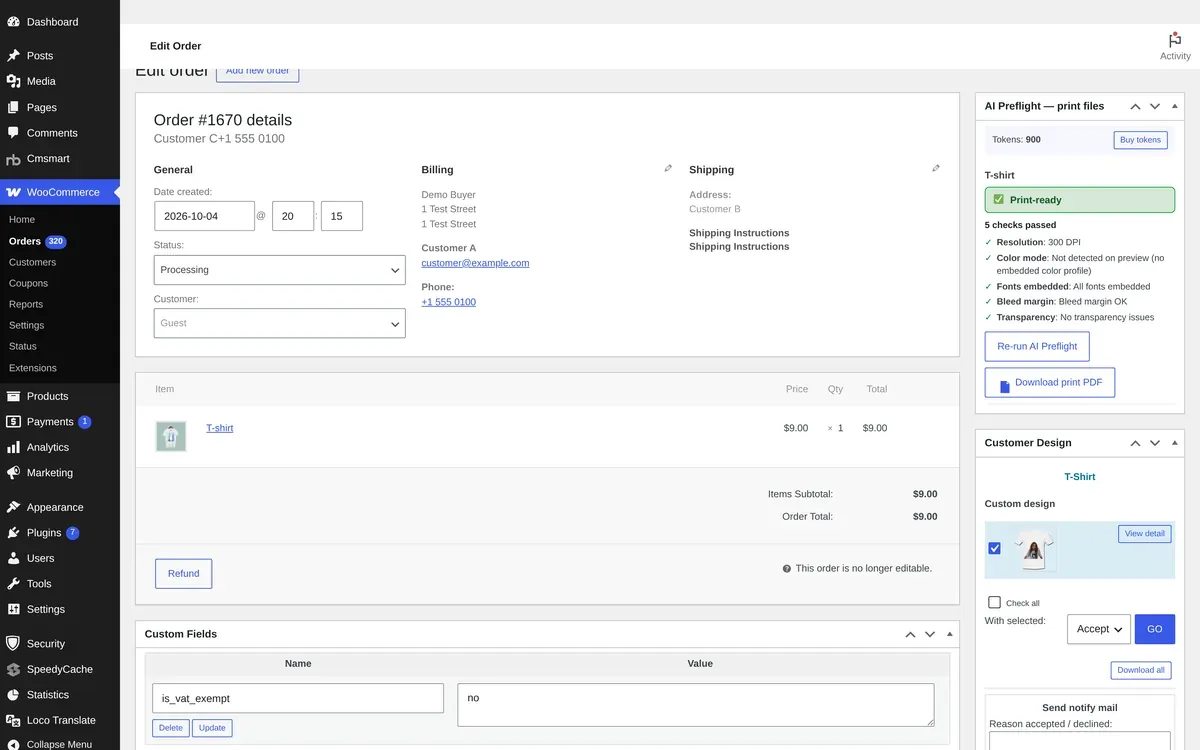
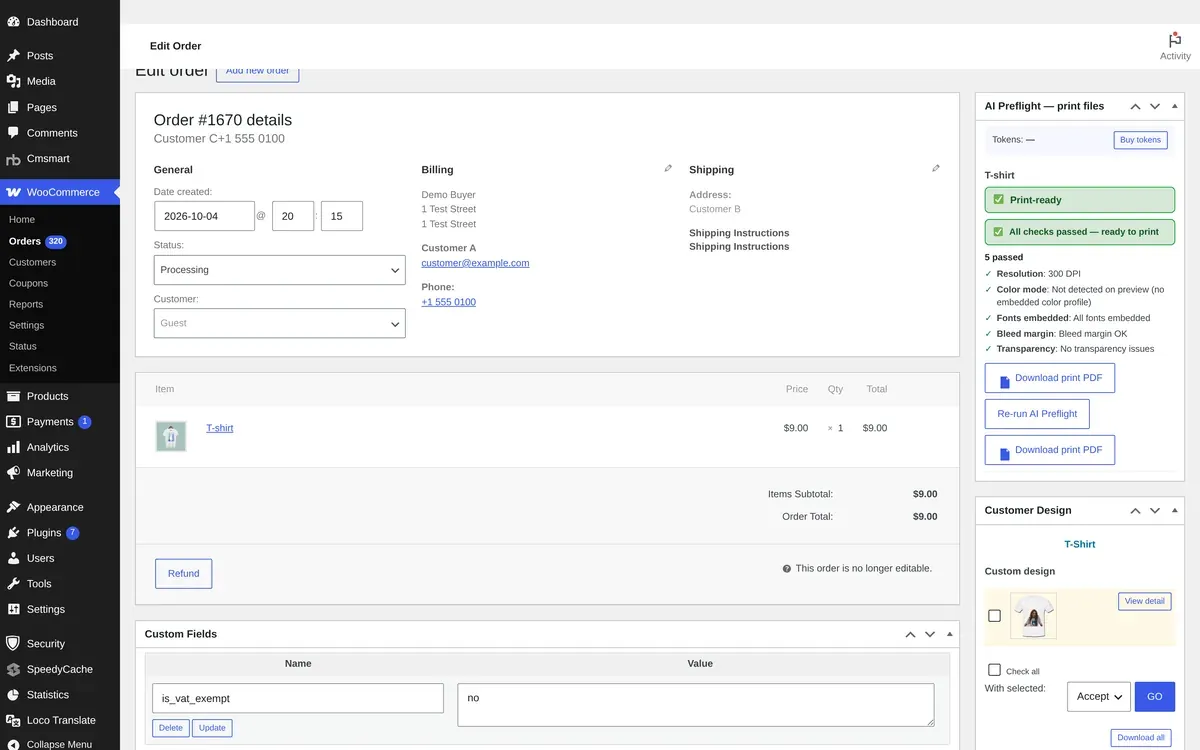
WooCommerce order screen with the Customer Design box: design thumbnail, Accept action, Download all and Send notify mail

Real capture, demo data: the Customer Design box on an order.

In short

What Artwork Approval does for your store

Artwork Approval is built into Cmsmart Product Designer for WooCommerce. On every order the Customer Design box lists each design and uploaded file; your team accepts or declines them and sends the customer a message with the reason. The customer sees an Approved, Needs fix or Pending review status on the order, can edit a declined design, and approved artwork is locked on the server.

Where
The order screen, Customer Design box
Actions
Accept or Decline, notify mail with reason
Buyer sees
Approved, Needs fix, Pending review
Checked against
Plugin 2.17.1 source

The problem

Why proofs by email cost reprints

A proof that lives in an email thread is easy to miss. The wrong version gets printed, or the customer keeps editing after you approved it.

  • Approvals are scattered across inboxes, so nobody knows which version is final.
  • The customer edits a design after it was approved and production prints something else.
  • Declined files wait days because the customer never saw the reason.
  • Cost of the status quo, with your own numbers: reprint rate x orders x (unit cost + shipping).

What it does

Approval on the order

Real captures from our demo store with demo data. Buyer-side captures follow from a new test order.

  • Accept or decline on the order

    Accept or decline on the order

    The Customer Design box lists each design with View detail, Accept with selected, Download all and Send notify mail.

  • The customer's artwork

    The customer's artwork

    The design or uploaded file is attached to the order item the customer bought.

  • Order received

    Order received

    The design stays linked to the order for proofing and production.

Verified capabilities

Checked against the plugin source (version 2.17.1) and its changelog. Anything else is listed under custom development.

  • Accept or decline per design

    The Customer Design box on the order lists designs and uploaded files; accept or decline the selected ones.

  • Notify mail with a reason

    Send the customer an email with the reason the design was accepted or declined.

  • Proof status for the buyer

    Orders show an Approved, Needs fix or Pending review pill beside the print-file status (2.12.0).

  • Fix a declined design

    Customers can edit or re-upload a design after ordering until it is approved; the setting is on by default.

  • Approved artwork locked

    Saving over an approved design is refused on the server, whatever link the save comes from (2.17.0).

  • Edits return to review

    Editing after ordering flags the order, returns a declined proof to pending review and queues a new print file (2.17.0).

  • Admin email on approval

    Optionally email admins when designs are approved; this works in translated stores (2.17.0).

  • Works on HPOS orders

    The Customer Design box runs on the WooCommerce HPOS order screen (2.17.0).

How it works

How it works

  1. Customer orders a design

    Customer orders a design

    The design or upload is saved on the order item.

  2. Accept or decline

    Accept or decline

    Your team reviews each design in the Customer Design box.

  3. Send the reason

    Send the reason

    Send notify mail tells the customer what was accepted or what to fix.

  4. Approved art moves on

    Approved art moves on

    Approved artwork is locked and the print file follows.

Use cases

Who uses Artwork Approval

The same module, set up for different products and buyers.

  • Print shops

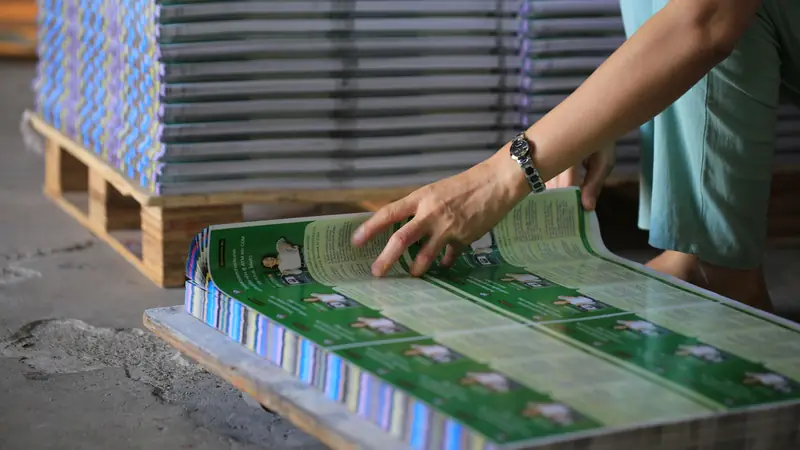
    Every card, flyer and poster is accepted before it reaches the press.

  • Apparel and merchandise

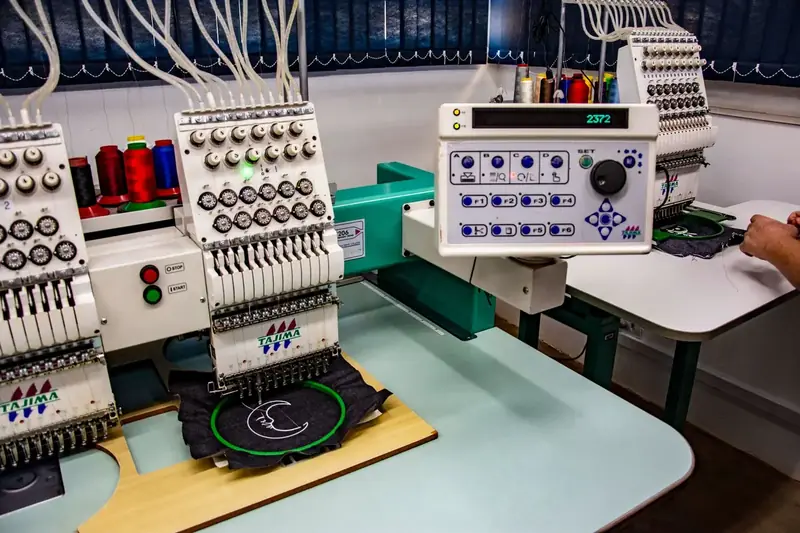
    Artwork placement on shirts and mugs is checked and fixed before production.

  • B2B brand orders

    Brand teams see a clear status on every order, and approved art cannot drift.

  • Labels and packaging

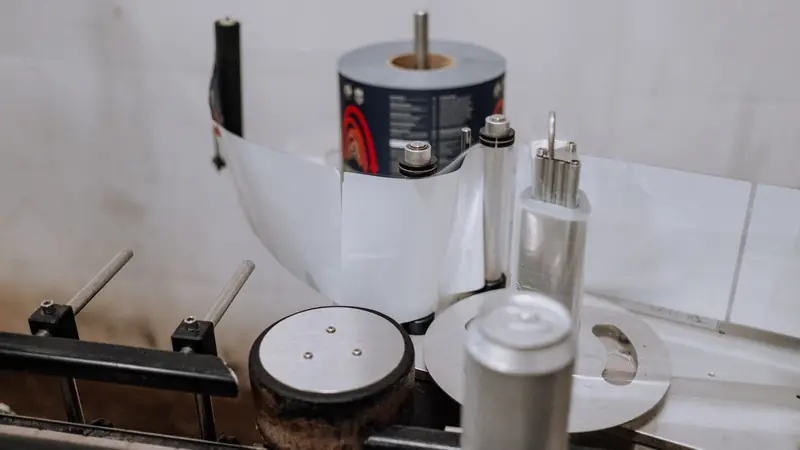
    Declined files come back with a reason instead of a phone call.

Feature table

Artwork Approval at a glance

Every option, rule and output in one place.

WhereWooCommerce order screen (classic and HPOS), Customer Design box
ActionsAccept or Decline selected designs and uploaded files, Download all, View detail
Customer messageSend notify mail with the reason accepted or declined
Buyer viewApproved, Needs fix or Pending review pill, Edit design link while not approved
ProtectionServer lock on approved artwork; filter to widen the lock
After editsOrder flagged, proof back to pending review, new print file queued
SettingsAllow re-design after order, email admins on approval

Proof

Shipping today, and you can try it live

Everything on this page runs on our public demo store. Open it, change the options and watch it work before you install anything.

The team behind it

A dedicated team runs your project

  • Cmsmart Account Manager, portraitAccount Manager
  • Cmsmart Project Manager, portraitProject Manager
  • Cmsmart Business Analyst, portraitBusiness Analyst
  • Cmsmart Developers & QA, portraitDevelopers & QA
  • Scoped first by an Account Manager and a BA
  • Milestones and sprints tracked in WorkSuite
  • Support and growth after launch

Real numbers, real clients

Trusted by store owners in 80+ countries

What we have delivered since 2012, and what customers say about working with us.

  • 6,300+ client projects since 2012
  • 4,600+ projects delivered since 2012
  • 1,800+ live stores online now
  • 80+ countries clients worldwide
  • 500+ custom development projects since 2012
  • 120+ engagements running 5+ years ongoing support

Since 2012 · a Netbase JSC company · as of Sep 2026 · source: WorkSuite project records

Teams in 80+ countries run their ecommerce projects with Cmsmart

Excellent service for the right price! - Fast support by chat / video! Happy to work with people like Chuong, always ready to fix all needs. Hope to work for many years with them.

Sven v B Sven v B Netherlands Jan 2021
Verified on Trustpilot

The website is very well made. However, I would like to point out the quick response of the staff, especially Ms. Andrea, who solved all our problems very quickly and kindly. Thanks.

Juš Jordan Kondić Juš Jordan Kondić Slovenia Jan 2021
Verified on Trustpilot

NBDesigner is a very robust plugin for printing shops. It may take a bit of time to learn, as I am, but the support team is there to help. I've been in printing 30 years and I am impressed with how the developers have thought this plugin through. It has everything.

Pamela Redman Pamela Redman United States Dec 2020

Verified on Trustpilot

Read more testimonials Delivered & maintained with WorkSuite: tickets, tasks, milestones and invoices in one place. See how it works

Setup

How to run approvals

Five steps in wp-admin, no code.

  1. Keep Allow customer re-design after order on in the plugin settings.
  2. Optionally switch on email to admins when designs are approved.
  3. Open an order and review each design in the Customer Design box.
  4. Accept or decline the selected designs and send the notify mail with your reason.
  5. The customer sees the status on the order and fixes a declined design; approved artwork is locked.

Custom development

Need logic the plugin does not have?

We extend Artwork Approval for your business as a scoped project, built on your WooCommerce store and tracked in WorkSuite like every client project.

  • Multi-step approval chains with several approvers
  • Online proof sign-off with comments and version history
  • Approval portals for B2B company accounts
  • Integration with your MIS or job tracking

FAQ

Frequently asked questions

Straight answers about Artwork Approval, checked against the plugin.

Can I approve customer designs in WooCommerce?

Yes. Cmsmart Product Designer adds a Customer Design box to each order where you accept or decline designs and uploaded files.

How does the customer learn why a design was declined?

Send notify mail from the order with the reason; the customer also sees a Needs fix status on the order.

Can the customer fix a declined design?

Yes. While a design is not approved, the customer can edit or re-upload it from the order, and the proof returns to pending review.

Can a customer change a design after I approve it?

No. Since 2.17.0 approved artwork is locked on the server.

Does approval work with HPOS orders?

Yes, the Customer Design box runs on the HPOS order screen since 2.17.0.

Can you build a multi-step approval workflow?

Yes, as custom development: approval chains, comments and B2B portals are scoped and quoted per project.

Get started

Put Artwork Approval to work in your store

Start with a free 30-day trial licence of the plugin, or tell us what your products need.


Top