Real capture, demo store: custom dimension plus a paper by weight price matrix.
In short
What Pricing Options does for your store
Pricing Options is the printing-options builder inside Cmsmart Product Designer for WooCommerce. You build option sets in wp-admin (size, material, sides, finishing, turnaround, artwork) and give each choice a price rule: a fixed amount, a percentage, a formula, a price matrix, quantity breaks or a price per area. Shoppers see the summary and the final price change as they choose, and every choice travels with the item to the cart and the order.
Admin
Cmsmart, Printing Options
Price rules
Fixed, %, formula, matrix, quantity, area
Shown to buyers
Live summary and final price
Checked against
Plugin 2.17.1 source
The problem
Why print and custom products break normal WooCommerce pricing
A business card has paper, weight, size, sides, finish, quantity and turnaround. Variations multiply into hundreds of SKUs, and a flat add-on fee cannot express a price that depends on two choices at once.
Prices live in a spreadsheet, so buyers email for a quote and some never come back.
Variations explode: 4 papers x 4 weights x 6 quantities x 3 turnarounds is 288 combinations.
Large-format jobs are priced by area, which variations cannot do.
Discounts for larger runs are applied by hand, so they are inconsistent.
What it does
See it on real product pages
Captures from the public demo store nbdesigner.cmsmart.net on 5 October 2026. Prices are demo prices.
The price updates as you choose
Gloss paper at 300gsm selected: options price $1.10, final price $10.10, and a pricing table for 1-99 and 100+ cards.
Quantity by delivery speed
Next day, 3 days or 5 days for 10 to 1,000 cards, with the unit price under each total.
The same options inside the designer
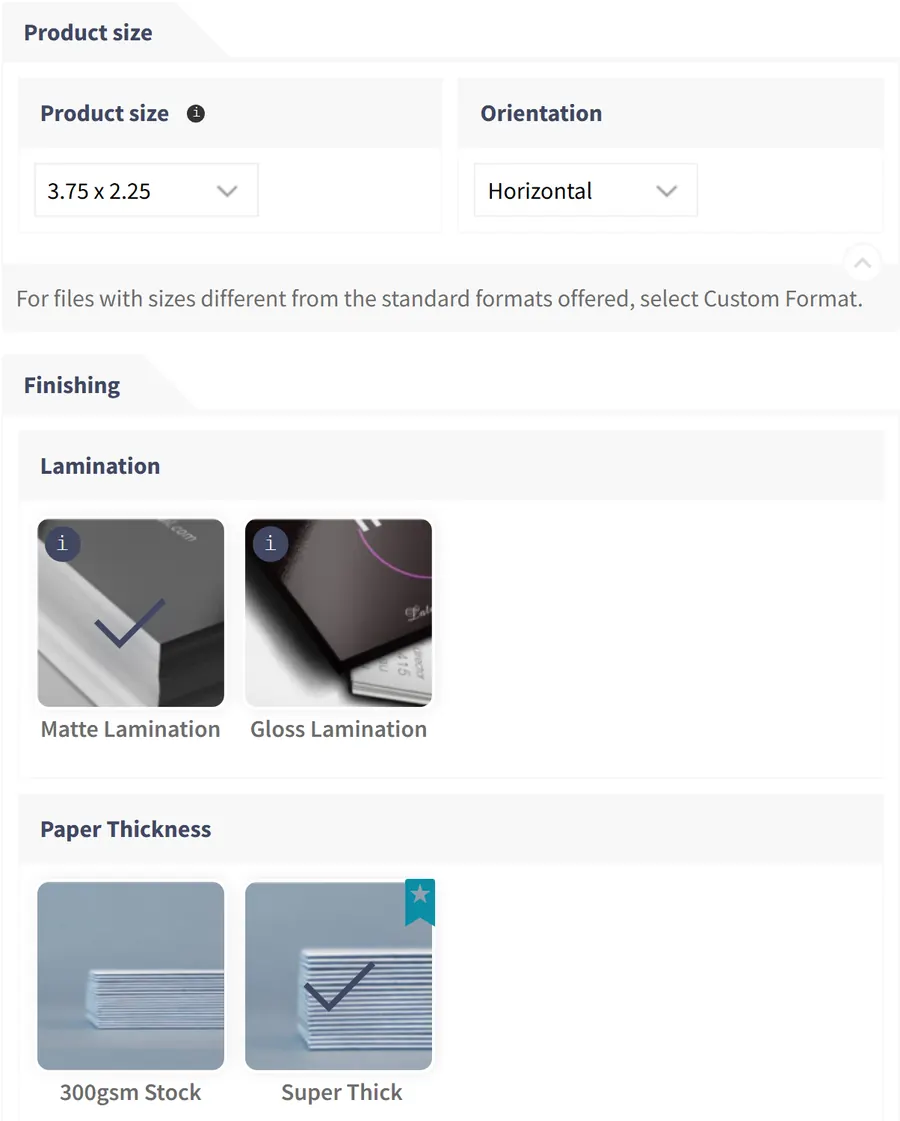
Buyers change size, orientation or paper while they design; the summary stays beside the canvas.
All option sets in one list
Cmsmart, Printing Options lists each set with its status, priority and the products or categories it applies to.
A quote form for jobs no formula can price
Products can show Get quote instead of a price; the form builder sets the fields, labels and required answers, and requests are listed in the Requests tab beside it.
Verified capabilities
Checked against the plugin source (version 2.17.1) and its changelog. Anything else is listed under custom development.
Option sets by product or category
One set of fields can serve one product, many products or whole categories, with a priority and an optional date range.
Price per choice
Fixed amount, percent of the base price, percent of base plus options, value x price, price per character, or a math formula.
Price matrix
Choose the fields that form the columns and the rows; the plugin builds the grid, or you enter each combination by hand.
Quantity breaks
Prices or discounts per quantity range, shown to the buyer as a pricing table, or charged as a one-off cart fee.
Area pricing
Custom width and height with min, max and step, priced per unit of area or by area breaks.
Turnaround by quantity
A delivery field with days and maximum quantity builds a quantity by delivery-speed price table.
Conditional logic
Show or hide a field or a value when all or any rules match, based on quantity or another field.
Cart, order and reorder
Chosen options are written to the cart item and the order line, and come back when a customer orders again.
How it works
How a price is calculated
Every option set follows the same order, from the WooCommerce base price to the order line.
1
Build an option set
Add fields such as size, paper and sides under Cmsmart, Printing Options.
2
Set the price rules
Fixed, %, formula, price matrix, quantity or area pricing per choice.
3
Buyers see the price move
The summary and final price update with every choice.
4
The order carries every option
Options and fees are saved on the line item and reused on reorder.
Live examples
Ready-made setups by product type
Each live example below is an option set on the demo store. Option sets can be exported and imported as files in wp-admin, so a setup can be copied between stores.
Fixed amount, % of base price, % of base plus options, value x price, price per character, math formula
Price matrix
Columns and rows from your fields, auto or manual price per combination
Quantity pricing
Quantity range or quantity break table, per-unit price or cart item fee
Area pricing
Price per unit of area, area breaks or unit price by area breaks; min, max and step
Turnaround
Delivery options with days and a maximum quantity, priced in a quantity by speed table
Layouts
Default, price matrix, bulk variation, groups, step by step, part of the fields in a popup
Logic
Show or hide fields and values when all or any rules match
Scope
Per product or category, priority, publish dates, variable-product mapping
Data flow
Cart item data, order line meta, order again, import and export of option sets
Comparison
How it compares with WooCommerce pricing extensions
Written by the Cmsmart team, who make Pricing Options. Competitor facts come only from each product's official WooCommerce.com page, checked on 5 October 2026; anything a page does not state is marked as not stated.
Capability
Cmsmart Pricing Options
WooCommerce Product Add-Ons
Measurement Price Calculator
Tiered Pricing Table
Published price
Part of the Cmsmart plugin licence (see /pricing)
$79 per year
$149 per year
$79 per year
Option fields with prices
Yes
Yes (flat, % and quantity-based fees)
Measurement inputs
Not stated (quantity tiers)
Conditional logic
Yes
Not native (the page points to another extension)
Not stated
Not stated
Price matrix across two fields
Yes
Not stated
Not stated
Not stated
Area pricing
Yes
Not stated
Yes (area, volume, weight)
Not stated
Quantity tiers
Yes
Quantity-based fees
Measurement price breaks
Yes, plus role pricing
Customer file upload
Yes (see Order Upload)
Yes
Not stated
Not stated
Online design editor
Yes (see Online Designer)
No
No
No
Best for
Pricing Options: print and custom products where options, design and upload belong in one flow.
Product Add-Ons: simple paid extras on standard products.
Measurement Price Calculator: products sold by length, area, volume or weight without design.
Tiered Pricing Table: quantity and role-based price tiers on regular catalogue products.
Teams in 80+ countries run their ecommerce projects with Cmsmart
“★★★★★★★★★★
Excellent service for the right price!
- Fast support by chat / video!
Happy to work with people like Chuong, always ready to fix all needs.
Hope to work for many years with them.
The website is very well made. However, I would like to point out the quick response of the staff, especially Ms. Andrea, who solved all our problems very quickly and kindly. Thanks.
NBDesigner is a very robust plugin for printing shops. It may take a bit of time to learn, as I am, but the support team is there to help. I've been in printing 30 years and I am impressed with how the developers have thought this plugin through. It has everything.
Pricing Options ships inside Cmsmart Product Designer for WooCommerce. One licence covers every module, and they work together on the same product page.
Straight answers about Pricing Options, checked against the plugin.
What is Cmsmart Pricing Options?
It is the printing-options builder in Cmsmart Product Designer for WooCommerce. You build option sets under Cmsmart, Printing Options and give each choice a price rule, and buyers see the final price update as they choose.
Can I build a price matrix in WooCommerce with it?
Yes. Set the option set layout to Price Matrix, choose the fields that become the columns and the rows, and let the plugin build the grid or type a price for each combination by hand.
Does it support quantity-based pricing?
Yes. Fields can depend on quantity breaks, the product page shows a pricing table by quantity range or break, and an extra can be charged per item or once as a cart fee.
Can I price banners by width and height?
Yes. The custom dimension field takes width and height with limits and steps, and can be priced per unit of area or by area breaks.
Can a buyer upload artwork or design online on the same page?
Yes. An artwork field lets buyers upload a file, design online or ask your team to design for them, and the same options appear inside the online designer.
Can you build pricing logic the plugin does not have?
Yes, as custom development: customer-group pricing, ERP price sync or sheet-yield calculators are scoped and quoted after a short call.








 Account Manager
 Project Manager
 Business Analyst
 Developers & QA


 Sven v B

 Verified on Trustpilot
 Juš Jordan Kondić
 Pamela Redman