AI tools

AI tokens and usage

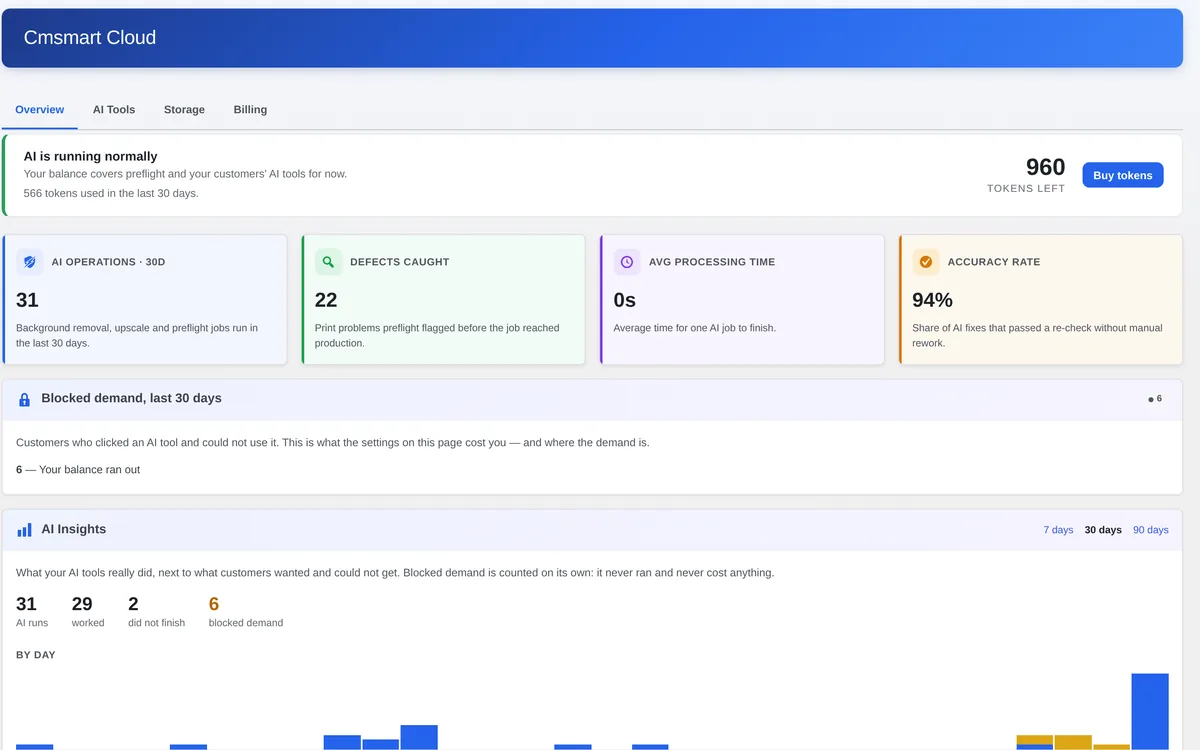
See and manage what the AI tools spend: one Cmsmart token wallet, shared by every AI tool and every one of your stores, with balance, plan and usage in your dashboard.

Shipping Since version 2.12 Read the Cmsmart Product Designer 2.12 release note

What it does

Tokens are what the AI tools spend when they work on your customers' artwork. One balance covers every tool; you top up and manage your token plan from the Cmsmart dashboard.

How to use it

  1. Sign in to your Cmsmart dashboard.
  2. Open AI & Cloud, then Usage & Tokens.
  3. Check your balance and plan, or add tokens.
Status
Shipping since 2.12
Where it runs
In your Cmsmart dashboard (Usage & Tokens)
Billing
Monthly token plan with optional top-ups

Limits to know

  • Each plan renewal replaces the balance with the plan's allowance; unused tokens, including mid-cycle top-ups, do not carry over.
  • The balance is shared by all AI tools on your account.

Frequently asked questions

Is there one balance per store?

No. One Cmsmart wallet is shared by every AI tool on your account.

Do unused tokens roll over?

No. Each renewal replaces the balance with your plan's allowance, so unused tokens and mid-cycle top-ups do not carry over.

Where do I top up?

In your Cmsmart dashboard under AI & Cloud, Usage & Tokens.

Get started

Available to Cmsmart Ecommerce plugin users with an active licence. Need something custom? We can connect AI to your own workflow.

Elevate your store with Cmsmart

Enhance your eCommerce with our powerful plugins and explore fully built demo stores to see them in action.


Top