Real capture, demo store: the modern layout with print options beside the canvas.
In short
What Online Designer does for your store
Online Designer is the design editor at the heart of Cmsmart Product Designer for WooCommerce. Customers start from a template or a blank print area, add text, photos, cliparts, shapes and QR codes, and see each side of the product as they work. You set the print areas, bleed and safe zone per product, and every approved design reaches your team as a print-ready file on the order.
Without an editor, every personalised order becomes a back-and-forth: the customer describes what they want, your designer mocks it up, and proofs go round by email.
Customers cannot see the result, so they hesitate at checkout.
Designers spend hours on simple text changes.
Files arrive at the wrong size, without bleed or in RGB.
Every new product needs its own design workflow.
What it does
See the editor at work
Real captures of the plugin editor on the demo store nbdesigner.cmsmart.net.
Start from a template
Searchable templates by product, applied to the print area in one click.
Text styles
Heading and body presets plus ready-made text designs.
Clipart library
Categories and search over the shared clipart library.
3D preview product
A can mock-up with Start Design and a 3D preview of the result.
Verified capabilities
Checked against the plugin source (version 2.17.1) and its changelog. Anything else is listed under custom development.
Templates
Product templates and a global template store, with locked layers and photo placeholders that fill themselves.
Text tools
Fonts, curved text, text patterns, outline and transform, with size limits you control.
Photos from anywhere
Upload, URL, Google Drive, Dropbox, Facebook, Instagram, webcam, and stock from Pixabay, Unsplash, Pexels and Freepik.
Cliparts and elements
A global library of 25,918 cliparts in 69 categories (2.14.0), plus shapes, icons, frames, QR codes and free draw.
Print areas per side
Several sides per product, each with bleed, safe zone, overlay and shape, in cm, mm, inches, feet or pixels.
Print-ready output
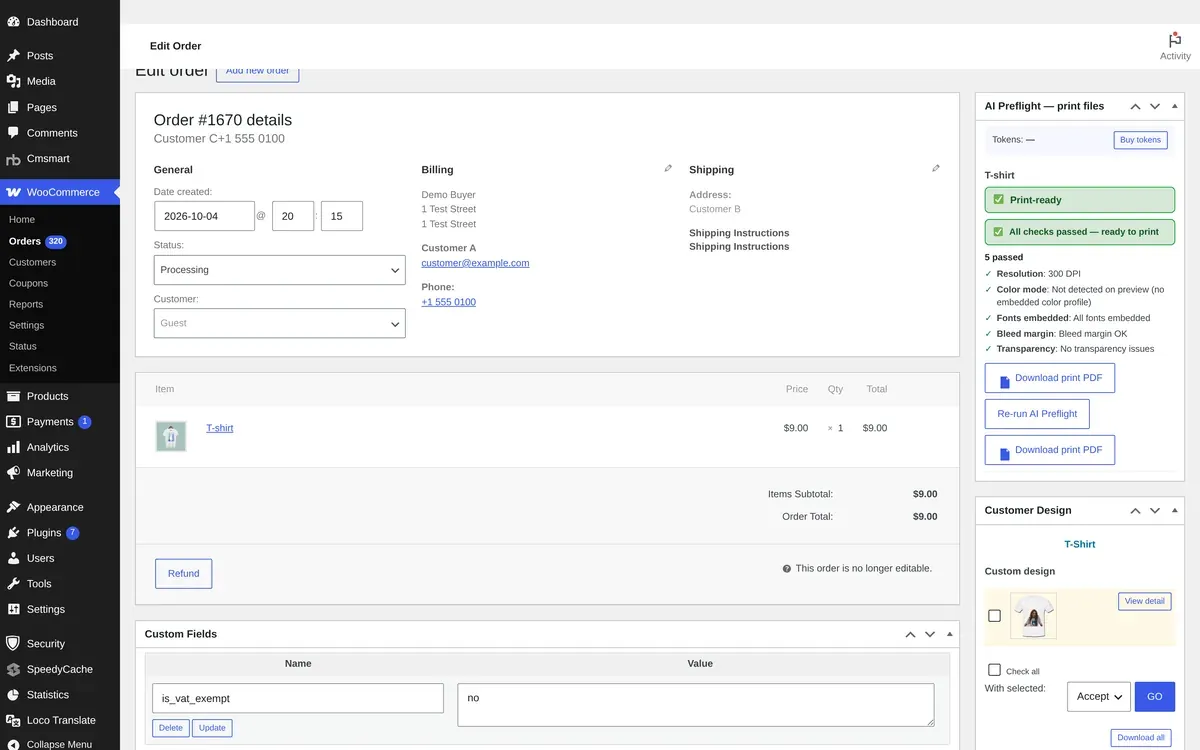
Print-ready PDF (2.16.0), plus PNG, SVG and JPG CMYK downloads with an ICC profile when ImageMagick is available.
3D preview
A 3D preview of the product can be switched on per product (desktop).
Proofs and reorders
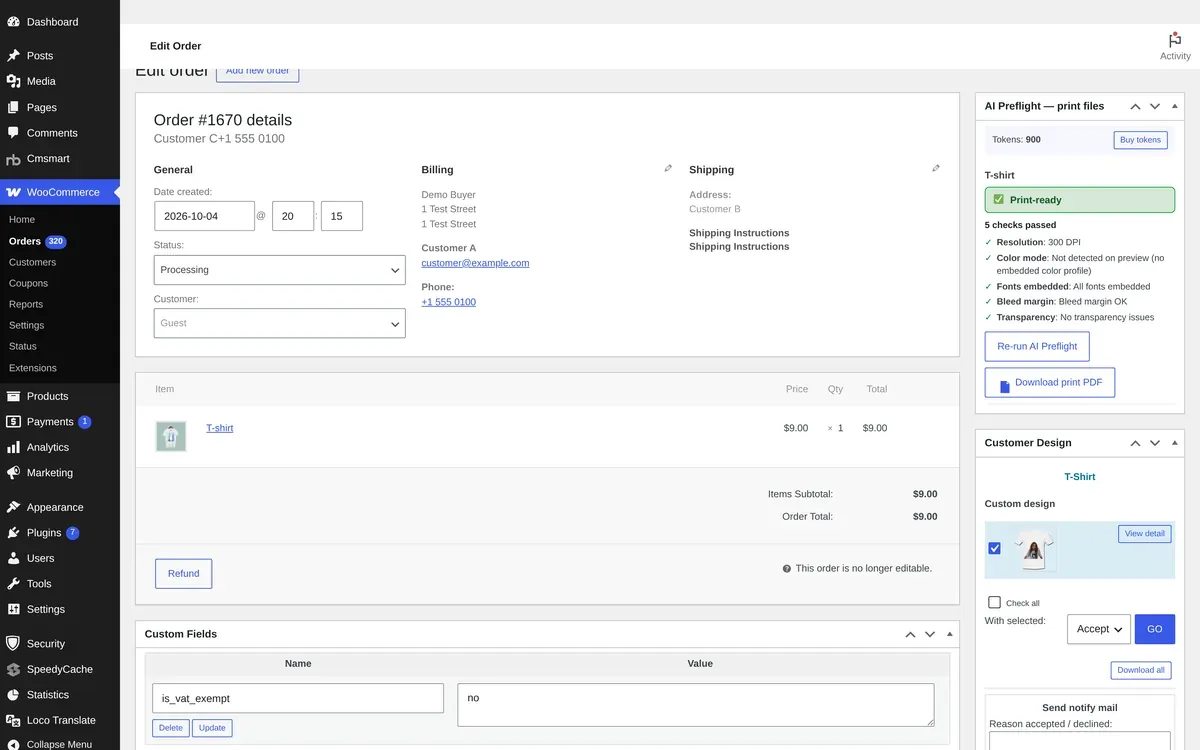
Approved, Needs fix and Pending review status for buyers, and My designs with Order again (2.12.0).
How it works
From template to print-ready file
The same steps for a business card, a T-shirt or a mug.
1
Start from a template
Pick a product template or a blank print area.
2
Personalise it
Text, photos, cliparts and layers on every side.
3
Choose options and see the price
Pricing Options sit beside the canvas.
4
Receive a print-ready file
The design and its PDF arrive with the order.
Live examples
Designer gallery
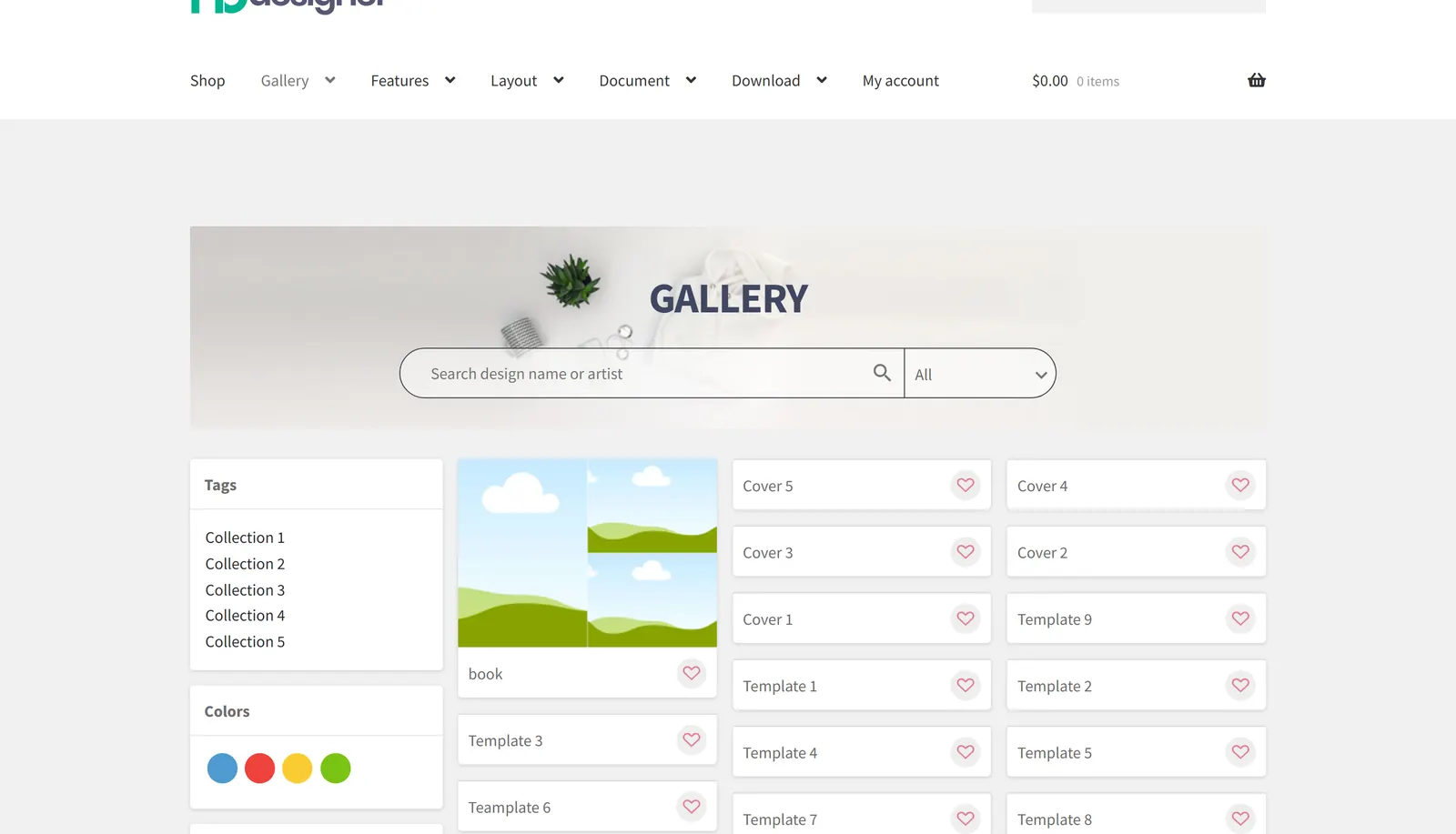
Customers can also browse designs and templates in a gallery page before they open the editor.
Teams in 80+ countries run their ecommerce projects with Cmsmart
“★★★★★★★★★★
Excellent service for the right price!
- Fast support by chat / video!
Happy to work with people like Chuong, always ready to fix all needs.
Hope to work for many years with them.
The website is very well made. However, I would like to point out the quick response of the staff, especially Ms. Andrea, who solved all our problems very quickly and kindly. Thanks.
NBDesigner is a very robust plugin for printing shops. It may take a bit of time to learn, as I am, but the support team is there to help. I've been in printing 30 years and I am impressed with how the developers have thought this plugin through. It has everything.
Online Designer ships inside Cmsmart Product Designer for WooCommerce. One licence covers every module, and they work together on the same product page.
Straight answers about Online Designer, checked against the plugin.
What is the Cmsmart Online Designer?
It is the product design editor in Cmsmart Product Designer for WooCommerce. Customers personalise products with templates, text, photos and cliparts, and you receive print-ready files with the order.
Which products can I sell with it?
Any WooCommerce product you can define as one or more print areas: business cards, flyers, posters, stickers, T-shirts, mugs, phone cases, bags and more.
Does it output print-ready files?
Yes. Since 2.16.0 the plugin produces a print-ready PDF for each design; PNG, SVG and JPG CMYK downloads can be enabled as well.
Can customers start from templates?
Yes. You add templates per product or use the global template store, and you can lock template layers so customers only change what you allow.
Does the editor work with print options and prices?
Yes. Pricing Options appear beside the canvas, so buyers change size, paper or quantity while they design and see the final price.
Can you build a custom editor for our product?
Yes, as custom development. Product-specific editors, configurators and production integrations are scoped and quoted per project.



 Account Manager
 Project Manager
 Business Analyst
 Developers & QA


 Sven v B

 Verified on Trustpilot
 Juš Jordan Kondić
 Pamela Redman