
Guide · AI
AI in B2B Ecommerce: Faster Quotes and Reorders
AI in B2B ecommerce can draft quotes, flag reorders and clean up supplier catalogues on Cmsmart Product Designer — request a custom AI integration tod...
A wholesale buyer configuring 250 custom tote bags will not hand over a card number before they know the price, and your staff should not have to quote that price by email. A WooCommerce request a quote B2B workflow turns the product page itself into the quoting tool: the buyer sets quantity and options, watches the total update as they go, and submits a quote instead of checking out immediately.
Was this tutorial helpful?
Written by
Cmsmart B2B Commerce & Operations Consultant
Designs B2B ordering, marketplaces and the operations behind them.
The team behind it
 Account Manager
 Project Manager
 Business Analyst
 Developers & QA
Guide · AI
AI in B2B ecommerce can draft quotes, flag reorders and clean up supplier catalogues on Cmsmart Product Designer — request a custom AI integration tod...
Guide · Web-to-print
See how a multi-sided product designer for WooCommerce lets buyers design both sides of a card, then request a custom build.
Guide · B2B
WooCommerce Amazon Etsy sync guide: keep stock and orders right across channels, avoid overselling, and get a custom integration quote.

Cmsmart Ecommerce provides custom ecommerce and WooCommerce development services for web-to-print, product personalization, plugin support and API integration.
Cmsmart B2B Commerce & Operations Consultant
Designs B2B ordering, marketplaces and the operations behind them.
Meet the team →



In short
What does manual WooCommerce request a quote B2B pricing cost your store?
Cmsmart Product Designer removes the email-and-spreadsheet loop behind most WooCommerce B2B pricing: the price matrix calculates the number live on the product page, so staff stop re-pricing the same door hanger, bag or sign order by hand every time a wholesale buyer asks.
Most WooCommerce stores that sell to businesses still handle custom pricing the same manual way:
The cost of the status quo is a formula with your own numbers: quotes requested per month × minutes spent pricing and re-keying each one × your team's hourly cost — before counting the orders lost to buyers who simply left for a site with a visible price.
What does a smooth B2B request-a-quote workflow look like?
In Cmsmart Product Designer, the buyer configures the product, designs or uploads artwork, and sees the price-matrix number update on the page — then clicks Add a quote instead of Add to cart when they want sign-off rather than an instant charge, with the design already attached.
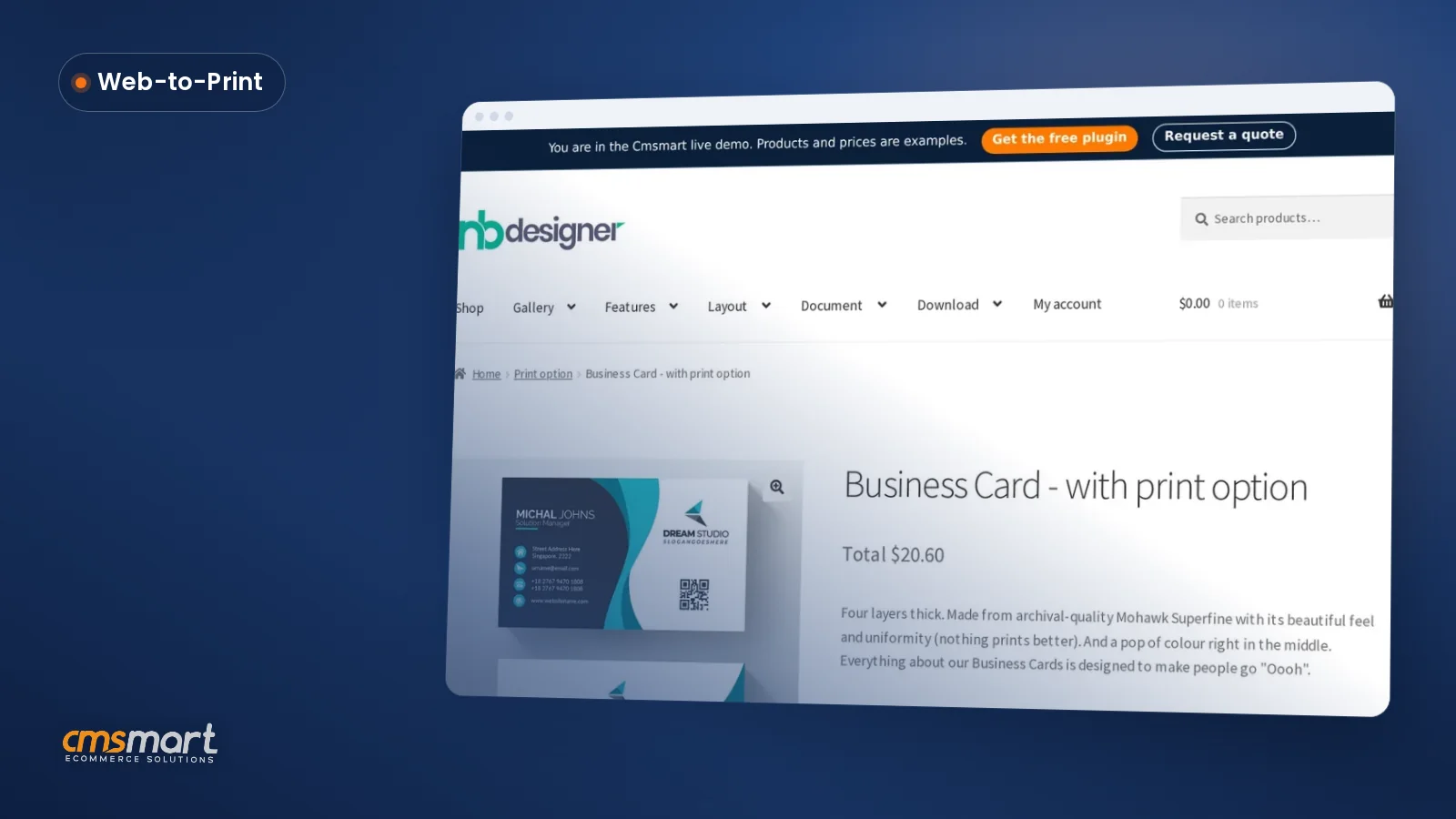
Imagine the buyer's side first. A print-shop customer opens a door hanger or business-card product, drags width and height to match their job, and watches the price matrix recalculate against the material and weight they picked — the same table your staff would otherwise look up by hand. They attach or design the artwork right there, then choose a quote instead of an instant charge.
Example scenario. A promotional-products reseller lists dozens of SKUs — tote bags, caps, door hangers — each with a price matrix for size and material. A buyer configures 250 branded tote bags in a custom width, sees the matrix price and the bulk table pricing tier for quantities of 100+, and submits a quote with their design attached instead of guessing at checkout. A staff member reviews it the same morning, approves it at the matrix price, and the buyer converts it to a paid order in one click — no email thread, no re-keyed order.
That is the moment a B2B storefront earns trust: the price was never a mystery, and the quote already carries the exact configuration and artwork the buyer chose.
How does Cmsmart's request-a-quote architecture work end to end?
Cmsmart Product Designer's quote workflow sits on three built-in pieces — the price matrix and printing options, a per-product Add a quote button, and a buyer/admin Quotes area backed by WooCommerce orders — with company accounts and approval routing added as custom development.
Four building blocks carry a quote from configurator to production:
Cmsmart insight: in projects where a quote button was buried in a separate "B2B" page, buyers rarely found it. Put Add a quote on the same product page as the price matrix, stacked with Add to cart — the buyer should never have to leave the page to ask for a number.
What's the business value and ROI of a quote-to-order workflow?
A live price matrix plus a built-in quote button lets Cmsmart Product Designer turn "what would this cost?" into a number the buyer sees immediately, so your team spends its time approving and producing orders instead of re-pricing the same configuration by email.
ROI worksheet (your variables): monthly quotes requested (Q) × minutes saved per quote versus emailing a price (M) × your team's hourly cost (H) = hours reclaimed per month. Add: reprints avoided by approving artwork before production (R) × average cost per reprint (C) = additional monthly savings. Run your own numbers before you decide how much automation to build.
Not sure which parts of this fit your own catalog? Talk to an ecommerce expert before you decide what to build first.
Global B2B ecommerce is a large and fast-moving market — projected to reach $36 trillion in 2026, up from $32.1 trillion in 2025 — and buyer behavior inside it has shifted: a 2025 Gartner buyer survey found 61% of B2B buyers now prefer a rep-free buying experience, and the same research cites 66% of B2B buyers expecting personalization that includes custom pricing. A visible, self-serve quote is no longer a nice-to-have on a wholesale storefront.
How do you set up request-a-quote pricing in Cmsmart Product Designer?
Setting up a request-a-quote workflow in Cmsmart Product Designer means configuring the price matrix and printing options first, turning on the Add a quote button, then approving quotes from the admin Quote Requests screen before the buyer converts it to a paid order.
For bulk and wholesale quantity tables specifically, this short walkthrough shows the printing-option setup behind the tiers:
How far can you take this with custom development?
Beyond the built-in quote button, Cmsmart builds the B2B layer that core WooCommerce stores need: company accounts, multi-step approvals, PO capture and ERP sync — so a quote submitted on your storefront routes, prices and lands in your systems exactly the way your wholesale process requires.
The built-in quote workflow covers one buyer requesting one price. Most B2B operations need more structure around it:
Cmsmart delivers this the same way as any custom build: discovery, solution design, development sprints, QA, launch and ongoing support — see the delivery model for how a project like this runs, or the B2B web-to-print solutions page for the wider service.
Plan my B2B quote workflow
Cmsmart insight: most reprint costs we see in B2B print projects trace back to a quote approved by someone who never looked at the actual print file. Keep the artwork-approval step between "quote accepted" and "sent to production" even when the buyer is in a hurry — it's cheaper than a reprint.
Why work with Cmsmart on your B2B quoting workflow?
Cmsmart has built ecommerce and web-to-print solutions since 2012 as a Netbase JSC division, with 500+ custom development projects delivered for stores that needed more than an out-of-the-box plugin — including the company-account and approval layers B2B quoting usually needs.
Cmsmart Product Designer (NBDesigner) is the plugin; Cmsmart is the team that builds what sits around it. Since 2012, that has included 6,300+ client projects and 500+ custom development engagements, reviewed at 4.2 on Trustpilot (404 reviews).
See the full track record on the Cmsmart platform page, or browse the Cmsmart Product Designer plugin page and the web-to-print solutions hub for the rest of the toolkit this workflow builds on.
Frequently asked questions about WooCommerce B2B quote requests
Does Cmsmart Product Designer include a request-a-quote feature out of the box?
Yes. The plugin ships a per-product Add a quote button on the product page alongside Add to cart, a buyer Quotes section in My Account, and an admin Quote Requests screen — current as of version 2.17.0.
How does an approved quote become a paid order?
WooCommerce stores the quote as an order under the hood. Once staff approve it from the quote detail page, the buyer completes checkout and it becomes a normal paid order — the customer identity and line items carry through, including on HPOS-enabled stores.
Can we restrict quoting to wholesale customers or hide prices entirely?
Role-based access, hidden pricing by customer type, and company-level price lists are not part of the core plugin's quote button — this is the kind of rule Cmsmart builds as custom development on top of the existing price matrix and quote workflow.
Does the quote keep the buyer's design and chosen print options?
Yes. Whatever the buyer configured or designed before clicking Add a quote — options, dimensions, artwork — travels with the quote and then the resulting order, the same way it would with Add to cart.
Can approved quotes sync to our ERP or accounting system?
Not in the core plugin. Cmsmart builds ERP/MIS and accounting integrations as custom development so approved quotes and the orders they become land in the systems your team already runs.
How long does a custom B2B quoting build usually take?
It depends on scope — a company-accounts and approval-routing layer is a smaller project than a full ERP sync. Cmsmart scopes it through discovery and solution design before committing to a sprint plan; start at the project delivery page or request a quote below.