
Guide · Web-to-print
WooCommerce Product Designer Plugin: Import Customer Artwork
WooCommerce product designer plugin: let customers upload artwork or design online, cut proof emails, and ship print-ready files. See how to set it up...
Running a poster printing online store on WooCommerce means every order should move from picking a size to a print-ready file without a single email attachment, and Cmsmart Product Designer is built to make that the normal path rather than the exception.
Was this tutorial helpful?
Written by
Cmsmart Web-to-Print Solutions Consultant
Plans online print storefronts: product setup, pricing rules, proofing and print-ready files.
The team behind it
 Account Manager
 Project Manager
 Business Analyst
 Developers & QA
Guide · Web-to-print
WooCommerce product designer plugin: let customers upload artwork or design online, cut proof emails, and ship print-ready files. See how to set it up...
Case study · Web-to-print
See how Cmsmart's product customization software for WooCommerce gives buyers real design control, plus pricing and print automation for your team.
Guide · Web-to-print
Set up automatic print-ready PDF export for WooCommerce, sync files to FTP, Dropbox, or Amazon S3, and manage print options the right way. See how.

Cmsmart Ecommerce provides custom ecommerce and WooCommerce development services for web-to-print, product personalization, plugin support and API integration.
Cmsmart Web-to-Print Solutions Consultant
Plans online print storefronts: product setup, pricing rules, proofing and print-ready files.
Meet the team →

In short
Most print shops that sell posters online still take the order on a product page, then finish the real work by email: a flyer-sized JPEG comes in, someone resizes it, guesses the bleed, and hopes it holds at 24×36. A built-in designer and print-ready output turns that thread into a few clicks the buyer finishes alone.
What's the real cost of selling posters by email and PDF?
Cmsmart Product Designer replaces the email-and-attachment poster order with an on-page designer and price matrix, so a WooCommerce print shop stops absorbing the staff time and reprints that manual quoting creates on every custom order.
Selling posters without an online designer usually means absorbing costs you rarely put a number on:
A rough formula makes the cost visible: poster orders per month × minutes a staff member spends per manual quote or resize × your loaded hourly cost, plus reprint rate × cost per reprint in paper, ink and shipping. Run your own numbers — most shops underestimate the second half of that sum.
What would a fully online poster store look like?
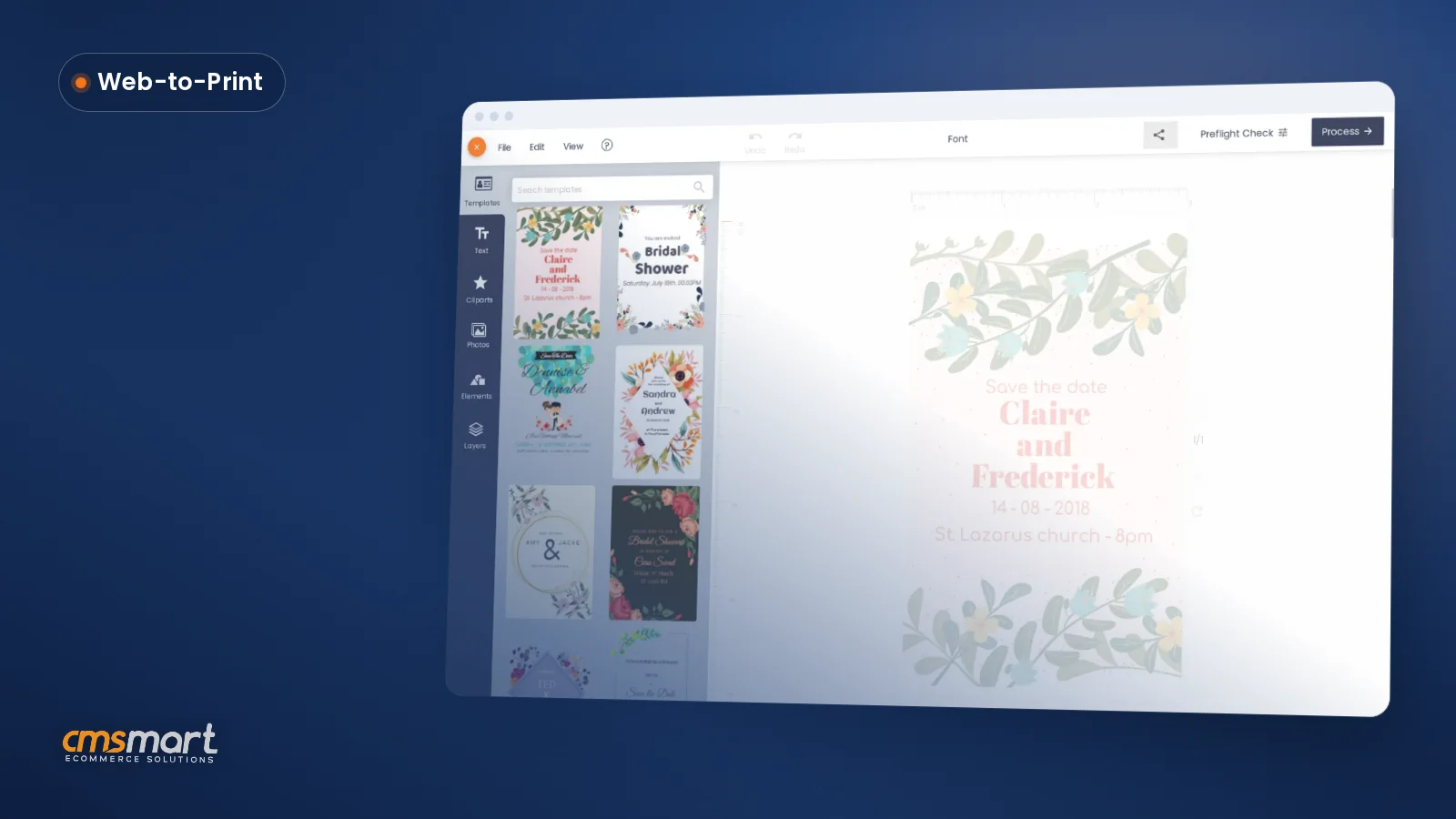
Cmsmart Product Designer lets a buyer choose a poster size, design on the canvas or upload finished artwork, and see the exact price before checkout, so what good looks like is a normal Tuesday order, not a special case.
Example scenario. A buyer opens your poster product page at 10 p.m., picks an 18×24 size, drags in a photo from their phone, adds a headline, and watches the price update as they switch to a heavier cutting option. They pay, and the order lands in production with its print-ready PDF already attached — no email, no request to resend it at full size, no guessing. Talk to a web-to-print expert if you want help mapping your own poster sizes and finishes to this flow.
Own production or POD: when does a WooCommerce poster store pay off?
Cmsmart Product Designer works the same way whether you print in-house or route files to a trade printer, so Cmsmart lets you decide the make-or-outsource question on margin and turnaround rather than on what the software can do.
Outsourced print-on-demand removes equipment and minimum order quantities — the global print-on-demand market was valued at $10.8 billion in 2025, so plenty of stores run on it. Running your own WooCommerce poster store instead tends to pay off once you already have large-format printing capacity and want to keep the margin a POD partner would take, or when turnaround time is what you are selling.
What are the print specs for a poster printing online store — and what should your designer enforce?
Cmsmart Product Designer's design area carries the bleed and safe-zone lines a poster needs, so a buyer's layout already matches the dimensions your print specs require before the order ever reaches your production queue.
Printers publish very similar numbers for posters; these are the ones a print-ready file needs to hold up at the final trim.
What to configure in Cmsmart Product Designer: an ICC-tagged CMYK profile keeps the hand-off between a buyer's screen and an ICC color-managed press predictable.
How does Cmsmart turn a poster printing online store into print-ready files?
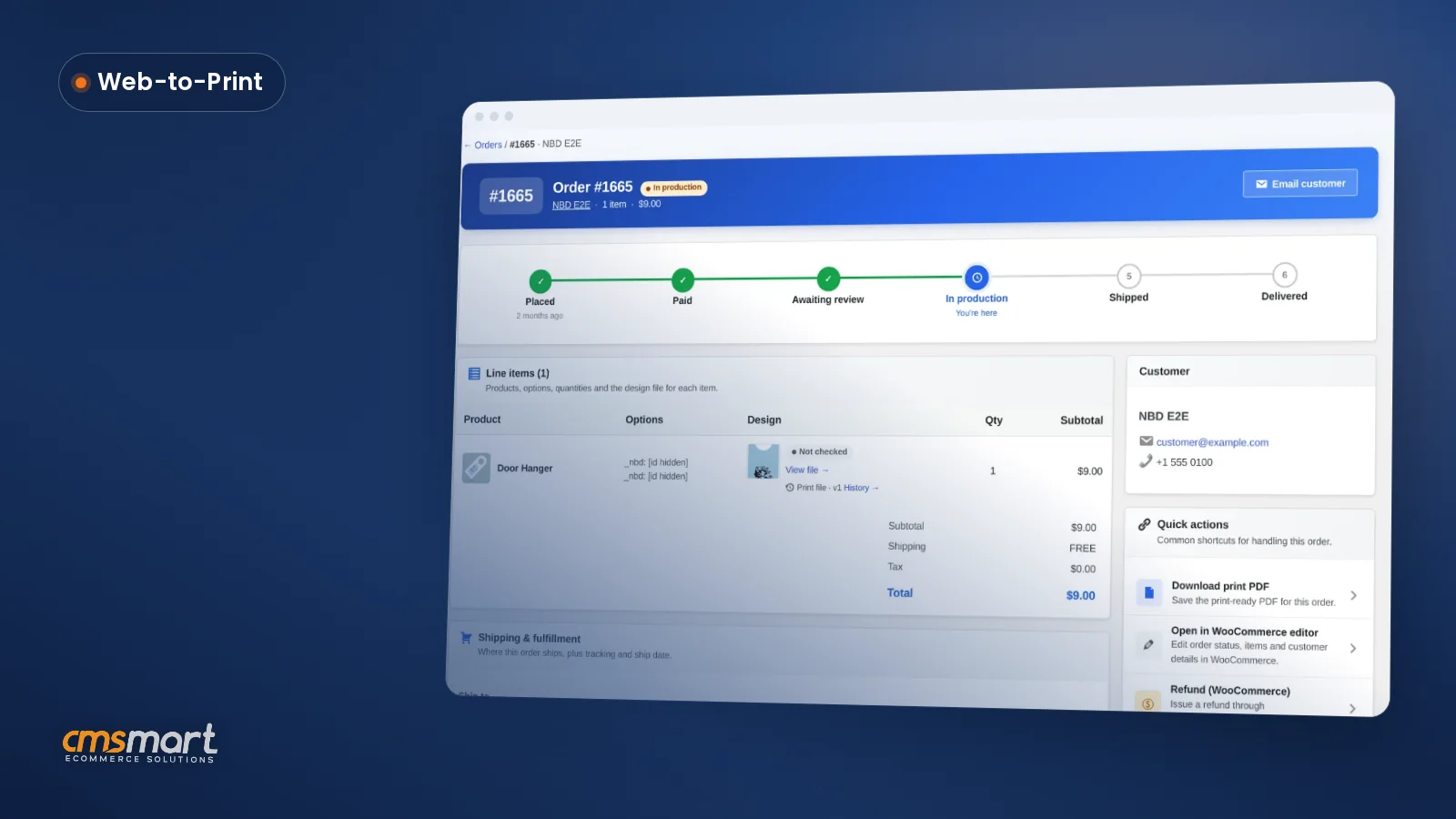
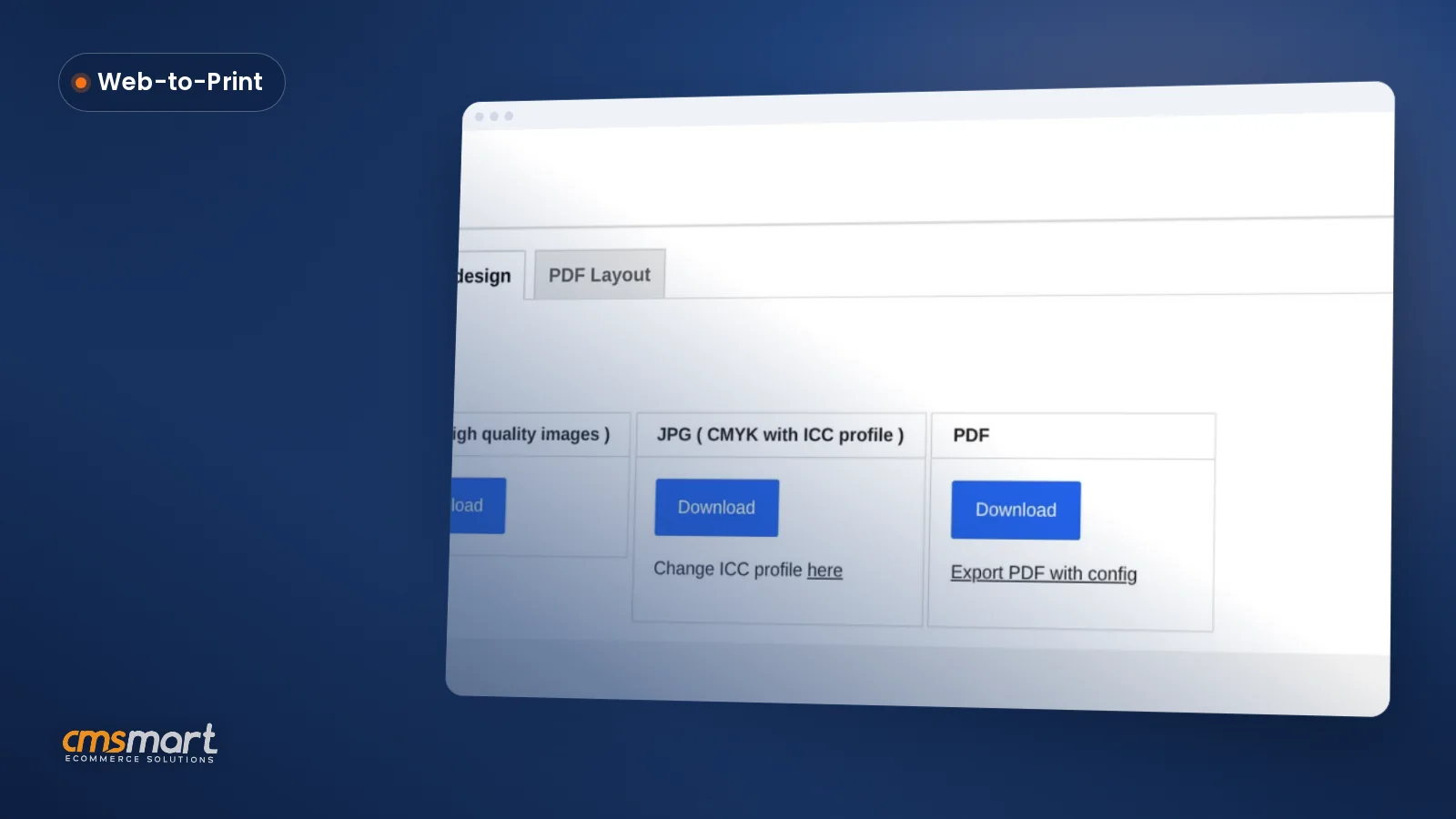
Cmsmart Product Designer chains the storefront, the online designer, the price matrix and the print-ready PDF renderer into one flow inside WooCommerce, so a poster order arrives in your queue already sized, priced and exported — Cmsmart builds any extra step your production line still needs.
Four building blocks carry a poster order from browse to press, and the order screen below shows where they land once a buyer pays:
Anything past that — a connection to your MIS or imposition software, automatic nesting of small posters onto one press sheet, or a vendor portal for a reseller network — is custom development Cmsmart builds on top of this flow, not a toggle in a settings screen.
How do you set up poster printing on your WooCommerce store?
Cmsmart Product Designer turns a WooCommerce product into a poster buyers can size, design and pay for in one visit, once the design area and output settings are configured.
Cmsmart insight: set the design area and bleed per poster size before you publish the product. In our delivery work, the most common reprint cause on large-format products is a safe zone never set for the biggest size a shop sells, so a headline fine on an 8×11 preview gets cut on an 18×24 print.
Can AI catch a blurry poster upload before it reaches the press?
Cmsmart Cloud's Preflight Quality Checker scans a saved design against your required DPI and flags a soft image before it goes to print, and AI Image Upscale can lift a low-resolution photo toward that target — Cmsmart builds a fully automatic, per-order version of this for shops that want it.
A poster forgives far less than a business card: a logo fine at 3 inches often falls apart at 18×24. In Cmsmart Cloud → AI Tools, the Preflight Quality Checker scans resolution, color mode, bleed and fonts against a Required DPI you set — 300 by default — and AI Image Upscale can raise a low-resolution upload toward that target with a Lanczos or Real-ESRGAN engine. Both are off by default for buyers and billed in tokens from your wallet when they run.
What this does not do yet: run automatically on every order without a click, or push a corrected file straight back into production. Cmsmart builds that automatic, per-order preflight — plus an auto-nest step for small posters sharing one sheet — as custom development.
How do you price custom posters without a manual quote?
Cmsmart Product Designer recalculates a poster's price live as a buyer changes size, cutting, finish or quantity, so Cmsmart replaces a manual quote sheet with a rule you set once.
Posters usually price on four drivers: finished size, cutting or edge option, a quantity break, and sometimes a DPI or proofing upcharge. Set each as a Printing Option with its own price-matrix row, and the total updates the instant a buyer changes one of them — no step where someone emails a quote back. Cmsmart's pricing engine service adds tiered discounts or job-level quoting on top of this.
ROI worksheet: extra margin per upsized poster × share of buyers who upgrade size × orders per month, minus minutes saved per order × your loaded hourly cost, equals the monthly value of moving pricing out of your inbox. Plug in your own numbers.
What's the business value of selling posters online, and what KPIs matter?
Cmsmart Product Designer turns quoting, proofing and exporting into steps a buyer and your system do automatically, and the KPI worth watching is how often that automatic path runs clean.
Going further: what can Cmsmart build on top of your poster store?
Cmsmart builds the custom layer most poster shops eventually need — MIS or imposition integration, automatic sheet nesting, or a B2B reorder portal — on top of Cmsmart Product Designer, so the plugin's designer and print-ready output stay the foundation rather than something you replace.
Cmsmart delivers each of these the same way: discovery, solution design, build in sprints, QA, launch and ongoing support — the process behind the Cmsmart ecommerce project delivery model.
Plan my poster store
Why work with Cmsmart on your poster business?
Cmsmart has built and supported WooCommerce storefronts since 2012 as a Netbase JSC division, and Cmsmart Product Designer is the same plugin behind thousands of those stores — including the sign and sticker shops linked below that already sell print-ready custom products online.
Cmsmart has delivered 6,300+ client projects and 4,600+ projects since 2012, with 1,800+ live stores running today across 80+ countries, rated 4.2 on Trustpilot (404 reviews). See the same designer and print-ready flow at work on other large-format products: custom sign design on WooCommerce and a custom sticker ecommerce store, or try the live poster demo.
Frequently asked questions about selling posters online
What's the minimum resolution for a poster enlarged from a phone photo?
Aim for 300 DPI up close, or 150–250 DPI if the poster will hang at a distance. AI Image Upscale in Cmsmart Cloud can lift a low-resolution photo toward that target.
Can one product page sell posters in several sizes and finishes?
Yes — a single WooCommerce product can carry a Printing Options set for size, cutting and quantity, each with its own price-matrix row, so a buyer picks a size instead of you building a product per size.
Do framed and unframed posters need different artwork?
Yes: a framed poster needs a wider safe zone, about 0.5 in, so the frame's lip doesn't cover text or a logo.
How long after checkout does the print-ready PDF appear?
With automatic export on, the print-ready PDF queues the moment the design is processed, usually before anyone opens the order.
Can Cmsmart connect poster orders to our print MIS or imposition software?
Not out of the box — Cmsmart builds that connection as custom development, mapping order and file data to the fields your MIS expects.