
Guide · Web-to-print
Wedding Invitation Design Software for WooCommerce Shops
Cmsmart's wedding invitation design software lets stationery shops sell custom WooCommerce invitations with built-in proofing. Get a custom quote toda...
This guide shows how to build a web-to-print solution on WooCommerce: an online store where a customer picks print options, sees a live price, designs or uploads their own artwork, and checks out, while Cmsmart Product Designer turns every order into a print-ready file for your press, and you keep full ownership of the store, its data and its customers.
Was this tutorial helpful?
Written by
Cmsmart Web-to-Print Solutions Consultant
Plans online print storefronts: product setup, pricing rules, proofing and print-ready files.
The team behind it
 Account Manager
 Project Manager
 Business Analyst
 Developers & QA
Guide · Web-to-print
Cmsmart's wedding invitation design software lets stationery shops sell custom WooCommerce invitations with built-in proofing. Get a custom quote toda...
Guide · Web-to-print
Run every product line on one multi-product online designer plugin for WooCommerce, then ask Cmsmart to build the rest of your catalog.
Guide · Web-to-print
Pricing team T-shirt orders by hand? See how a bulk T-shirt pricing table prices every size and color in WooCommerce, then set it up yourself.

Cmsmart Ecommerce provides custom ecommerce and WooCommerce development services for web-to-print, product personalization, plugin support and API integration.
Cmsmart Web-to-Print Solutions Consultant
Plans online print storefronts: product setup, pricing rules, proofing and print-ready files.
Meet the team →

In short
What does manual print-order handling really cost your shop?
Cmsmart Product Designer replaces email-and-spreadsheet order handling with a storefront where the price, the artwork and the print file are attached to the order automatically, so your team stops re-keying jobs by hand.
Most print shops still take orders by email: a customer sends a logo, asks for a quote, and someone prices the job by hand, chases missing files, and retypes the spec into production. The failure points are familiar: proofs emailed back and forth for days, quotes that take until tomorrow, reprints from a wrong file or a missed bleed, and carts abandoned because the price was never shown up front.
The cost is easy to estimate with your own numbers. Monthly cost of manual handling = orders per month × minutes spent quoting or retyping each order × your loaded hourly staff cost, plus reprints per month × your average cost per reprint. Run that once against your real order volume and the case for a self-service storefront usually makes itself.
What would a web-to-print order look like at your shop?
With Cmsmart, a buyer configures their product, watches the price change as they pick options, designs or uploads artwork in the browser, and pays, all before your team ever opens the order, which lands in production with its print file already attached.
Example scenario. A buyer opens your store at 10 p.m., picks a size and paper finish, watches the price update live, uploads their own artwork, and checks out. By the time your team starts work the next morning, the order is sitting in Cmsmart > Orders with its options, its artwork and a print-ready PDF already attached, with no email thread and no manual quote behind it. Talk to a web-to-print expert about what this would look like for your product range.
What does a web-to-print solution include?
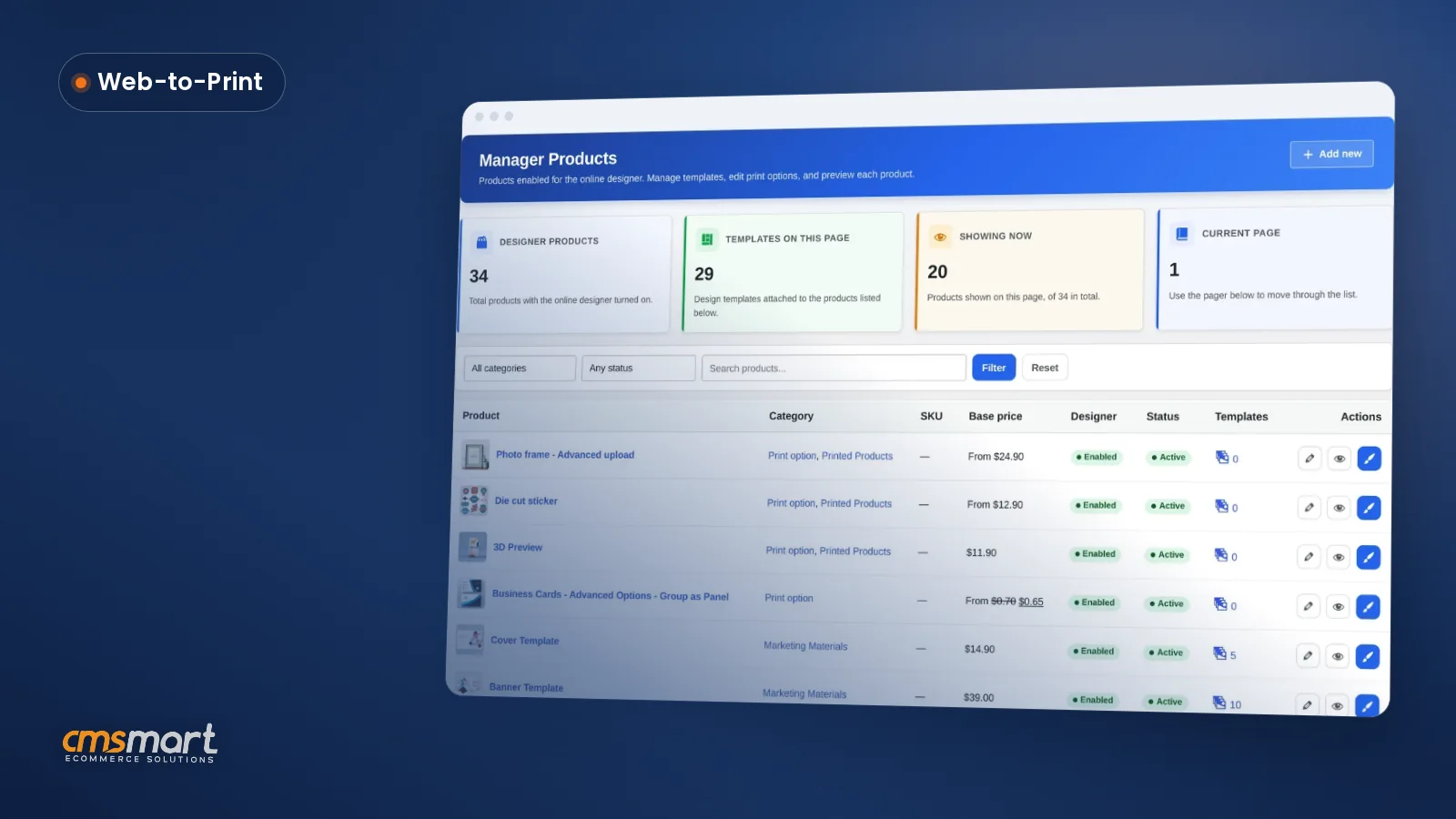
A Cmsmart web-to-print solution combines a WooCommerce storefront, a pricing engine for options and quantities, an online designer with file upload, artwork approval, and a print-ready file produced automatically for every order — the building blocks a print shop needs to sell online.
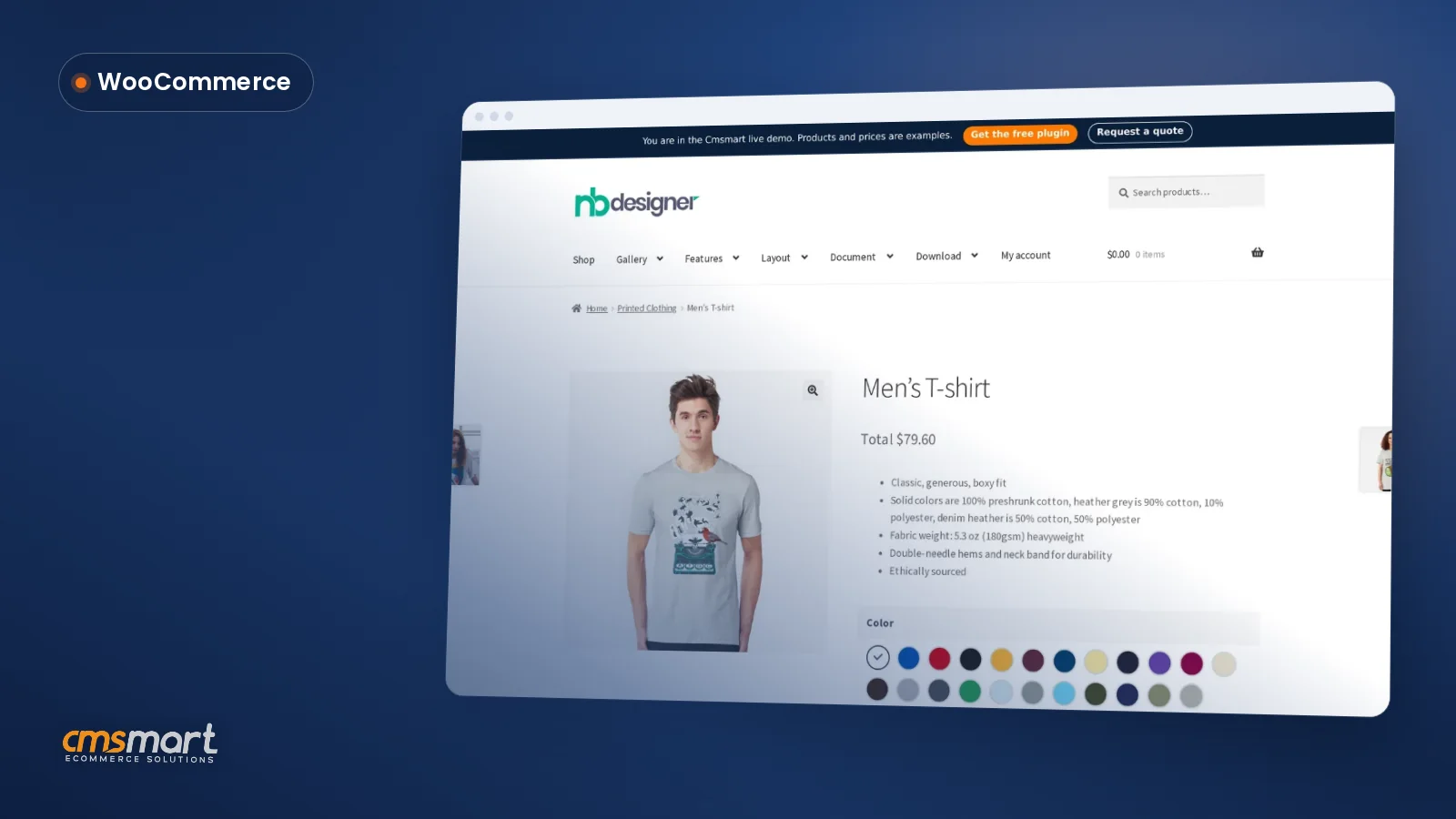
Think of the build in six pieces. Start with the storefront, your product catalogue on WooCommerce (47.5% of e-commerce sites, W3Techs, October 2026), so you are never locked into one vendor's app marketplace. On top of that:
All of this ships in the plugin today. What is not in the box, MIS push, a pricing rule unique to your shop, multi-approver B2B proofing, is custom development; more on that below.
Ready-made store or a custom build?
Most print shops start from the ready-made Cmsmart Print Shop Store package and customise from there, instead of specifying every screen from a blank page.
What software does an online print shop need?
An online print shop needs a storefront, a pricing engine, a design or upload tool, artwork approval and print-ready output; Cmsmart Product Designer adds all five to WooCommerce as one connected system instead of five separate plugins.
Each piece has its own product page: price calculator rules (fixed, percentage, formula, matrix, quantity breaks, price per area), file upload (types, count, size, minimum DPI), artwork approval, print-ready files, and the Cmsmart Product Designer plugin itself. What Cmsmart does not sell is shop-management (MIS) software; it connects to the system you already run instead of replacing it.
How do orders reach production without retyping?
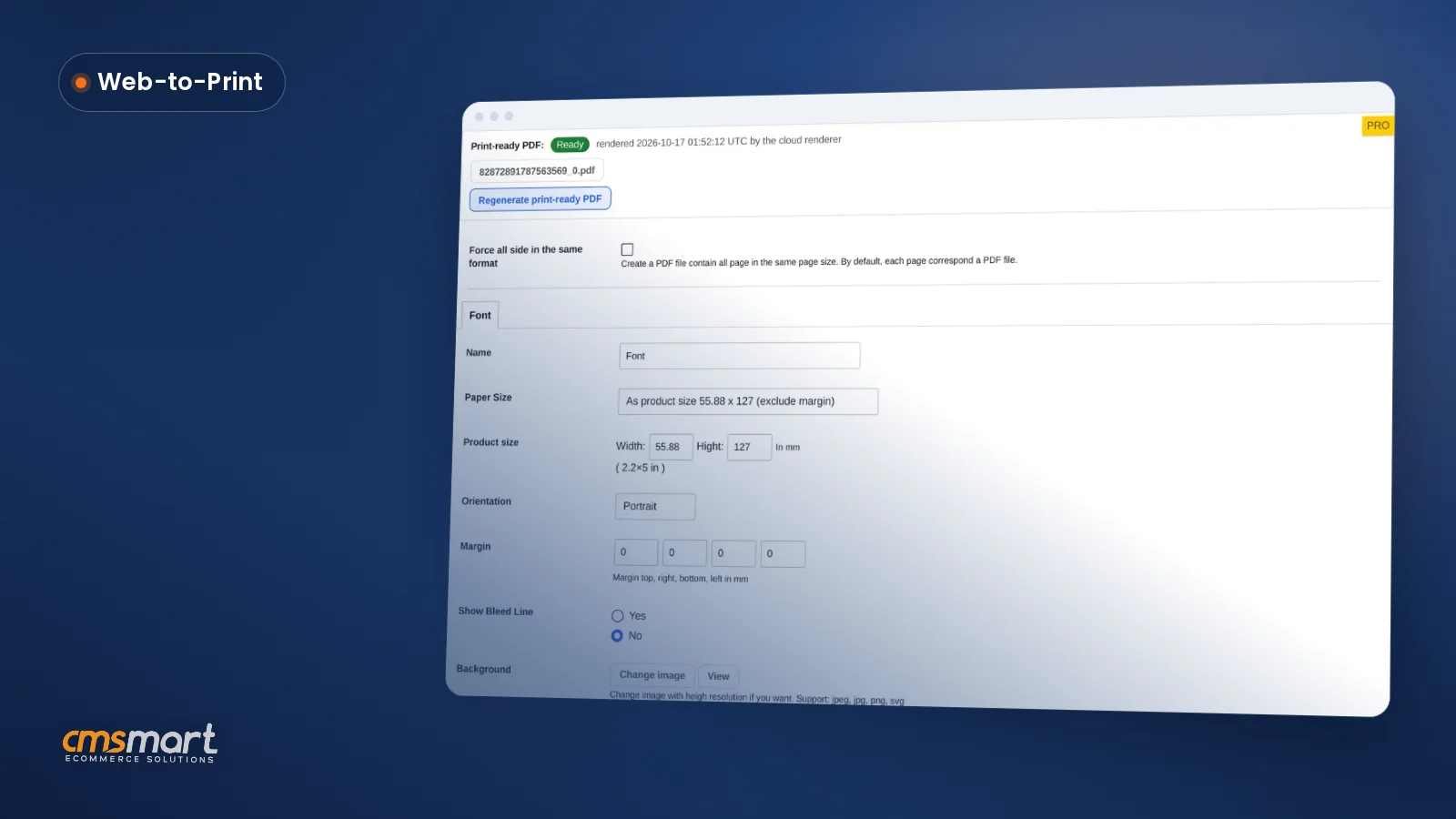
Cmsmart renders a print-ready PDF that matches the order automatically once the buyer processes their design, so the file waiting in your queue is built from the exact options, size and artwork the customer paid for, not a template guess.
WooCommerce already gives your team order statuses and an order list it already knows; Cmsmart attaches the artwork and the print file to each one. Pushing an order straight into your MIS, a hot folder or cloud storage is not part of the standard plugin; it is custom development Cmsmart builds for your MIS, ERP or hot-folder connection once we understand how your production system expects files — see our related post on web-to-print and print API integrations for the integration side of this.
Cmsmart insight: most reprints we see trace back to a proof that was approved without comparing it against the product's own design area. Check bleed and safe zone against the actual product, not just the uploaded file, before you accept it.
Can one store sell screen printing and embroidery?
Yes, Cmsmart lets you set a separate option set and price matrix for each product type, so a screen-printed tee and an embroidered cap can each collect the right sizes, placements and artwork requirements on the same WooCommerce store.
Give each product type its own printing options: screen printing might ask for placement, ink colours and quantity breaks; embroidery might ask for thread colours, placement and a maximum stitch area, both priced automatically from the matrix you set. Turning a buyer's upload into an embroidery-machine digitizing format sits outside the standard output, a print-ready PDF or image file; Cmsmart builds that conversion as custom development when a shop's workflow needs it.
Cmsmart insight: give every product type its own option set instead of reusing one big list. A shared option set is the most common reason a T-shirt price looks right but a sticker price does not.
Which web-to-print features matter for booklet printing?
Booklet and multi-page jobs need page-count and quantity pricing, an upload check that catches a low-resolution file, and a proof step before anything goes to press; all three are standard Cmsmart Product Designer options, not a custom build.
Set page count and quantity as printing-option fields feeding your price matrix, require a minimum upload DPI so a low-resolution cover never reaches production, and turn on artwork approval so a person checks the proof first. Together they catch the two most common booklet complaints: a blurry cover and a page count nobody priced correctly, delivered as a file built to PDF/X conventions.
What are the benefits of web-to-print for a print shop?
A Cmsmart-built web-to-print solution turns quoting, proofing and file prep into something the store does automatically, so your team spends its time on production and customer relationships instead of retyping orders, with KPIs you can track from week one.
ROI worksheet. Time saved per month = orders per month × minutes saved per order × your loaded hourly cost. Reprint saving per month = reprints avoided × your average cost per reprint. Add the two for a rough monthly return, before counting any extra sales from showing the price up front.
How to Build a Web-to-Print Solution on WooCommerce (Step by Step)
Building a web-to-print solution on WooCommerce means installing Cmsmart Product Designer, importing the Print Shop Store package, setting one option set with a price matrix, turning on upload and the online designer for a product, switching on artwork approval, then placing a test order to see the print-ready PDF.
The six steps below take one product from a blank catalogue entry to a working, self-service listing; repeat steps three to five for the rest of your range.
Each setting goes deeper than this summary; see the product designer and Print Shop Store pages for the full option list.
Do you need your own website to run a photo print store?
Yes, in the sense that matters for the business: a Cmsmart store runs on WooCommerce on hosting you control, so the catalogue, the orders and the customer list belong to you rather than to a marketplace you rent space on.
You do not need to build that hosting and storefront from scratch. Start with the free trial, import a store package, and you have a real WooCommerce site running before you decide how much further to customise it; our related post on starting a photo printing business walks through a photo-specific build.
What can Cmsmart build beyond the standard setup?
Beyond the standard plugin, Cmsmart builds the custom development print shops ask for most: MIS and hot-folder integration, pricing rules unique to your shop, multi-approver B2B proofing, and production-specific file export, each scoped to how your shop actually runs.
Four extensions we build often for print shops moving online:
These follow the same path every time: discovery, solution design, build in sprints, QA against your real products, launch, then support — the process behind our published ecommerce project work.
Plan my web-to-print store Or explore Cmsmart's web-to-print solutions first
Why Cmsmart for your print shop's web-to-print build?
Cmsmart has built ecommerce and web-to-print stores as a Netbase division since 2012, with 6,300+ client projects and a Trustpilot rating of 4.2 from 404 reviews, proof that the team building your store will still be there for the next five years of changes.
“Ideal solution for printing companies … the nbdesigner gives you many options to offer your products, a very professional tool indeed,” says Dimitris, a five-star Trustpilot reviewer. See more real project case studies, including other print and web-to-print builds, or read the full rating on Trustpilot.
Frequently asked questions
What is a web-to-print solution?
An online store where buyers configure a print product, see the price, design or upload their artwork and order, and the shop receives a print-ready file instead of a loose attachment to chase.
Do I need to code to build one?
Not for the standard build. Install WooCommerce, Cmsmart Product Designer and a store package, then configure printing options and prices in the admin; no code required. Workflows beyond that are scoped and quoted as custom development.
Can orders go straight to my production system?
Not out of the box. Pushing files or orders into an MIS, a hot folder or cloud storage is custom development Cmsmart builds after a short scoping call, matched to how your production system expects files.
How long is the free trial?
Every Cmsmart plan starts with a free 30-day trial, so you can build the storefront and test a real order before you commit; see current plans on pricing.
Do you need your own website to run a photo print store?
Yes. The store runs on WooCommerce on hosting you control, so the catalogue, the orders and the customer list are yours, not rented from a marketplace. Start with the free trial and import a store package to see it running.
How much does it cost to build a web-to-print solution?
It depends on scope. The standard plugin and a ready-made store package run on a plan from pricing, trial included; a custom build, MIS integration, a bespoke pricing engine, multi-approver proofing, is quoted after a scoping call through the project proposal form.