

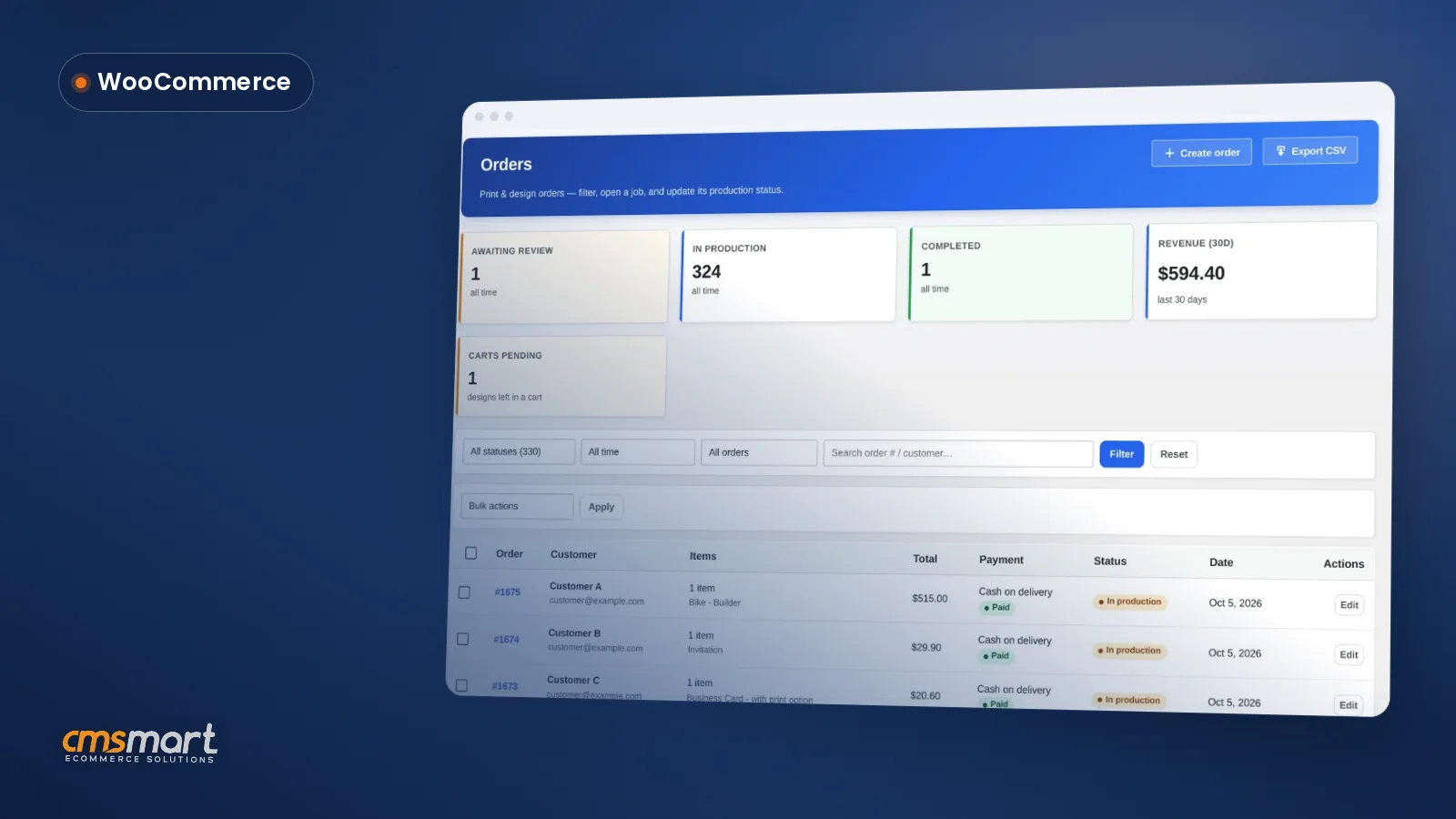
Guide · Web-to-print
WooCommerce Customer CRM Print Shop Guide (NBDesigner)
A WooCommerce customer CRM print shop teams already run: segments, tags and a care digest built in. See how to set it up.
Live chat design assistance woocommerce shops can offer today is not a chat window inside the designer, but a CRM-connected chat lead plus an order-level approval step. Cmsmart Product Designer already captures chat leads from the online designer into its CRM and lets staff approve or decline a design before it ships; a live, synced canvas view is custom development.
Was this tutorial helpful?
Written by
Cmsmart Product Designer Plugin Engineer
Builds and supports the Cmsmart Product Designer (NBDesigner) for WooCommerce.
The team behind it
 Account Manager
 Project Manager
 Business Analyst
 Developers & QA
Guide · Web-to-print
A WooCommerce customer CRM print shop teams already run: segments, tags and a care digest built in. See how to set it up.
Guide · Web-to-print
A WooCommerce sample products import print catalogue gives new stores 23 design-ready products in minutes. See how to launch and start selling today.
Case study · Web-to-print
Custom size printing software for WooCommerce: sell posters and banners in any size with Cmsmart pricing and print-ready PDFs that match. Get a quote.

Cmsmart Ecommerce provides custom ecommerce and WooCommerce development services for web-to-print, product personalization, plugin support and API integration.
Cmsmart Product Designer Plugin Engineer
Builds and supports the Cmsmart Product Designer (NBDesigner) for WooCommerce.
Meet the team →
In short
What does it cost a WooCommerce shop when buyers get stuck mid-design?
Cmsmart Product Designer turns a guessing game into a visible workflow: staff see the exact design on the order instead of a verbal description, so a stuck buyer or a risky file gets caught before it reaches production, not after.
A buyer who hesitates while personalising a product is an abandonment waiting to happen, and abandonment is already a structural problem in ecommerce: the average documented cart abandonment rate is 70.22% across industries (Baymard Institute, 2025). For a shop selling customised products, the moments most likely to cause that hesitation are specific to design, not just checkout:
Put a number on your own version of this: (orders/month using the designer) × (your estimated share lost to design uncertainty) × (average order value) is the revenue currently at risk before you change anything. If you're weighing design assistance as part of a wider move into personalised products, our web-to-print ecommerce guide covers the rest of that setup.
What would live chat design assistance woocommerce look like in practice?
Cmsmart's online designer already shows a buyer their product on every side as they build it; the next step some shops ask for is a way for staff to watch that same canvas and jump into a conversation at the moment a buyer hesitates.
Example scenario. A buyer is a few minutes into customising a mug, trying to match a logo colour, and pauses on the colour picker instead of adding it to cart. A staff member who can see that the buyer is stuck — because they can watch the canvas, not just a support ticket — opens a chat, confirms the colour will print correctly, and the buyer finishes checkout instead of closing the tab.
That scenario has two layers. The first layer already exists in Cmsmart Product Designer: a buyer who starts a chat from the designer today has that lead captured straight into your CRM, and once the order is placed, your team reviews the actual design before it goes to print. The second layer — staff watching the canvas live, in the moment, before the order is even placed — is what a custom live chat and Design Monitor build adds.
How does Cmsmart support buyers while they design — today and with custom development?
Cmsmart Product Designer combines a real design editor, a CRM that captures every chat lead, and an order-level approval step today; a live chat panel and a staff-side Design Monitor over the buyer's canvas is custom development Cmsmart builds on top.
Four building blocks make up design assistance in a Cmsmart-powered store:
Cmsmart insight: the backend connection staff need already exists — chat leads have flowed into the CRM since 2.10.0, and the approval box already tells you which design is final. Going from "a lead sitting in the CRM" to "a live conversation next to the canvas" is a custom-development project, not a settings toggle, because it means syncing the buyer's live canvas state to a staff view in real time.
What's the ROI of catching a stuck buyer before they abandon?
Cmsmart's design-assistance tools pay off two ways: orders that would otherwise be abandoned mid-design, and staff time that would otherwise go into email back-and-forth over a declined file.
Worksheet, with your own numbers:
How do you set up today's design-assistance tools in Cmsmart?
Setting up Cmsmart's built-in design assistance takes a plugin install, a few settings screens and one habit on the order screen — no custom code required until you want the live chat and Design Monitor layer.
Can Cmsmart build live chat and a real-time Design Monitor for your store?
Yes — a live chat panel inside the online designer and a staff-side Design Monitor that mirrors the buyer's canvas as they work is not part of the core plugin today; Cmsmart builds it as a custom-development project for stores that want it.
This is deliberately not a core-plugin feature: Cmsmart builds many client projects on top of the same designer foundation, and chat-plus-live-canvas is one of the use cases that varies too much store to store to ship as a single toggle. A typical custom build adds:
The idea of giving an agent more context during a chat isn't new — the official LiveChat extension on the WooCommerce Marketplace already shows an agent a customer's order history, shipping address and cart contents during a conversation (WooCommerce Marketplace, 2026). Cmsmart's custom build takes that a step further for personalised products: the agent sees the design itself, live, not just the order behind it. Stores already running live chat see why it's worth the investment: 87% of live chat conversations close with a positive customer-satisfaction rating (Tidio, 2026).
Delivery follows Cmsmart's standard custom-development process: discovery call, solution design against your product catalogue, build in sprints, QA on your staging store, launch, and ongoing support — the same model used across Cmsmart's custom ecommerce projects.
Get a live chat design assistant built
Why work with Cmsmart on buyer design support?
Cmsmart has built ecommerce design and customisation tools since 2012 as a Netbase JSC division, with over 6,300 client projects and a Trustpilot rating of 4.2 from 404 reviews, including the Artwork Approval and CRM tools this case study is built on.
Cmsmart Product Designer is used across more than 1,800 live stores, backed by a team that has delivered 6,300+ client projects since 2012, including 500+ custom-development projects (Cmsmart platform data). Support is a recurring theme in customer reviews: "NBDesigner is a fantastic tool – very intuitive and easy to use. It makes the customization process smooth and efficient. The support team is also incredibly helpful, responsive, and professional," wrote Khanh Nguyễn Đức in a verified Trustpilot review. See related, published work on Cmsmart's project case studies or get a quote through the Product Designer customization service.
Frequently asked questions
Does Cmsmart's Product Designer include live chat out of the box?
No. The core plugin captures chat leads started in the designer into its CRM and gives staff an Accept/Decline box on every order. A live chat panel inside the designer and a real-time Design Monitor for staff are available as custom development.
What happens to a chat lead captured in the designer?
It flows straight into Sales → Clients in the built-in Customer CRM (added in 2.10.0), which resolves the buyer's identity across guest and registered orders so your team can follow up without re-keying anything.
Can my team stop a design from going to print if it looks wrong?
Yes. The Customer Design box on the order lets staff Accept or Decline the submitted artwork, send the customer a reason by notify mail, and the approved-artwork lock stops a later edit from reaching production once you've signed off.
How long does a custom live chat and Design Monitor build take?
It depends on your product catalogue and how deep the real-time sync needs to go. Cmsmart scopes timelines during a free discovery call as part of the quote process, rather than quoting a generic number up front.
Will a custom chat and Design Monitor build work with my existing product templates?
Yes. Any product already using the Online Designer's templates and print areas can have a chat panel and Design Monitor layered on top, since both read the same canvas the designer already renders.
Do I need the CRM for the custom live chat build to work?
No, but it helps. Since chat leads already flow into the CRM today, a custom build can route live-chat conversations into the same customer record instead of creating a second system to check.