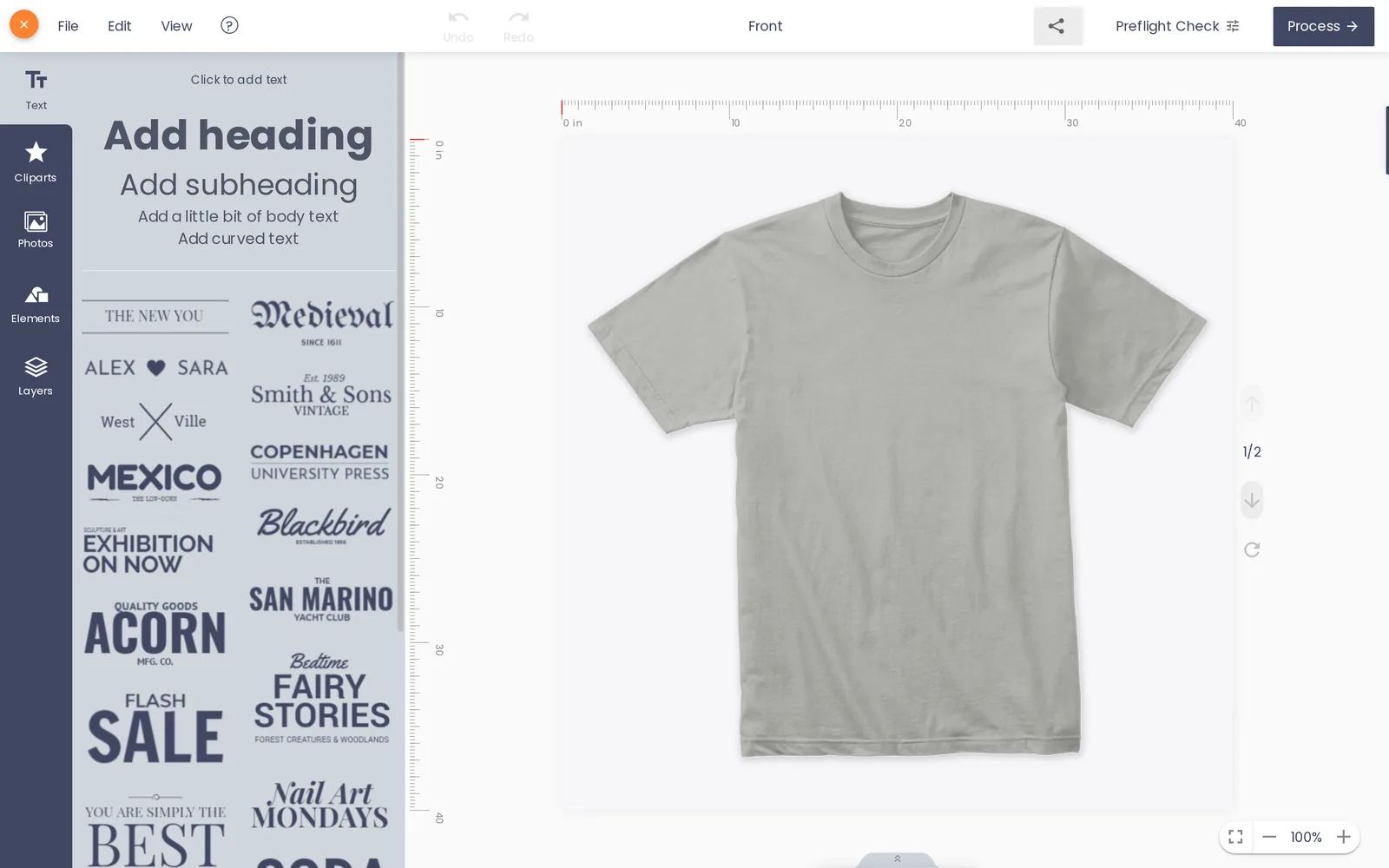
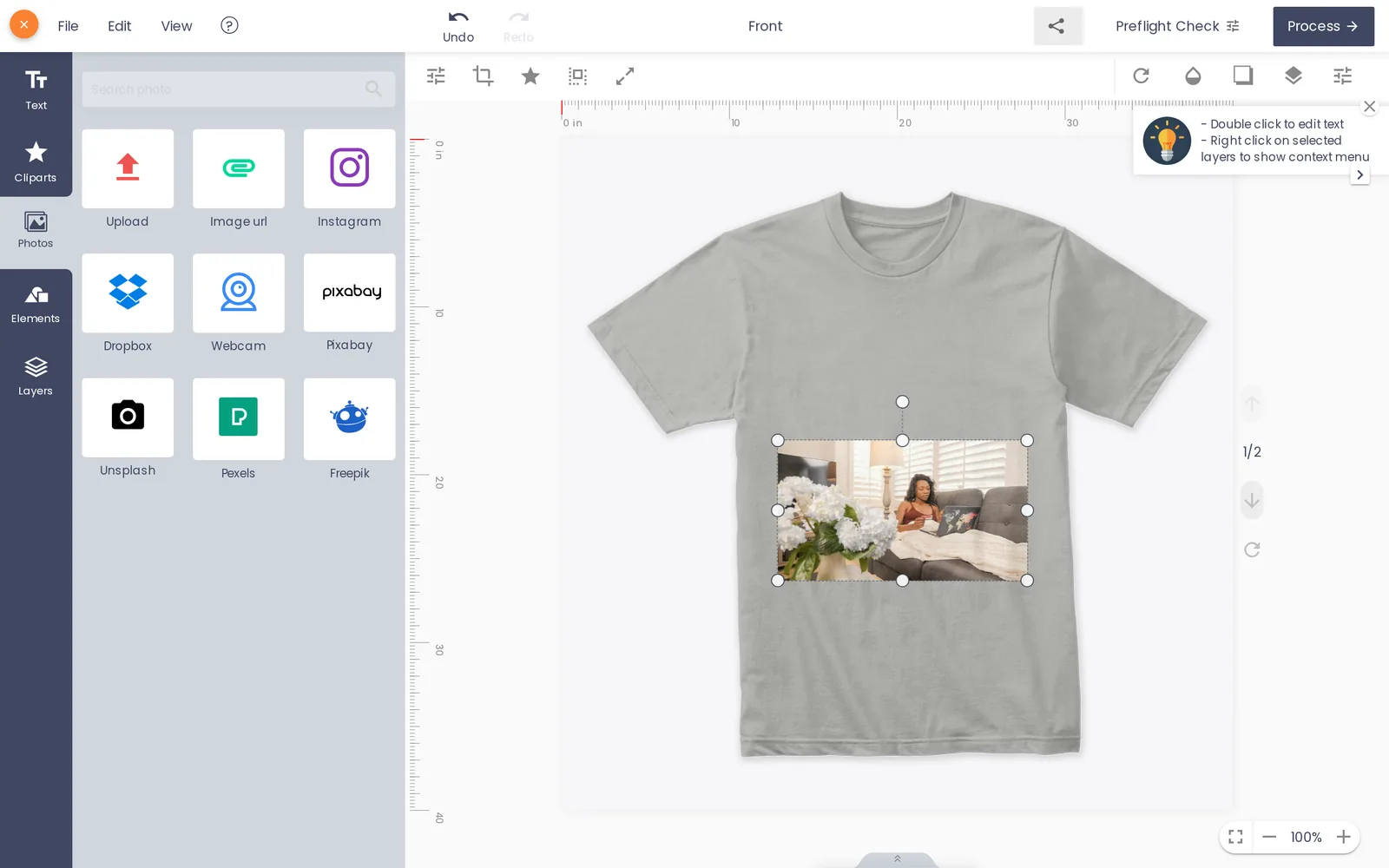
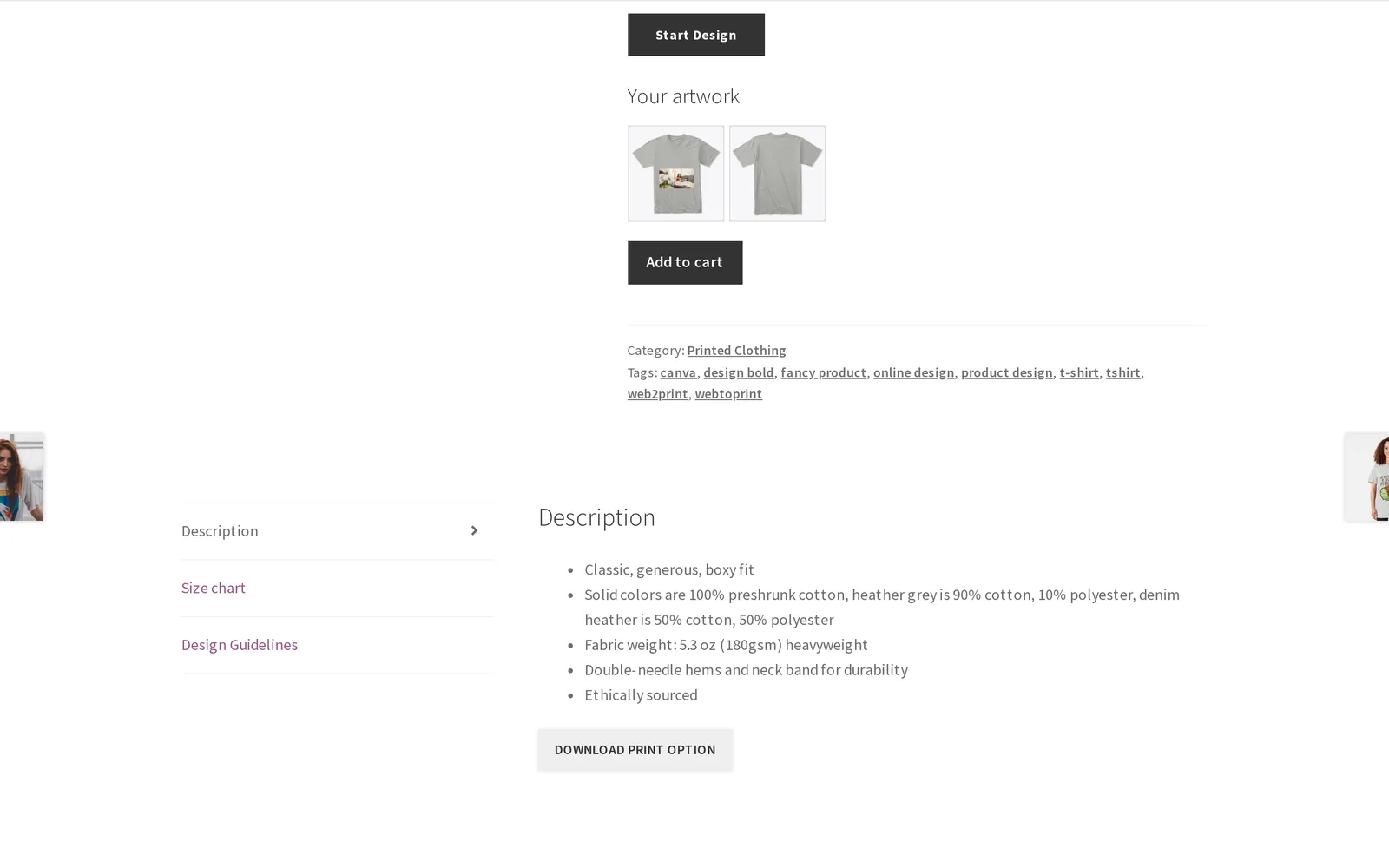
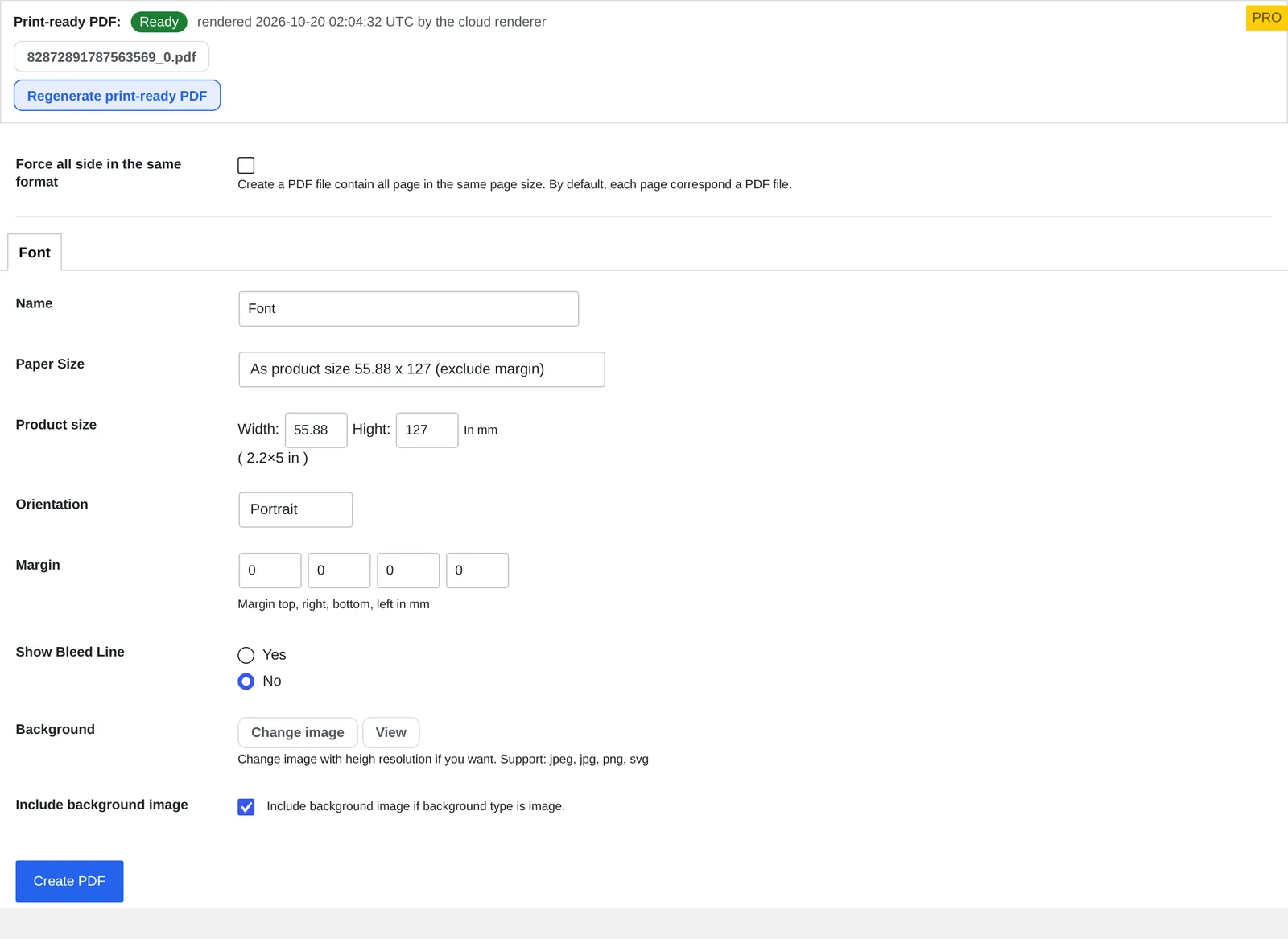
T-shirts are not only the must-have item on everyone's wardrobe but also one kind of clothing that reflects our personalities, interests, and identities. Because of this, selling t-shirts online has become a popular business choice all over the world. With the popularity of t-shirt businesses, there's no doubt you'll be facing some competition. To be different, you need to build a website that could reach a large group of audience and provide the kinds of t-shirt designs that your customers want.
There are two types of WordPress themes for selling T-shirts online: themes to sell your t-shirts and themes that allow visitors to design their own t-shirts. The second one is more ambitious, but there are a couple of themes that can do all of this on their own. Whether you just want a nice eCommerce theme to sell clothes or you want a site with an online product designer for your visitors, your requirement will be fulfilled with our TEEPRO - Woocommerce Custom T-Shirt Designer WordPress Theme.
Why should you choose Wordpress Tshirt for your business?
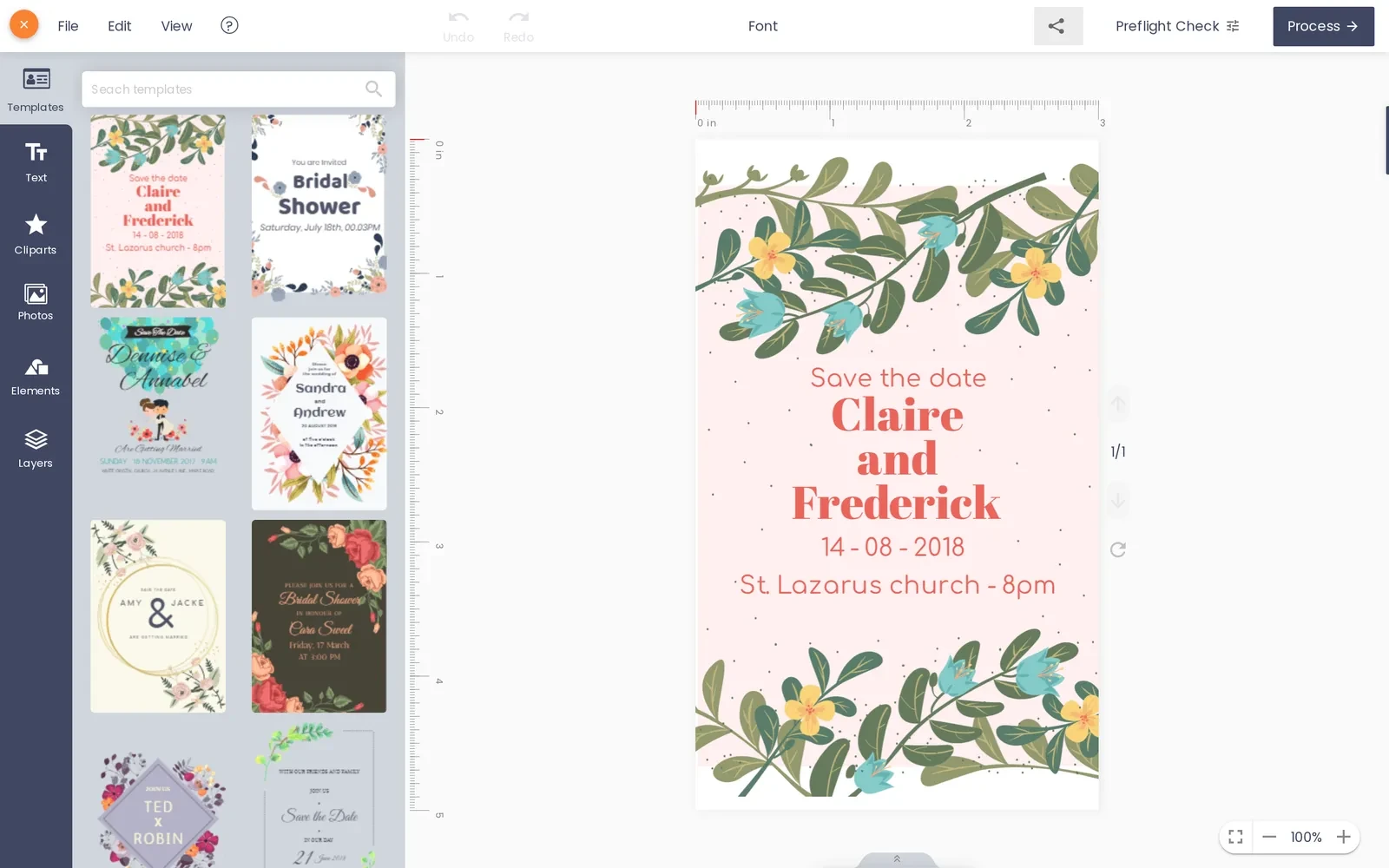
TEEPRO has all the tools you need to create a t-shirt store. It also allows visitors to make their own t-shirt designs. The online design tool called NBdesigner is incredibly advanced and includes a huge amount of features. Users can add and edit images to the shirts, change the colors, use free-hand drawing, change fonts, add background images/textures, and more. In fact, there’s even a layering system like you’d find in Photoshop or Illustrator.
If you want a complete all-in-one solution for creating a t-shirt design and eCommerce website, TEEPRO is definitely worth your consideration. It may take you some time to learn how to best use it because there is a lot of functionality, but you’ll have a hard time finding other solutions that are this complete.
In this guide, we’ll walk you through each step of the installation process for TEEPRO - Woocommerce Custom T-Shirt Designer WordPress Theme - the first step to start your own online t-shirt store.
Tutorial video of install TeePro WordPress Theme into your hosting?
Note: For the home with icon, you need to add some steps more:
Go to Backend
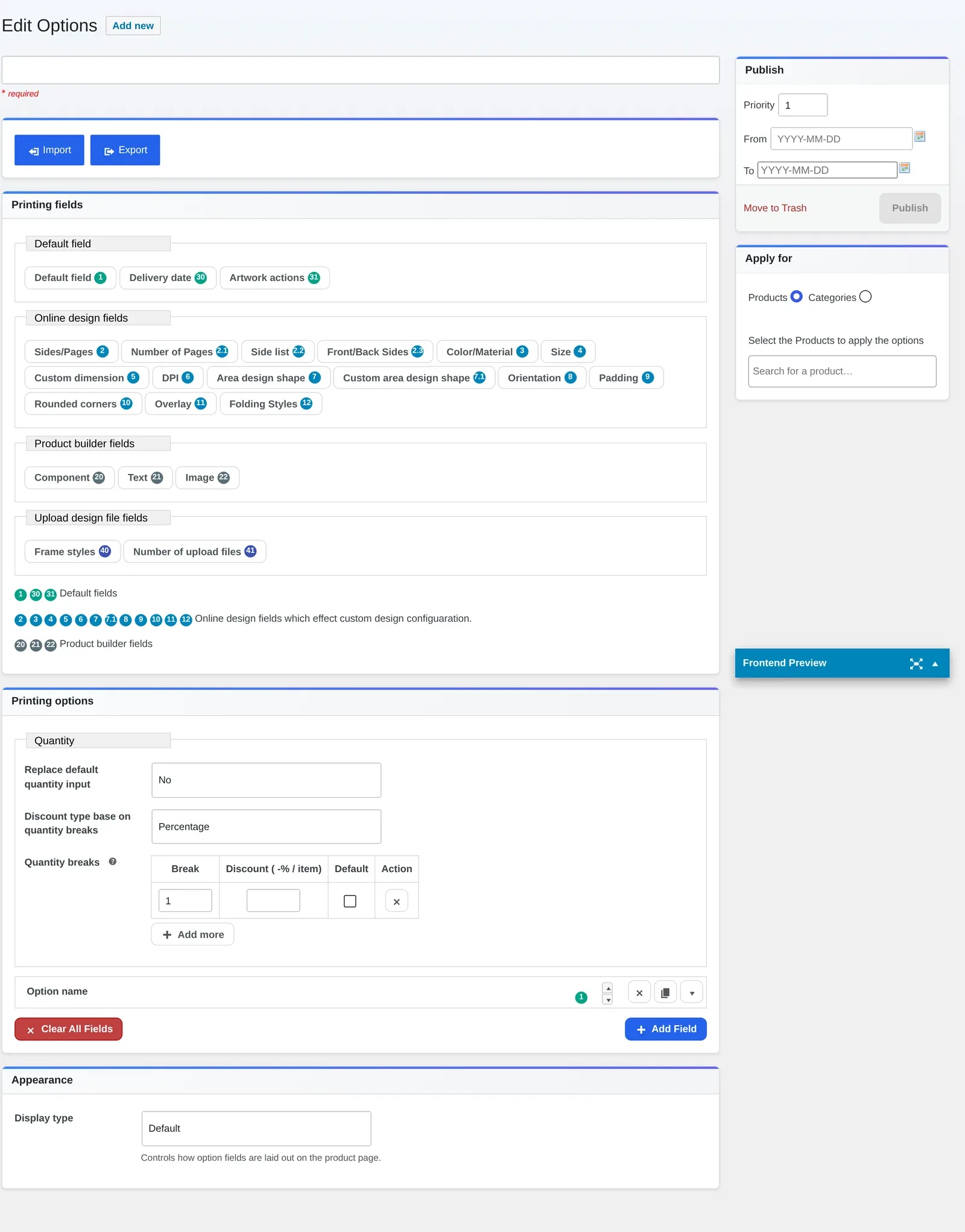
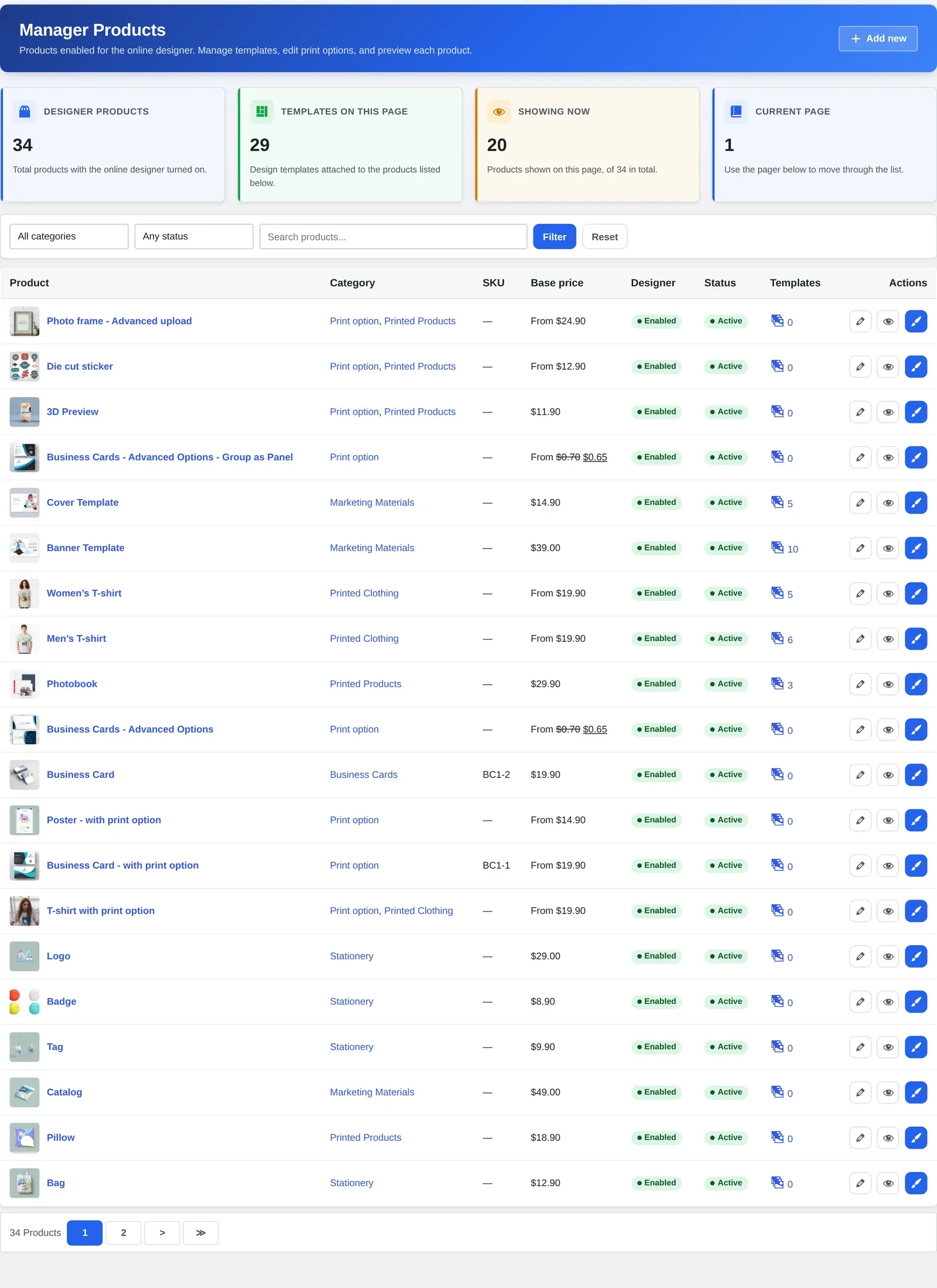
Click on Ultimate > Icon Manager > Upload new icon
Click Media Library > Choose file icon > Insert Fonts Zip File
We hope you find this article helpful for your business. You can access TEEPRO Demo to explore more about this product. If you have any questions about this product, please contact us at the below information or click here https://cmsmart.net/support_ticket/. He will answer all your questions and don't forget to use coupon code MAR_DL to get 18% OFF for this item. Many thanks.
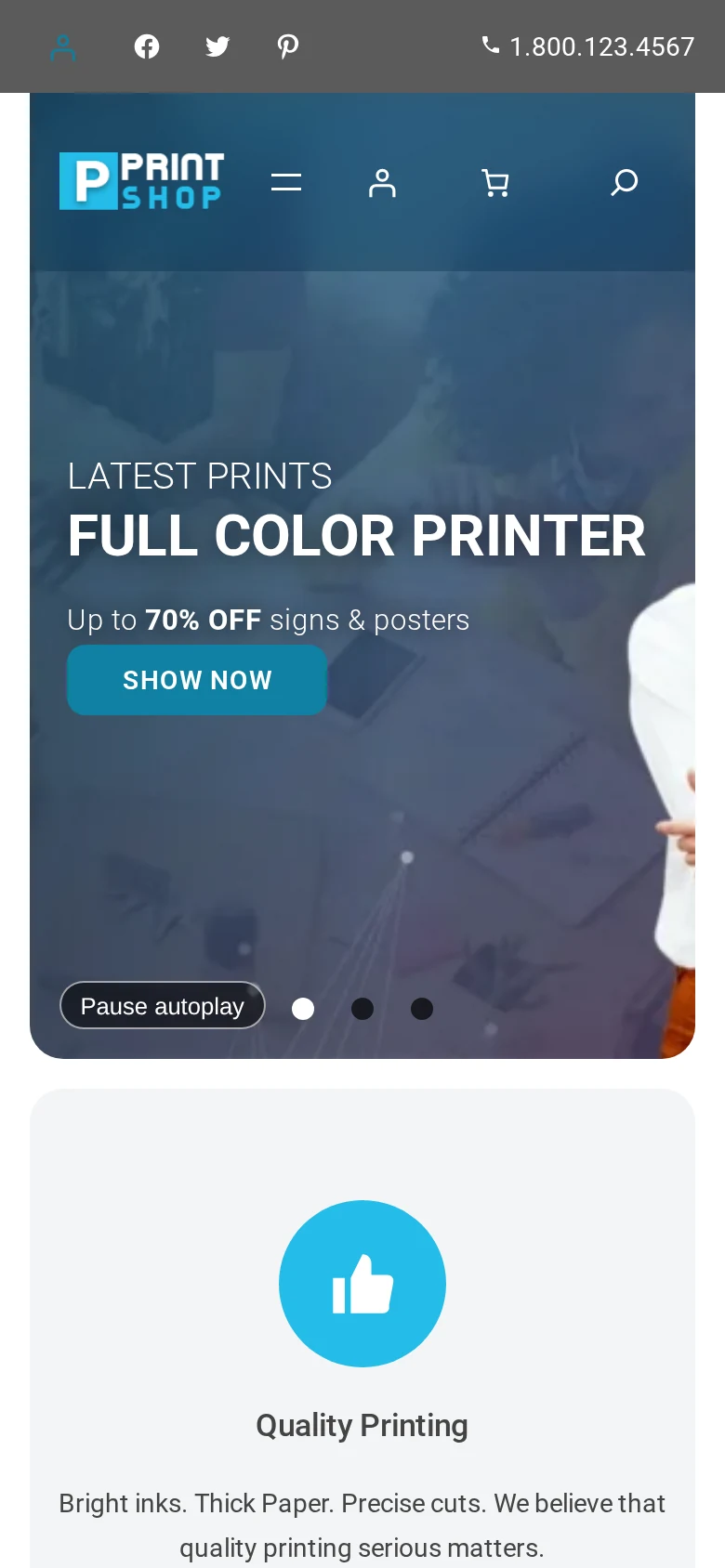
Applies to Cmsmart Stores 2.0.1 (parent theme 2.1.0 for Cmsmart B2B Store, 2.2.0 for the niche stores and Cmsmart Marketplace Store), Cmsmart Stores Blocks 2.1.2, Cmsmart Store Installer 2.0.3 and Cmsmart Product Designer 2.18.3 · Updated October 2026. This guide shows how to install a Cmsmart store on WordPress, replacing the 0.4.5 theme-only walkthrough with the current Store Setup installer and manual upload path, captured on a live install run after the October 2026 Cmsmart Stores 2.0.1 release.
In short
Outcome: a live Cmsmart store — any of six niche stores, Cmsmart B2B Store or Cmsmart Marketplace Store — running on WooCommerce with a sample catalogue from minute one.
How it works: Store Setup downloads a one-file installer that handles WordPress, theme, Cmsmart Product Designer and licence for you, or you upload the theme and plugin zips yourself.
What it takes: a WordPress host with PHP 8.3+, an empty database or cPanel token, your Cmsmart licence key, and 10 to 30 minutes.
This guide shows two ways to install a Cmsmart store on WordPress: Store Setup, a one-file installer finishing a WooCommerce store with sample data in about ten minutes, or a manual upload of the theme and plugin zips for full control. It is the install hub for all eight Cmsmart Stores.
What's the cost of a stalled WooCommerce store rollout?
A stuck rollout is rarely a theme bug, it is usually a sequencing or licence mismatch, and every retry costs time meant for products. Cmsmart's Store Setup and manual paths both cut that time to minutes, not tickets.
The pains that show up before a Cmsmart store goes live:
Wrong plan, wrong key. A Fullstore key will not activate Cmsmart B2B Store or Cmsmart Marketplace Store, and a Premium (plugin-only) key activates no store at all.
Host requirements nobody checked first. A non-writable folder, or a low PHP version, fails the host check.
Wrong upload order. WordPress won't activate a child theme until the Cmsmart Stores parent theme is already installed.
Stuck on old releases. Moving a 0.4.x Cmsmart Stores site to the 2.x line is a fresh install, not an in-place upgrade.
What does a finished Cmsmart store look like?
Once Store Setup or the manual upload finishes, a merchant has a complete WooCommerce storefront in the niche they picked, filled with Cmsmart's sample catalogue, with Cmsmart Product Designer installed and the licence key already active.
Example scenario. A merchant opens the Cmsmart dashboard, picks a store, and presses Set Up. Minutes later they have a full storefront, sample products in their niche, and a design tool ready on every item, so the afternoon goes to their own catalogue instead of zip files.
That catalogue is sample data, not a preview: names in a content pack are generic placeholders (a T-shirt listed as "Business Postcard" is normal). Merchants wanting their own branding from day one typically pair the install with Cmsmart's preset installation and demo import service.
How does Cmsmart's dashboard and theme system work?
Cmsmart's install system has three layers: a dashboard that knows your licence and builds the installer, a WordPress parent-and-child theme pair that supplies the storefront, and the separate Cmsmart Product Designer plugin that turns a product into a live customizer.
The pieces behind every Cmsmart store:
Cmsmart dashboard. Checks your licence against the store you picked, then builds the installer (Cmsmart Store Installer 2.0.3) or hands you the theme zips.
Parent theme — Cmsmart Stores. A WordPress block theme every store builds on: 2.1.0 for Cmsmart B2B Store, 2.2.0 for the six niche stores and Cmsmart Marketplace Store.
Child theme — one of eight. Each store's child theme, now 2.0.1 after the October 2026 release, declares its parent in the stylesheet.
Cmsmart Stores Blocks (2.1.2). A companion plugin for the store's Site Editor block patterns.
WooCommerce. The cart, checkout and catalog engine every store theme is built around.
Cmsmart Product Designer. Turns a product into an on-page customizer and generates a print-ready PDF that matches the order automatically. Store Setup bundles version 2.18.3.
Cmsmart insight: keep the parent theme installed even after you settle on one child store. WordPress uses it for every template the child does not override, so removing "the one you're not using" can break the live child.
Which store should I pick?
The 8 Cmsmart Stores and the plan that activates each one
A B2B key also activates every Fullstore store, a Marketplace key activates every store. Current plan names are on Cmsmart's pricing page.
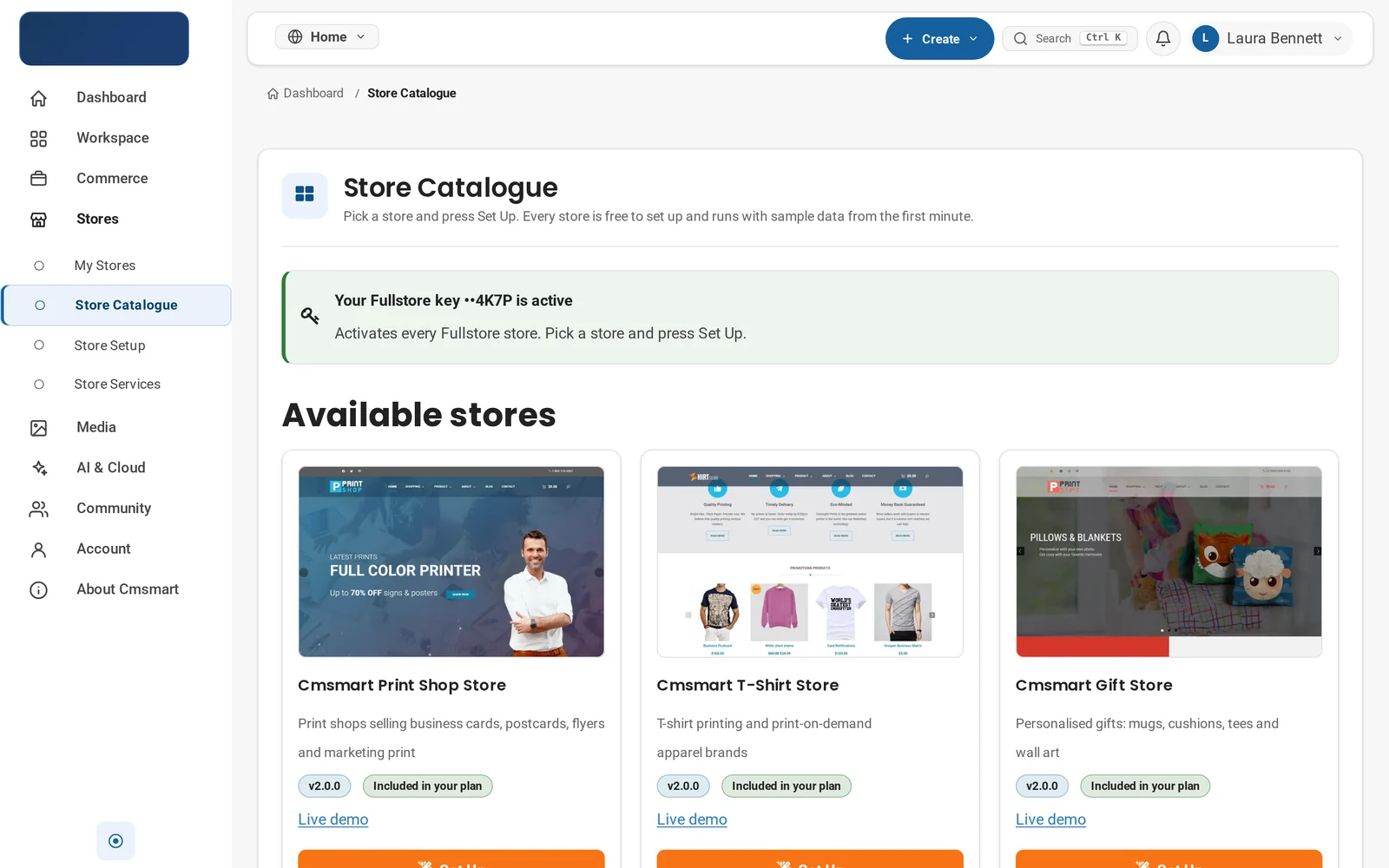
The Store Catalogue: six niche stores plus Cmsmart B2B Store and Cmsmart Marketplace Store, each free to set up and now on Cmsmart Stores 2.0.1.
What's the business value of getting the rollout right?
Picking the right store and path the first time means spending setup hours on products and branding, not re-downloading zips, decoding a licence error, or rebuilding a store that was never meant to upgrade.
Install value
Benefit
How it shows up in your business
KPI to track
Faster time-to-first-product
A full storefront and catalogue exist before you touch WooCommerce's product screen
Days from signup to first live product
Fewer support round-trips
Right plan, right upload order, avoids the two most common activation errors
Install-related tickets per launch
Niche fit from day one
Picking the right store avoids a theme switch later
Store or theme changes per launch
Design tool ready immediately
Product Designer installs and licenses in the same flow
Share of SKUs with design enabled at launch
A simple way to size the time saved: hours per failed install, times installs per month, times your hourly cost. For an agency running several client installs a month, that adds up fast.
How do you install a Cmsmart store on WordPress?
Run Store Setup from the Cmsmart dashboard, which builds a one-file installer that does the WordPress, theme, plugin and licence steps for you, or upload the parent theme, child theme, Cmsmart Stores Blocks and Cmsmart Product Designer yourself through WordPress's upload screens.
WooCommerce, already installed for manual (Store Setup installs it for you); see WooCommerce's requirements.
Write access to an empty folder (Store Setup) or WordPress admin access (manual).
Your Cmsmart licence key under Commerce > Your Licenses, matching the plan for your store.
Back up first. Both paths are safe on a fresh install, but if your site has content already, back it up before uploading anything; cheaper to undo than to debug live.
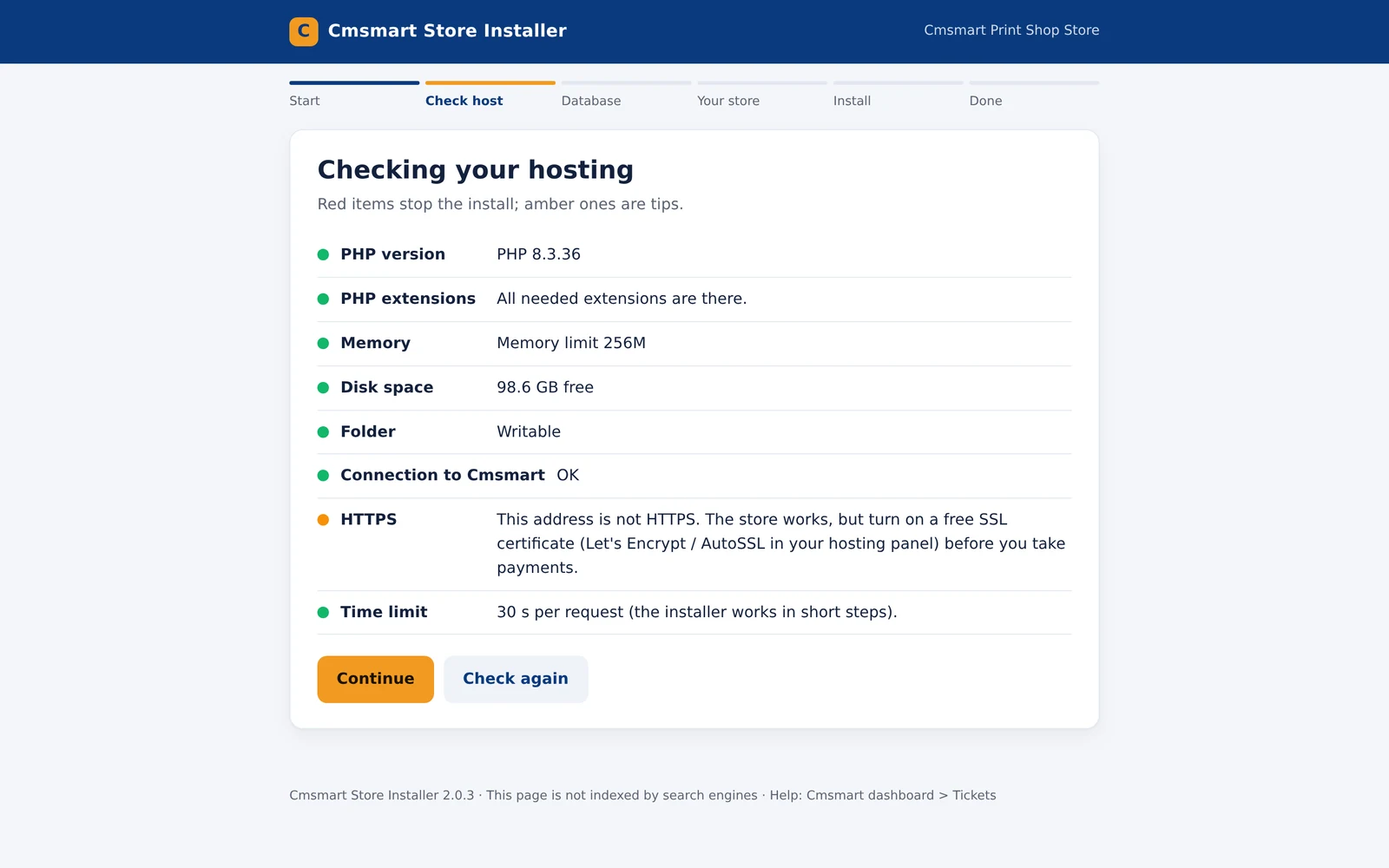
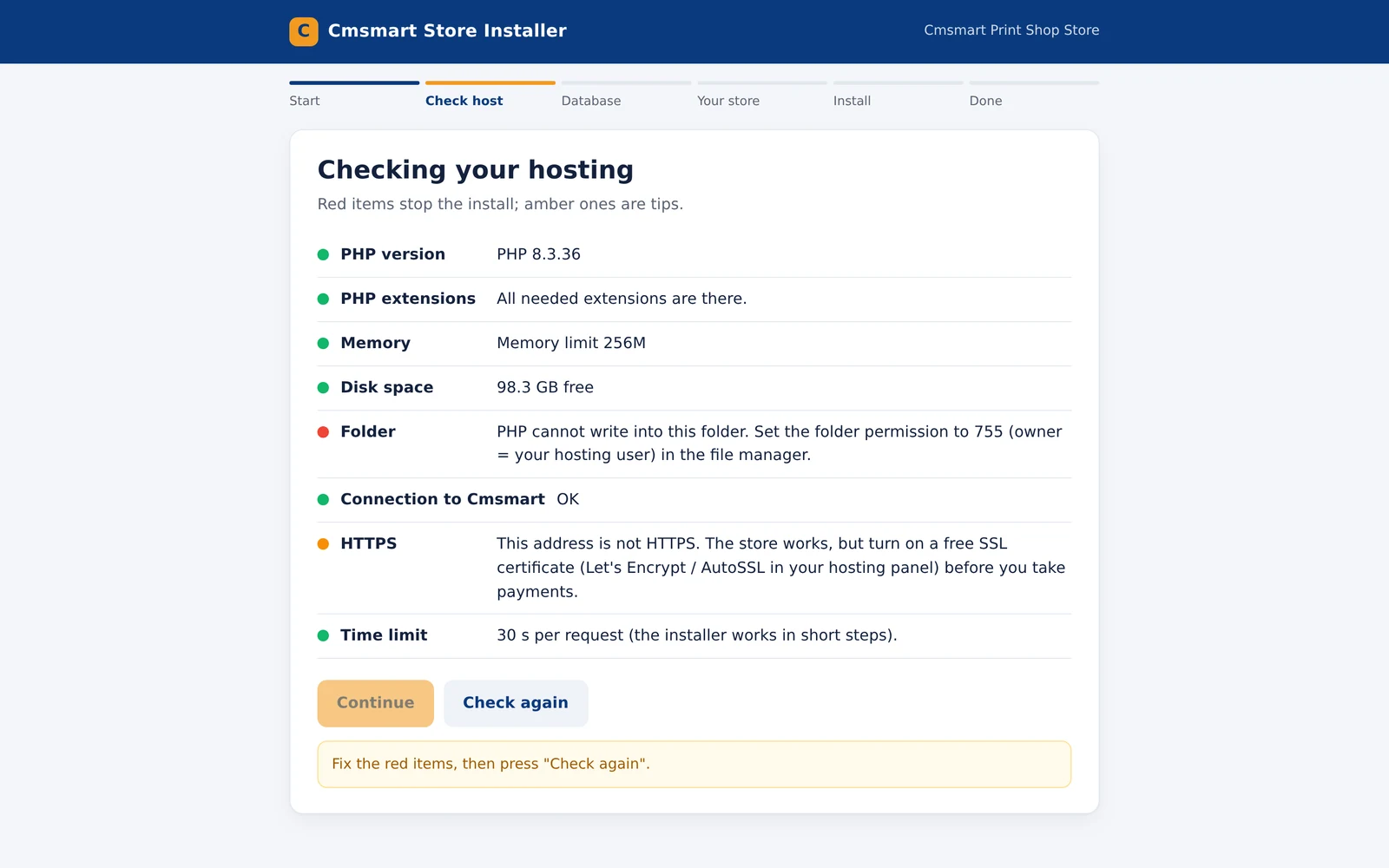
The installer's host check: PHP version, extensions, memory, disk space, a writable folder and HTTPS confirmed before Store Setup touches your site.
Set up with Store Setup (recommended)
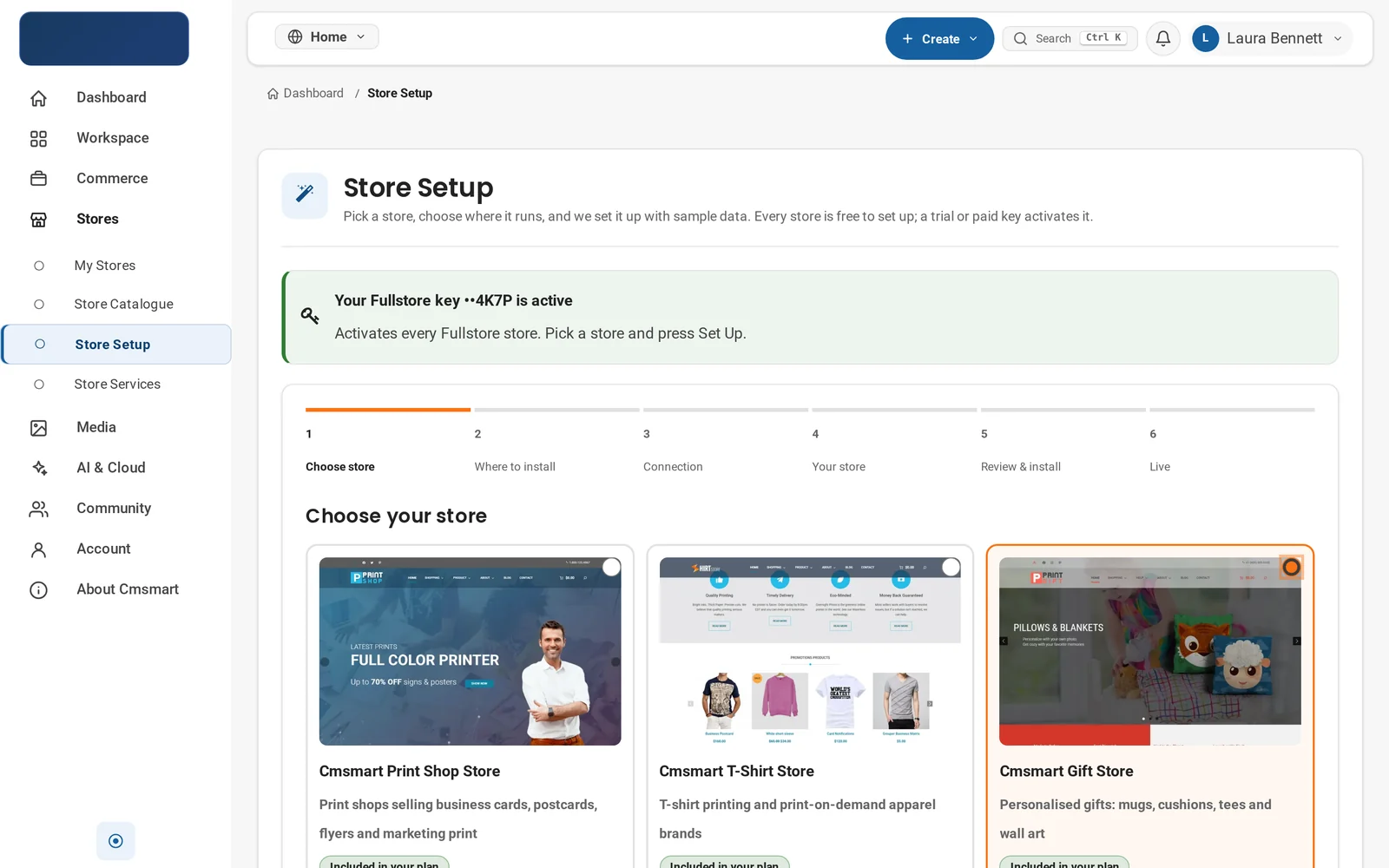
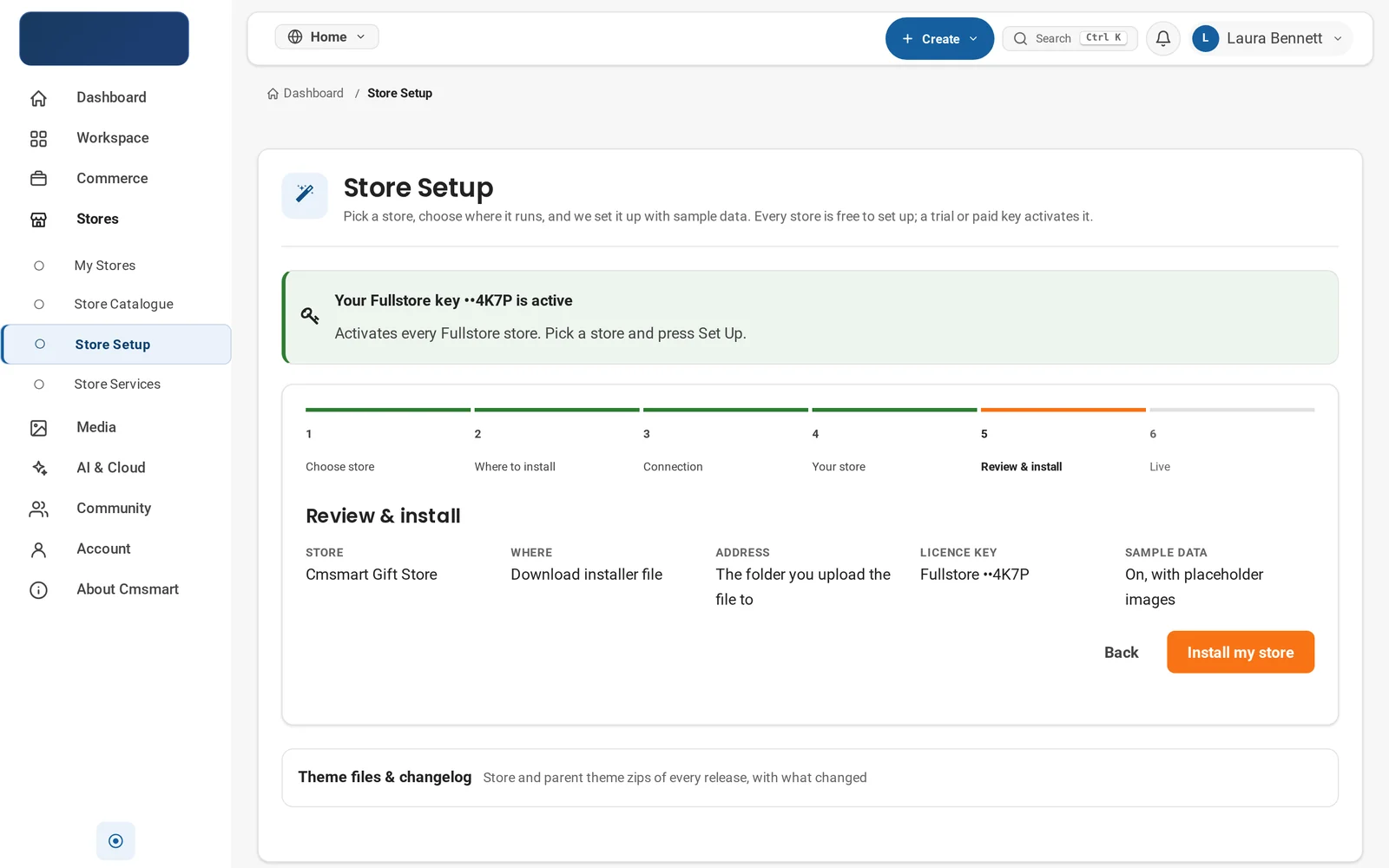
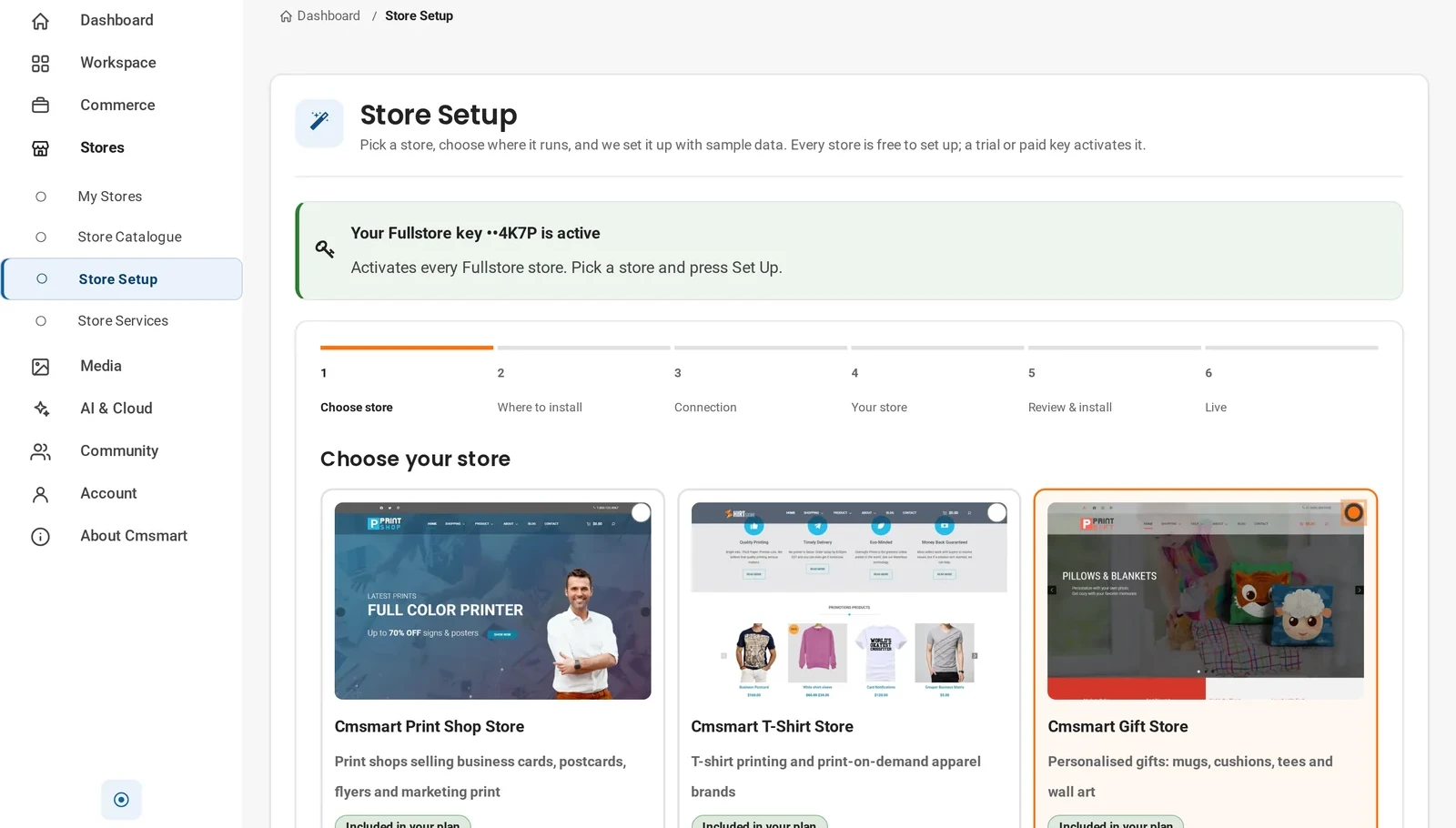
In the dashboard, go to Stores > Store Setup, choose your store, and press Continue.
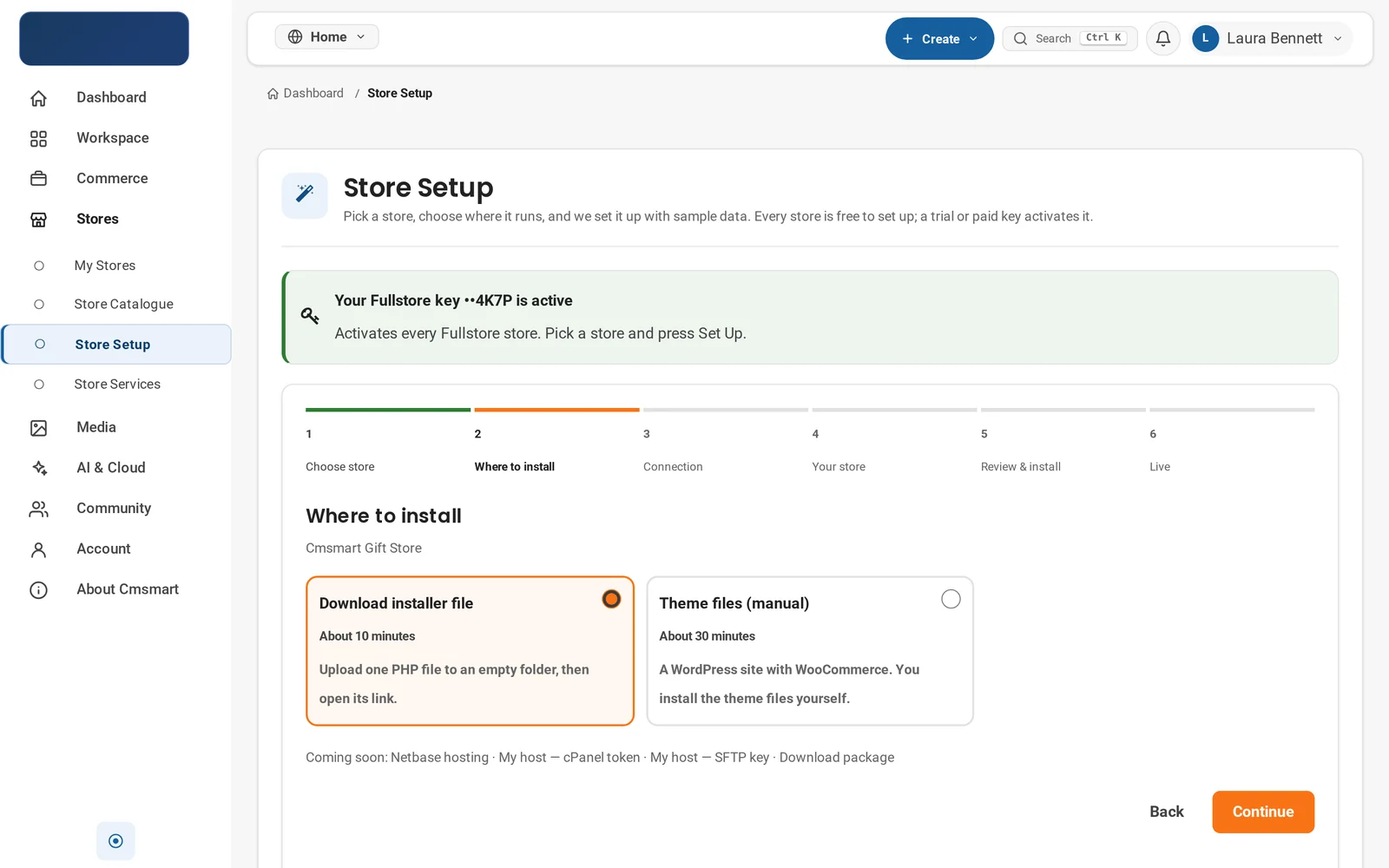
On Where to install, choose Download installer file (about 10 minutes) over the manual option.
On Connection, note the installer from step 5 carries your key and store inside it, works for 7 days, at most 3 installs.
On Your store, set a store name and admin email; sample data stays on for a full launch catalogue.
On Review & install, check the details, then press Install my store to download the PHP file.
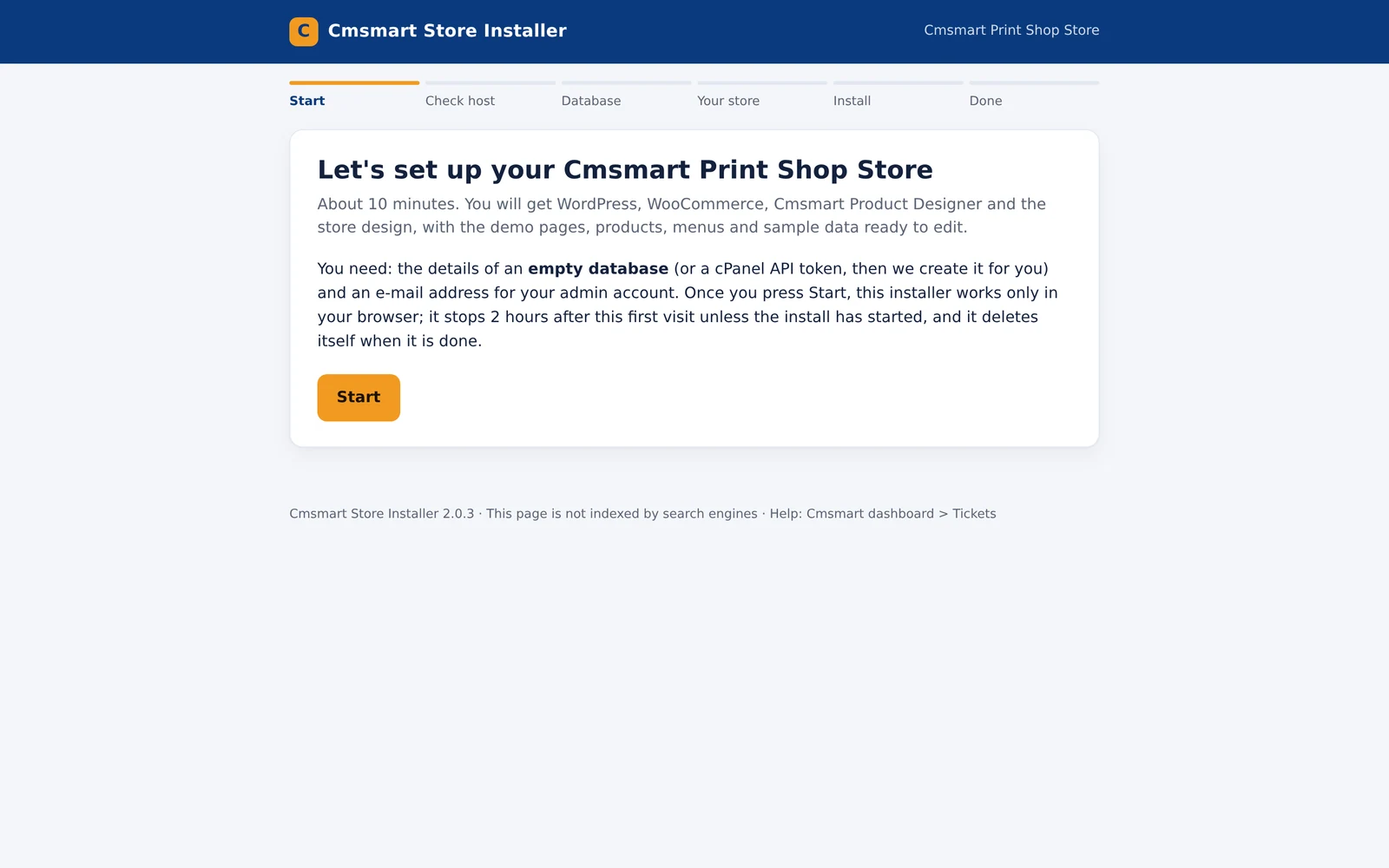
Upload that file to an empty folder on your host and open its link; the installer opens on a Start screen asking for an empty database (or cPanel token) and an admin email.
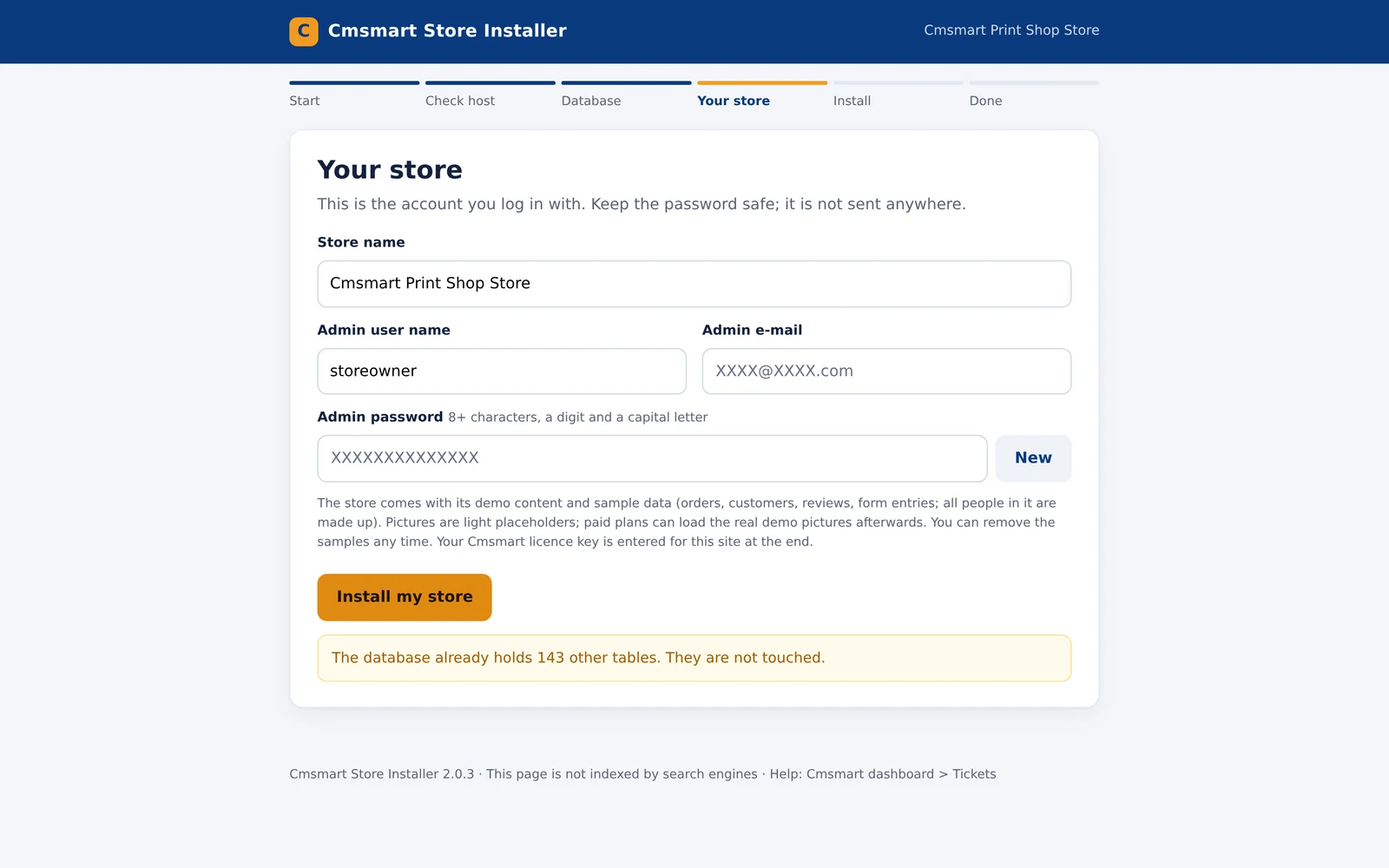
Press Start, then walk Check host, Database, and Your store (admin user name, email, generated password).
Press Install my store; it downloads files, installs plugins and themes, and imports the demo store and sample data.
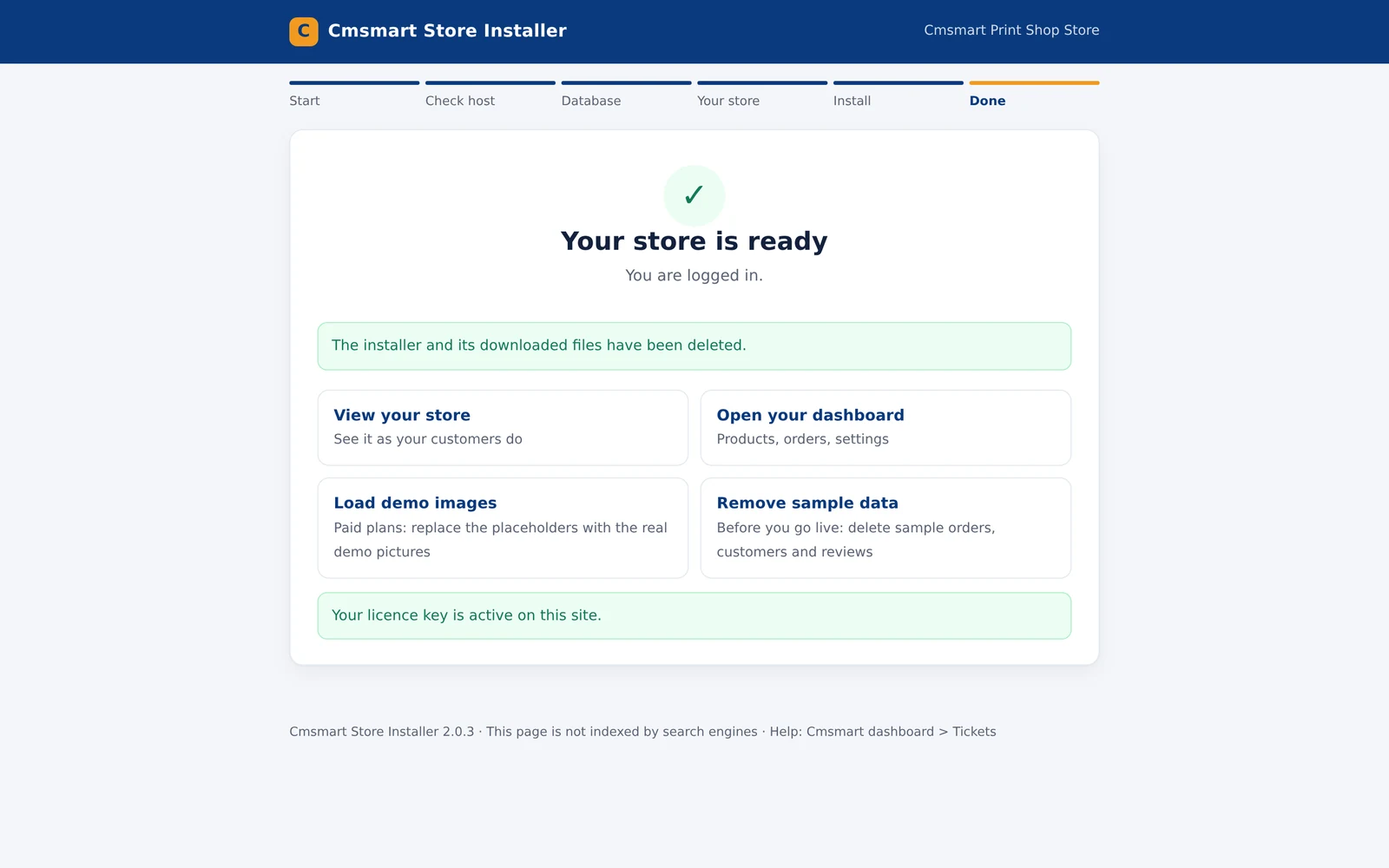
On Done, you land on "Your store is ready", logged in, installer deleted, licence key active.
For Cmsmart Marketplace Store, demo sellers and products keep populating in the background for a short while once the plan is active.
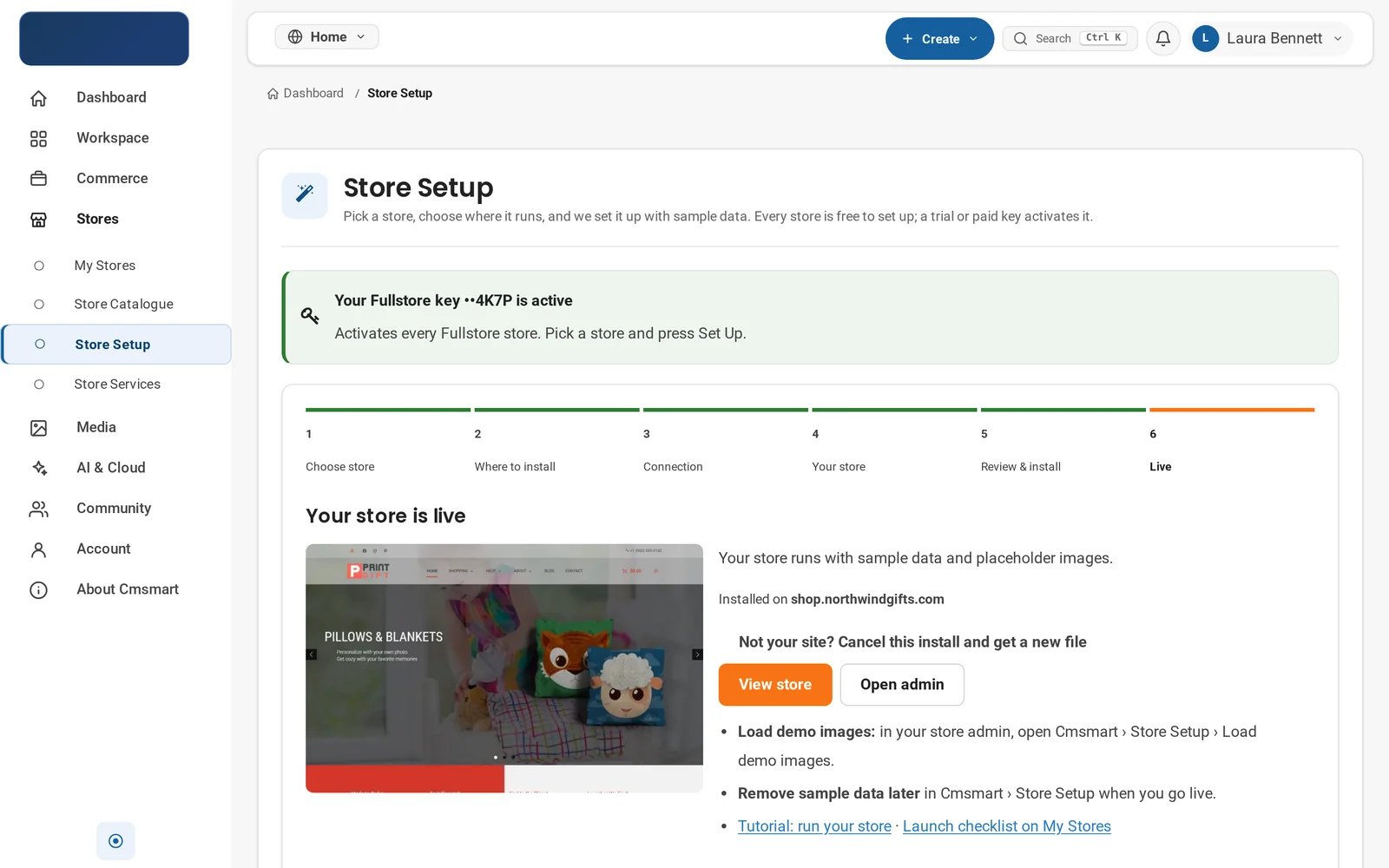
Store Setup step 1: pick the store that matches your business, the Cmsmart Gift Store is selected here.Step 2: choose Download installer file for the automated path, or Theme files (manual) to upload everything yourself.Step 5: review the store, address, licence key and sample-data setting, then press Install my store.On your host: the one-file installer's Start screen lists what you need before you press Start.The Your store step creates your WordPress admin account; your licence key is applied automatically at the end.Done: the installer deletes itself, your licence key is active, and the store is ready to view or edit.Back in the dashboard, the same install shows as live, with a link to load the real demo pictures once you are on a paid plan.
Install the theme files manually
In the dashboard, open Theme files & changelog and download the Cmsmart Stores parent theme zip and your store's child theme zip.
In wp-admin: Appearance > Themes > Add New Theme > Upload Theme, choose the parent zip, click Install Now, but do not activate it yet.
Once it shows "Theme installed successfully," upload the child theme zip the same way; WordPress checks the parent is installed, then installs the child.
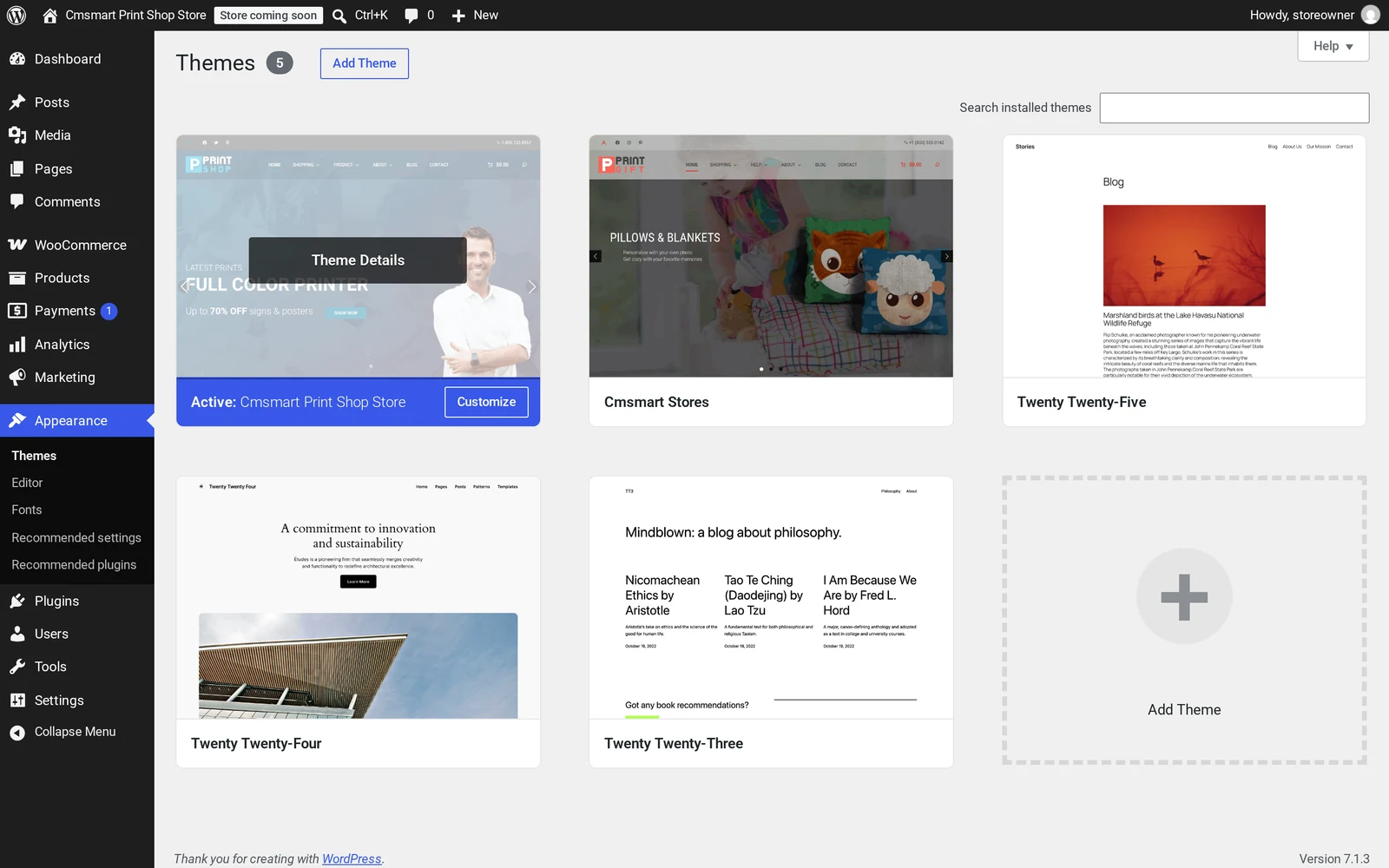
Open Themes, click Activate on the child theme, and confirm it shows active next to the parent.
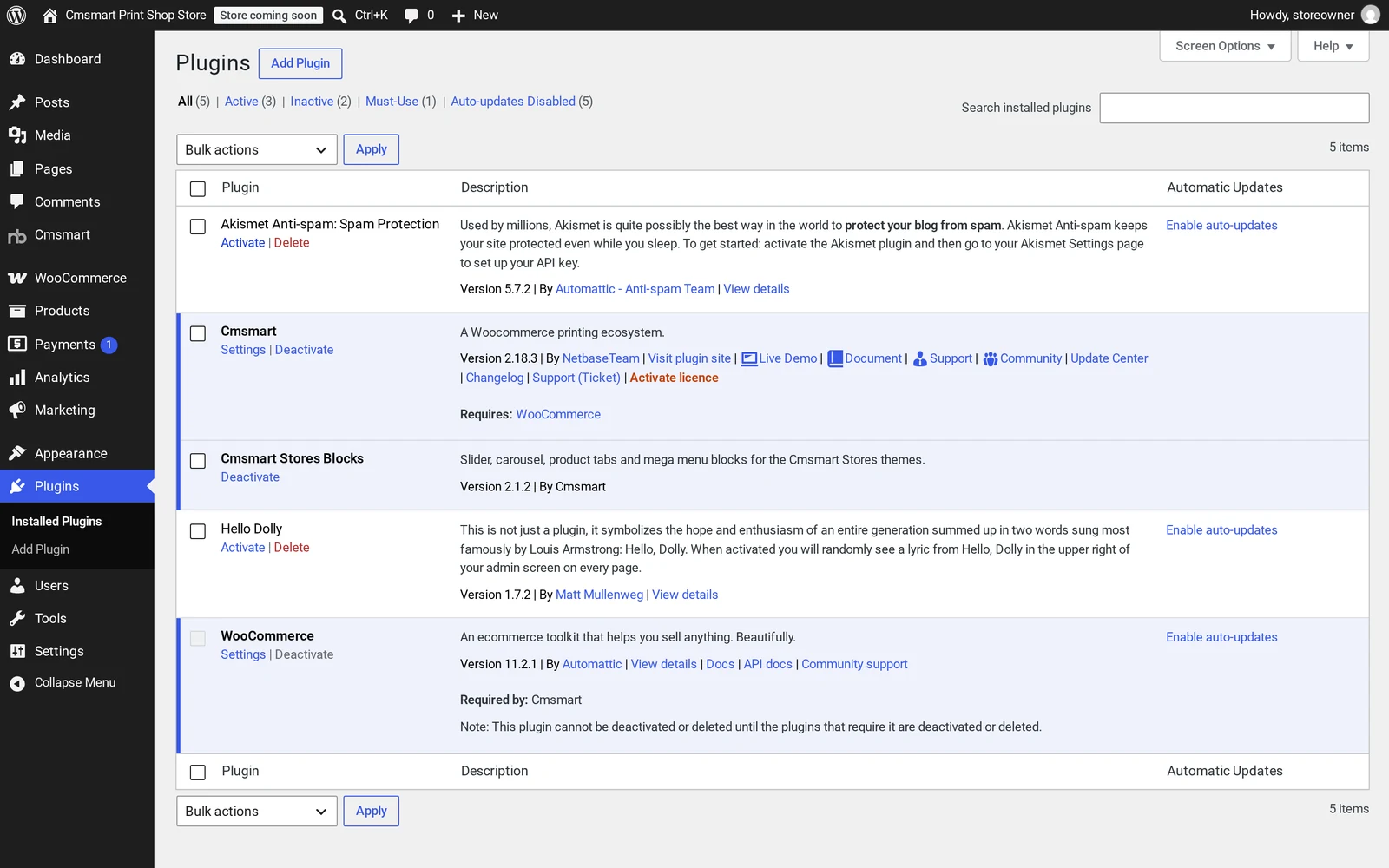
Under Plugins > Add New Plugin > Upload Plugin, install and activate Cmsmart Stores Blocks, then Cmsmart Product Designer the same way.
Open Tools > Cmsmart Stores demo content, choose your content pack zip, tick Import full sample data, press Import, then use Load demo images for the real demo photos.
In WooCommerce > Settings > Site visibility, switch from "Coming soon" to Live.
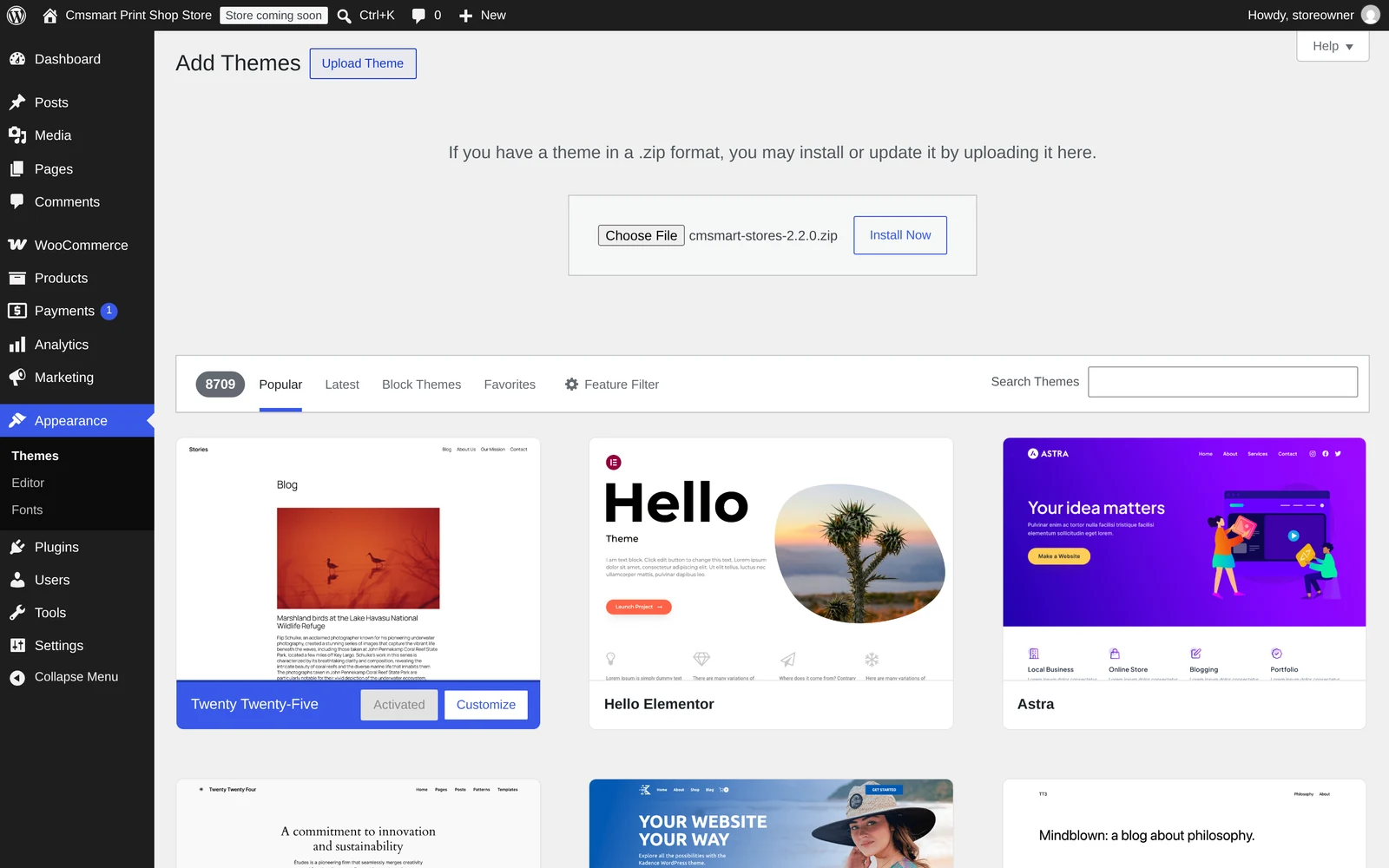
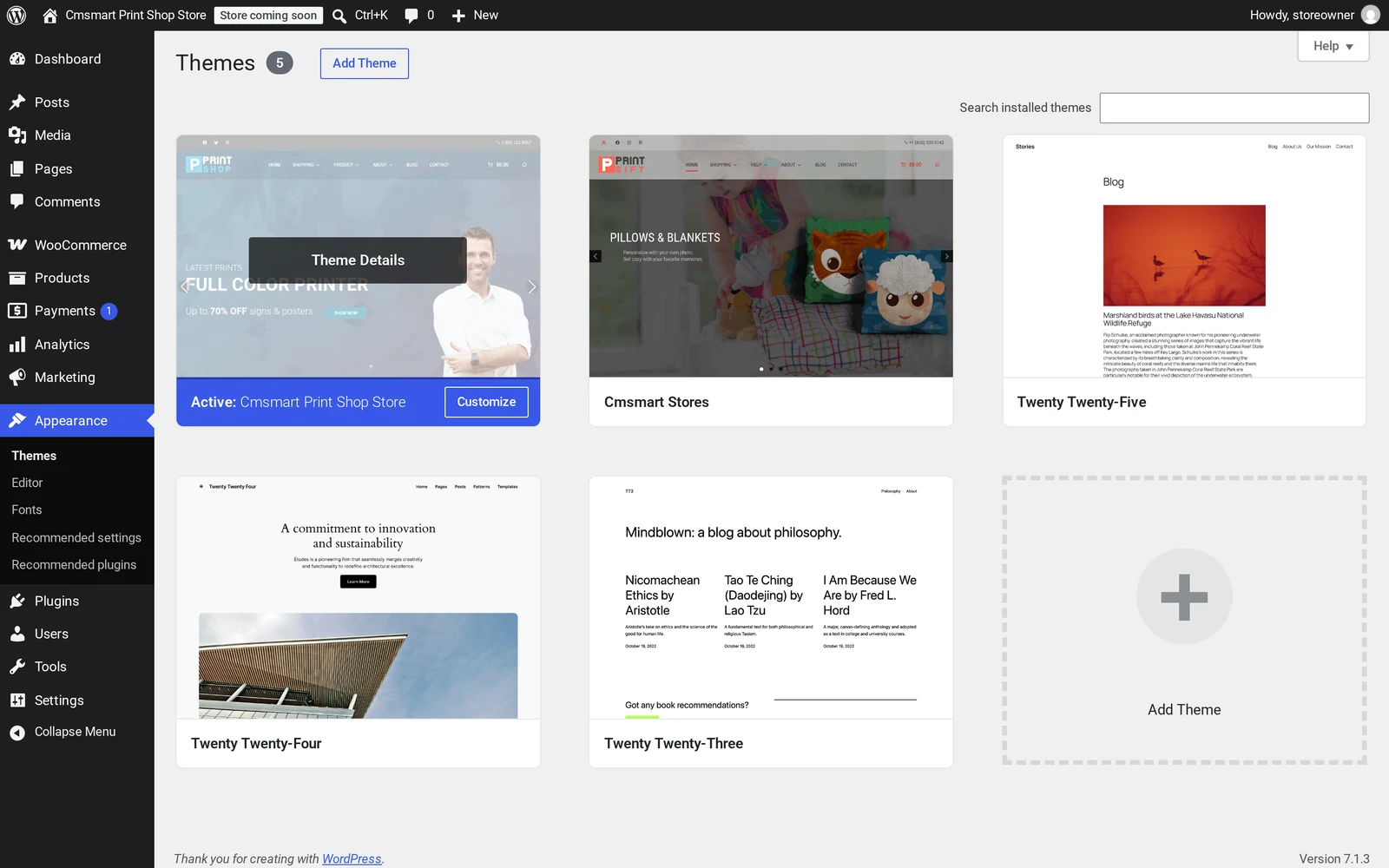
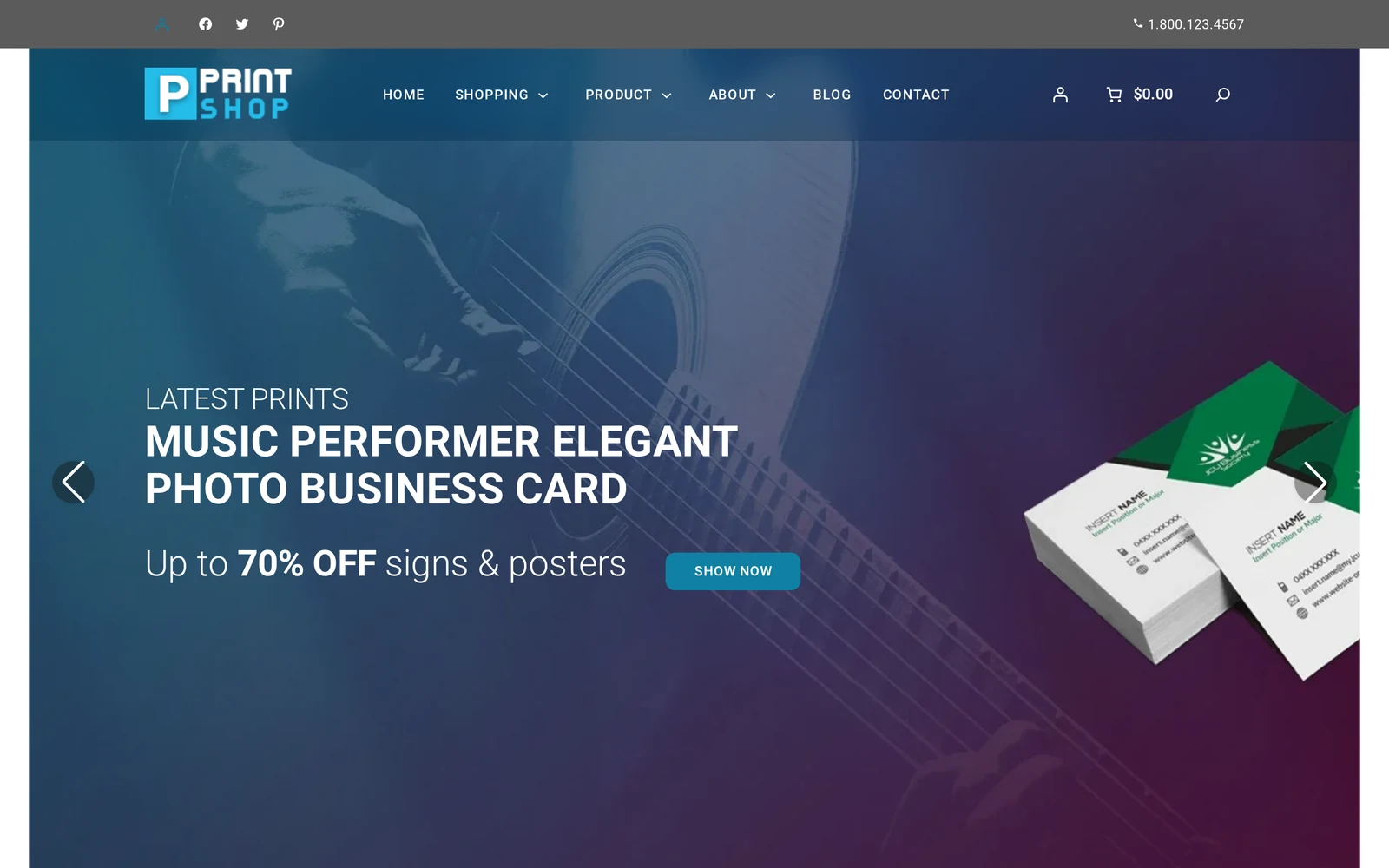
Manual install, step 1: upload the Cmsmart Stores parent theme zip first, before any child theme.Once the parent is installed, the child theme activates and both appear on the Themes screen.The result of the manual path on desktop: a live Print Shop storefront built from the uploaded theme files and sample catalogue.The same storefront on a phone: the Cmsmart Stores child theme is responsive out of the box, no extra setup needed.
What to do in your first hour
Set your logo, colors and home template in Appearance > Editor before you touch products.
Walk through the customisation guide for recommended plugins and Site Editor changes.
Remove sample orders, customers and reviews from Cmsmart > Store Setup before you go live.
On a paid plan, load real demo pictures from Cmsmart > Store Setup > Load demo images.
Troubleshooting
Wrong plan. The dashboard shows This key does not activate this store for a Fullstore key on Cmsmart B2B Store or Cmsmart Marketplace Store, or Premium is the plugin plan — stores need Fullstore for a plugin-only key; the installer's own licence check gives the same answer mid-download. Download the theme files free, add the right key later.
A red item on the host check. Usually a non-writable folder; set its permission to 755 and press Check again.
A second browser tab shows the install running. You opened the link twice; finish in the first tab.
"The parent theme is missing" (manual). You uploaded a child theme before the Cmsmart Stores parent theme; install the parent first.
Moving on from 0.4.x. The 2.0 stores are a fresh install, not an upgrade: export content, install fresh, bring the catalogue back in.
A red item stops the install, here a folder permission issue, fixed by setting it back to 755 and checking again.
Can Cmsmart customize or build more than the base package?
Store Setup and the manual path both give you a working storefront with a sample catalogue; Cmsmart builds everything past that as custom development for merchants who want their own brand, catalogue and integrations in place rather than edited in afterward.
What we build on top of a fresh Cmsmart store, project by project:
Preset install and demo import, done for you. We install the store and replace the sample catalogue with products shaped to your business. See Cmsmart Store preset installation & demo import.
Brand styling. Site Editor templates, colors and typography matched to your brand.
Catalog and pricing migration. Products, categories and price-matrix rules from an existing store or platform.
Product designer configuration. Design areas, print options and output settings for your range.
B2B and marketplace operations. Company accounts, approvals and vendor onboarding on Cmsmart B2B Store or Marketplace Store.
ERP and POS integration. Connecting orders and inventory to the systems you run on.
Delivery: discovery call, solution design, build sprints, QA, launch, then support. See Cmsmart ecommerce projects.
Cmsmart has built WooCommerce storefronts and the Cmsmart Product Designer plugin since 2012 as a Netbase JSC division. The Store Setup installer, the parent/child theme system and the designer plugin all come from that same team, built to activate together.
Cmsmart has delivered 6,300+ client projects and runs 1,800+ live stores in 80+ countries, rated 4.2 on Trustpilot (404 reviews):
"The plugin used is really top, time saving and complete features. ultra easy installation and configuration. And even when I needed specific development in relation to my theme, Andrea from customer service was very competent and fast. I recommend!" — Adrien Darmon, Trustpilot review
About 10 minutes with Store Setup once your licence key and database or cPanel token are ready. The manual path is closer to 30 minutes.
Do I need a licence key to install a store?
No. Download the theme files free and install with no key; the store stays gated until a trial or paid key activates it. A free 30-day trial unlocks every Fullstore store, no card required.
What happens to the sample data when I go live?
Remove sample products, orders, customers and reviews from Cmsmart > Store Setup before real orders; on the manual path that is Tools > Cmsmart Stores demo content.
Can I switch which store or child theme is active later?
Yes, within the same family: switching from Print Shop to Gift just means uploading and activating the new child theme on the shared parent. Cmsmart B2B Store and Cmsmart Marketplace Store use their own parent theme versions, so treat those as separate installs.
Does Store Setup work for Cmsmart B2B Store and Cmsmart Marketplace Store too?
Yes, the same flow and installer apply; only the licence plan differs, and a Marketplace store's demo sellers keep populating briefly after the done screen.
What changed in the October 2026 Cmsmart Stores 2.0.1 release?
The six niche store child themes moved from 2.0.0 to 2.0.1, matching the version Cmsmart B2B Store and Cmsmart Marketplace Store already shipped. Store Setup still bundles Cmsmart Product Designer 2.18.3; later Product Designer updates reach an installed store through its normal plugin update, not a reinstall.
What if my current store still runs the old 0.4.x Cmsmart Stores theme?
Treat the 2.0 stores as a fresh install, not an upgrade. Export your products and content first, install fresh, then bring your catalogue back in before pointing your domain at the new site.
Applies to Cmsmart T-Shirt Store 2.0.1 (parent Cmsmart Stores 2.0.0) · Cmsmart Product Designer 2.18.3 bundled (2.18.4 offered by the normal plugin update) · Cmsmart Stores Blocks 2.1.2 · installer kit 2.0.3. Updated October 2026. Built with Store Setup v2; on this install the storefront homepage loaded directly at its root URL right after setup, with no separate WooCommerce "coming soon" page in front of it.
In short
Outcome: a custom t-shirt store WooCommerce setup — theme, demo pages, a designable product and a working cart — ready for your first real product inside an hour.
How it works: the Cmsmart dashboard installs the Cmsmart T-Shirt Store theme and Cmsmart Product Designer together, pre-wired to each other, then you swap in your branding, catalogue and payment details.
What it takes: a Cmsmart Fullstore plan or higher, a WordPress host, and about an hour of focused setup time.
A custom t-shirt store WooCommerce setup normally means days of plugin wiring; Cmsmart's Store Setup v2 skips that by installing a theme, a demo catalogue and Cmsmart Product Designer already attached to a sample product. Run it and you get a working "Start Design" button, cart and checkout before lunch.
Most new apparel sellers lose their first week to finding a theme that doesn't fight WooCommerce, wiring up a product designer by hand, and working out print areas, DPI and price options from scratch. None of that is the hard part of running a t-shirt brand — sourcing blanks, picking a print method and finding customers is. This guide walks the real first hour on a fresh store, with screenshots from the current Cmsmart admin.
What's the real cost of a slow, manual t-shirt store launch?
A custom apparel store needs a theme, a product designer, a price calculator and a checkout working together, not four separate plugins fighting for the same product page. Cmsmart ships the Cmsmart T-Shirt Store with all four pre-connected, so the manual integration work disappears.
Anyone who has launched a WooCommerce print-on-demand shop from a blank theme recognizes the same pain points:
Theme and plugin conflicts. A generic WooCommerce theme isn't built around a design-on-product flow, so the designer button and price box fight the layout.
Manual print-area setup. Every designable product needs front/back print areas, a DPI and a template library defined by hand.
Price matrix guesswork. Pricing depends on size, side count and quantity; building that logic from scratch means custom code.
Payments and shipping left for "later". Launching a designer before payments or shipping are set up stalls the first order.
Staff time. Every hour wiring plugins is an hour not spent sourcing blanks or talking to customers.
Put a number on it: hours spent on theme + plugin setup × your hourly rate. A shaky checkout costs more than setup time: the average documented online cart abandonment rate across more than 50 studies is 70.22% (Baymard Institute, 2025), and a designer or price box that misbehaves at checkout is one more reason to click away. The segment isn't a niche bet: the global print-on-demand market was valued at $10.8 billion in 2025, and apparel is its largest category at 39.5% (Grand View Research, 2025).
What could your t-shirt store look like on day one?
Cmsmart's Store Setup v2 turns a blank WordPress install into a themed, catalogued, designable storefront in minutes, so your first hour goes into your brand and products instead of plugin wiring.
Example scenario. A new print-on-demand seller picks the Cmsmart T-Shirt Store and runs Store Setup v2. Half an hour later a live homepage is up, with a demo tee that already opens Cmsmart Product Designer on "Start Design". By the end of the hour the logo is swapped, one product has its print areas and price set, payments are live, and a test order has gone from product page to cart.
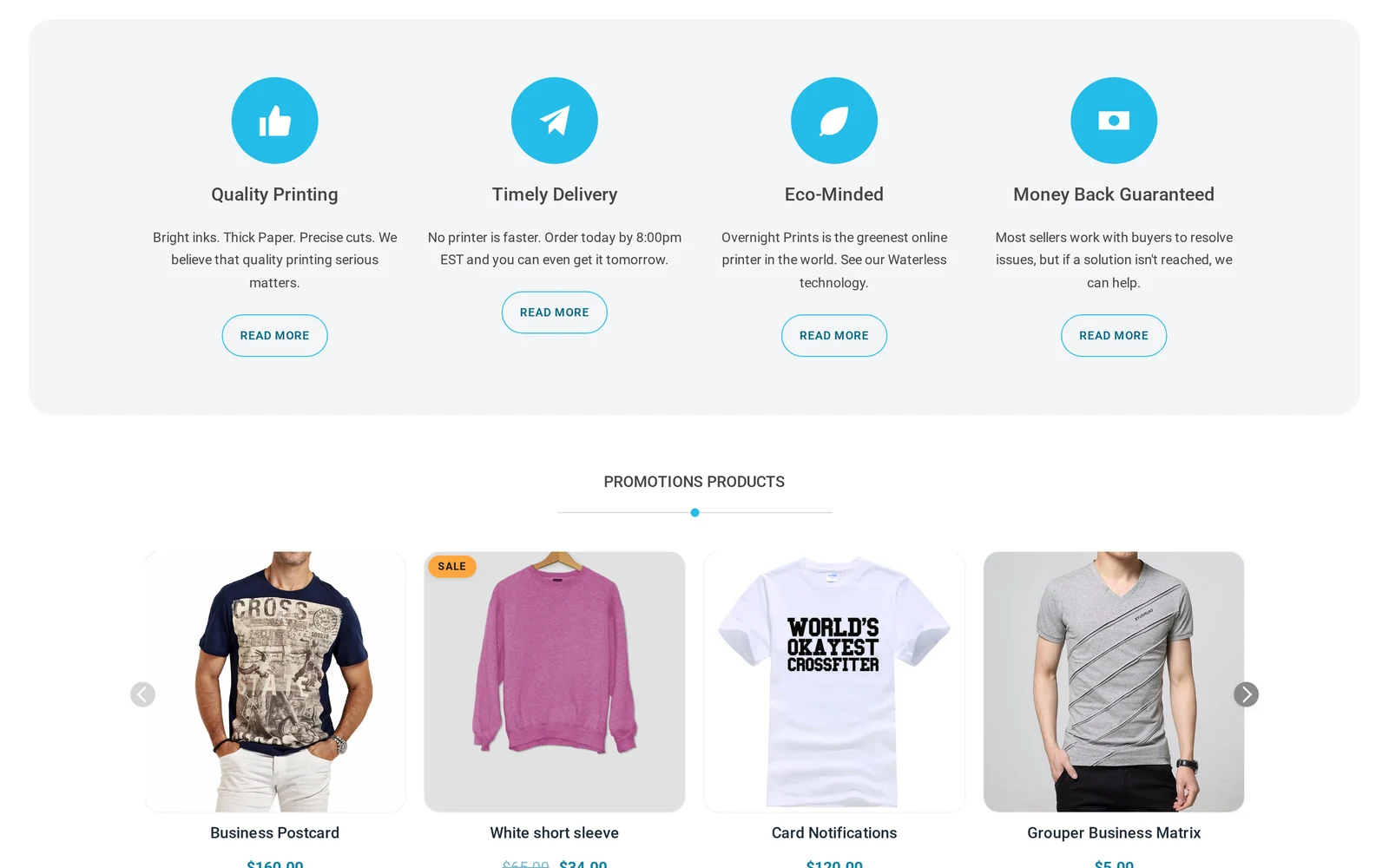
The Cmsmart T-Shirt Store homepage right after Store Setup v2, with the sample promotions block — swap the sample branding and catalogue for your own.
That is the promise of a preset store: not a finished brand, but a working one. Talk to an ecommerce expert if you'd rather hand the first hour to Cmsmart.
How does Cmsmart put a t-shirt store together?
Cmsmart T-Shirt Store pairs a WooCommerce child theme with Cmsmart Product Designer and a pre-built catalogue, so the storefront, the design tool and the price logic are one connected system instead of three separate installs.
Everything starts in the Cmsmart dashboard: open Stores > Store Setup, pick Cmsmart T-Shirt Store, and press Continue.
Store Setup step 1, "Choose your store": pick Cmsmart T-Shirt Store and continue.
From there you choose "Download installer file" (about 10 minutes) or "Theme files (manual)" (about 30 minutes, under Appearance > Themes). Either path installs the same content tree:
Storefront theme — the Cmsmart T-Shirt Store child theme, built on the parent Cmsmart Stores theme.
Cmsmart Product Designer — formerly NBDesigner, already attached to a demo product with front and back print areas.
Printing options / price logic — connects a product to a price matrix or option set so size, side count and quantity change the price.
Sample catalogue + pages — Home, Shop, Cart, Checkout, My Account, About and more.
Print-ready output — once ordered, Cmsmart Product Designer applies an approved-artwork lock and renders a print-ready PDF that matches the order, verified in the 2.17.0 release and still true in the 2.18.x line bundled here.
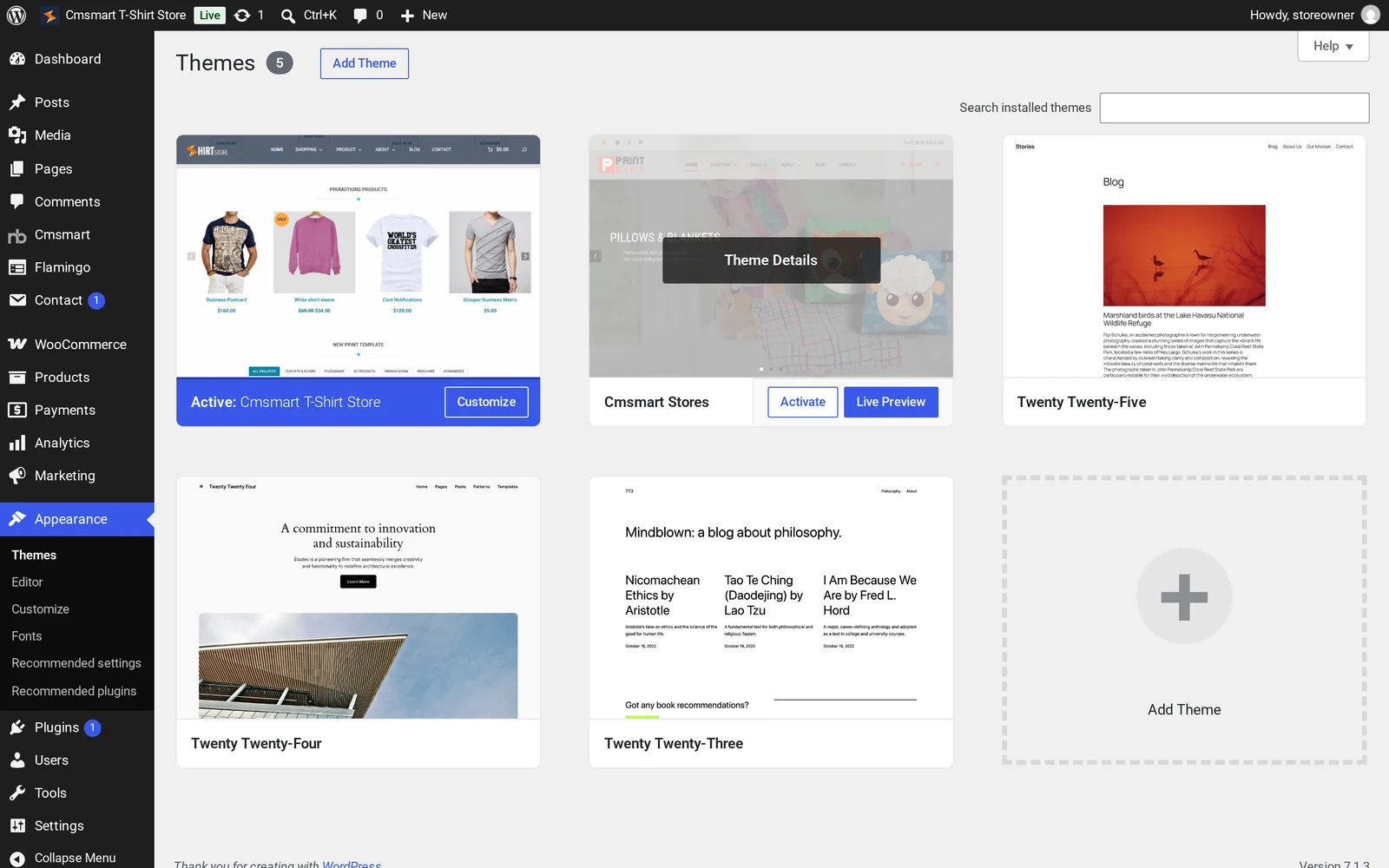
Appearance > Themes: Cmsmart T-Shirt Store 2.0.1 active, with its Cmsmart Stores parent theme installed alongside it.
Manual WooCommerce build vs the Cmsmart T-Shirt Store preset
Step
Generic WooCommerce theme
Cmsmart T-Shirt Store
Theme + WooCommerce layout
Pick a theme, check block compatibility yourself
Child theme built on the Cmsmart Stores parent, WooCommerce-ready
Product designer
Source, install and connect a separate plugin
Pre-installed and attached to a demo product
Print areas / DPI / templates
Configure from a blank box, product by product
One demo product already has Front/Back areas and DPI set
Pages and menus
Build Home, Shop, About, Contact by hand
Imported automatically by Store Setup v2
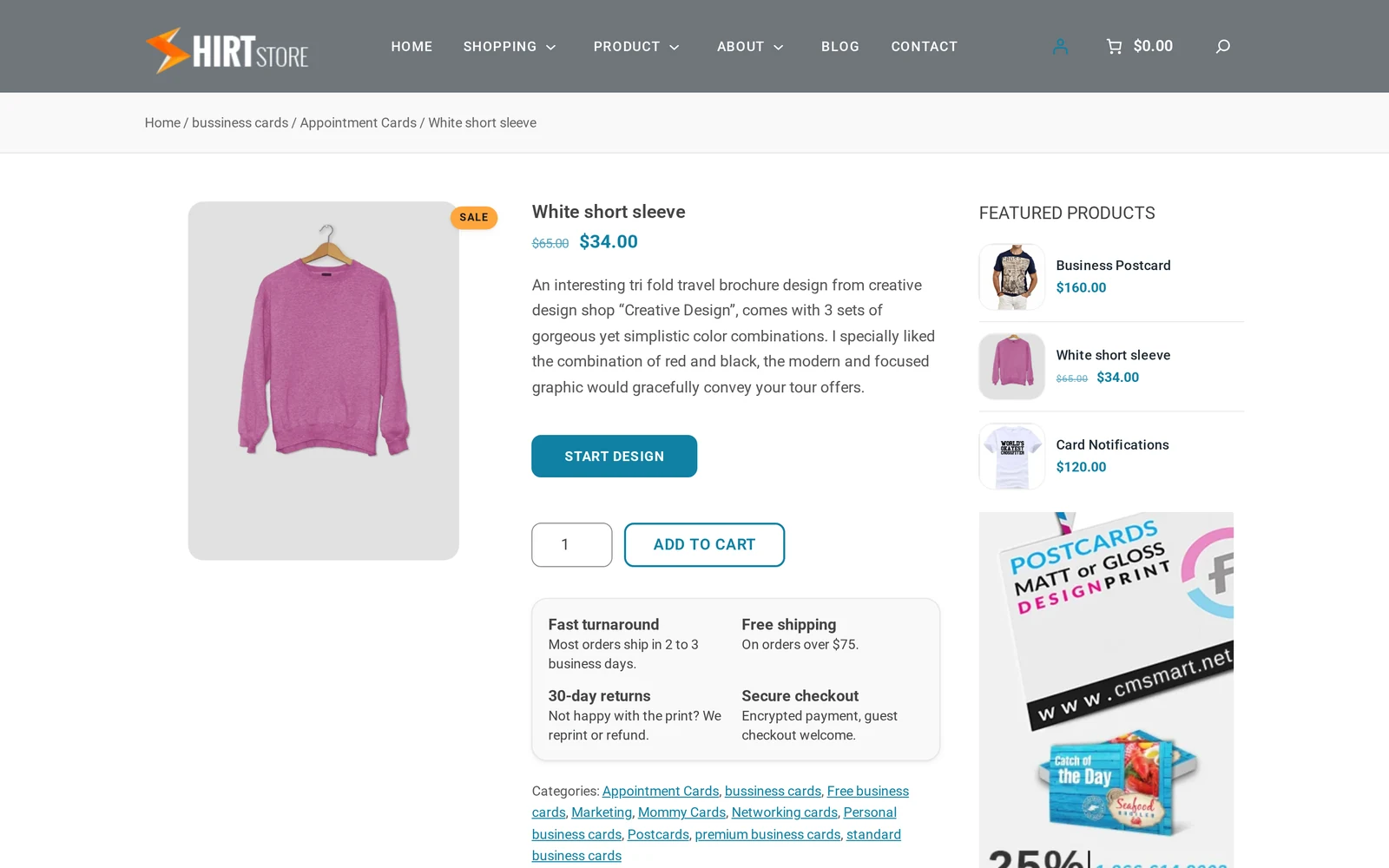
Cmsmart insight: the sample catalogue ships across all six Cmsmart Store presets, so a t-shirt store can show demo items with mismatched names — on this install, a product named "White short sleeve" carries a sweatshirt photo, a vinyl-sticker description and business-card categories. Treat it as placeholder data for learning the product-edit screen, not a starting catalogue to sell.
Where do I see my store's numbers?
Cmsmart adds a dedicated Cmsmart > Overview screen to your WordPress admin, so you can check revenue, orders and production status without opening WooCommerce Analytics or a separate reporting tool.
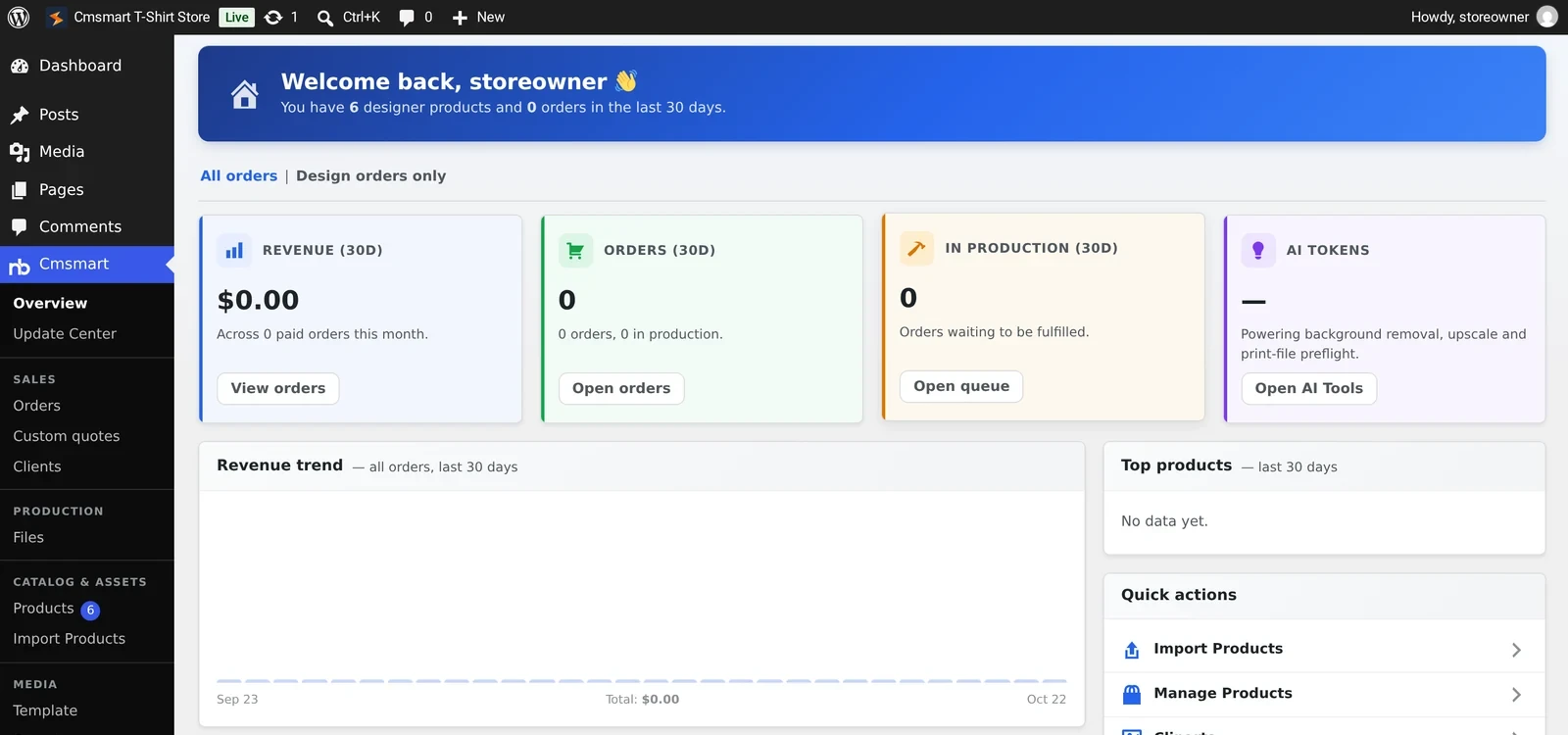
Once the store is live, the Cmsmart menu in wp-admin opens a dashboard built for a designer-driven store: revenue, orders and "in production" cards, an AI token card, a 30-day revenue trend chart, a top-products panel and quick links. On a new install the cards read zero; once orders start, check this screen each morning.
Cmsmart > Overview: revenue, orders, in-production and AI-token cards, plus a revenue trend chart, inside wp-admin.
What's the business value of setting it up right in one hour?
A pre-wired store turns setup from a multi-day integration project into a single checklist, which shows up directly in how fast you take your first real order and how much staff time you get back.
Business value and what to track
Benefit
How it shows up in your business
KPI to track
Faster activation
Store, theme, designer and catalogue exist together from install
Time from install to first live product
Fewer integration bugs
Theme and designer ship as one tested pack, so Start Design, pricing and cart already agree
Support tickets tagged "designer" or "checkout"
Reusable setup pattern
Once print areas, DPI and pricing are set on one product, repeat the fields for every new design
Minutes to add one new product
Numbers in one place
Cmsmart > Overview shows revenue, orders and production load in wp-admin
Minutes spent pulling a sales snapshot
Staff hours redeployed
Hours not spent wiring plugins go into sourcing and marketing
Hours per week on admin vs. product work
ROI worksheet (use your own numbers):hours saved on setup × your hourly cost + (days earlier to first order × average daily sales once live).
How do you set up a custom t-shirt store WooCommerce setup in one hour?
Once the theme and plugins are installed, configuring the Cmsmart T-Shirt Store is a short, ordered checklist: brand it, check the catalogue, set up one real product, turn on payments and shipping, then test an order end to end.
Work through these steps in order.
Open your Cmsmart dashboard, go to Stores > Store Setup, and pick Cmsmart T-Shirt Store, then choose an installer method.
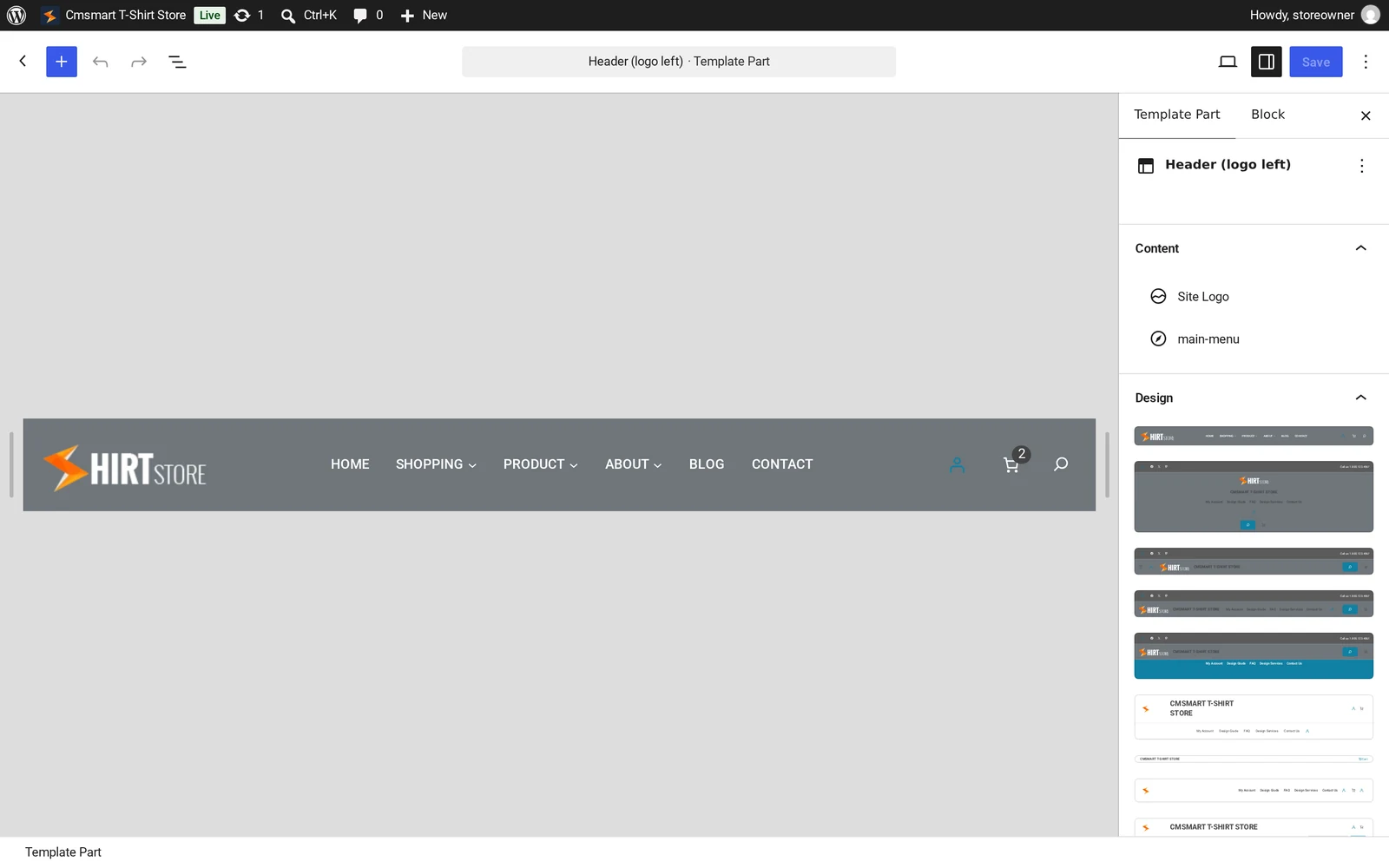
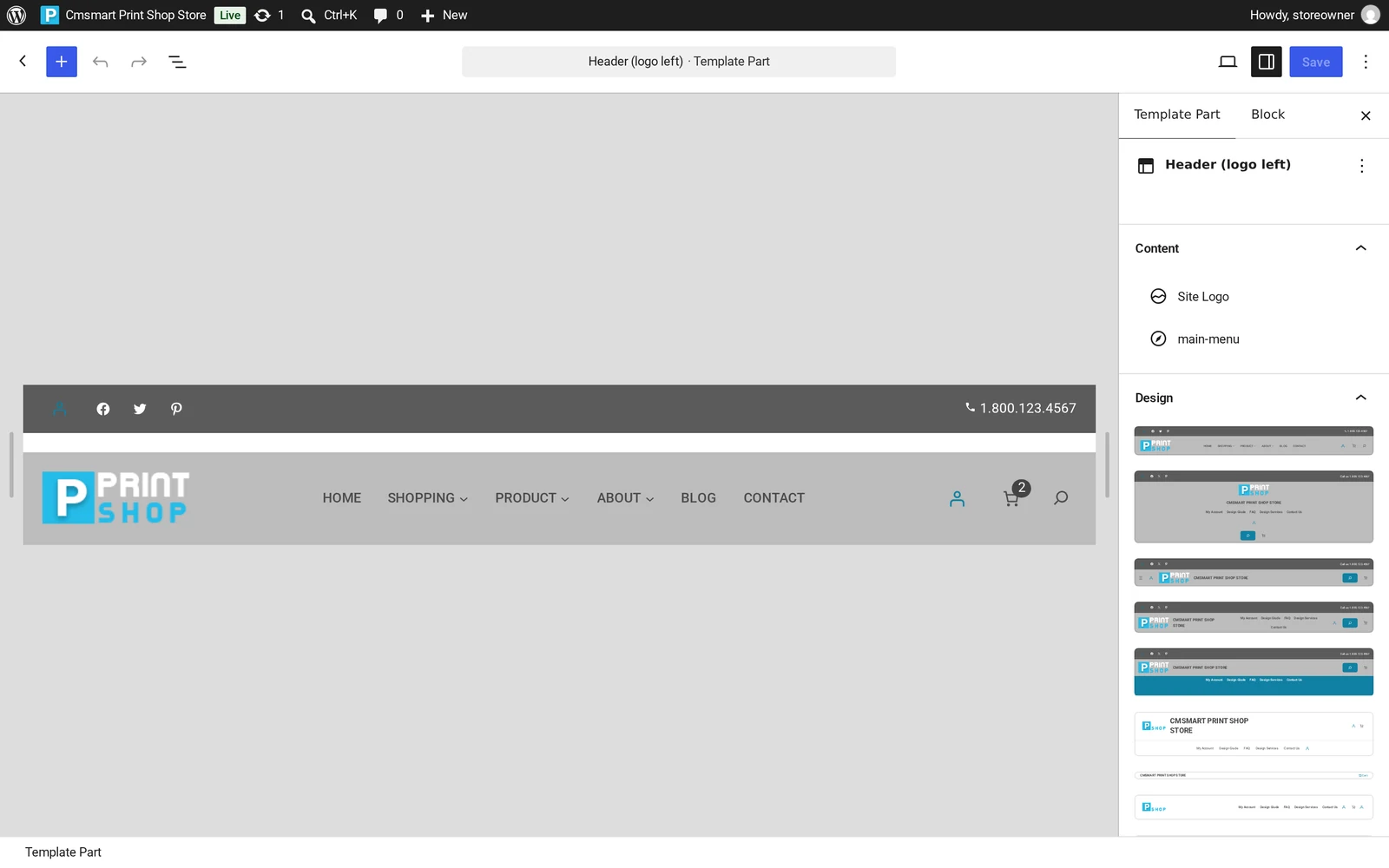
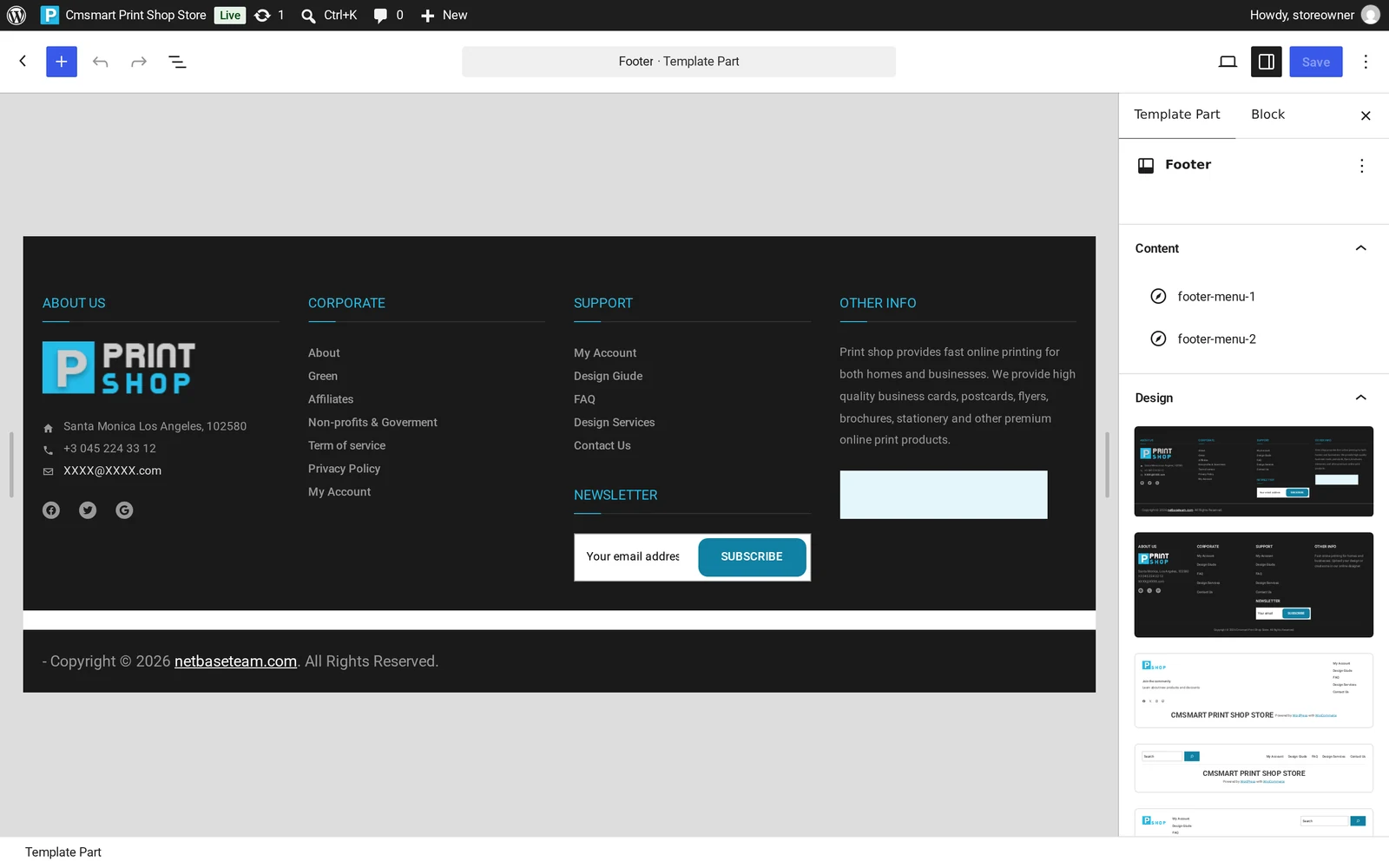
Open the Site Editor and update your logo, colors and footer under Patterns > Template Parts (Header, Footer).
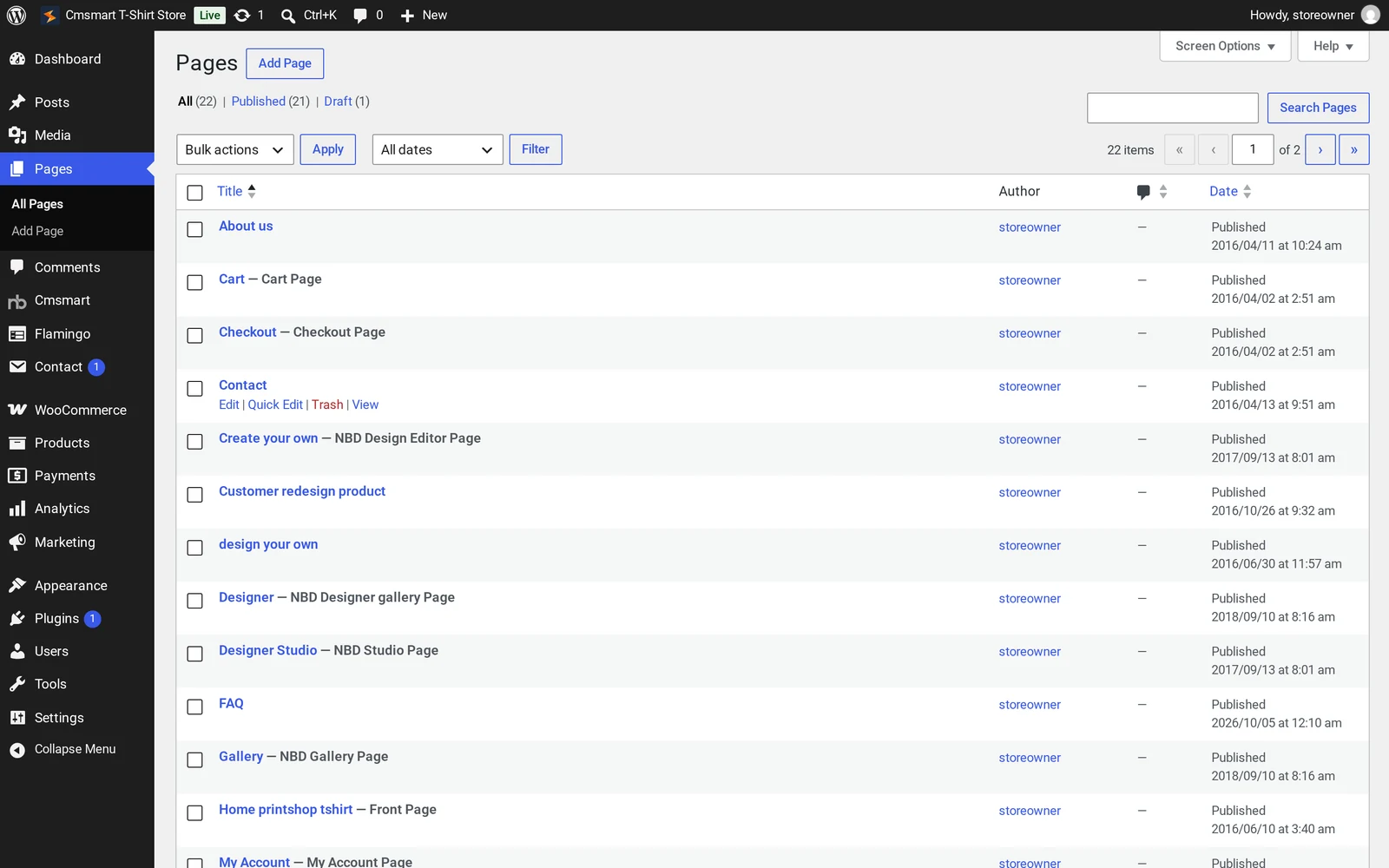
Check Pages > All Pages to confirm Home, Shop, Cart, Checkout, My Account, About and the rest imported correctly.
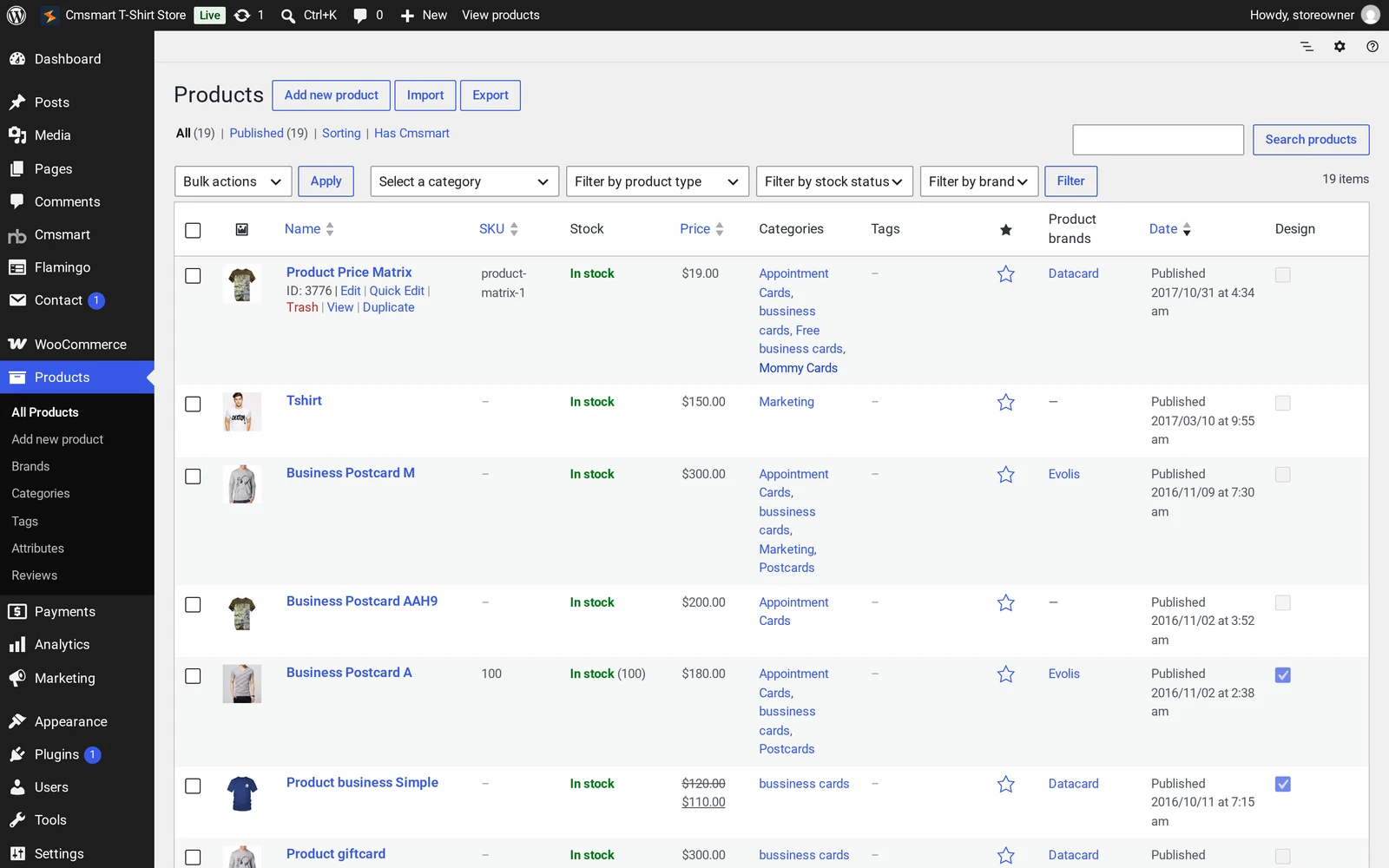
Open Products > All Products and skim the sample catalogue so you know what is demo data.
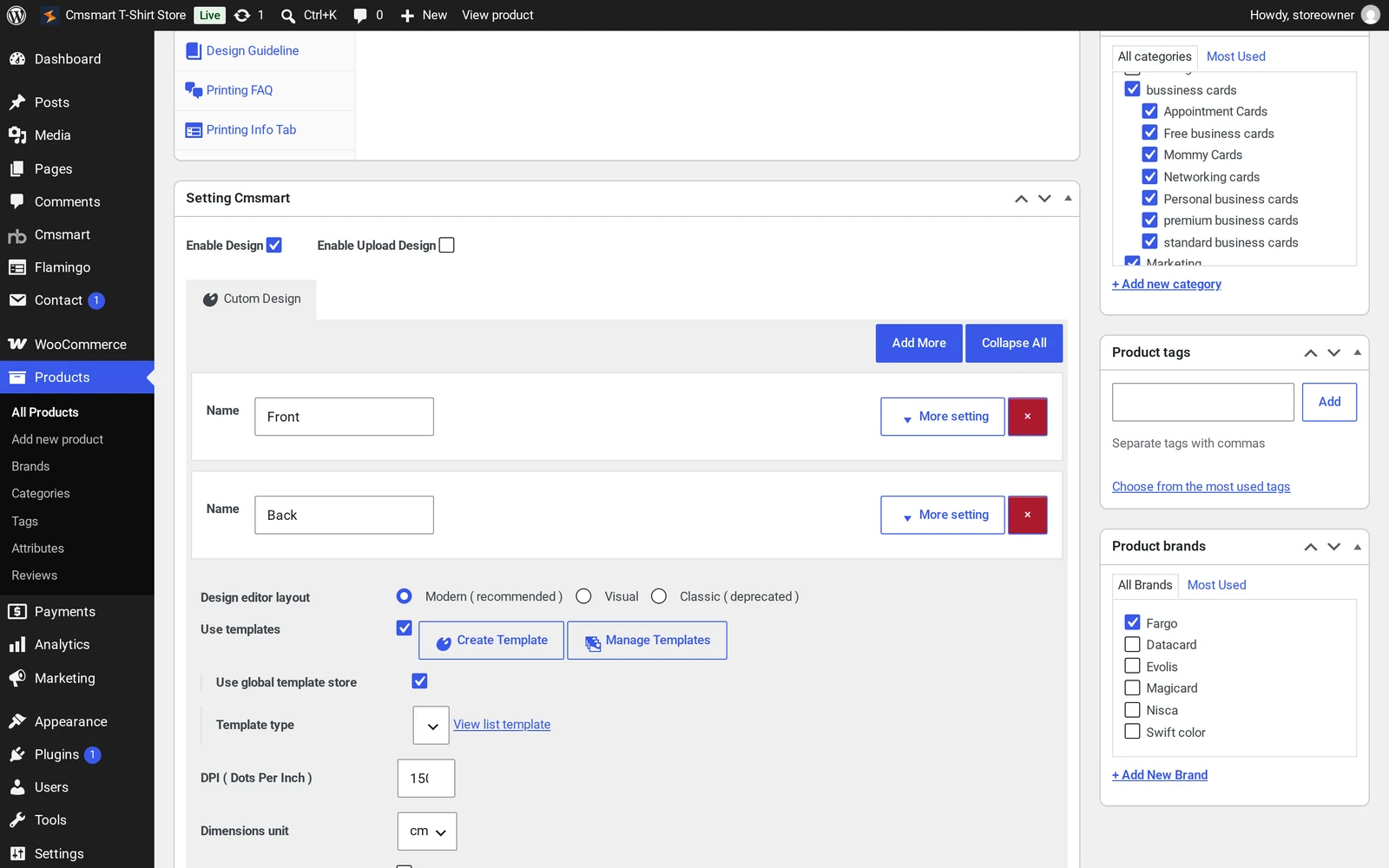
Edit your first real product's "Setting Cmsmart" box: confirm Enable Design, then review Front/Back print areas, DPI and templates.
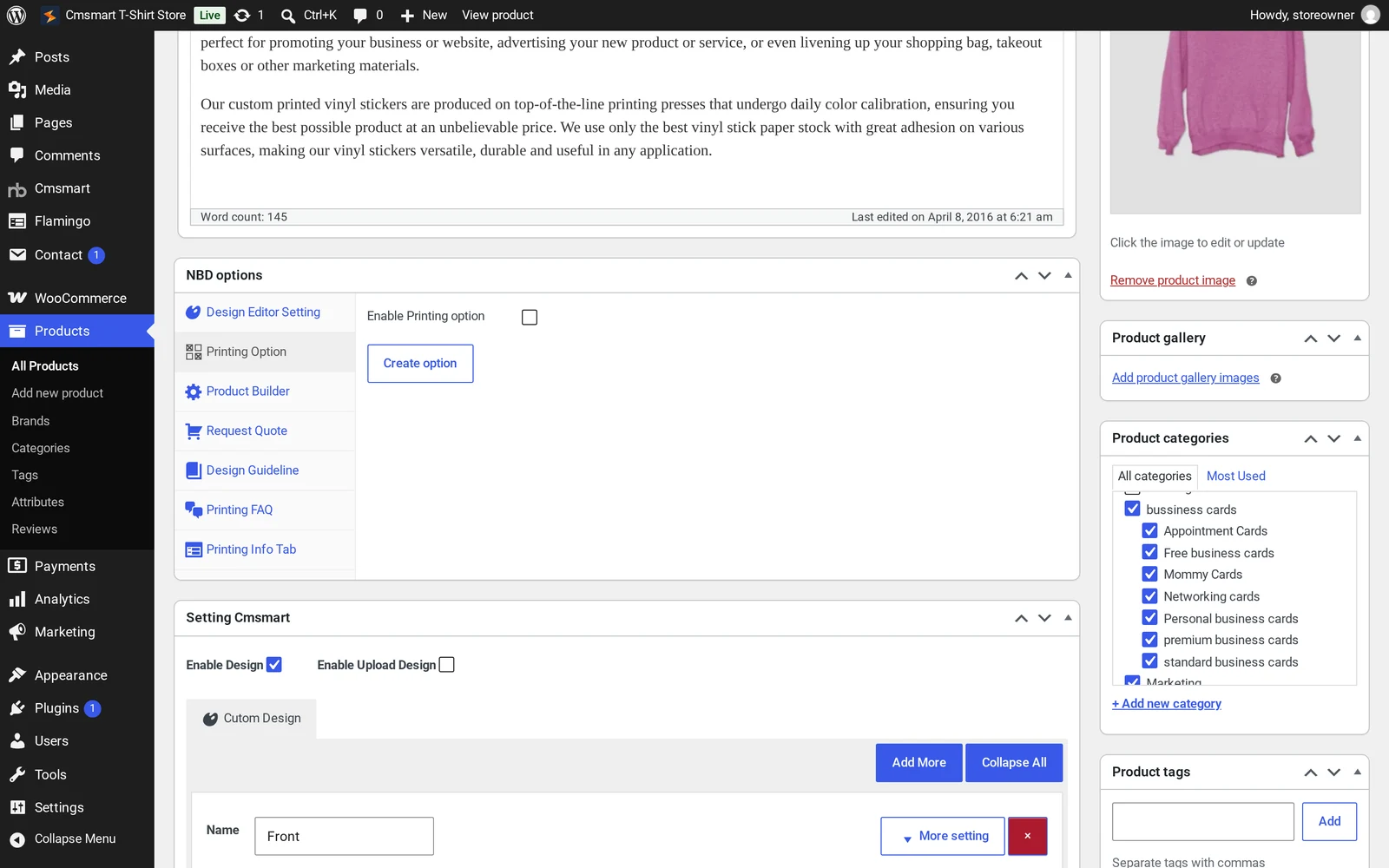
Open the same product's "NBD options" box and connect it to a printing option or price-matrix set.
Set your store address and currency under WooCommerce > Settings > General.
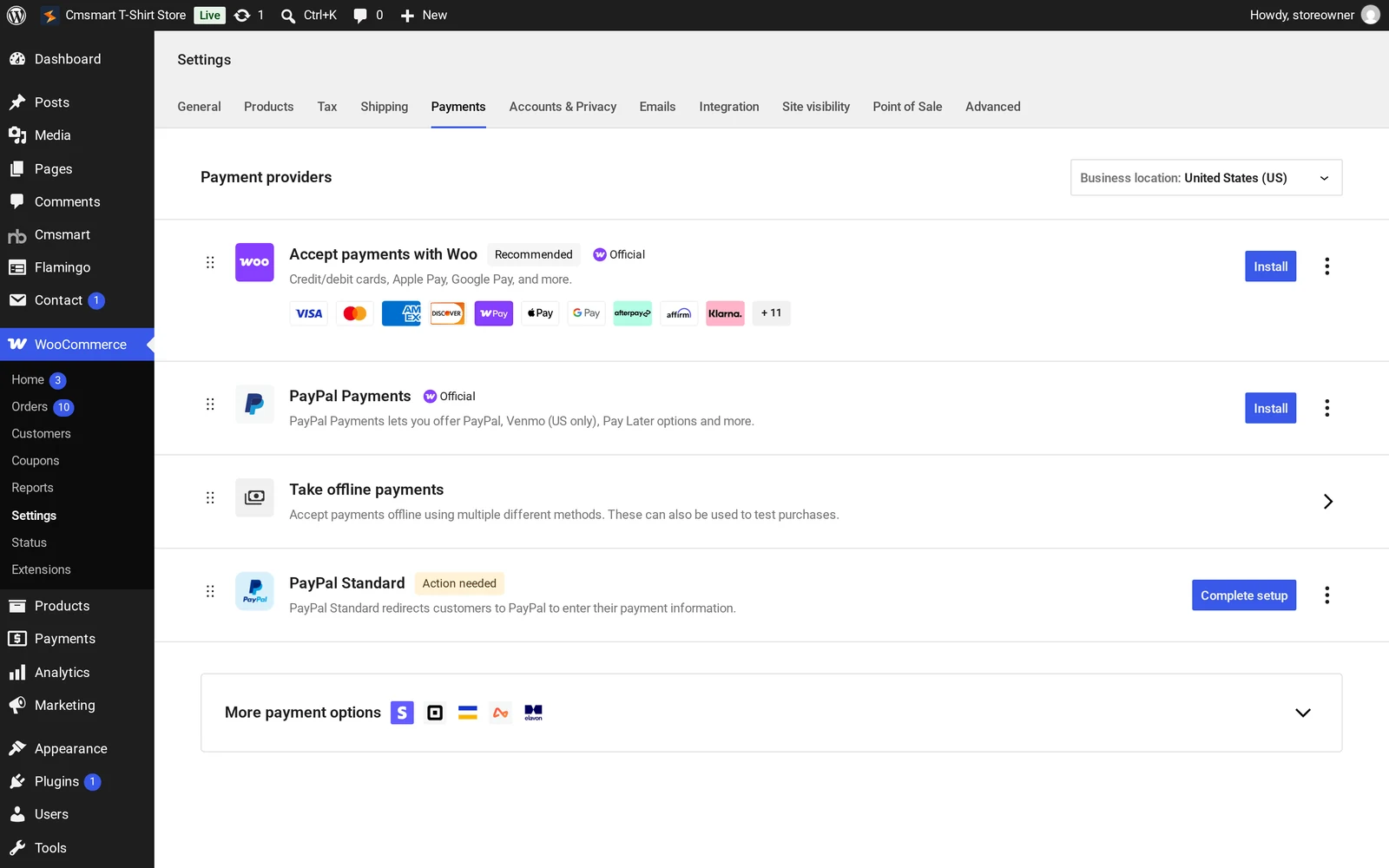
Turn on a payment method under WooCommerce > Settings > Payments.
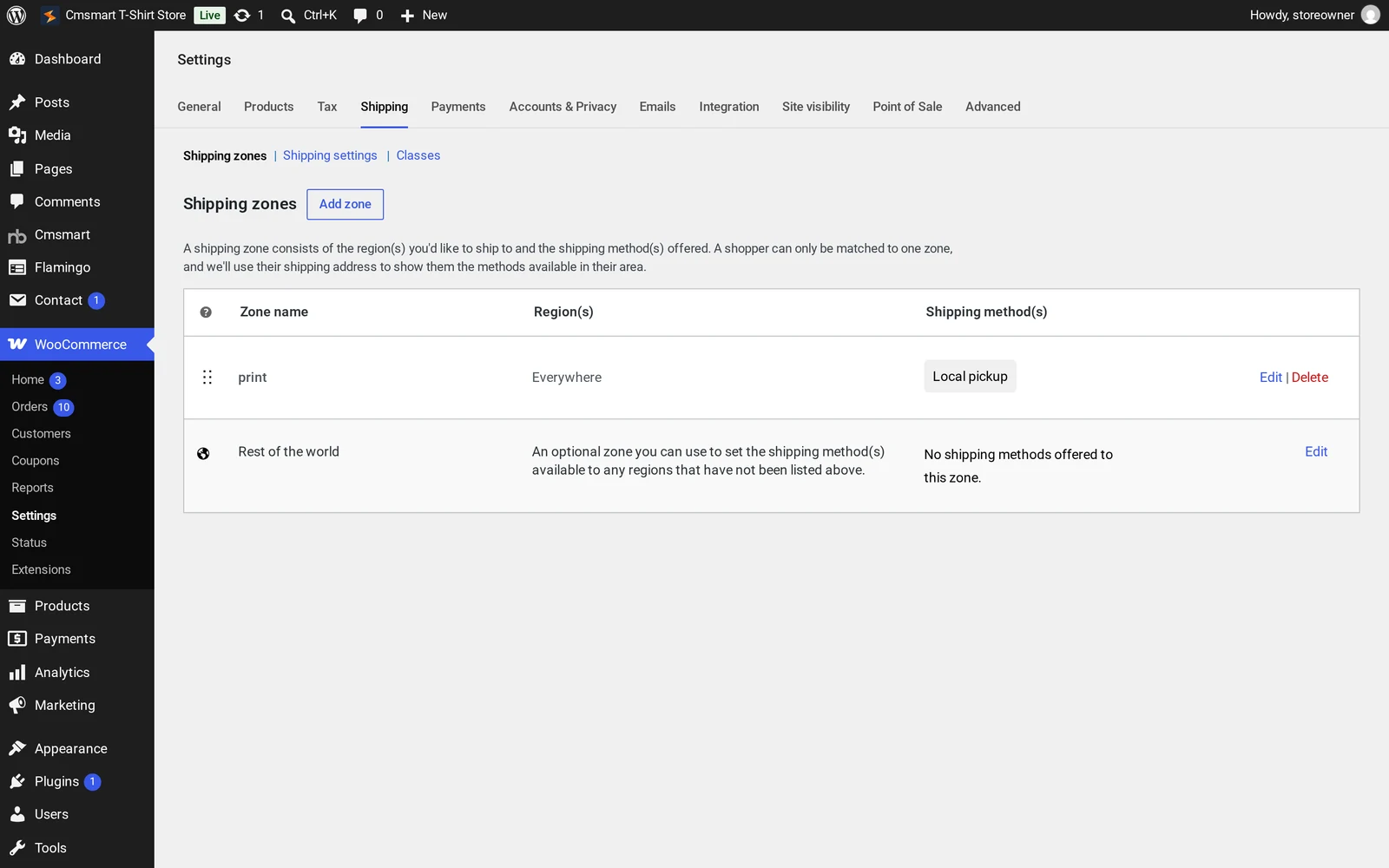
Configure a shipping zone under WooCommerce > Settings > Shipping — a shipping zone is the area you ship to and the methods that apply there.
Keep Cmsmart Product Designer up to date under Dashboard > Updates: the store bundles 2.18.3, and WordPress offers the 2.18.4 update.
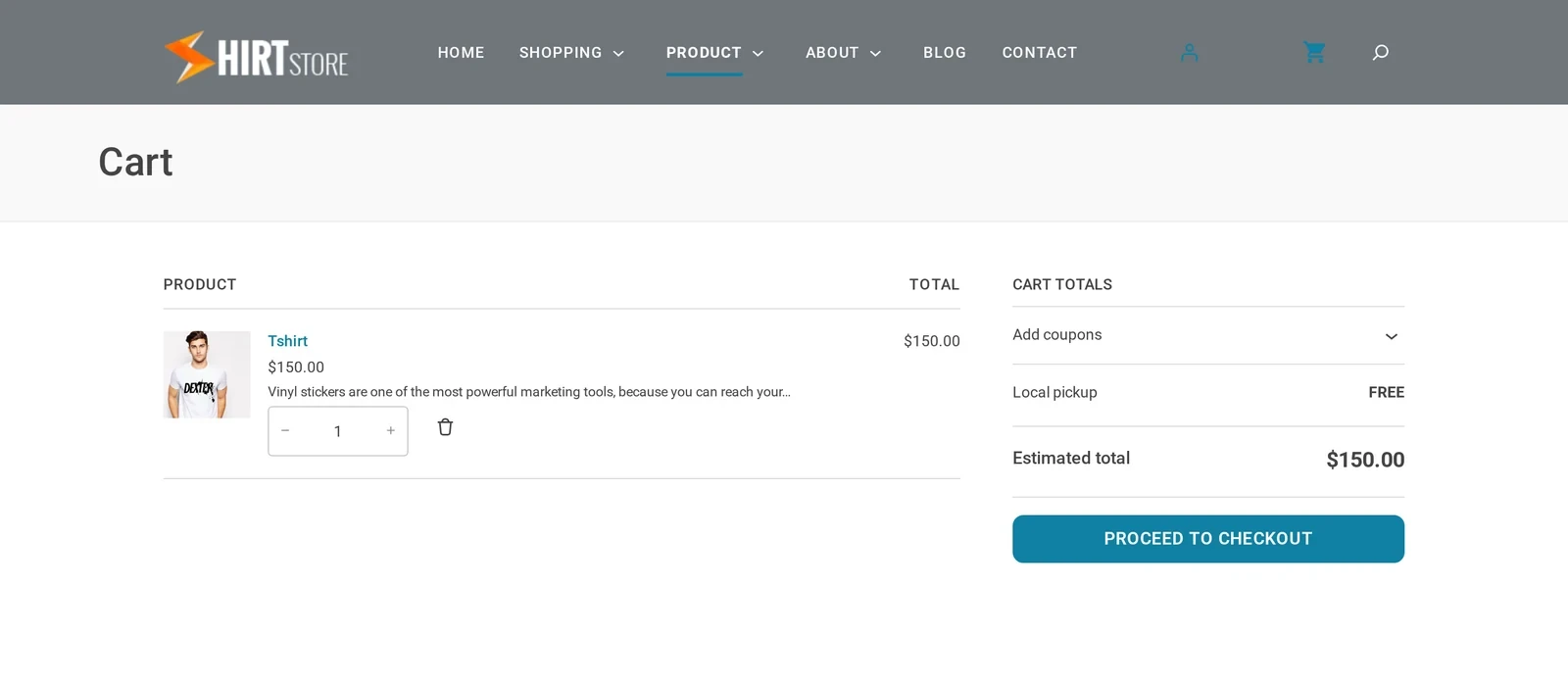
Run a full test order: open the product page, press Start Design, add it to the cart, and check the total — stop before entering real payment details.
Site Editor > Header template part: the Site Logo block and main menu.Pages > All Pages: the buyer-journey pages Store Setup v2 created.Products > All Products: the sample catalogue to review and replace before launch.The "Setting Cmsmart" box: Front and Back print areas with a 150 DPI setting.The "NBD options" box: connect this product to a printing option or price-matrix set here.WooCommerce > Settings > Payments: turn on at least one method first.WooCommerce > Settings > Shipping: add at least one zone and method.A designable product page: Start Design sits next to the price and Add to Cart.The cart after a test design is added — stop here before entering real payment details.
Go-live checklist
Sample catalogue replaced with your own products, prices and categories.
Real store address, currency and tax settings confirmed under WooCommerce > Settings.
At least one payment method fully configured, not just listed.
At least one shipping zone with a real method and rate.
Cmsmart Product Designer updated from the bundled 2.18.3 to 2.18.4.
A full test order placed and the order confirmation checked, including the design reference.
Store-specific tips for a t-shirt and apparel seller
Because the Cmsmart T-Shirt Store shares its catalogue, theme engine and designer with every Cmsmart Store preset, the fastest wins come from spotting what is generic versus apparel-specific.
Don't trust the demo names. Sample products can carry unrelated names and categories, as the insight box above shows. Confirm every title, image, price and category before publishing.
Reuse the Front/Back pattern. The demo product's "Setting Cmsmart" box models the print-area structure (Front, Back, 150 DPI) for every new style.
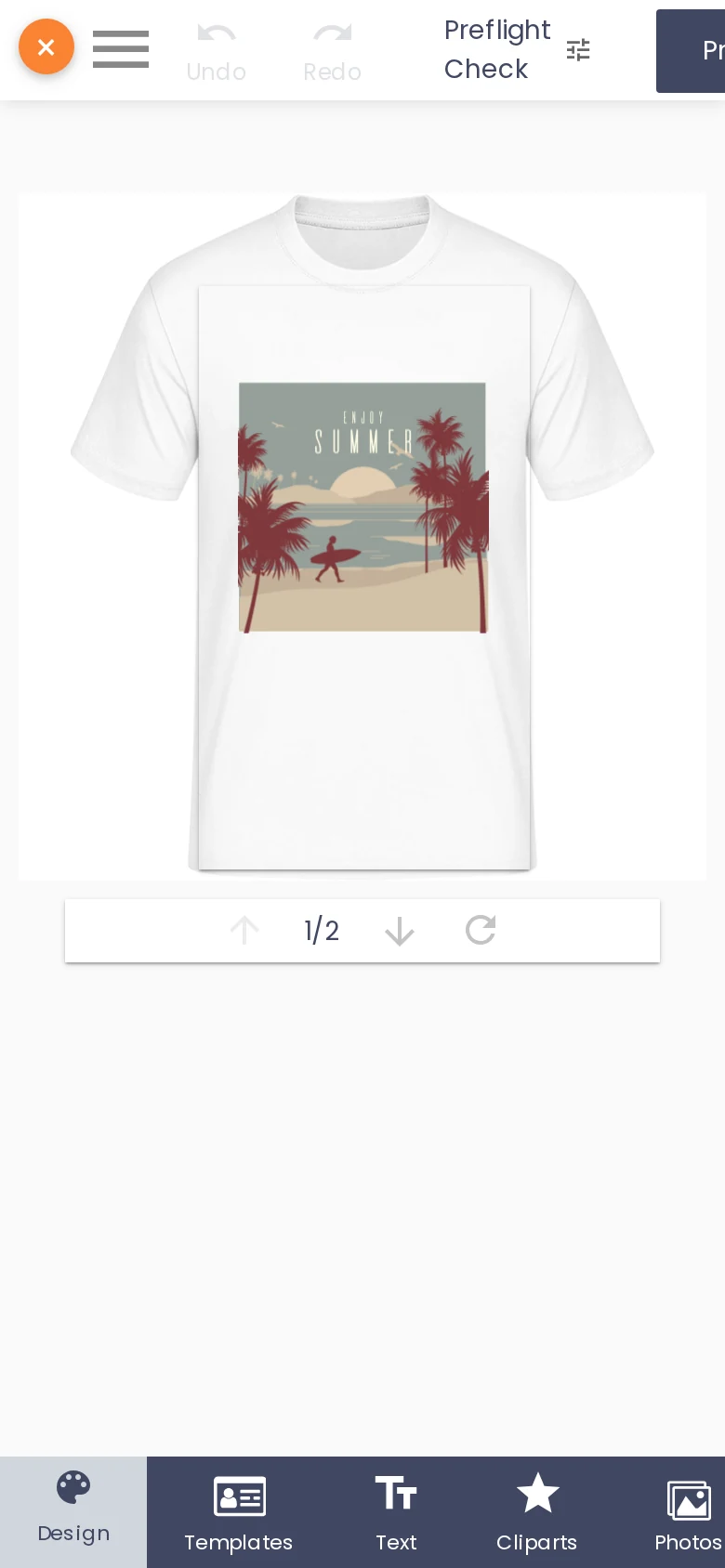
Check the phone experience early. Buyers often personalize a t-shirt on a phone; open the product page, press Start Design, and confirm the design area and toolbar are usable. Cmsmart Product Designer 2.18.4 widens the design area and fits the Process button on narrow screens.
Cmsmart Product Designer on a 390px phone viewport: the design area and mobile tool bar.
See it running live before you commit to a layout: the Cmsmart T-Shirt Store demo is the same preset this post walks through.
What custom development can Cmsmart build beyond the standard T-Shirt Store setup?
The preset covers one designable product with a standard print flow; Cmsmart builds the rest — gang-sheet layouts, fulfillment integrations and custom storefront work — as tailored development.
Apparel and POD sellers who scale past the basics typically come back for:
DTF gang-sheet builders. Laying out many small designs on one print sheet to cut film waste is not part of the core plugin; Cmsmart builds this as custom development.
ERP and fulfillment integrations. Pushing approved designs into a production queue or fulfillment API removes manual re-keying.
Custom pricing rules. Volume breaks, reseller tiers or bundle pricing beyond a standard price matrix.
Multi-location print routing. Sending an order to whichever print partner is closest to the buyer.
Background removal and upscaling already ship in Cmsmart AI, billed in AI credits on the same licence. Custom development is wiring that AI step into a bigger pipeline — auto-cleaning every upload on arrival and routing flagged artwork to a reviewer.
Cmsmart's delivery approach is the same whatever the feature: discovery, build, QA and launch, with support after go-live (see the delivery model).
Cmsmart has built and supported WordPress apparel storefronts since 2012 as a Netbase JSC division, with thousands of live client projects behind the Product Designer that now powers the T-Shirt Store preset.
With 6,300+ client projects and 1,800+ live stores since 2012, buyers of Cmsmart's apparel storefronts have said similar things for years: "I purchased the Teepro theme and absolutely love it! I ran into a few issues with setup and customer service was quick to respond and very helpful" — Vince Agwada, Trustpilot review. Cmsmart's overall Trustpilot rating is 4.2 from 404 reviews. See the Product Designer plugin page and the pricing page — the T-Shirt Store and five other presets are included from Fullstore up, each at version 2.0.1 (cmsmart.net/products, 2026-10-22). See all Cmsmart Stores if apparel isn't your only line.
Frequently asked questions
Can I use my own products instead of the demo catalogue?
Yes. The demo catalogue shows the product-edit screen and the Cmsmart Product Designer tab working on a real product; replace its items, images, prices and categories before you accept real orders.
Which plan activates the Cmsmart T-Shirt Store?
A Cmsmart Fullstore plan or higher activates it and the other five Cmsmart Store presets; see the pricing page.
Can I change the logo and colors without touching code?
Yes. The header and footer are Site Editor template parts built from blocks (Site Logo, menu, columns), so logo, menu items, colors and footer text are all editable visually.
Do I need a separate plugin for print pricing?
No. Each designable product has its own printing-options box where you connect a price-matrix or option set, so size, print sides and quantity affect the price without a second plugin.
Where do I check my store's revenue and orders without leaving wp-admin?
Open the Cmsmart menu and go to Overview: it shows revenue, orders and in-production cards, an AI token card, a 30-day revenue trend and your top products in one screen.
Why does my store ship with Cmsmart Product Designer 2.18.3 instead of the newest 2.18.4?
The 2.0.1 store package bundles 2.18.3 at the point it was built; once your store is live, the normal WordPress plugin update offers 2.18.4, released the same day.
Where do I customize the store further once the basics are set?
Applies to the Cmsmart Stores 2.0 release line — parent theme 2.0.0–2.2.0, the Printstores child theme family 2.0.0 and Cmsmart Product Designer 2.18.0–2.18.3 — built with Store Setup v2 · Updated October 2026. This guide shows how to customize WooCommerce block theme settings on a Cmsmart Store — colors, fonts, header and footer — in WordPress's own Site Editor, no code required.
In short
Outcome: a Cmsmart Store that reads as your brand, not the shared sample catalogue, within your first hour after Store Setup v2 finishes.
How it works: the install already activates WooCommerce, Cmsmart Stores Blocks and Cmsmart Product Designer on top of the Printstores (or B2B / Marketplace) parent and child theme; you brand it in WordPress's Site Editor and Settings screens, no CSS.
What it takes: a store installed by Store Setup v2 or the manual theme files, about 30-45 minutes, and your site title, logo and brand colors.
Customize WooCommerce block theme settings — site title, header, footer, colors and fonts — inside WordPress's built-in Site Editor on a Cmsmart Store, instead of writing CSS or filing a developer ticket; the theme, Cmsmart Stores Blocks and Cmsmart Product Designer are already active when install finishes, so the only job left is making the layout look like your business.
What's the cost of leaving a new Cmsmart Store on its sample branding?
A Cmsmart Store installed by Store Setup v2 runs live from minute one, but it opens with the sample catalogue and a generic site title and header, so Cmsmart gives you the Site Editor and Settings screens to replace that sample look with your own brand, no code required.
The pains we see in the hour after a Store Setup v2 install finishes, before a store is ready to share:
Sample catalogue, sample name. Every store set up through Store Setup v2 runs with sample data from the first minute, so a store still titled and stocked after the demo is visible to anyone who finds the URL from day one.
No Customizer to fall back on. The Printstores, B2B and Marketplace themes are all WordPress block themes, so the old Appearance > Customize screen isn't where colors and fonts live; every site-wide style change happens in the Site Editor's Styles panel instead.
Three moving pieces to keep straight. A finished store depends on the parent theme, the child theme, Cmsmart Stores Blocks and Cmsmart Product Designer all staying active together; a deactivated plugin breaks header blocks or the design tool with no obvious message pointing at the cause.
Developer cost for small tweaks. Paying an agency by the hour to swap a header layout or a color palette is expensive for changes most owners can make themselves once they know where the Site Editor keeps them.
A live store that still says "sample". Leaving placeholder copy and the sample catalogue live too long after launch reads as unfinished to the first real visitors.
What could your store's branding look like without touching code?
A Cmsmart Store's Site Editor lets a non-technical owner set the site title and icon, edit the header and footer, and choose brand colors and fonts, so the storefront reads like the business behind it in the first working session after install, no code editor needed.
Example scenario. A print shop owner finishes a Store Setup v2 install and opens WordPress admin. Plugins already show green — WooCommerce, Cmsmart Stores Blocks and Cmsmart Product Designer all active. In Settings > General they set their site title, tagline and site icon. In the Site Editor they swap the header's placeholder logo through the Site Logo block, then update the footer's columns and copyright line. The homepage still shows the sample catalogue — cataloguing is a separate guide — but the chrome already reads as their brand.
None of that touches a theme file, and it doesn't require removing the sample catalogue first — branding and cataloguing happen in either order. If you'd rather hand branding to Cmsmart, see Cmsmart Store preset installation & demo import.
How does Cmsmart let you customize WooCommerce block theme settings?
Cmsmart Stores ships every merchant a parent theme, a matching child theme, and the Cmsmart Stores Blocks and Cmsmart Product Designer plugins already working together, then puts every day-to-day brand change in WordPress's own Site Editor and Settings screens, so customization never touches theme files.
The building blocks a Store Setup v2 (or manually installed) store arrives with:
Parent theme. Cmsmart Stores (cmsmart-stores), 2.2.0 in the current release zips, supplies the shared template structure every child theme builds on.
Child theme. One of the six Printstores child themes at 2.0.0 — Print Shop, Gift, T-Shirt, Boxed, 3D Print or Boxed 2 — or Cmsmart B2B Store / Cmsmart Marketplace Store 2.0.1, each on its own parent theme.
Cmsmart Stores Blocks (2.1.2). The plugin behind the slider, carousel, product tabs and mega-menu blocks the store themes use in their templates.
Cmsmart Product Designer (2.18.3). The on-page product customizer for buyers; it doesn't change how you style the store, but it has to stay active for design-enabled products to work.
Site Editor (Appearance > Editor). Templates and template parts — Header and Footer included — open here for direct editing.
Styles panel. Typography, Colors, Background, Shadows and Layout apply across the whole site at once, the way WordPress's own Styles documentation describes; set your brand colors and fonts here.
Appearance > Themes after a manual install: the child theme active, with the Cmsmart Stores parent theme installed next to it.Plugins: Cmsmart Stores Blocks (2.1.2) and Cmsmart Product Designer (2.18.3) active next to WooCommerce before any branding starts.
Cmsmart insight: check the Plugins screen before you touch the Site Editor. If Cmsmart Stores Blocks is inactive, header and homepage patterns that depend on it render as empty blocks — easy to mistake for a theme bug when it's really one plugin not switched on.
Customizing a WooCommerce store: hand-coded theme vs. Cmsmart Stores
Classic WooCommerce theme + custom CSS
Cmsmart Stores (Store Setup v2)
Core plugin set
Search for and install each plugin yourself
WooCommerce, Cmsmart Stores Blocks and Cmsmart Product Designer already active when install finishes
Changing colors and fonts
Edit CSS, or pay a developer for each change
Styles panel in the Site Editor, no code
Header and footer layout
Theme-specific options or custom template code
Header and Footer template parts, edited directly in the Site Editor
Starting catalogue
Build every product from scratch
Sample catalogue from Store Setup v2, replaced with your own products
Fully bespoke brand design
Custom build from scratch
Not a built-in feature; Cmsmart builds it as custom development
What's the business value of branding your store properly before launch?
A storefront that matches your brand from day one looks more trustworthy than one left on sample branding and costs less to maintain, and Cmsmart's Site Editor tools get you there without a developer invoice for every small change.
Customization value
Benefit
How it shows up in your business
KPI to track
Faster brand launch
Site title, header and footer set in the Site Editor instead of a developer ticket queue
Hours from install finishing to a branded homepage
No unused plugin overhead
Only WooCommerce, Cmsmart Stores Blocks and Cmsmart Product Designer run by default
Active plugin count per store
Consistent brand everywhere
Styles panel changes and template parts apply site-wide, not page by page
Pages matching your current brand colors and fonts
Lower one-off dev spend
Routine layout and color tweaks handled in-house instead of billed hourly
Developer hours billed per month on cosmetic changes
Quick math: if small theme tweaks currently go through a developer at your hourly rate, doing the routine ones yourself in the Site Editor saves roughly (hourly rate) × (tweaks per month) × (minutes per tweak, often 15-30) ÷ 60, every month.
How do you set up and brand the Site Editor on a Cmsmart Store?
You confirm the theme and plugins are active on the Themes and Plugins screens, then set your brand in two places: Settings > General for the site title, tagline and icon, and Appearance > Editor for the header, footer, colors and fonts.
Finish installing your store first — either with Store Setup v2's installer file or the manual theme files route — before you start branding.
Open Appearance > Themes and confirm your child theme (for example Cmsmart Print Shop Store) shows Active, with the Cmsmart Stores parent theme installed next to it.
Open Plugins and confirm WooCommerce, Cmsmart Stores Blocks and Cmsmart Product Designer all show Active before you move on to design.
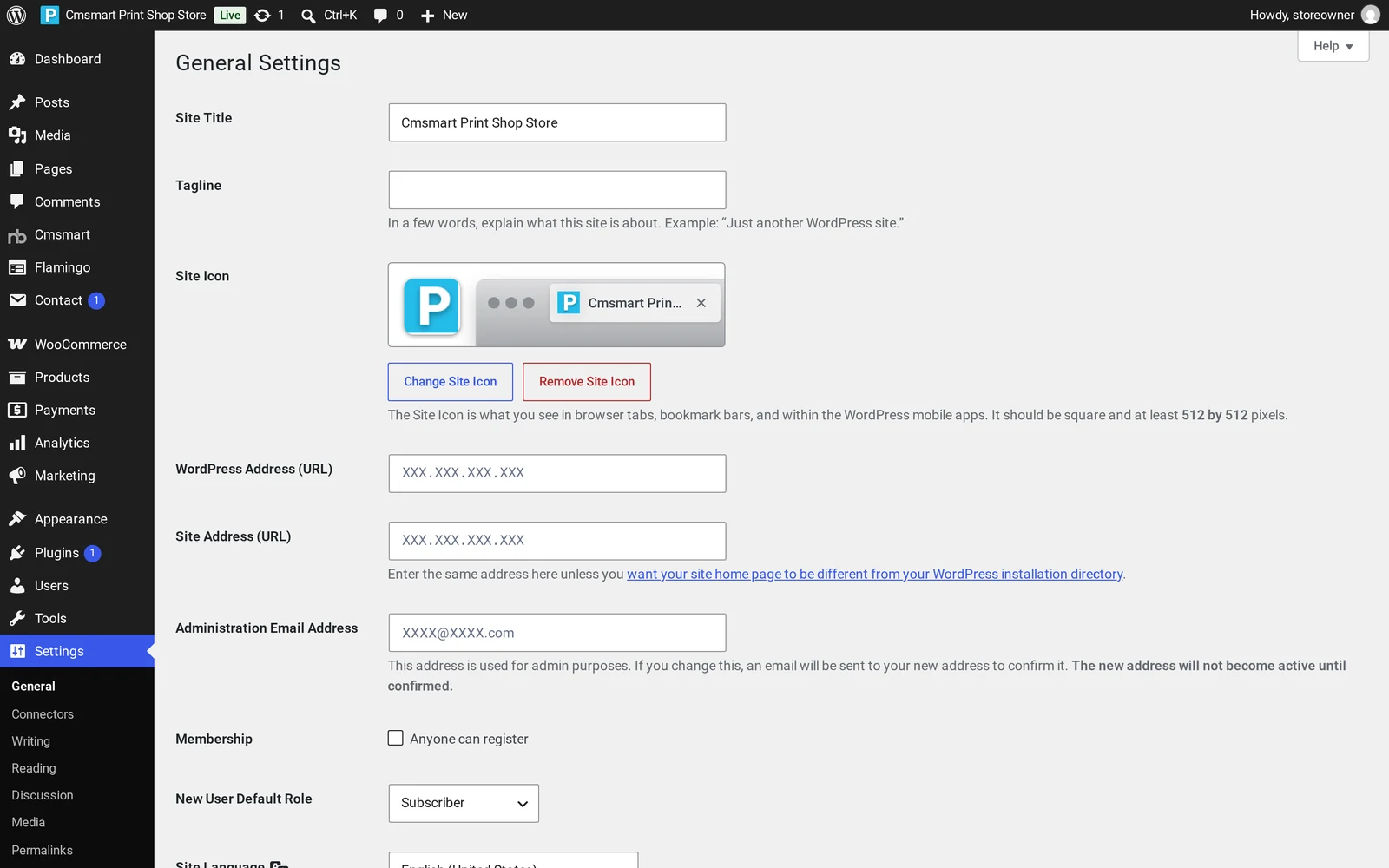
Go to Settings > General and set your Site Title and Tagline, then upload your logo as the Site Icon.
Open Appearance > Editor to launch the Site Editor.
Under Patterns > Template parts, open the Header template part: replace the logo through the Site Logo block, and check the menu and cart/account icons.
Still under Template parts, open the Footer template part and update its columns, support links and copyright line to match your business.
Click the Styles icon, open Colors and set your own brand palette; the change applies across every page immediately.
In Styles, open Typography and set your heading and body fonts.
Click Save in the Site Editor to publish your changes.
Settings > General: Site Title, Tagline and Site Icon — the first brand details to change.The Header template part open in the Site Editor: Site Logo, menu and cart/account icons live here.The Footer template part open in the Site Editor: columns, links and the copyright line.
Products, print options and the "Setting Cmsmart" pricing box are covered in each store's own setup guide — see Cmsmart Print Shop Store once branding is in place.
Once saved, the dashboard's own post-install checklist is worth working through:
Load demo images (paid key): Cmsmart > Store Setup > Load demo images, for the sample catalogue's full images instead of placeholders.
Remove sample data later in Cmsmart > Store Setup once you're ready to go live with real products.
Follow Tutorial: run your store, or the Launch checklist on My Stores, for what's left before launch.
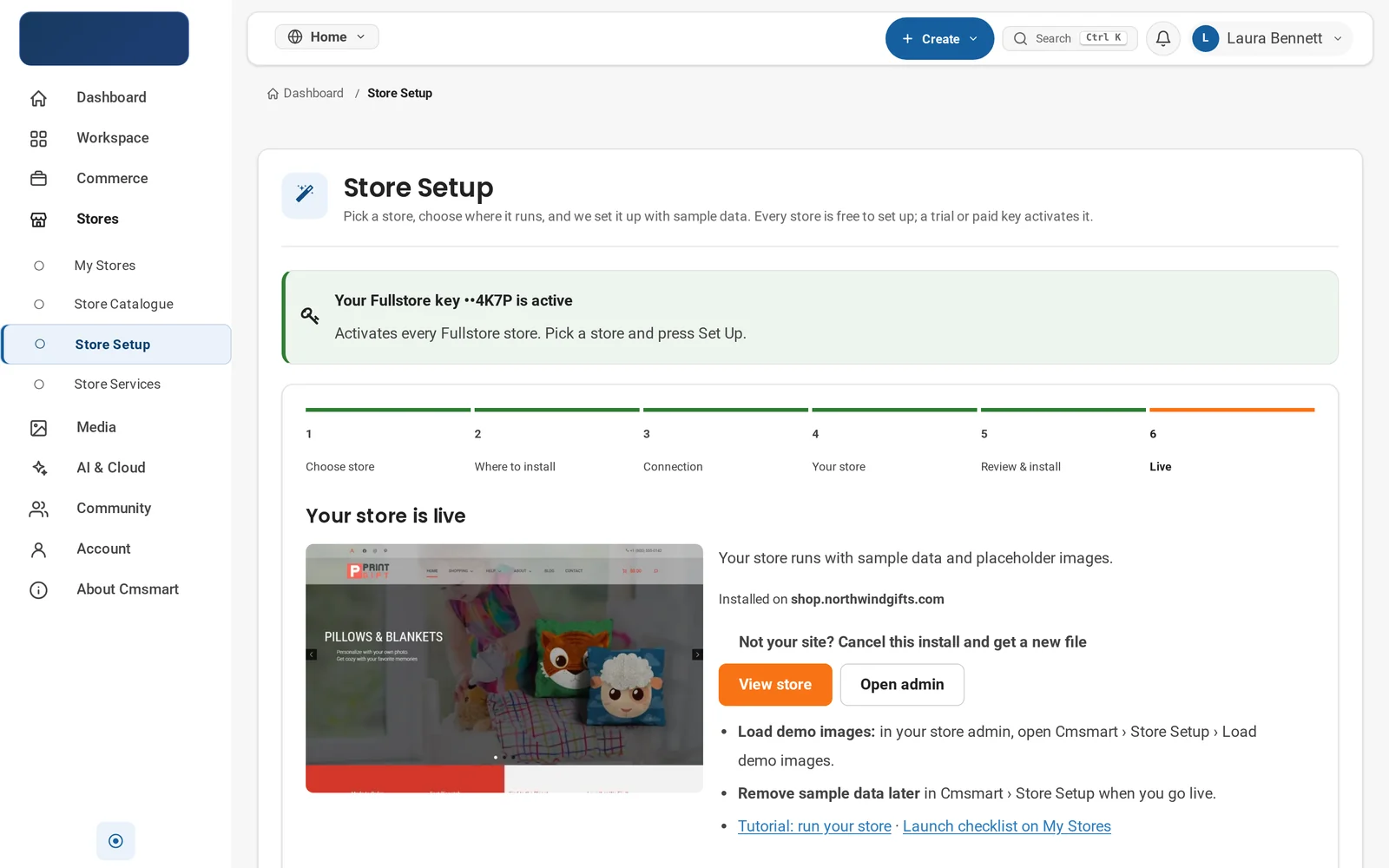
Store Setup's "Your store is live" step: View store, Open admin, and the checklist to work through after branding.
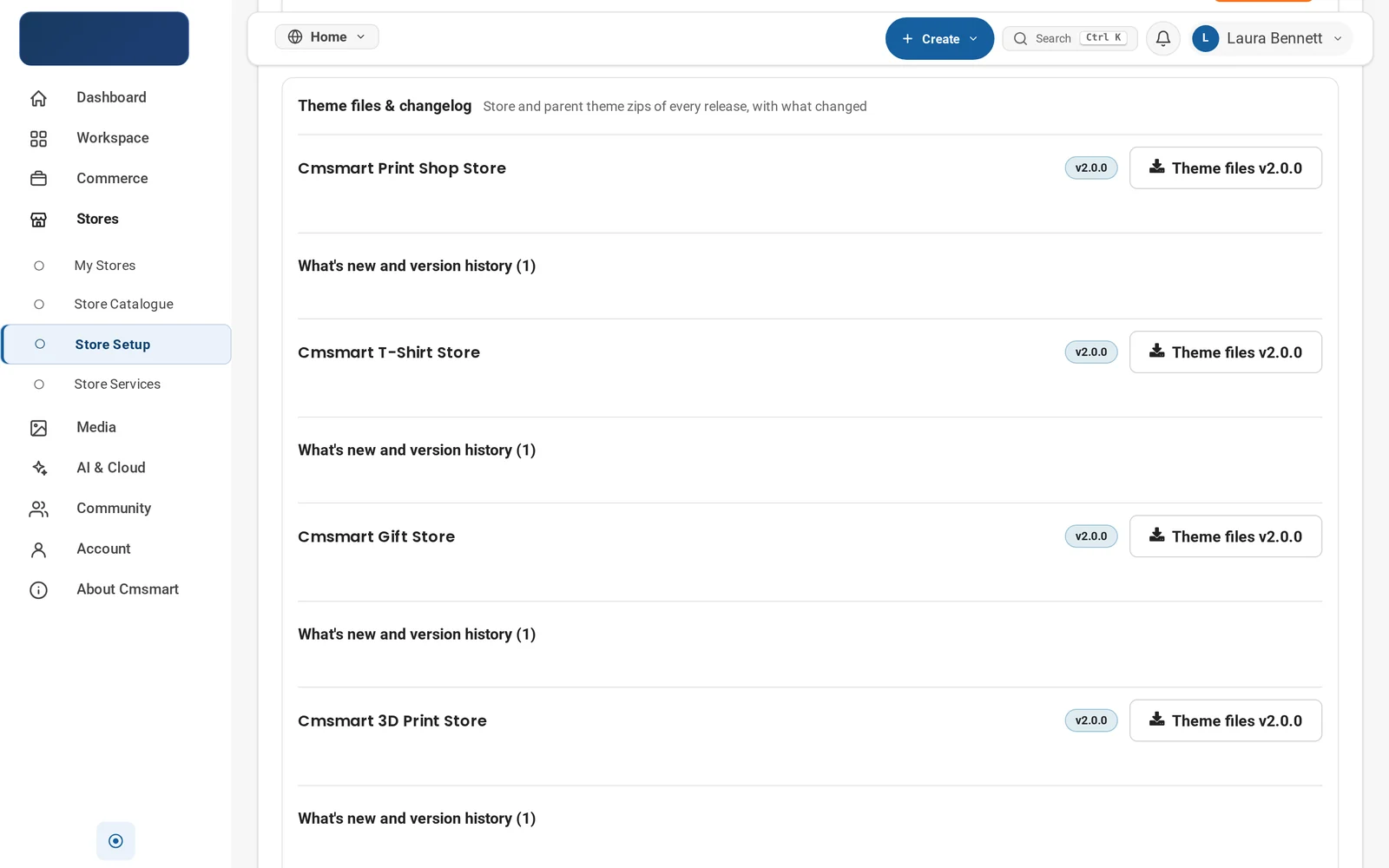
Keep it up to date. New versions appear in two places: the dashboard's Theme files & changelog panel, which lists every store with its current version, and each plugin's own update notice under Plugins once Cmsmart Stores Blocks or Cmsmart Product Designer has a new release.
Store Setup > Theme files & changelog: every store family with its version pill and a changelog link.
Cmsmart insight: never edit the parent theme directly. Your branding lives in the child theme's Site Editor templates and the Styles panel, which is exactly what survives a parent theme update; changes made by editing cmsmart-stores files itself get overwritten the next time you update it.
Going further: what if you want a fully custom store design?
The Site Editor's template parts and Styles panel cover most brand changes, but when a store needs a header or homepage beyond what ships in the theme, Cmsmart builds it as custom development: bespoke templates layered on top of your Cmsmart Store.
What we build on top of a branded store, project by project:
Bespoke header and homepage design. A layout beyond the theme's built-in template parts, built to match an existing brand identity exactly.
Catalogue and brand migration. Replacing the sample catalogue with products and styling moved over from an existing WooCommerce store or a different platform.
Custom patterns. Purpose-built sections — a price-matrix table, a gang-sheet pricing explainer, a 3D preview block — that the standard pattern library doesn't include.
B2B and Marketplace theming. Cmsmart B2B Store and Cmsmart Marketplace Store run on their own parent theme and plugin; we adapt vendor dashboards and multi-vendor branding project by project.
Plugin and performance audits. Reviewing a store's plugin list and page weight as it grows past the three core pieces.
Delivery runs the same way for every engagement: discovery, solution design, build sprints, QA on a staging copy, launch, then support. See the delivery model at Cmsmart ecommerce projects.
Cmsmart has built WooCommerce storefronts and the Cmsmart Product Designer plugin since 2012 as a Netbase JSC division, and Cmsmart Stores comes from that team — so the theme, Stores Blocks and the designer work together, including a print-ready PDF that matches the order once design-enabled products go live.
Cmsmart has delivered 6,300+ client projects and runs 1,800+ live stores in 80+ countries, rated 4.2 on Trustpilot (404 reviews). One long-time plugin user put it this way:
"We have had the NB Designer plugin installed for three years and have experienced absolutely no problems during that time. It is wonderful to see their commitment to continuous development, with new features being added frequently to keep the software current and highly capable." — Web Developer, Trustpilot review
What size should my logo be for the Site Logo block?
Upload a square image of at least 512 by 512 pixels for the Site Icon, and a wider horizontal version for the Site Logo block in the header, since the header template part displays it next to the main menu rather than cropped to a square.
How do I change my store's colors and fonts?
Open Appearance > Editor, click the Styles icon, then Colors for your palette and Typography for heading and body fonts. Both apply across the whole site immediately after you click Save — no CSS and no separate page-by-page changes.
Can I use a different page builder instead of the Site Editor?
You can activate a page builder plugin alongside Cmsmart Stores, but the theme's own header, footer and homepage patterns are built as WordPress block templates; mixing in a different builder for the same templates usually means rebuilding those sections rather than editing them together.
Will a theme or plugin update erase my branding?
No, as long as your changes live where they belong: the Site Editor's Styles panel and your child theme's template parts, not the parent theme's files. That's why Cmsmart ships a parent-and-child theme pair — your customization survives parent theme and plugin updates.
Do Cmsmart B2B Store and Cmsmart Marketplace Store customize the same way?
The Site Editor workflow is the same. Cmsmart B2B Store and Cmsmart Marketplace Store (both 2.0.1) run on their own parent theme and ship with their own plugin — Cmsmart B2B or Cmsmart Marketplace — instead of a Printstores child theme, so confirm that plugin is active too before branding.
Do I need the Cmsmart Product Designer plugin active just to brand the theme?
No. Site Editor branding — site title, header, footer, colors, fonts — works as long as the active theme and Cmsmart Stores Blocks are in place. Cmsmart Product Designer only needs to be active once you're ready for buyers to personalize design-enabled products.
Customers pay a higher amount for brand products because the brand has created a perception of quality, consistency, and trust. Leading brands are more than just products or services, they evoke memories and emotions associated with quality. When your customers trust a brand, they become loyal. When they become loyal, they buy more. So how to add Shop by Brand feature in WordPress T-shirt design theme with online design?
Reasons Why People Buy Brands
People always want comfort, happiness, and satisfaction in life. So if the brands they use consistently deliver a positive experience which gives them peace of mind when buying they will keep buying and become a loyal customer of those brands for sure. Therefore, repeat customers raise the profits of brand products much more than generic brands. And Wordpress Tshirt theme is a great wordpress themewill help you do that.
In addition, picking a brand product helps reduce the clutter, making it easier for your customers to find what they are looking for. Despite spending hours choosing what to buy among tons of product, they will choose one brand that is popular and trustworthy. Brand products will offer safety and reduce the risk of disappointment. Why do people pay higher prices for brands compared to unbranded or generic products? Is it better quality, the look, and feel, or is it the brand’s stature in society? It’s probably a combination of each. Also the brands people use make a statement about who they are and who they want to be.
For any business, it’s always been essential for developing brand names and images. Branding is the process to create a strong, positive perception of a company by combining elements like – design, logo, information, and mission statement, etc. through marketing communications. A brand can provide a competitive advantage if your e-commerce product has many competitors. People usually buy from brands they like most.
How To Add Shop By Brand Feature In WordPress T-Shirt Design Theme With Online Design
The Shop by Brand for WordPress helps create new brands and assigns products to corresponding brands. Using this extension, customers are able to discover particular brands and their products or find out the brand to which products belong.
You only need to follow 4 easy steps as below:
Step 1: Enable plugin
Step 2: Add a new Brand
Step 3: Add Widgets
Step 4: View product
Have you found the suitable WooCommerce Brand Plugin for your store? We hope this article was helpful to you. Click here if you want to find more detailed information about our T-shirt Print website with Online design package. If you have any questions about this product, please contact us or https://cmsmart.net/support_ticket/. We will answer all your questions. Special, don't forget to use coupon code MAR_DL to get 18% Discount for this item. View Demo: Wordpress Tshirt Solution Demo
WooCommerce is a free and open-source plugin designated for Wordpress. It provides a friendly and convenient platform for every form of online business. WooCommerce consists of various features namely delivery, payment methods, choosing of products, etc. However, in respect of clothes retailers, there still be a challenge to them as well as their customers as WooCommerce has not developed any plugin for color swatch features which would gain a competitive edge for those retailers if it were put in. Our guideline below will introduce you to Variation Swatches for WooCommerce. It will help you present product colors, sizes, styles and many things in a better way.
Variation Swatches for WooCommerce plugin provides you a more convenient way to display variations of your products without making changes to the default drop-down style of WooCommerce. Your target audience is now allowed to swatch different colors, sizes, styles, the label on each product to find a perfect order as their wishes.
Perfectly integrated with Wordpress: As Variation Swatches is designated for Wordpress, it could perfectly replace the dropdown fields with color and image swatches without incurring any further malfunction.
New options: Variation Swatches gives you the opportunity to get accessed with new options such as creating Image, Color, Label or Radio Swatches, style swatch as Square of Circle, creating unlimited Color Swatches, create color and image swatches on a per-product basis, etc.
Friendly display: Let's say this is the most significant advantage of Variation Swatches Compared to other like plugins. As it helps you re-organize your shopping page with detailed and unduplicated image of products. There are also options for styling the swatch button style. You can choose either Round Edge or Sharp Edge As long as it fits your page’s overall theme.
Easy for administrators to operate: Variation Swatches Display is so well-documented that you could smoothly operate on first try without any user manual templates. Even if you need one, we would be pleased to give you detailed guidelines as our caring system is 24/7 available.
Convenient for customers to swatch: Attribute swatches act like a catalyst in increasing customer interaction on the online store. It’s easier for customers to access the variations options if they are right in front. With the application of per-product attribute swatch, you can show the color and size variants on the screen and no more drop-down list headache is needed. Your potential customers could also zoom the swatch image on hover and have a clear look on their chosen products.
Variation Gallery Images: This attribute may help you in presenting your product in a better way. You can use it to present the different views of your product like top view, front view, and side views.
Making a contribution to sales: Variation Swatches is, too, equipped with Taxonomy colors and images to show global attributes per product that reaches a variety of clients. If The frontpage is designed scientifically, sales will increase rapidly soon.
Frequently updated features: Our product will be updated monthly to improve and make use of every feature every day.
Tutorial video to config and using color swatch feature in wordpress Tshirt solution
We hope you find our guideline helpful. Now you can config and use the swatch feature in Wordpress for the T-shirt design theme. For more product information, please access Tshirt Woocommerce Solution Demo. Please do not hesitate to raise further questions about our products, contact our Sales Consultant Manager for your convenience. And do not forget to use coupon code MAR_DL to get 18% Discount for this item.
T-shirt Printing included many standard and advanced features for e-commerce sites in general as well as printing sites in particular. There are many unique and sophisticated themes available on this printing package. Present your site in a creative way with Multiple layouts, ultimate customers can view your site via any device such as desktop, tablet or smart mobile. This is one of the important factors to increase revenue that you cannot miss. In the previous article, we are honored to introduce The way to create and update pages in the t-shirt solution to you. Hence, we would like to show some information about setting up and using Frequently Bought Together in Tee-Pro Solution today.
Your customers often do not need just one product, they need inspiration from other products could fit the one they bought or would buy. For instance, when I tend to buy a smartphone, I might buy a charger or a case along with it. However, how can I determine what fits best on my smartphone? Our WooCommerce plugin could answer this question. You can frequently buy together (FBT) products OR, and that might be more interesting, our plugin automatically matches bought together products via Cart or Purchased algorithm.
Frequently Bought Together in Tee-Pro Solution
Frequently Bought Together in Tee-Pro Solution is a highly effective plugin which is developed for assisting online businesses in improving sales and profits through the cross-selling marketing strategy. Especially, offers are given as bought-together suggestions at the bottom of the single product description page. Visit our Demo to know how this plugin works.
Technically, which gives a way for shop owners to get all associated with products together and put them during a deal for an excellent price. This acts as a great reminder for patrons to think about things that they could go to buy alongside the currently being viewed product. Put marketing campaigns focus on target cross-selling, upselling. Customers love getting a deal on items that they need to buy anyway, so promotions will always get you more traffic. To increase your chances of getting picked as a Frequently Bought Together item, aim to get customers to buy multiples of your products through promo campaigns. Don’t forget to use the “Add Both to Cart” button for these promotions.
Tutorial video of setup and use Frequently Bought Together in Tee-Pro Solution
Step 1: Enable Frequently Bought Together
Step 2: Setting Frequently Bought Together for product
Step 3: View product
How to set up and use Frequently Bought Together in Tee-Pro Solution?
After this post, I hope that you’ll know how to set up and use Frequently Bought Together in Tee-Pro Solution. Sure to make the right choices. If you have any questions about your products, you could contact us with the information below or here https://cmsmart.net/support_ticket. He is always willing to answer all of your questions. Remembering to use coupon code MAR_DL to get 18% discount for this item. Many thanks!
Today’s international markets are becoming more and more popular. In particular, small businesses have more opportunities with the multinational market. However, every country has its own payment culture, which leads to a wide variety of payment methods and foreign currencies that businesses face to face.
Do not worry about that! If you are a shop website owner on the WordPress Platform, you can easily install Multi-Currency for the WooCommerce plugin for your site. With the Multicurrency feature, you can custom foreign currencies in your webshop. Then, your customers can pay with the currency that they want. Choosing one currency they know and trust makes people feel more secure about your order and will consequently increase your business growth abroad.
Now, the Woocommerce Multi-currency plugin has been integrated into WordPress Tshirt Solution (Tee-Pro Solution). In this article, I will tell you " How to Add Multi-Currency Feature in WordPress T-Shirt Design Theme with Online Design?". Here we go!
What is the Woocommerce Multi-currency plugin?
WooCommerce Multi Currency is a plugin for WooCommerce powered online store that allows to switch to different currencies easily and create a current exchange rate converter without limit WooCommerce Currency. It accepts payment with only one currency or all currencies. WooCommerce Multi Currency is a free plugin.
How to add Multi-currency feature in WordPress T-shirt
You must install Tee-Pro Solution for your WordPress Woocommerce Website. Please visit CMSmart and try our eCommerce Solutions! Now, Let's Start
Step 1: Add currency: Firstly, you need to go to the Backend page. Then access NBT Solution -> Currency Switcher. Then Click Add Currency: Select currency, currency symbol, position display, exchange rate, etc.
Step 2: Add currency in Menu: Go to Appearance on the Backend page, click Menus. There is WC currency Switcher in this Module, Click currency Switcher and add to the menu. Save Menu!
Step 3: Go to Frontend and view, check: On your site, you will see the currency unit on the left of the header of your page. Click on it, You can change the currency type you want.
That Above is "How to Add Multi-Currency Feature in WordPress T-Shirt Design Theme with Online Design?". I hope this article has brought you some useful information. You can try this product at WordPress T-shirt Package DEMO. If you need any help figuring please feel free to contact Our Support team and we will be happy to help. If you have any questions about the product, please contact us at the contact information below or here https://cmsmart.net/support_ticket. He is willing to answer your questions. Remembering to use coupon code MAR_DL to get 18% discount for this item.
Thank you for reading and keep following us to get more information in the next article! Bye, See you soon!
Applies to Cmsmart Product Designer (NBDesigner) 2.17.0 · Updated October 2026. Verified against the 2.17.0 changelog and live captures from the Cmsmart demo store on nbdesigner.cmsmart.net.
In short
A WooCommerce t-shirt artwork approval workflow turns a customer's uploaded photo or logo into a signed-off, print-ready file your press can trust, with no email thread.
Cmsmart Product Designer puts the upload, the proof status and the print-ready PDF on one order screen, so your team accepts or declines each design and tells the customer why.
It takes an afternoon to set the upload rules and approval settings on your t-shirt products, with no custom code.
A WooCommerce t-shirt artwork approval workflow lets print-on-demand sellers turn a customer's uploaded photo or logo into a signed-off, print-ready file without a single email thread. Cmsmart Product Designer puts the upload, the proof and the print-ready PDF on one order screen, so your team accepts or declines artwork, tells the customer why, and ships with confidence.
Most POD t-shirt stores still run this the hard way: a customer emails a logo, someone checks it is the right size, a reply asks for a bigger file, and the order sits in a folder. This guide makes the business case for moving that exchange onto the order screen, using only what Cmsmart Product Designer (formerly NBDesigner) does today, verified against the 2.17.0 changelog and today's live demo captures.
Why Does Artwork Still Cost T-Shirt Sellers Reprints and Refunds?
Cmsmart Product Designer keeps artwork, approval and the print file together on the order, so a t-shirt seller stops losing margin to the cost of chasing files, guessing resolution and reprinting designs nobody actually signed off.
A custom t-shirt order has more moving parts than a standard SKU: the customer's own artwork, a proof step, and a print file that has to match what was approved. When any one of those lives in an inbox instead of the order, the cost shows up later, usually as a reprint.
Files arrive late or wrong. A customer's logo turns up after the order is placed, in the wrong format, so production waits on a reply.
Nobody signed off on the final version. A design gets tweaked after a verbal "looks good," and the wrong version goes to the printer.
Low-resolution art reaches the press. A phone photo prints blurry on a large chest design, and the customer only sees it on delivery.
Staff time disappears into back-and-forth. Every proof-by-email thread is a person checking a thread instead of running the press.
Reprints eat the order's margin. A single reprint on a bulk t-shirt order can cost more than the profit on the whole order.
Cmsmart insight: in our delivery projects, most of these reprints trace back to one step: nobody checked the uploaded file at the point the customer ordered it, so a problem that takes five seconds to catch at upload becomes a five-day delay at the press.
What Could a Smooth Custom T-Shirt Order Look Like?
Cmsmart Product Designer lets a shopper upload their own photo straight onto the t-shirt canvas, see it on the product, and check out, while your team gets a proof to approve before it ever reaches production.
Picture the order from the customer's side. They land on your men's t-shirt product page, press Start Design, and the online designer opens with the shirt already on screen. They drop in a photo from their phone and watch the shirt update as they work — no install, no app.
Example scenario: a shopper designing a gift t-shirt uploads a family photo inside the online designer, adds a caption, and presses Process. A thumbnail of the finished design appears under Your artwork, they add it to the cart and check out. On your side, the order lands with the design, a queued print-ready PDF and a Pending review proof status — nothing is sent to print until your team looks at it.
That single change — proof and print file attached to the order instead of scattered across emails — is the difference between a t-shirt business that scales past a few orders a day and one that stays bottlenecked on one person's inbox.
Cmsmart Product Designer already does this today, and talk to a Cmsmart ecommerce expert if you want help mapping it to your own product range first.
How Does Cmsmart Handle T-Shirt Artwork Approval End to End?
Cmsmart Product Designer connects the online designer, the cloud render engine and the order screen, so t-shirt artwork approval happens in one place: your team accepts or declines the exact file the customer uploaded.
Three Cmsmart Product Designer modules do the work, each verified against the current plugin: Online Designer (upload and place artwork), Print-Ready Files (the automatic PDF render) and Artwork Approval (your team's sign-off). Here is each one on a real t-shirt product on the Cmsmart demo store.
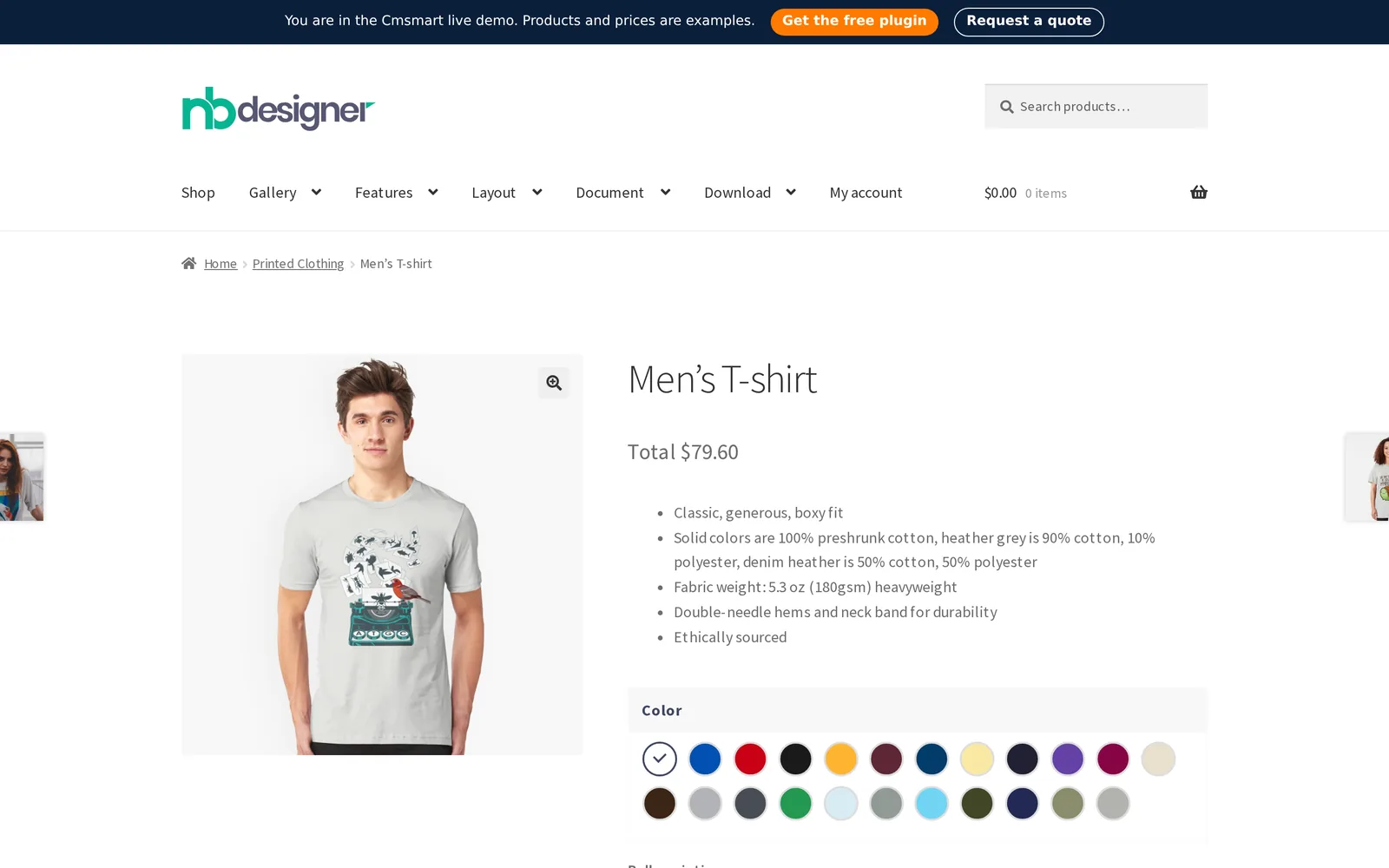
The product page where the buyer starts: color choice, price and a Start Design button.The online designer opens directly on the product, with Text, Cliparts, Photos and Elements panels.The buyer's own photo, placed and resized on the shirt from the Photos panel's Upload option.After Process, the finished design appears under "Your artwork" before the customer adds it to cart.
Building blocks that make this work together:
Storefront entry point — the WooCommerce product page with a Start Design button (in the plugin today).
Online Designer canvas — text, photo upload, cliparts and layers on the product (in the plugin today).
Cmsmart Cloud render engine — builds the print-ready PDF in the background when the buyer clicks Process (in the plugin today, since 2.16.0).
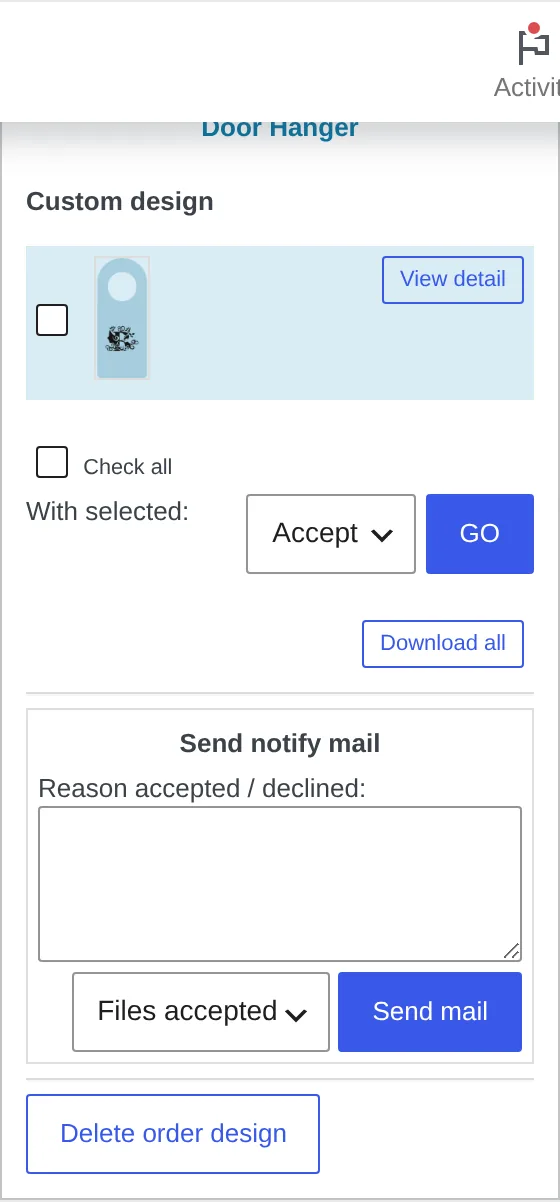
Artwork Approval queue — the Customer Design box on the order, where your team accepts or declines (in the plugin today).
Your production system — where the approved, print-ready file goes next (custom development when it needs to connect to an MIS, RIP or hot folder).
Once the order is placed, the print-ready PDF that matches the order is queued automatically. Since 2.17.0 the automatic render uses the same page geometry as the admin's own Create PDF, including any custom size the buyer chose, so the order screen and the print file agree.
Example order screen: print-ready PDF status, who rendered it, and a Regenerate button — the same screen every product's order uses, including t-shirts.
Email-and-spreadsheet artwork handling vs. Cmsmart's order-screen workflow
Step
Manual / email workflow
Cmsmart Product Designer
Where artwork arrives
Inbox, chat or a file-sharing link, separate from the order
Attached to the order item the moment the customer checks out
Resolution check
Caught (if at all) when your designer opens the file
Minimum DPI rule can be set per product on upload
Who signs off
Whoever replies to the email thread last
One Customer Design box on the order, with an Accept / Decline action
Print file
Exported by hand once the design is "final"
Print-ready PDF queued automatically when the buyer clicks Process
Risk of printing the wrong version
High — edits after approval are easy to miss
Approved artwork is locked on the server since 2.17.0
What's the Value of a Reliable T-Shirt Artwork Workflow?
Cmsmart Product Designer turns artwork handling from a support cost into a measurable part of your t-shirt business: fewer reprints, faster turnaround and a team that spends its time printing instead of chasing files.
Business value of an order-screen artwork workflow
Benefit
How it shows up in your business
KPI to track
Fewer reprints
Low-resolution or wrong-version artwork is caught before it reaches the press
Reprint rate per 100 orders
Faster turnaround
Proof and print file are ready the moment the order is placed, not after an email chain
Hours from order placed to production-ready
Less staff time on admin
One Customer Design box replaces searching inboxes for the right attachment
Minutes of staff time per order on artwork handling
Fewer abandoned carts
The customer sees their own design on the product before they pay
Add-to-cart rate on designed products
Rough ROI worksheet — plug in your own numbers: (minutes your team currently spends per order chasing or checking artwork × orders per month × your hourly staff cost) gives you the monthly cost of the manual process. Compare it against (your current reprint rate × orders per month × cost per reprint, including shipping) to see how much a caught-early check could save before you even count the staff-time saving.
How to Set Up Artwork Upload and Approval for Your T-Shirt Products
You switch on the online designer and upload rules per product, set the file and resolution limits once in Cmsmart's settings, and your team reviews artwork from the same order screen as every other order.
None of this needs custom code. Here is how to set it up on a t-shirt product in Cmsmart Product Designer 2.17:
In wp-admin, open the t-shirt product and switch on Enable Design so the Start Design button appears on the product page.
Under the product's Upload design settings, confirm customers can upload their own photo inside the designer (the Photos panel's Upload, Dropbox, Google Drive and other sources).
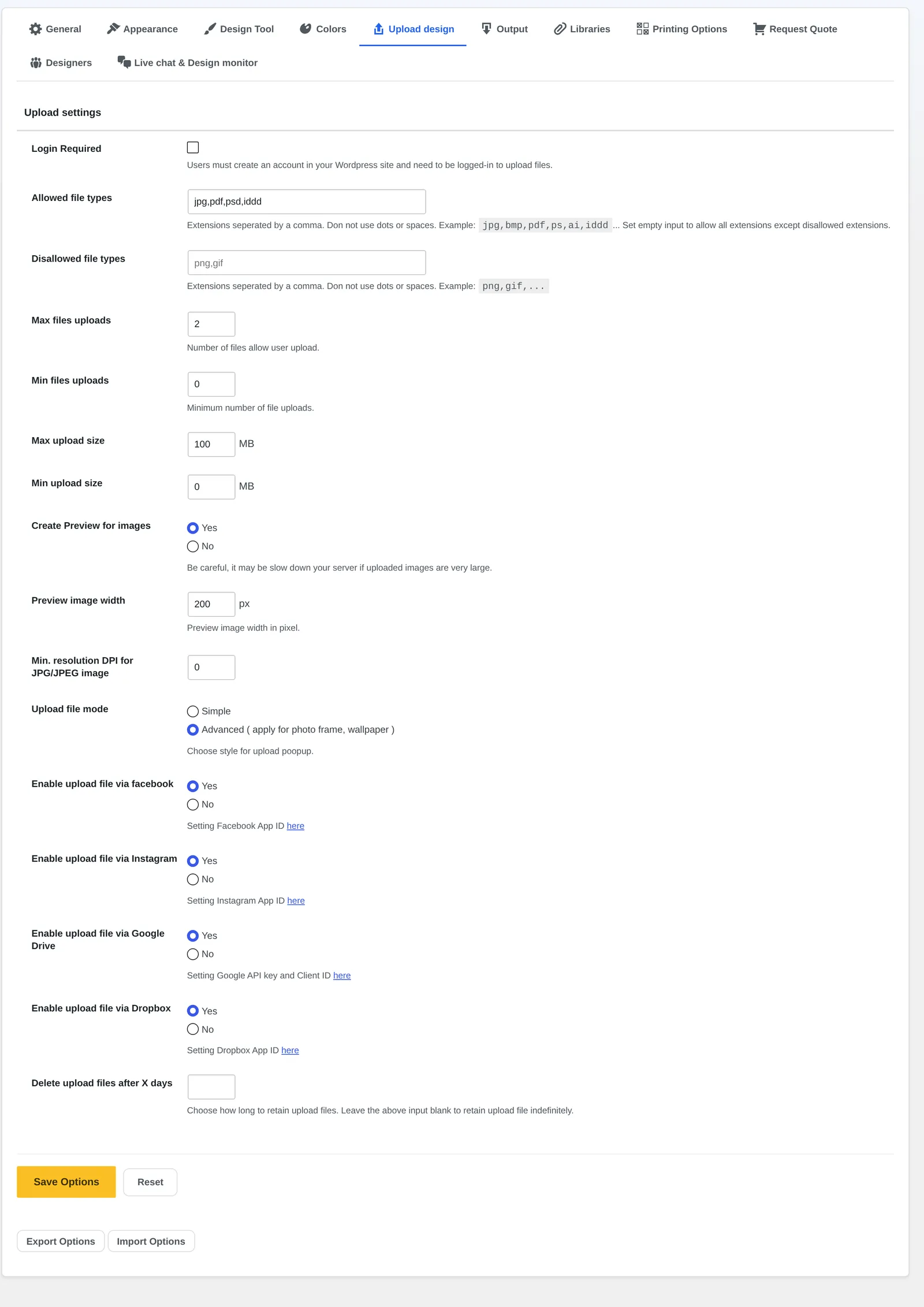
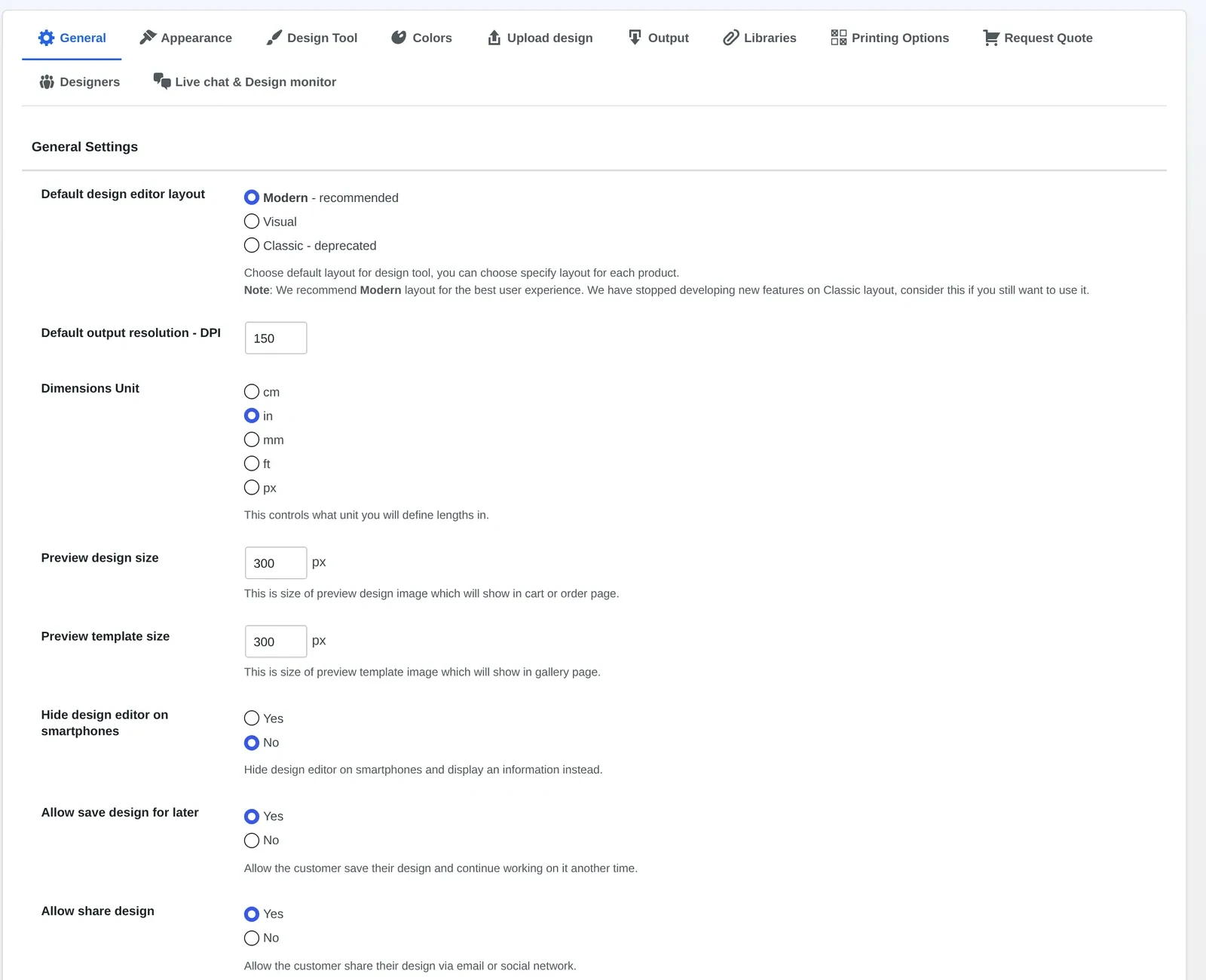
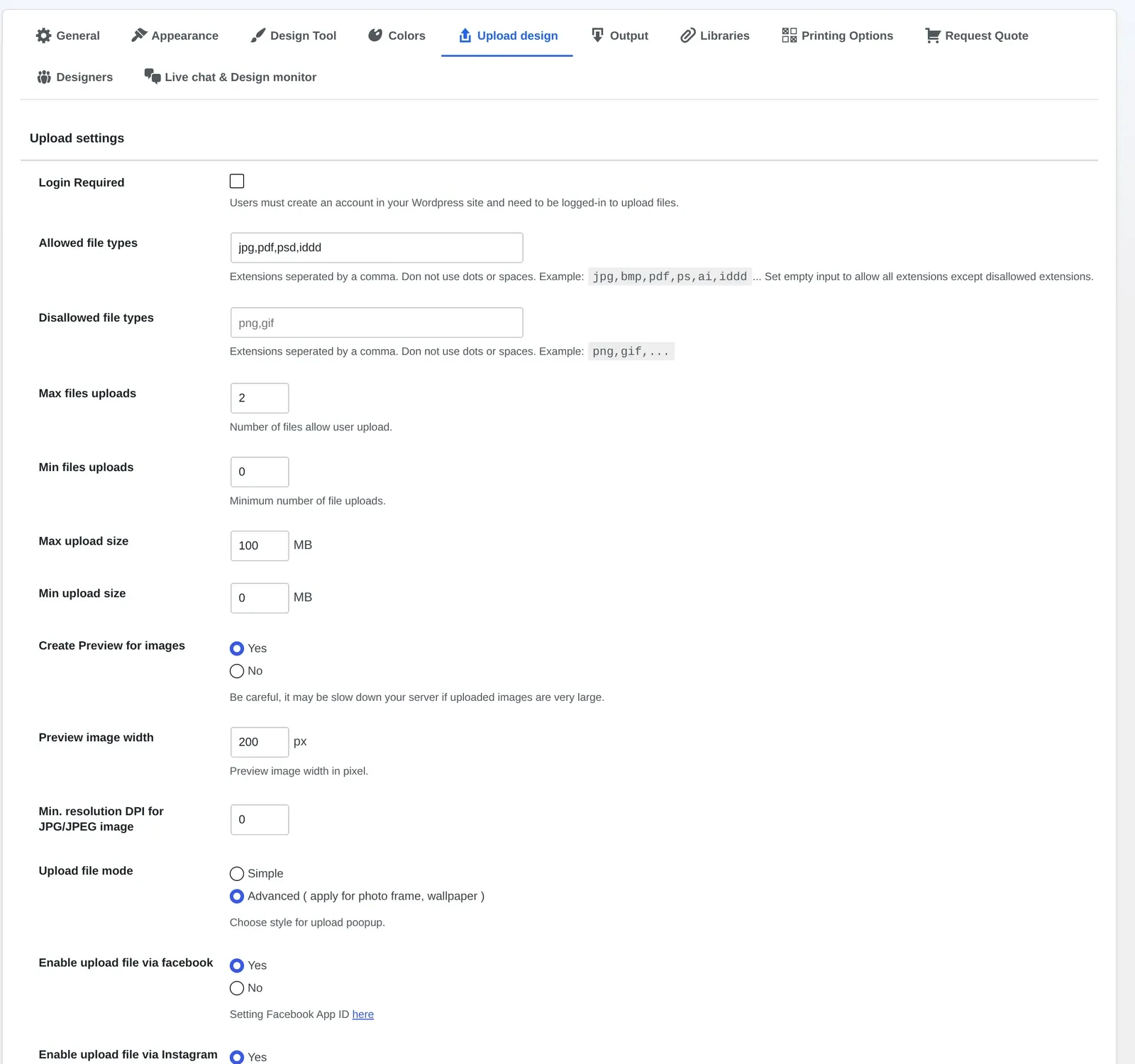
Open Cmsmart → Settings → Upload design and set the allowed file types, the maximum number of files, the size limits in MB and a minimum DPI for JPG uploads.
In Settings → General, switch on Auto export design to PDF so a print-ready PDF is queued the moment a customer clicks Process.
Decide whether the print-ready PDF should attach to your new-order email, or whether your team will open it from the order screen.
Place a test order on the t-shirt product: design it, add it to cart and check out.
On the order screen, open the Customer Design box, review the artwork, and use Accept or Decline with a note — the customer sees Approved, Needs fix or Pending review on their side.
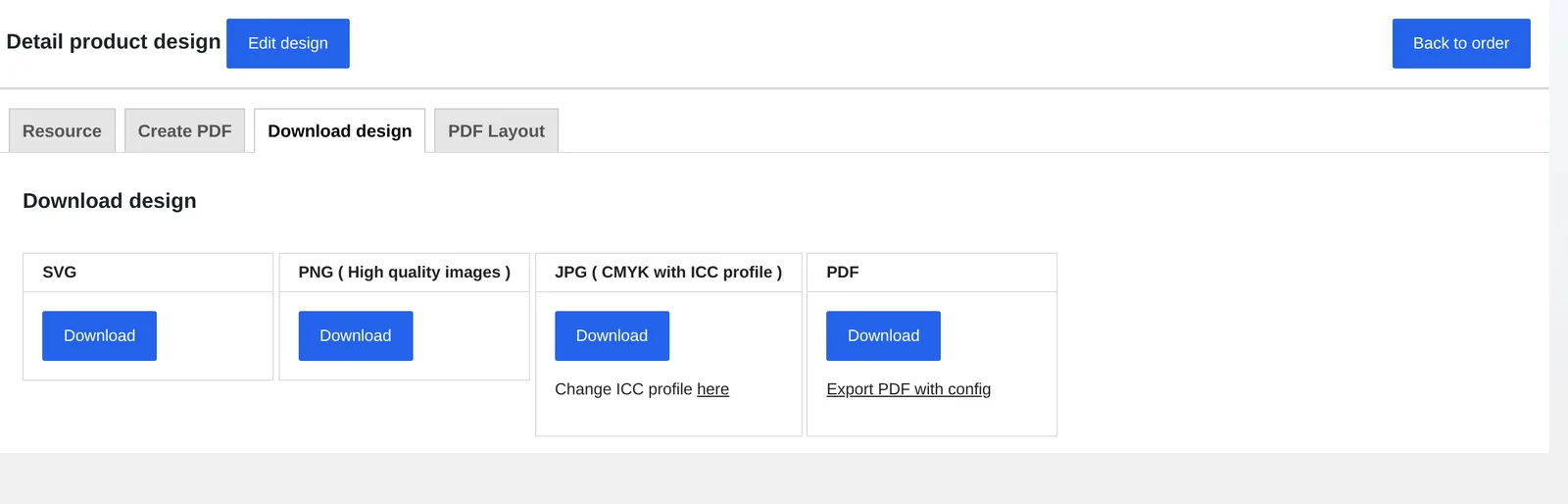
Download the print-ready PDF and the other formats from the order's Download design tab before it goes to the press.
Upload design settings: allowed file types, file count, size limits and the minimum DPI check for JPG uploads.Example order: the Customer Design box — Accept, Decline, or send a note — the same box every product's order uses, including t-shirts.Every approved design can be downloaded as SVG, PNG, JPG (CMYK with an ICC profile) or PDF from the order.
If a customer edits a design after you approved it, the server now refuses the overwrite — the approved-artwork lock added in 2.17.0 — and an edit made before approval simply returns the proof to Pending review so your team sees it again.
Video: How to create your own design easily on WooCommerce (Cmsmart on YouTube).
Going Further: Custom Development for Your T-Shirt Production Line
Beyond the plugin's built-in upload and approval, Cmsmart builds the production-side connections — MIS sync, bulk approval, and brand-specific rules — as custom development for growing POD and apparel businesses.
The built-in workflow covers order-to-approval end to end. Past a certain volume, most t-shirt sellers want the approved file to keep moving without anyone touching it again — that next step is custom development, scoped to your production setup:
Push approved files to an MIS, RIP hot folder or cloud storage — so an approved t-shirt design lands directly in your production queue instead of being downloaded by hand.
Bulk approval for wholesale and school/team orders — Cmsmart builds review screens that group many near-identical designs (same artwork, different sizes) for one approval action.
Brand-locked templates per customer account — for B2B apparel buyers who should only be able to change their own logo or roster names, not the whole design.
AI preflight tuned to your press — the plugin's AI preflight already flags low-resolution artwork before production; Cmsmart can extend the checks your team relies on for a specific fabric or print method.
Reporting on reprint causes — a dashboard that ties declined designs and reprints back to the reason your team logged, so you can see where the real cost sits.
We scope this the same way for every project: a short discovery call, a solution design you sign off on, build sprints with regular check-ins, QA against your real products, then launch and support. See how this plays out on real stores at Cmsmart's ecommerce project case studies.
Cmsmart has built and supported web-to-print and product-personalization stores since 2012, backing the Product Designer plugin with the same team that builds the custom work around it.
Cmsmart is the ecommerce and web-to-print division of Netbase JSC, running since 2012. The team behind the Product Designer plugin also scopes and builds the custom development around it, so whoever sets up your artwork-approval workflow knows exactly what the plugin already does and what still needs building.
6,300+ client projects delivered since 2012, with 1,800+ live stores running today.
Clients in 80+ countries, supported from one team that builds both the plugin and custom work on top of it.
Frequently Asked Questions About T-Shirt Artwork Approval
Can customers upload their own artwork for a custom t-shirt order?
Yes. Inside the online designer, the Photos panel lets a customer upload a file from their computer, or pull one in from Dropbox, Google Drive, Instagram or a webcam, and place it directly on the t-shirt.
Does Cmsmart create a print-ready PDF automatically?
Yes. With Auto export design to PDF switched on, clicking Process queues a print-ready PDF in the background; since 2.17.0 it uses the same page geometry as the admin's own Create PDF, including any custom size the buyer chose.
Can my team decline a design and ask the customer to fix it?
Yes. The Customer Design box on the order lets you Accept or Decline a design and send a notify mail with the reason; the customer sees a Needs fix status and can edit or re-upload until it is approved.
What stops a customer from changing a design after it is approved?
Since 2.17.0, saving over a design whose order item is already approved is refused on the server, whatever link the save comes from. An edit made before approval simply returns the proof to Pending review.
Can uploaded artwork be checked for low resolution before it is approved?
Yes. You can set a minimum DPI for JPG uploads in the plugin's upload settings, and AI Preflight can flag low-resolution artwork and check the print file before production.
Can Cmsmart connect our artwork approval to an MIS or production system?
That part is custom development. Cmsmart builds the connection from an approved design to an MIS, RIP hot folder or cloud storage so files move on without anyone downloading them by hand — scoped and quoted after a short call.
Applies to Cmsmart Product Designer (NBDesigner) 2.17+ · Updated October 2026. Steps and screenshots below are taken from the live nbdesigner.cmsmart.net demo store running the current release.
In short
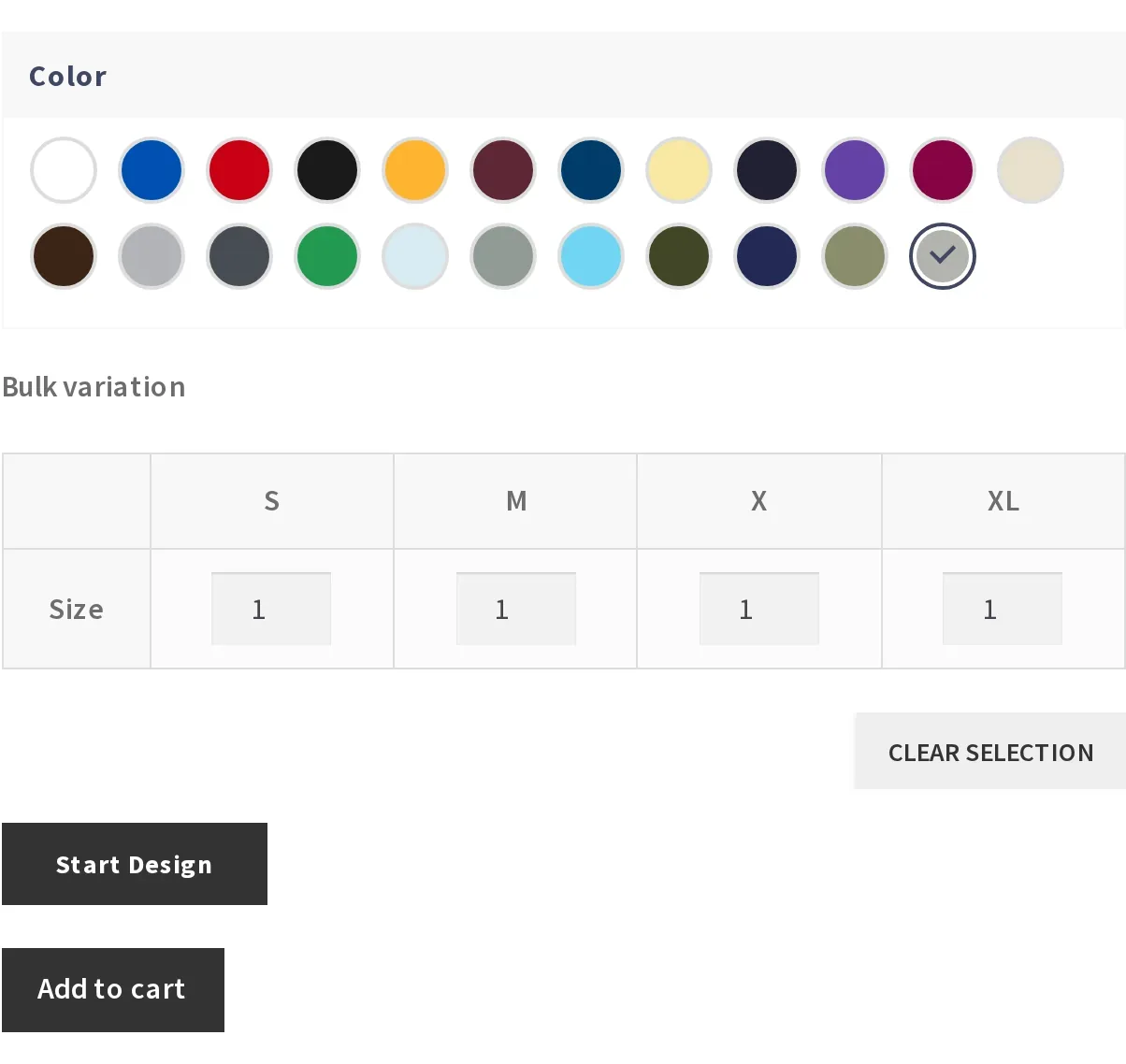
A built-in Bulk variation table lets a buyer order several sizes and colors of the same T-shirt in one add-to-cart, with one price per size already worked out.
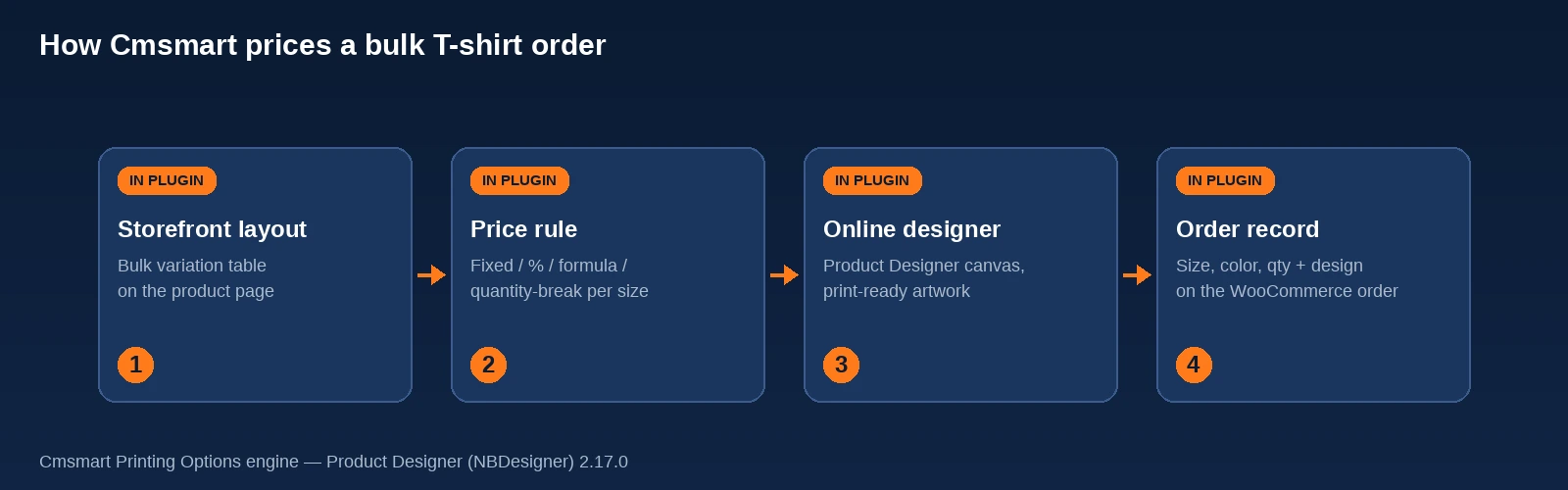
Cmsmart Printing Options builds the table from your product's attributes and applies quantity-break discounts, so the storefront price always matches what production actually charges.
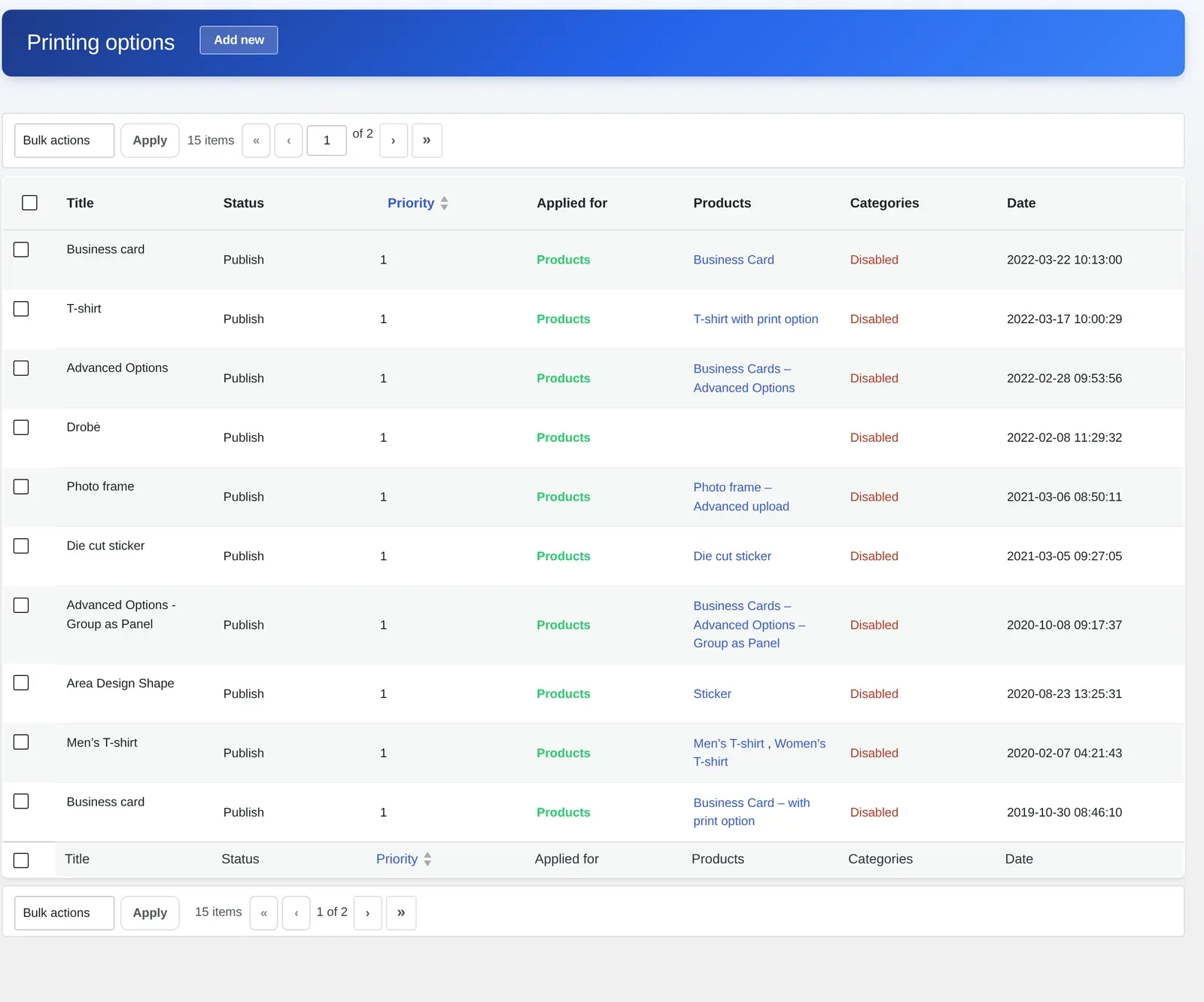
You set it up once in Cmsmart > Printing Options and attach it to every apparel product from the Product Manager; wholesale price lists and roster uploads go further as custom development.
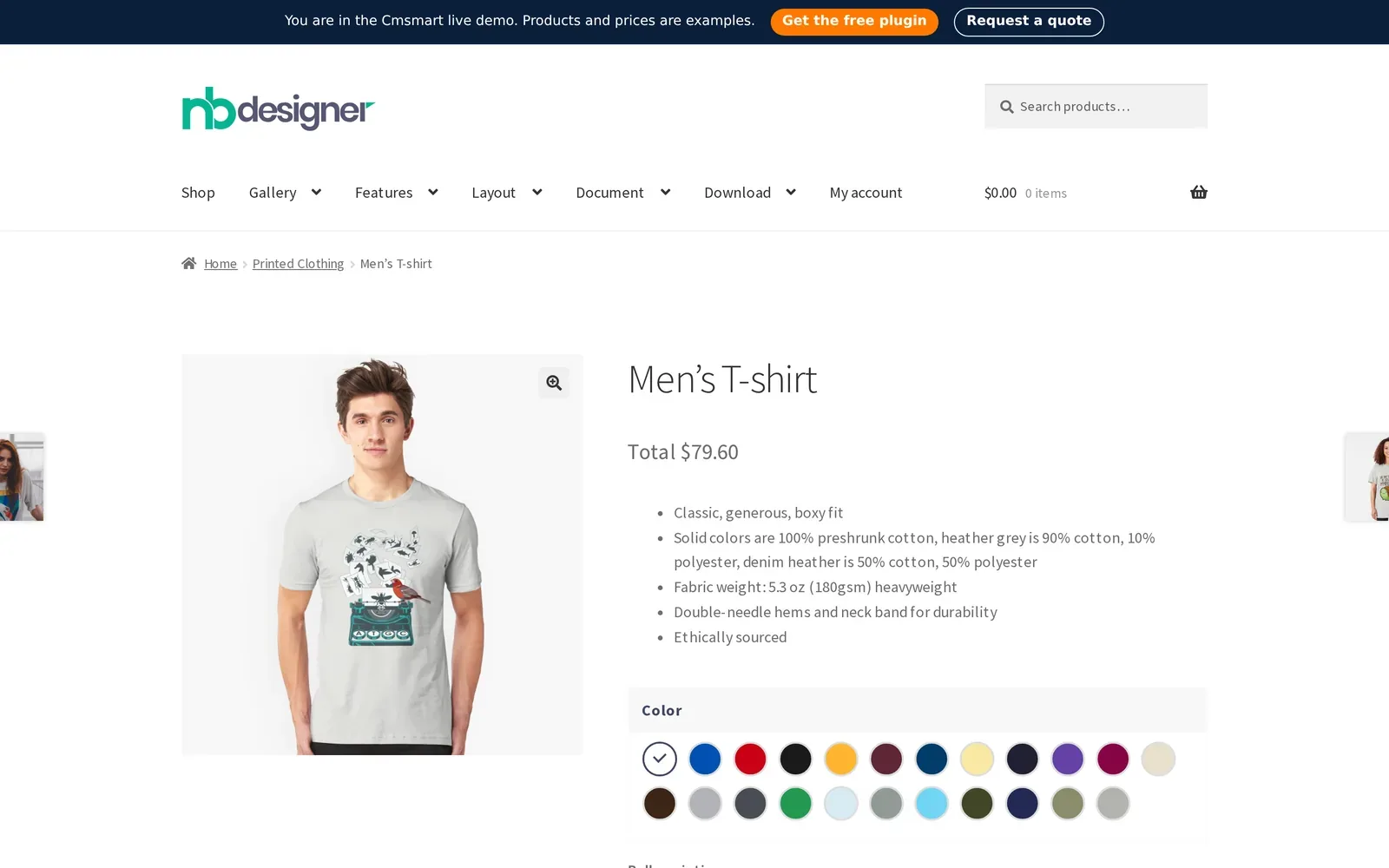
A custom T-shirt order is rarely "one shirt, one size." A sports club wants 8 smalls, 14 mediums and 6 extra-larges in two colors, and they want the per-shirt price before they commit. A bulk T-shirt pricing table from Cmsmart, built into Product Designer (NBDesigner) for WooCommerce, turns that size-and-color math into one live table on the product page, so the order and the price match from the first click to the production floor.
Why does pricing a multi-size, multi-color T-shirt order become a manual problem?
Cmsmart's Printing Options replace the back-and-forth quote email with a table that totals every size and color on the product page itself, so a WooCommerce T-shirt store never has to price a team order by hand.
Plain WooCommerce was built for one buyer choosing one variation, not a dozen sizes in a single cart item. A few concrete pains show up once a T-shirt store starts taking bulk and team orders:
The spreadsheet quote. A customer emails a size breakdown, a staff member prices it in a spreadsheet, and the quote goes back and forth before anyone sees a real cart.
Dropdown overload. Add sizes (S–XXL), a few colors and a couple of print placements as plain WooCommerce variations and you can pass WooCommerce's own variation ceiling: dropdowns stay dynamic only up to 30 variations, and past that point they go static and show every option regardless of prior selections (WooCommerce, Variable Products documentation, accessed 2026-10-17) — exactly where a multi-size, multi-color shirt lands.
One line item, no size breakdown. Even when the dropdowns survive, the buyer adds one size/color combination per click, so a 28-shirt team order becomes 28 separate cart rows.
Reprints from mis-keyed sizes. When staff retype an emailed size list, a S/M mix-up becomes a reprint, not just a support ticket.
Staff time off the invoice. Every manually priced quote is time a print shop or POD brand isn't spending on design, production or the next customer.
What would a smooth bulk T-shirt order look like for your store?
Cmsmart lets a buyer pick a style, choose a color, type a quantity next to each size in one table, and see the full order total before they design anything — no email, no spreadsheet, no manual quote.
Example scenario. A buyer organizing shirts for a weekend event opens your T-shirt product page, picks a color, and sees a row for each size with a quantity box underneath: S, M, L, XL. They type 8, 14, 10 and 6, add their logo in the online designer, and the cart shows one line item with the full size breakdown and the total price. Your team opens the order the next morning with every size, color and print-ready file already attached.
That is the business moment Printing Options is built for: the buyer does the sizing math in public, before they pay, and your store captures a clean order instead of a quote request.
How does Cmsmart price a bulk T-shirt order behind the scenes?
Cmsmart Printing Options is the option-and-pricing engine inside Product Designer (NBDesigner): you define fields such as size and color once, pick a layout, and the plugin renders live pricing on the product page and carries every choice to the cart and the order.
Four pieces work together on every T-shirt product:
Real capture, Cmsmart demo store: a T-shirt product page with the color picker that feeds the bulk variation table below it.
The storefront layout. Printing Options ships several display modes for the same pricing engine: Default fields, a two-axis Price Matrix grid, and Bulk variation — a table of sizes with a quantity box under each, the layout apparel stores use for team and event orders.
The price rule per choice. Each size or color can carry a fixed amount, a percentage, a formula or a quantity-break discount, so an XXL upcharge or a discount for larger orders is config, not a manual adjustment.
The online designer. Once quantities are set, "Start Design" opens the same Product Designer canvas buyers use for one-off shirts, so a bulk order still gets a real, print-ready design.
The order record. Every size, color and quantity chosen is written to the WooCommerce order line item next to the design file, so production reads it straight off the order screen.
How the four pieces connect: the storefront layout feeds the price rule, the price rule hands off to the online designer, and the finished design and price land together on the order record.Real capture, Cmsmart demo store: the Bulk variation table on a men's T-shirt — one quantity box per size, under the color the buyer already picked.
Cmsmart insight: Bulk variation and Price Matrix solve two shapes of the same problem. Price Matrix fits when price itself changes with two attributes at once (paper × weight, size × quantity tier) — see our price matrix table walkthrough. Bulk variation fits when the unit price barely moves but the buyer needs many units across sizes in one cart line, the common case for team and event apparel.
Need
Native WooCommerce + a pricing add-on
Cmsmart Printing Options
Order 6 sizes of one shirt in one cart line
Not built in; buyers add each size/color as a separate product variation and cart row
One Bulk variation table, one cart line, full size breakdown attached
Quantity breaks are part of the same option set that feeds the online designer and the print file
Design attached to the priced order automatically
Needs a separate product designer plugin wired to the pricing extension
Native: the same order line carries the price, the options and the print-ready file
What's the ROI of a built-in bulk pricing table?
Cmsmart replaces manual quoting with a self-service price, which shows up as fewer quote emails per order, fewer sizing errors reaching production, and staff time freed up for design and fulfillment instead of spreadsheets.
Three mechanisms drive the value, each with a KPI from your own order data:
Benefit
How it shows up in your business
KPI to track
Self-service bulk pricing
Buyers see the full order total before they design or pay, instead of waiting on a quote reply
Quote-request emails per 100 product-page visits
One cart line per bulk order
Staff open one order with a complete size/color breakdown instead of reconciling several rows or an email thread
Minutes of admin time per bulk order
Size data attached to the order, not retyped
Fewer S/M mix-ups between the quote and the print run
Reprint rate on multi-size orders
Quick worksheet: if your team handles N bulk/team T-shirt enquiries a month, each taking M minutes to quote by email at a loaded staff cost of $C per hour, manual quoting costs roughly N × M × (C / 60) a month — before counting the enquiries that go quiet while they wait. Put your own numbers in; the table above is where that time comes from.
A 2.17 fix protects this once the order is placed: checkout now shows the quantity once for a line carrying both a design and print options, instead of double-counting it, so the total a team sees at checkout is the total production bills against.
How to set up a bulk T-shirt pricing table in WooCommerce
You build one Printing Options set with a Color field and a Bulk variation size field, attach it to your T-shirt products in the Product Manager, and Cmsmart renders the live table and carries every choice through checkout and into the order.
The flow below matches the current demo store (2.17+); field names may vary slightly on an older release.
Real capture, Cmsmart demo store: Cmsmart > Printing Options, with existing option sets applied to T-shirt products.
In wp-admin, go to Cmsmart > Printing Options and click Add new, or open an existing T-shirt option set to edit it.
Give the option set a name, such as "T-shirt bulk sizing."
Under Online design fields, add a Color/Material field and list the colors you stock, matching the swatches on your product.
Add a Size field with your size run (S, M, L, XL, XXL and so on).
Under Appearance, set Display type to Bulk variation so the sizes render as one table with a quantity box under each size.
Under Printing options > Quantity, turn on Quantity breaks if you want a discount for larger total orders; choose a Discount type (fixed or percentage) and add a break for each threshold.
Give each size any price adjustment it needs (for example, a fixed or percentage upcharge on XXL) under the field's own price-type setting.
Publish the option set.
Go to Apply for on the same screen, choose Products, and search for your T-shirt products to attach the option set to each one.
In the Product Manager (Cmsmart > Products), confirm the designer and your new option set are both Enabled on the product.
Open the live product page, pick a color, enter quantities across a few sizes and confirm the running total updates before you add to cart.
Real capture, Cmsmart demo store: the Printing Options editor, with the quantity-break discount table used for bulk orders.Real capture, Cmsmart demo store: the Product Manager, where a Printing Options set is attached to each T-shirt product.
If you also sell business cards, posters or other print products, the same screen builds their pricing; our guide to configuring print pricing options on NBDesigner covers fields beyond sizing, such as delivery speed and custom dimensions.
Video: Configuring the Price Matrix feature on a T-shirt store (Cmsmart on YouTube).
Going further: what can Cmsmart build on top of the standard bulk pricing table?
Beyond the built-in Bulk variation table, Cmsmart's development team builds wholesale pricing, roster-based ordering and production integrations tailored to a specific apparel business, delivered as a scoped custom project rather than a generic plugin setting.
Printing Options covers size, color and quantity-break pricing for every buyer. Some apparel and POD businesses need more, and we build it as custom development rather than stretch the core plugin past what it verifiably does:
Role-based and wholesale pricing. Price rules apply to every shopper by default; private price lists for a specific school, team or reseller account are custom development.
Roster-based team ordering. A page where a coach uploads names and numbers per size, instead of typing quantities into the Bulk variation table, is a custom front-end on top of Printing Options.
Supplier-cost-linked pricing. Syncing quantity-break thresholds to a blank-garment supplier's own price breaks, so discounts update when supplier costs change.
Production and MIS integration. Pushing a bulk order's size breakdown and print file straight into a screen-printing or embroidery queue instead of a staff member reading it off the order screen.
Our delivery approach follows the same path on every Cmsmart ecommerce project: discovery, a solution design you approve, milestone-based sprints, QA, launch, then ongoing support.
Why work with Cmsmart on your T-shirt store's pricing?
Cmsmart has built and supported Product Designer (NBDesigner) for WooCommerce stores since 2012, with the Printing Options engine behind price matrices, bulk variation tables and quantity pricing used across thousands of live stores today.
"It is wonderful to see their commitment to continuous development, with new features being added frequently to keep the software current and highly capable. The designer works exceptionally well across all devices and allows us to create the exact customisations required to perfectly fit our products and our business model." — Web Developer, United Kingdom, Trustpilot review
That continuous development keeps features like Bulk variation pricing aligned with how production works: the 2.17 line added the approved-artwork lock (approved designs are refused further edits on the server) and made sure the print-ready PDF that matches the order renders again on reorder instead of reusing an old file — both useful when a team reorders the same design next season.
Frequently asked questions
Is Bulk variation the same as the Price Matrix layout?
No. Both live inside Cmsmart Printing Options, but Price Matrix shows a price for every combination of two attributes in a grid (see our price matrix setup guide), while Bulk variation shows one quantity box per size so a buyer can order several sizes in a single cart line. Apparel and team-order stores typically want Bulk variation; stores pricing by two independent attributes, such as paper and quantity, usually want Price Matrix.
Can I give an automatic discount for larger T-shirt orders?
Yes. Printing Options includes quantity breaks with a fixed or percentage discount type; you set the quantity thresholds once in the option set and every qualifying order gets the discount automatically, with no manual price override.
Does Cmsmart support wholesale or role-based pricing for repeat team customers out of the box?
Not in the core plugin. Private price lists per school, team or reseller account are custom development on top of Printing Options.
What does production see when a bulk order comes in?
The order screen shows the line item with every size, color and quantity, next to the design file and print-ready output, so staff read the full breakdown from one place instead of a separate quote or email.
Can buyers upload their own artwork for a bulk team order instead of using the online designer?
Yes. With Upload Design enabled alongside Printing Options, buyers can upload artwork instead of designing online, and the same size-and-color pricing table still applies.
Which plugin version do I need for the setup in this guide?
Bulk variation and quantity-break pricing are long-standing features; the checkout and reorder fixes referenced above ship in the 2.17+ release line, so update to 2.17 or later before following these steps.
Applies to Cmsmart Product Designer (NBDesigner) 2.17.0 · Updated October 2026. This guide replaces our earlier Tee-Pro Solution walkthrough with the current settings screens, print-ready PDF behavior and AI tools shipped in the 2.17 line.
In short
Turn any WooCommerce product into a live design tool, so buyers build their own invitation, sticker or business card and pay for exactly what they approved — no email proofing.
Four settings screens do the real work: General (editor defaults), Upload design (what customers may send you), Output (print-ready PDFs and watermarks) and Printing Options (price matrix, quantity breaks).
Expect an afternoon for one product category: enable the designer, set your file and DPI rules, build one price matrix, then test the buyer and admin flow end to end before you open it to customers.
A buyer who can see their own design and a firm price before committing to a print job checks out; one stuck emailing a logo back and forth usually does not. A WooCommerce product designer plugin — Cmsmart Product Designer (NBDesigner) — turns the second buyer into the first, and its settings, not custom code, do most of the work.
What does manual product customization actually cost your store?
Cmsmart Product Designer removes the email-and-spreadsheet loop around custom orders: buyers design on the product page, see a firm price, and pay — so staff stop quoting jobs by hand and chasing approvals before anything ships.
Personalization demand keeps growing — the global print-on-demand market was valued at $10.8 billion in 2025 and is projected to reach $57.5 billion by 2033, a 23.6% CAGR (Grand View Research, 2025) — but most of that growth goes to storefronts that can quote and produce without a manual back office. Before a store turns on an online designer, a "custom" order usually runs through the same five steps, each one a place to lose the sale or the margin:
Manual quoting. A staff member prices every size, material and quantity combination by hand, by email, often hours after the visitor has moved on.
Proof ping-pong. Artwork goes back and forth as an attachment until someone spots the wrong bleed, the wrong resolution or the wrong side — sometimes after it is already printed.
Reprints. A low-resolution logo or a missing bleed line that nobody caught becomes a reprint, which eats the margin on the next two orders.
Cart abandonment. The average documented online cart abandonment rate is 70.22%, and a checkout that cannot show a price until "we'll get back to you" gives a visitor one more reason to leave (Baymard Institute, 2025).
Staff time. Every manual quote and proof review is time your team is not spending on production or new business — multiply your own order volume by minutes-per-order to see the real monthly cost.
What does a self-service design flow look like for your store?
Cmsmart Product Designer lets a WooCommerce shop turn its catalog into a live canvas: a buyer opens a product, drags in a photo or a template, sees the firm price update, and checks out — so the order that reaches your team already carries an approved, print-ready design.
Example scenario. A buyer opens an invitation product page at 10 p.m., picks a template, swaps in two names and a date, and watches the price update as they add a second side. They pay on the spot. By the time your team opens the shop in the morning, the order is sitting in Cmsmart > Orders with its print-ready PDF already rendered and waiting for a quick sign-off — not a blank inbox and a quote to write.
On the product page itself, the flow starts with a "Start and upload design" button and, once a buyer chooses to design online, opens a full in-browser editor with templates, text and clipart:
A design-enabled product page: the buyer sees the price and a clear way to start designing before they add to cart.The Modern online designer: templates, text and layers in the same canvas the buyer's order will print from.
Nothing here is a mockup: the designer records every layer, so the file an admin downloads later is the file the buyer actually approved.
How does Cmsmart turn a WooCommerce product into a design tool?
Cmsmart Product Designer adds a design canvas, a pricing engine and a print-ready output pipeline on top of a normal WooCommerce product, so the storefront, the price and the production file all come from one configuration instead of three separate tools.
Four building blocks do the work, and each one is a settings screen you configure once per store (then, usually, once per product):
Design tool defaults (General). Editor layout — Modern is current; Classic is deprecated — default output DPI, dimension units, and whether customers may save or share a design in progress.
Upload rules (Upload design). Allowed and disallowed file extensions, size and file-count limits, a minimum DPI for raster uploads, and which import sources (Facebook, Instagram, Google Drive, Dropbox) you allow.
Output and print-ready files (Output). Watermarking, bleed display, PDF password protection, and the export pipeline that produces the file production actually prints from.
Pricing (Printing Options). Admin-defined fields — size, material, sides, finish — wired into a 2D price matrix with quantity breaks, applied to specific products or categories.
Cmsmart insight: set your DPI and bleed rules in Output before you build your price matrix, not after. Stores that configure pricing first often have to redo every printing-option group once they realize the default 150 DPI preview resolution is too low for the print files they actually need.
Since 2.17.0, the file production receives is held to the same geometry the admin sees on screen: automatic print PDFs now match the Create PDF output even for a buyer's custom width and height, and the render certificate records which renderer produced it. A design whose order item is already approved is also locked on the server against further saves — the approved-artwork lock, enforced centrally rather than only hidden behind an "Edit design" button.
Capability
In the plugin today (2.17)
Cmsmart custom development
Design canvas, templates, layers, text and clipart
Yes — Modern editor, per-product templates
Extra panels or tools built for a specific catalog
Custom paper sizes or imposition rules for a specific press
AI preflight, background removal, upscale
Yes — Cmsmart Cloud AI Tools
Store-specific auto-fix rules, bulk re-checks
Approved-artwork lock
Yes — server-enforced since 2.17
Custom approval workflows (multi-stage, PO sign-off)
Basic 3D product preview (desktop)
Yes — per-product toggle in the Online Designer
—
AR preview, mobile 3D, advanced 3D configurators, gang-sheet builder, ERP/MIS sync
No
Yes — scoped and built per store
Need a case like yours mapped out before you commit a sprint? Talk to an ecommerce expert — see "Going further" below for what the custom column usually involves.
What's the business value of setting this up properly?
Cmsmart Product Designer turns custom-order handling into a measurable process: fewer manual quotes, fewer reprints and a checkout that converts, each one tied to a KPI you can watch in Cmsmart > Orders and your own order history.
Benefit
How it shows up in your business
KPI to track
Fewer manual quotes
Staff stop pricing every size/quantity combination by hand
Quotes requested vs. orders placed directly
Fewer reprints
Minimum-DPI and bleed rules catch bad files before checkout
Reprint rate per 100 orders
Faster production handoff
Orders arrive with an approved, print-ready PDF already rendered
Time from "Paid" to "In production"
Higher checkout completion
Buyers see a firm price instead of a request-a-quote form
Cart-to-order conversion rate
ROI worksheet (your variables).
Staff time saved per month ≈ orders/month × minutes saved per order on quoting and proofing × (your loaded hourly staff cost ÷ 60).
Reprint cost avoided per month ≈ orders/month × your current reprint rate × average cost per reprint.
Add any conversion uplift you expect from showing a firm price instead of "request a quote," applied to your own current cart-to-order rate — see the price matrix tutorial for how the pricing side of that number is built.
How do you set up and configure the WooCommerce product designer plugin?
Setting up Cmsmart Product Designer means working through four settings tabs once — General, Upload design, Output and Printing Options — then switching the designer on per product; most stores configure one product category in an afternoon.
Confirm your plugin line. Check Plugins for Cmsmart Product Designer (NBDesigner) on the 2.17.x line before you change anything — the print-ready PDF and approved-artwork lock behavior below assume it.
Set your design tool defaults (General). Choose the Modern editor layout, your default output DPI and dimension unit, and whether customers may save a design for later or share it.
General settings: the editor layout and output defaults every design inherits.
Decide what customers may upload (Upload design). Set allowed and disallowed file extensions, a minimum DPI for raster uploads, and a max file size; turn on Facebook, Instagram, Google Drive or Dropbox import only if you want them.
Upload design: the file-type and DPI rules that keep bad files out before they reach production.
Configure output and print-ready files (Output). Set bleed display, decide whether designs carry a watermark before checkout, and turn on automatic export to PDF so the print-ready file renders as soon as an order reaches your chosen status.
Turn on AI Tools (Cmsmart Cloud). Enable AI Preflight with your required DPI, decide who may use customer-facing AI (everyone, members only, or customers who have ordered), and set a daily run limit so one visitor cannot spend your whole balance.
Cmsmart Cloud: Preflight Quality Checker, Background Remover and Image Upscale, each with its own audience and usage limits.
Build your pricing (Printing Options). Add an option group, add the fields you actually sell on (size, material, sides), attach a price matrix, and set quantity breaks.
Printing Options: each group applies to chosen products or categories, with its own priority and date range.
Enable the designer per product. In Manager Products, turn on the Online Designer for each product, then set its sides, bleed, resolution and color profile in that product's design configuration.
Manager Products: every product with the designer switched on, its templates and its status in one list.Per-product production specs — bleed, resolution, color profile — that feed the print-ready output.
Test the buyer flow end to end. Open the product as a visitor, design something, click Process, confirm the design shows as "Your artwork" next to Add to cart, and carry it through to checkout.
Test the admin flow end to end. Open the resulting order in Cmsmart > Orders, confirm the Customer Design box shows the artwork for approval, download the print-ready PDF, and check the Files list.
For the deeper settings — SFTP/S3 output sync, per-category clipart libraries, license and domain management — the plugin's own WooCommerce product settings and the Cmsmart tabs link out to the right place; this walkthrough covers the configuration every store needs first.
Video: How to download Cmsmart Product Designer and kick-start your ecommerce store (Cmsmart on YouTube).
What can Cmsmart build on top of the standard designer?
Where a store's pricing, production or integration needs go past what the plugin ships with, Cmsmart builds the rest as custom development on the same WooCommerce store — so the designer, the custom logic and your existing catalog stay one system instead of three.
Four extensions come up most often once a store has the core designer running:
Cost-plus and B2B pricing. The built-in price matrix handles size-and-quantity pricing well, but cost-plus formulas, negotiated account pricing or quantity breaks pulled from another system are custom development — Cmsmart builds the pricing logic the standard price matrix cannot express on its own.
DTF and gang-sheet production. Stores selling direct-to-film transfers or sheet-based production often need a gang-sheet builder that packs multiple designs onto one print sheet. That is not a standard designer feature, so Cmsmart builds it as a dedicated tool for that production line.
Augmented reality and richer 3D configurators. A basic 3D preview of the finished product ships in the Online Designer as a per-product toggle (desktop only). Taking that further — augmented reality on a buyer's phone, or a full 3D configurator with rotating parts and material swaps — is a custom integration layered on top of the standard designer output.
ERP, MIS and accounting sync. Pushing paid, print-ready orders into a production MIS or accounting system is store-specific integration work, built against the system you already run.
Every one of these follows the same delivery model: discovery, a solution design you approve, build sprints, QA against your real catalog, launch, then ongoing support — the process behind the ecommerce projects Cmsmart has delivered since 2012, and the same approach documented in the web-to-print storefront guide.
Why work with Cmsmart on your product designer setup?
Cmsmart has built and supported the Product Designer (NBDesigner) for WooCommerce stores since 2012 as a Netbase JSC division, with over 6,300 client projects and more than 1,800 live stores running today.
6,300+ client projects and 4,600+ projects delivered since 2012.
1,800+ live stores running right now, in 80+ countries.
Trustpilot rating 4.2 out of 5 from 404 reviews (Trustpilot).
"We have had the NB Designer plugin installed for three years and have experienced absolutely no problems during that time. It is wonderful to see their commitment to continuous development, with new features being added frequently to keep the software current and highly capable." — Web Developer, United Kingdom, via Trustpilot.
How long does it take to set up the online product designer?
Working through General, Upload design, Output and Printing Options for one product category usually takes an afternoon. Rolling it out across a full catalog, with a price matrix per category and tested buyer/admin flows, typically takes a few days of focused work.
Can the price matrix handle B2B or wholesale pricing?
The built-in Printing Options price matrix handles size, material and quantity-break pricing out of the box. Negotiated account pricing, cost-plus formulas or prices pulled from another system are custom development, built on top of the same product configuration.
Does the print-ready PDF really match what the customer approved?
Since 2.17.0, automatic PDF export and the admin's Create PDF button read the same page geometry, including a buyer's custom width and height, and the render certificate records which renderer produced each file — so the print file matches the order, not just the template.
What file types and DPI should we require from customers?
Set allowed/disallowed extensions and a minimum DPI in Upload design, then confirm the target with AI Preflight's required-DPI setting in Cmsmart Cloud (300 DPI is the common print-production target). Reject low-DPI uploads before checkout rather than catching them at the press.
Can this connect to our ERP or production system?
Not out of the box — order and design data lives in WooCommerce and the plugin's own tables. Syncing paid, print-ready orders into an ERP, MIS or accounting system is store-specific integration work that Cmsmart scopes and builds as a custom project.
Do we need a developer, or can our team configure this alone?
The settings in this guide — General, Upload design, Output, Printing Options and per-product configuration — are built for a store owner or manager to run without writing code. A developer becomes useful once you move into custom pricing logic, integrations or production tooling.
Shopping cart abandonment is a sad commentary in online retailing, with some companies reporting that more than 60% of checkouts end without a conversion. This is a reason why One-page checkout is created. visit our Demo to know how this works. Preventing even a relatively small percentage of these abandoned carts would significantly improve revenues and profits. If you are satisfied with the price and shipping costs, you should go to checking out the process to complete it quickly. This final step is the most important part of online business because many companies lose a large clientele at this step. Making it faster for customers to purchase with your store is what you must do and One-page checkout extension is what you Must have. If customers feel happy with your product and want to get it immediately on their cart but they cannot because of a complicated checkout process. WooCommerce One Page checkout plugin will resolve all your problems.
A shop owner will increase their revenue up to 70% when using One Page checkout products as a great review from our beloved customer because their customers do not want to create an account and log in, they simply want to visit the site as a ''guest'' and make their purchase anonymously. It reduces from three steps to just one step.
Furthermore, one of the biggest benefits of one-page checkout is the option for guest checkout. The checking out process is only on a single page that helps customers save their time and their money as well.
With the first version released in 2014, One-page checkout brings satisfaction and happiness to over 6,000 customers.
Smartphones and tablets are the most viral device today because more than 50% of traffic coming from there, it is more important than ever that your online store using One-page checkout with 100% responsive design.
Instructions about setup and use One Step Checkout WordPress T-shirt
Step 1: Enable plugin in NBT Solution
Step 2: View Frontend and checkout
After this post, I hope that you’ll know exactly How to set up and use the One Step Checkout WordPress T-shirt design theme with online design? Sure to make the right choices. If you want to try this product, please access WordPress Tshirt Solution Demo. If you have any questions about your products, you could contact us with the information below or here ticket support. He is always willing to answer all of your questions. Remembering to use coupon code MAR_DL to get 18% discount for this item
To optimize the ability to make money when participating, you need to use the plugin support tools. However, finding affiliate support tools is not easy and it takes a lot of time. Understanding that, in this article, we will let you know six thirsty plugins below. Accordingly, it will help users can earn profits beyond their imagination. Find out right below!
Promotion Popup is an awesome app that helps you to increase the conversion rate. With this app, you can reduce abandoned carts and promote all significant events of the store to customers.
The Thirsty Rewards is a loyalty points program for our online store (www.thirsty.com.sg) and it is our way of showing appreciation to our online customers.
Product Bundles is a flexible product grouping toolkit suitable for use in a broad range of applications, thanks to its advanced grouping, pricing and shipping features. Need a way to combine multiple inventory-managed components in configurable bundles? There are little Product Bundles can’t handle!
After this post, I hope that you’ll know exactly How to setup thirsty plugins in the T-Shirt solution? Sure to make the right choices. If you have any questions about your products, you could contact Mr.Vincent with the information below. He is always willing to answer all of your questions. Remembering to use coupon code MAR_DL to get 18% discount for this item.
As you know, you’re in the middle of a big period of growth in the global e-commerce market. People are looking to buy and consume many products and services more than ever before in the history of mankind – and they are shifting more and more money on shopping online. This also means that if you are building an online store, you will access way more Buyers than ever before. So, How You Can Design an eCommerce Website That Converts Browsers into Buyers? You want a great Website, where you can sell everything you have. However, If you were to optimize only one thing in your online store, it should be your product pages. Because your product pages are where you turn visiter into customers!
On the Premium Tshirt Website template, the basic steps to creating a product are the same as when you created the product on WordPress Woocommerce. So, if you are a fan of Woocommerce, you can easily use and create a product page by T-shirt Solution. However, they have some different features and they can confuse you. In this article, I will tell you "How To Add New Product In Tshirt Solution?". Please follow my post! Let's start!
Benefits of WordPress Tshirt Solution brought
Powerful Storefront: There are many unique and sophisticated themes available on this printing package. Present your site in a creative way with Multiple layouts, ultimate responsive, and fully customizable.
T-shirt Printing Features: This package included many standard and advanced features for e-commerce sites in general as well as printing sites in particular.
Mobile-Optimized Design: Customers can view your site via any device such as desktop, tablet, or smart mobile. This is one of the important factors to increase revenue that you cannot miss.
Sales & Marketing: This solution provides a comprehensive set of sales & marketing tools to engage with customers. Reach and grow clients through multi-channels.
There are three steps to create a new product in WordPress Tshirt Solution:
Step 1: Go to Backend page ->Product ->addnew. You then have a familiar interface and should immediately feel as editing basic WordPress Post.
Step 2: You need to enter Name, content, Categories, tags. Then, you enable the plugin for this product. There are NBdesigner plugin, order upload plugin, color swatch plugin...
Step 3: You click on Publish and view frontend page to check
That above article is the "Add New Product In Tshirt Solution" tutorial. I hope this article has brought you much useful information. You can try this product at Premium Tshirt Website template DEMO. If you need any help figuring please feel free to contact Our Support team and we will be happy to help. Remembering to use coupon code MAR_DL to get 18% discount for this item. Thank you for reading and keep following us to get more information in the next article! Bye, See you soon!
Wordpress Tshirt Solution is a plugin providing users with convenient features which contribute to products sale as well as increase brand awareness. In order to create a good-looking and well-documented storefront, you have to distribute items into particular categories. This writing will give you a brief tutorial of creating a category in Tshirt Solutions. Basically, a category in Tshirt Solution is where you present product information including image, label, color, price, etc to give clients an overall look.
Some outstanding benefit of Wordpress Tshirt Solution
Unlimited content: Tshirt Solution allows you to build posts that solely contain either text or image or both of those. You can maximize self-creativity to create an online store with eye-catching and vogue outlook along with unique and trendy ideas.
High-quality images: Sharpness of photographic image is an essential factor of online shopping. With Tshirt Solution, you can upload product images in the highest quality which makes clients find your store attractive and worth-subscribing.
Useful features: Tshirt Solution contains many features like swatching color, categorizing price, etc that are necessary to organize the page, monitor content and maximize all your advantages.
Editability: Even after publishing a post, you can still make changes to it anytime wanted.
Automatic back-up: On the process of creating a post then being interrupted by some incidents such as PC crashing down, blackout, don’t worry because Tshirt Solution is here to have your back. All your content will be automatically saved on our “cloud” so that next time signing in you can still find your unfinished articles.
Frequently updated features: Our product will be updated monthly to make it better every day.
Why should you categorize products on storefront?
Attracting potential customers: Customers benefit from the improved shopping experience. They find the right mix of products, merchandised in a logical and attractive manner.
Lifting sale: Operators will be able to cope with the complexity of their products and maximize product range to enhance shopper satisfaction and store loyalty, and reduce stockouts.
User guide about Create Category In Tshirt Solution
Now we will move on to main content: How To Create Category In Tshirt Solution? First and foremost, the Tshirt Solution plugin has to be installed. If you have already got it, let’s follow these steps:
Step 1: Log in to your WordPress Administration Screen (Dashboard).
Step 2: Click the ‘Products’’ tab.
Step 3: Click the ‘Categories’’ sub-tab.
Step 4: Start filling in the blanks: Enter product name in the ‘Name’ field. This is where customers would choose to see all items distributed into that category. You should name it alphabetically or based on function so that viewers could track their product of interest easily.
As needed, add slug, which is the URL - friendly version of the name. It is usually all lowercase and contains only letters, numbers or hyphens.
Step 5: Add the parent category. Assigning a patent term would create a hierarchy. For example, the term ‘Accessories’ would be a parent of ‘Hat’ or ‘Bracelet’
Step 6: Fill in description. In this field, you can add some brief information about the product. It should short yet highlight special features of the item to attract customers. You should explain if a certain pricing package is better for an individual or a smaller business. Don’t make a customer guess which one is best for them.
Step 7: Add thumbnail: This would be really important to promote your product. You can upload one or more images. When you finish modifying, click the button ‘Add new category’. Now your category is published to the world.
We hope you find our guideline helpful. Now you can create a category to promote your clothes online. For more product information, please access link: Live Demo. Please do not hesitate to raise further questions about our products, contact us or https://cmsmart.net/support_ticket/for your convenience. And do not forget to use coupon code MAR_DL to get 18% Discount for this item.
TShirtPrint - TShirt Printing Store Ecommerce Website with Online Designer is one of our products supporting an online business on the Wordpress platform. The basic ground of an online store is to create a post for each item. This writing will give you a brief tutorial of creating and updating a post in Tshirt Solution. Basically, posts in Tshirt Solutions are the same as common displays of Wordpress which are presented in reverse order on your home page. They usually have comment fields beneath them and are included in your site’s RSS feed.
Here come some features of Tshirt Solution:
Unlimited content: Tshirt Solution allows you to build posts that solely contain either text or image or both of those. You can maximize self-creativity to create an online store with eye-catching and vogue outlook along with unique and trendy ideas.
High-quality images: Sharpness of photographic image is an essential factor of online shopping. With Tshirt Solution, you can upload product images in the highest quality which makes clients find your store attractive and worth-subscribing.
Useful features: Tshirt Solution contains many features like swatching color, categorizing price, etc that are necessary to organize the page, monitor content and maximize all your advantages.
Editability: Even after publishing a post, you can still make changes to it anytime wanted.
Automatic back-up: On the process of creating a post then being interrupted by some incidents such as PC crashing down, blackout, don’t worry because Tshirt Solution is here to have your back. All your content will be automatically saved on our “cloud” so that next time signing in you can still find your unfinished articles.
Frequently updated features: Our product will be updated monthly to make it better every day.
How To Create And Update Post In Tshirt Solution?
Now we will move on to main content: How To Create And Update Post In Tshirt Solution? First and foremost, the Tshirt Solution plugin has to be installed. If you have already got it, let’s follow these steps:
Step 1: Log in to your WordPress Administration Screen (Dashboard).
Step 2: Click the ‘Posts’ tab.
Step 3: Click the ‘Add New’ sub-tab.
Step 4: Start filling in the blanks: enter your post title in the upper field, and enter your post body content in the main post editing box below it. This box should contain the title of your post. You can use any phrase, words, or characters. WordPress will then clean it up to generate a user-friendly and URL-valid name of the post (also called the “post slug”) to create the permalink for the post.
Step 5: As needed, select a category, add tags, and make other selections from the sections below the post. (Each of these sections is explained below.)
Step 6: When you finish modifying, take a look to Publish box. This contains buttons that control the state of your post. The main states are Draft and Published. Draft means the post has not been published and remains in draft status for the post creator. A Published status means the post has been published and is live on your site.
Step 7: Update/edit post: After posting, you can make changes to your published post by access the Edit category on the right corner.
We hope you find our guideline helpful. Now you can produce unique content to promote your clothes online. For more product information, please access the link Live Demo. Please do not hesitate to raise further questions about our products, contact our Sales Consultant Manager or Support team CMSmart for your convenience. And do not forget to use coupon code MAR_DL to get 18% Discount for this item.
TshirtPrint Website With Online Designer is the package included many standard and advanced features for e-commerce sites in general as well as printing sites in particular. There are many unique and sophisticated themes available on this printing package. Present your site in a creative way with Multiple layouts, ultimate responsive and fully customizable. Customers can view your site via any device such as desktop, tablet or smart mobile. This is one of the important factors to increase revenue that you cannot miss.
The benefits of creating a new page
Create a new page is a great way to provide your website with additional resources. It could be used to display directions or anything it may need to know. Once a page is created, your website might become more abundant. Moreover, updating your website will attract customer's attention to your site, give valuable information to potential clients and show clients/potential clients current perfect products.
In addition, keep your website updated is that clients and potential clients want to read current information. The more happy customers you have, the more products you could sell. Make sure their testimonials are listed on your website. If you have done some very successful design, make sure to have them on your new page. The more current and up-to-date new page is, the better.
Tutorial video of creating and update pages in T-Shirt Solution
Would you like to try our Demo? please click on demo
After this post, I hope that you’ll know exactly how to start your own print on demand business on eCommerce website and create a new page? Sure to make the right choices. If you have any questions about your products, you could contact our support team. We are always willing to answer all of your questions. Remembering to use coupon code MAR_DL to get 18% discount for this item.
Time is money. The time customers spend on your website is a clear indication of how they feel about it. Website’s user experience takes a very important role in attracting customers staying longer on your website. The longer your visitors stay on your site, the more engaged they'll be, and the higher the chance for them to make the purchasing decision. The solution here is how to help visitors find the information they need quickly and in a convenient way. Internal search features will provide your customers with an invaluable tool that helps them address their needs immediately. And now let's using T-shirt solution integrate Online design tool" to enhance user experience.
What Are The Benefits Of Using An Internal Search Engine On Your Website
An internal search engine helps customers find content within your site easier. Without a search engine, your customers would have to look at your website one by one and pore over the contents of each page carefully. Of course, no one wants to waste their time sticking around long enough to do it.
The intent of customers searching on Google is different than those who are searching within a website. Internal site search customers are more likely to purchase your services or products.
You’ll learn what keywords are most used by visitors on your website which directs future marketing decisions related to content development and advertising campaigns. Saving usage data and click path from real users through your site search function allows you to easily locate where your customers had difficulty, giving you clues about the sections on your website need to be updated or expanded. View more How To Install TeePro WordPress Into Your Hosting?
Looking at customers' searches can also help you identify the new needs of your customers which your products and services cannot fulfill at the moment. If a large number of customers search for something you don’t yet offer, you may want to consider offering a product that fills that void – especially if your site is already bringing in traffic for it.
An internal search engine also helps you find keywords you have not aware of. You might find some pages on your website that are missing the words people actually use to look for it. This information can help you refine your content and improve your chances of ranking higher on the SERP to reach a wider audience.
To be successful online, you need to be mindful on how people are finding the information they need online. One of the best solutions to identify customer demands is to use a good search function on your website. We recommend starting with Ajax Search which is readily adaptable to your needs.
How to setup and use Ajax Search in T-shirt Print website with online design package?
Follow the below video to know how to set up and use FAQs in T-Shirt Solution
You only need to follow 3 easy steps as below:
Step 1: Enable plugin
Step 2: Add plugin to the widget
Step 3: View and search in Frontend
We hope you find this article helpful for your business. This is great Click here if you want to find more detail information about our T-shirt Print website with online designpackage. If you have any questions about this product, please contact us or https://cmsmart.net/support_ticket/We will answer all your questions. Don't forget to use coupon code MAR_DL to get 18% Discount for this item.
FAQ stands for Frequently Asked Questions, and an FAQ page on your website is an organized collection of valuable information that your customers ask about your products and services. This page is a useful way to organize information that your customers often ask. So How To Setup And Use FAQs In T-Shirt Solution? What're the benefits of FAQ page?
Improve your customer’s experience, make them stay longer on your site.
Provide quick information that helps your customers easier to make the purchasing decision.
Reduce the time your consultant staves spend on answering simple questions.
Increase your online visibility on Google and other search engines.
Boost sales since customers will make the purchasing decision easier.
Why Is An FAQ Page Important For Your Website?
Your FAQ page deals with specific questions about your products and services. The FAQ page is a section of your website that will become a must-to-go destination for your customers so it will help you reach your target audience very quickly. That's why this page is one of the most important ones that help you increase your online presence and drive qualified traffic to your site. A great FAQ page is one of the most important elements of your business website.
Whenever someone clicks on the FAQ page on your website, you could be sure that they are in your business. For many customers, the FAQ page is the second page they go to after the Homepage or Product page. So your FAQ page needs to include high-quality content that will help your customers understand your products and services quickly. This means your FAQ page plays a central role in driving your audience to pay customers. And it is a good idea to invest time and effort in your FAQ page to ensure that it helps your business reach your goals. To get explore more than about the product please click: Wordpress Tshirt Solution Demo
Serving your customers in the best possible way must be the priority of every business. But, the questions from customers can be irritating and time-consuming. Then why not address the most common concerns of your customers on your site, you will reduce a lot of stress from your customer service department. Minimizing this burden, your support team can concentrate more on the technical worries.
Along with providing the answers for technical questions to your customers, the FAQ page shows how well you know about your own products and services that you could answer their questions before they are even asked.
How to set up and use FAQs in T-shirt Print website with online design package
Follow the below video to know how to set up and use FAQs in T-Shirt Solution
You only need to follow 3 easy steps as below:
Step 1: Enable plugin
Step 2: Add plugin to the widget
Step 3: View and search in Frontend
We hope you find this article helpful for your business. This great solution for your website. If you have any questions about this product, please contact us or click https://cmsmart.net/support_ticket/. We will answer all your questions. Don't forget to use coupon code MAR_DL to get 18% Discount for this item.
Thanks to the eCommerce revolution and the advancement in technology, Online print services have become very popular in recent years. You could easily find a vast amount of printing products on any WooCommerce website. However, to be successful in this sector has definitely become more challenging than earlier. In order to stay ahead, it is very important for your company to offer products and services that are more engaging. The major question is how to make your T-shirt printing business engaging? There can be several answers to this question but the most efficient way is to make your products and services available to the users.
There are many printing websites that are using an eCommerce platform, WordPress CMS is the most popular solution. That's why an online designer tool for t-shirts should be integrated into your WordPress website. These days, you can find this kind of service on many online printing websites that allow their customers to upload their own design or enable them to create personalized designs online. T-shirt Print website with online design package is one of your choices.
Benefits Of Using an online T-shirt Designer WordPress Plugin
T-shirt is a must-have product in almost everyone’s wardrobe but what makes one T-shirt different from the others is the printed slogan and/or graphic it contains. This takes a T-shirt from simple apparel to a form of self-expression apparel. If you are able to develop a unique and customizable T-shirt printing concept, this may prove to be the most valuable aspect of your T-shirt business.
Once the tool gets integrated into your website, your customers get the opportunity to freely create their own designs. When a customer decides to create a personalized design on a t-shirt of their choice. Sure this will promise an enriched user experience that the website can offer when a highly functional tool is offered to the buyers. We highly recommend the T-shirt Print website with online design package which is readily adaptable to your needs. You can access T-shirt Print Website Demo to explore more about this product.
Some highlight features of Wordpress T-shirt print website with online design package:
Online designer: Web to Print Online Designer is a must-have tool for all printing company which helps customers customize multiple all type of printing products. Customers have no experience in photoshop, but they also want to create their own design as customize T-shirt, mugs, pillow, photo, canvas, business card, phone case and so on.
Add/ curve text and 200+ typograply: A customer can add text with various colors, fonts, and sizes. Especially, they can curve text in their design and edit anything. There are 200+ typography available which save your time to find
Custom design: Admin can create one or more templates and manage them easily in the admin panel
Import/Export design: Import or Export files directly from your source easier than ever
100% responsive & mobile friendly: Customers can design on any device such as desktop, tablet or mobile.
Tutorial video of the set up the product size on T-shirt Print website with online design package
You only need to follow 3 easy steps as below:
Step 1: Add new size guide
Step 2: Setting for product
Step 3: View product after completing
We hope you find this article helpful for your business.One more timeClick here if you want to find more detail information about our T-shirt Print website with the online design package. If you have any questions about this product, please contact our Sales Consultant Manager, Vincent or https://cmsmart.net/support_ticket/ He will answer all your questions. Don't forget to use coupon code MAR_DL to get 18% Discount for this item.
Do you have a Tshirt Store Website? but you see it is not beautiful, not enough attract. It does not bring you the number of potential customers you expect. What will you do? You want to change your site. However, you do not know how to code. You only have some amazing ideas in your mind. OK! Do not worry! CMSmart and WordPress Tshirt Package will help you. In this article, I will tell you how to change your site with the core Theme for Teepro. Let's go!
Before Introduce, you need to do some work below:
Firstly, buy and install Premium Tshirt Website template Secondly, go to the backend your site -> Appearance -> click Customize
Now, let's begin Introducing the Core Theme For Teepro:
1. Header Options
Preset: There are 4 header styles that you can choose.
Sections: With General, you can change your logo what fits with your Wordpress Tshirt Printing Store. In addition, you can change both the logo size with "logo area width" (unit: pixel). You can edit "Menu Responsive" Size, fixed header, and add text section. In addition to general details are adjustable, you can change some size about top&bottom padding such as header topbar, header middle, header bottom.
2. In addition to Header Options,
There are many edit features you can custom such as element, color, typography, layout, shop, blog, footer, pages, Dokan, service, Site Identity, header image, background image. Because talking about them will take a lot of time, I will not talk all in this article.
Some highlight features in WordPress Tshirt Solution
ONLINE DESIGNER: Web to Print Online Designer is a must-have tool for all printing company which helps customers customize multiple all types of printing products.
ORDER UPLOAD: Order uploads feature allows customers to add one or more files to your website for products.
PRICE MATRIX: Flexible Table Pricing Matrix feature helps your site display two or more variations of a variable product in the form of a pricing table instead of showing them in drop-down boxes.
INTEGRATED PRINTFUL'S WAREHOUSE & FULFILLMENT (coming soon): With Warehousing & Fulfillment, you can store products sold at your eCommerce store at our warehouse, and we’ll fulfill your orders and ship the products directly to your customers under your brand.
Above is some useful information introducing the Core Theme For Teepro. You can try the Premium T-shirt website template DEMO! If you have any questions about the product, please contact us at the contact information below or our Support team. Remembering to use coupon code MAR_DL to get 18% OFF for this item.