
Guide · AI
AI in B2B Ecommerce: Faster Quotes and Reorders
AI in B2B ecommerce can draft quotes, flag reorders and clean up supplier catalogues on Cmsmart Product Designer — request a custom AI integration tod...
Typography is one of the most important elements on a website. As a minimum, your website needs to be clear and everyone can read.
Was this tutorial helpful?
See also: Cmsmart pricing and Cmsmart products.
Written by
Cmsmart B2B Commerce & Operations Consultant
Designs B2B ordering, marketplaces and the operations behind them.
The team behind it
 Account Manager
 Project Manager
 Business Analyst
 Developers & QA
Guide · AI
AI in B2B ecommerce can draft quotes, flag reorders and clean up supplier catalogues on Cmsmart Product Designer — request a custom AI integration tod...
Guide · Web-to-print
See how a multi-sided product designer for WooCommerce lets buyers design both sides of a card, then request a custom build.
Guide · B2B
WooCommerce Amazon Etsy sync guide: keep stock and orders right across channels, avoid overselling, and get a custom integration quote.
Browse more guides, tutorials and case studies from the Cmsmart community.
Cmsmart Store is a comprehensive eCommerce solution designed to empower businesses with the tools they need to succeed in the digital marketplace. By integrating a curated selection of essential plugins and apps, Cmsmart Store ensures a seamless, feature-rich, and customizable platform for creating and managing online stores. Each tool is carefully selected to enhance functionality, improve user experience, and streamline operations, making it the ultimate choice for businesses aiming to thrive in the competitive world of eCommerce
Read MorePlan a multivendor marketplace: seller onboarding, product rules, commissions and payouts, then choose a platform and launch path.
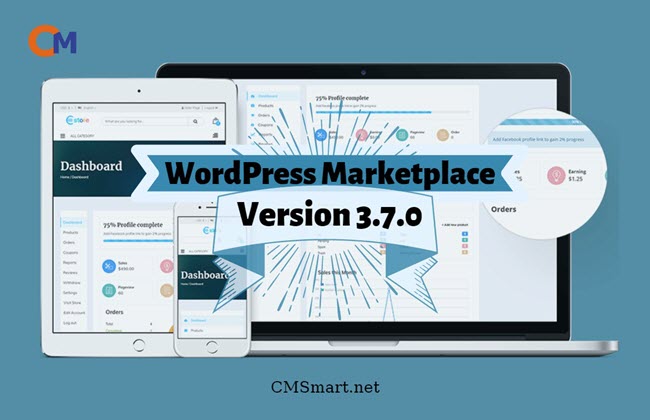
Read MoreIn this article, I will tell you about some features in WordPress Marketplace version 3.7.0 that I think that they are quite amazing.
Read More
Cmsmart Ecommerce provides custom ecommerce and WooCommerce development services for web-to-print, product personalization, plugin support and API integration.
Cmsmart B2B Commerce & Operations Consultant
Designs B2B ordering, marketplaces and the operations behind them.
Meet the team →




Typography is one of the most important elements on a website. As a minimum, your website needs to be clear and everyone can read. Yet, typography also offers much more. Currently, the largest font provider for websites is google. There are over 900 google font which you can use and upload. If you choose a suitable font, you can enhance your brand and the value of your web. They are being stored on Google’s servers. With Google Font, you can display them quickly and reliably. How to configure various Google Fonts in WordPress Marketplace? I will tell you in this article. Let's go.
Configure various Google Fonts In Wordpress Marketplace
Go to backend -> Click on Typography -> edit font. You can see 2 main parts: Body font and Heading font. They all have 3 small parts.
Moreover, you easily change and control your typography as well as fonts style to make your site stand out of your competitors with Heading Font, Font Subset. Besides, they also help to increase SEO for your content.
Some Highlight features in Google font plugin In Wordpress Marketplace
Above is some useful information about How to configure various Google Fonts in WordPress Marketplace. If you want to try WordPress Multistore product DEMO, please click! If you have any questions about the product, please contact us at https://cmsmart.net/support_ticket/. We are willing to answer all of your questions. Remembering to use coupon code MAR_DL to get 18% discount for this item.
Best regards.